1. Wprowadzenie
The XOSS G+ GPS Bike Computer is a high-tech wireless device designed to enhance your cycling experience. It features a built-in high-sensitivity GPS chip with support for GPS, GLONASS, and Galileo satellite systems, ensuring accurate location tracking and automatic recording of your riding data. This device functions as both a speedometer and odometer, providing essential metrics for scientific and effective training. It also supports connection with external ANT+ and Bluetooth peripheral devices like heart rate monitors and cadence/speed sensors for comprehensive data analysis.
2. Co znajduje się w pudełku
- XOSS G+ GPS Bike Computer
- Uszczelka gumowa
- Kabel USB
- Montaż komputera
- Mount Rubber Pad
- Instrukcja obsługi
- Gumki (do montażu)
Note: Heart rate monitors and cadence/speed sensors are sold separately.
3. Konfiguracja
3.1. Installing the Bike Computer Mount
Attach the computer mount to your bicycle's handlebar or stem using the provided rubber gasket and rubber bands. Ensure the mount is securely fastened and positioned for optimal viewing.

Image: The XOSS G+ GPS Bike Computer mounted on a bicycle handlebar, showing its compact design and display.
Video: Detailed instructions on how to install the XOSS G+ bike computer mount on your bicycle.
3.2. Installing a Compatible Cadence/Speed Sensor
The XOSS G+ is compatible with ANT+ and Bluetooth cadence and speed sensors. These sensors typically attach to the crank arm for cadence or the wheel hub for speed. Follow the sensor's specific instructions for installation. Ensure the sensor is positioned correctly and the magnet (if applicable) is within the recommended distance.

Image: Visual guide for installing a cadence sensor on the crank arm and a speed sensor on the wheel hub.
Video: A demonstration of installing a compatible cycling speed and cadence sensor on a bicycle.
3.3. Akwizycja sygnału GPS
For accurate GPS tracking, ensure you are in an open, unobstructed outdoor environment. Turn on the device and allow a few minutes for it to acquire a GPS signal. The GPS icon on the screen will become solid and a beep will sound when the signal is successfully acquired.

Image: The XOSS G+ utilizes GPS, GLONASS, and Galileo for fast and accurate positioning.
3.4. Setting Wheel Diameter
To set the wheel diameter, long-press the left and right buttons simultaneously to enter the P1 interface. Press the left button to adjust the wheel diameter value. This setting is crucial for accurate speed and distance readings when using a speed sensor.
3.5. Switching Units (km/mile)
You can switch between kilometers (km/h) and miles (mph) using two methods:
- Via XOSS App: Open the XOSS app, connect your bike computer, then navigate to "Settings" -> "Unit" and save your preference.
- Na urządzeniu: Long-press the left and right buttons to enter the P2 interface. Press the left button to toggle between km/h and mph.
4. Instrukcja obsługi
4.1. Power On/Off and Data Display
Long-press the right button to turn the device on or off. Once powered on and GPS is acquired, you can press the right button to cycle through different data pages, displaying metrics such as current speed, cycling time, distance, average speed, altitude, slope, maximum speed, current clock, and total mileage.

Image: The XOSS G+ display showing multiple data fields including speed, time, heart rate, distance, and cadence.
4.2. Pairing with ANT+ and Bluetooth Sensors
The XOSS G+ supports ANT+ and Bluetooth 4.0+ for connecting external sensors like heart rate monitors and cadence/speed sensors. To pair, ensure your sensors are active. On the XOSS G+, long-press both buttons to enter pairing mode. The device will automatically search for and connect to available sensors. Once paired, the sensor data will be displayed on the screen.
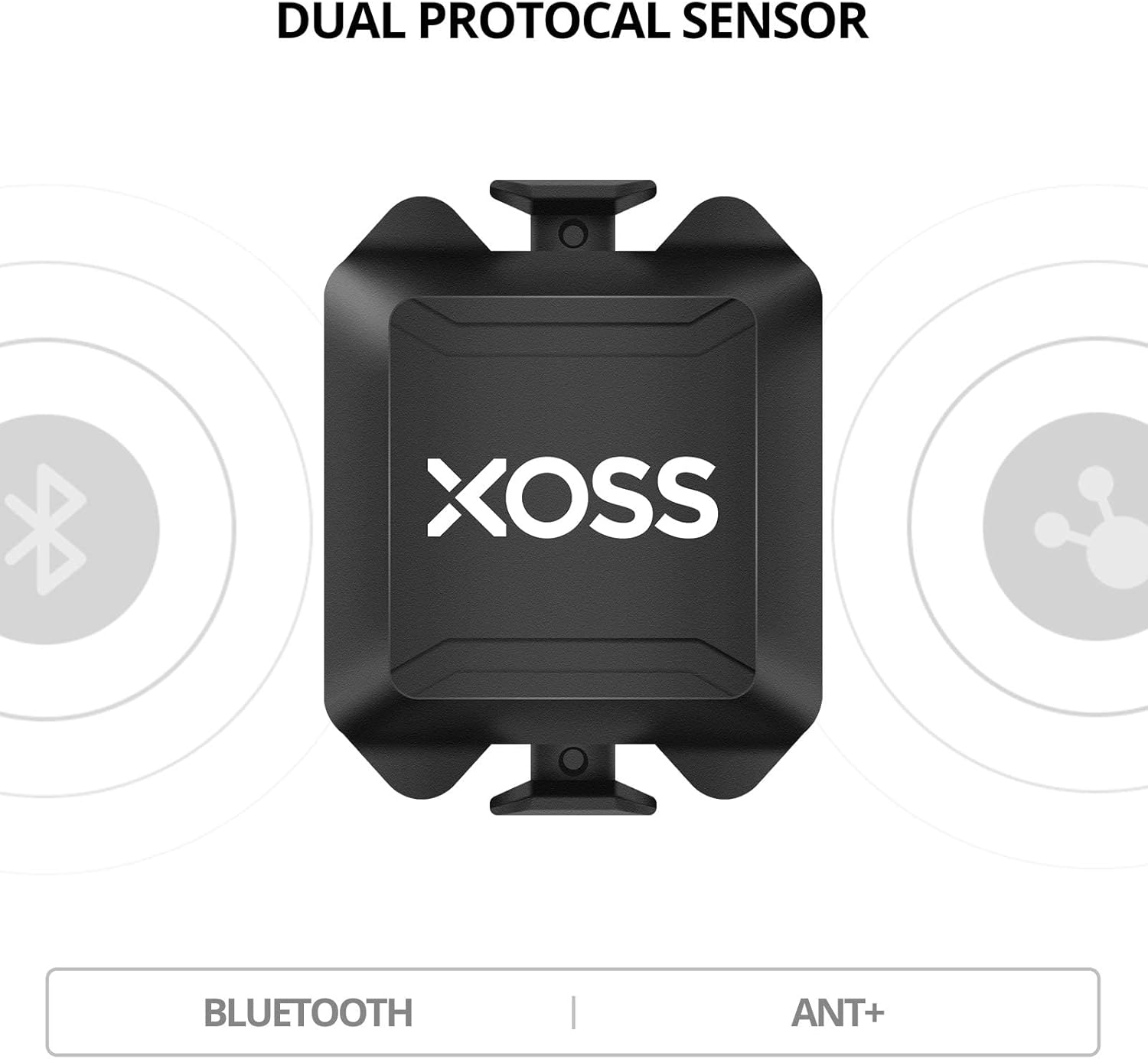
Image: The XOSS dual protocol sensor, highlighting its compatibility with both Bluetooth and ANT+ technologies.

Image: The XOSS sensor demonstrating Bluetooth compatibility with various cycling apps like XOSS, Openrider, and Zwift.
5. Data Analysis & App Connectivity
The XOSS G+ allows you to upload your riding data via Bluetooth to the professional XOSS Cycling Computer Riding APP. From the app, you can synchronize your data with platforms like Strava, making it easy to share your riding records and experiences. The app also allows you to customize settings such as backlight, keystroke sound, auto-pause, unit (metric or imperial), and time zone.

Image: The XOSS app interface illustrating how cycling activities can be saved and shared to Strava and TrainingPeaks.
Wideo: Ponadview of the XOSS G+ features, including data display and connectivity with the XOSS app for data analysis and sharing.
6. Konserwacja
The XOSS G+ bike computer has an IPX7 international protection rating, meaning it is waterproof and can withstand rain and splashes. However, it is not designed for submersion. Keep the device clean by wiping it with a soft, damp cloth. Ensure the USB port cover is securely closed to maintain water resistance.

Image: The XOSS G+ bike computer on a handlebar, showing its water-resistant design in wet conditions.
7. Rozwiązywanie Problemów
- No GPS Signal Found:
Ensure you are in an outdoor environment with no overhead obstructions. Remain stationary for a few minutes to allow the device to acquire the signal faster.
- DFU Displayed on Screen:
This may indicate a firmware issue. Please contact XOSS customer support for assistance.
- Cannot be used on indoor spinning bikes or cycling platforms:
The XOSS G+ is designed for outdoor use with GPS functionality and is not compatible with indoor spinning bikes or cycling platforms for data tracking.
8. Specyfikacje
| Funkcja | Szczegół |
|---|---|
| Marka | XOSS |
| Nazwa modelu | G+ |
| Rozmiar ekranu | 1.8 cali |
| Typ wyświetlacza | LCD |
| Żywotność baterii | 25 godzin |
| Typ czujnika | Cadence Sensor, GLONASS Sensor, GPS Sensor, Heart Rate Sensor, Speed Sensor (compatible) |
| Technologia łączności | ANT, Bluetooth, USB |
| Międzynarodowa Ocena Ochrony | IPX7 |
| Typ montażu | Uchwyt na kierownicę |
| Wejście interfejsu ludzkiego | Pikolak |
9. Gwarancja i pomoc techniczna
XOSS is committed to providing high-quality products and excellent after-sales support. The XOSS G+ GPS Bike Computer comes with a one-year warranty. If you encounter any issues with the product or have questions, please contact XOSS customer support for assistance. We are dedicated to resolving any problems you may experience as quickly as possible.


