Wstęp
This manual provides essential information for the setup, operation, and maintenance of your OREI Sony UBP-X800M2 Region Free 4K UHD Blu-ray Player. This player is designed for worldwide use, supporting all Blu-ray disc zones (A/B/C) and DVD regions (0-8), with a built-in NTSC↔PAL 4K HD converter. Enjoy stunning 4K UHD visuals, high-resolution audio including Dolby Atmos and DTS:X, and seamless access to streaming services via Wi-Fi or Ethernet.

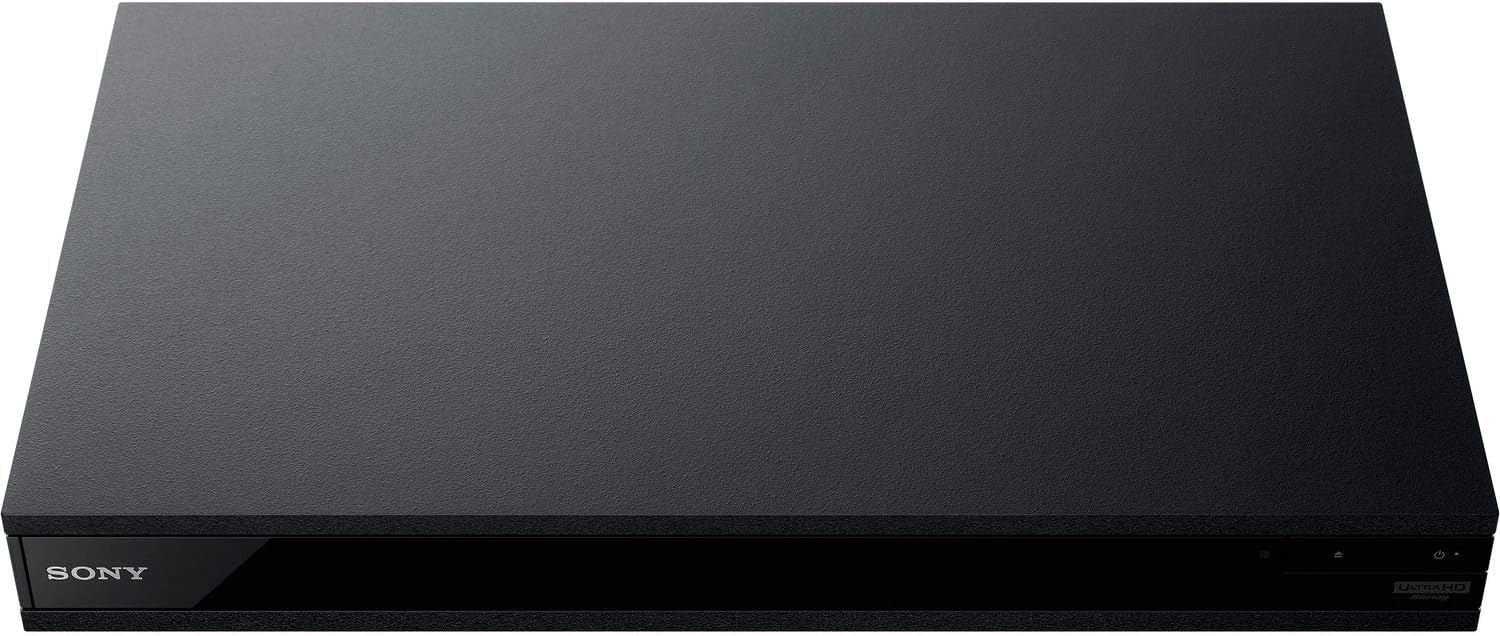
Rycina 1: Przód view of the OREI Sony UBP-X800M2 4K UHD Blu-ray Player.
Organizować coś
1. Rozpakowanie i ustawienie
- Ostrożnie wyjąć wszystkie elementy z opakowania.
- Place the player on a stable, level surface with adequate ventilation.
- Ensure no objects block the ventilation openings.
2. Podłączanie do telewizora
Connect the player to your TV using an HDMI cable for optimal 4K UHD video and audio.
- Podłącz jeden koniec kabla HDMI do Wyjście HDMI port z tyłu odtwarzacza Blu-ray.
- Podłącz drugi koniec kabla HDMI do wejścia HDMI w telewizorze.
- If using an audio receiver, connect the player's HDMI OUT to the receiver's HDMI IN, then the receiver's HDMI OUT to the TV's HDMI IN.

Figure 2: Rear panel connections, showing HDMI, LAN, and audio outputs.
3. Podłączenie zasilania
- Connect the AC power cord to the player's power input and then to a suitable electrical outlet.
4. Połączenie sieciowe (opcjonalnie)
For streaming services and firmware updates, connect the player to your home network.
- Połączenie przewodowe: Connect an Ethernet cable from the player's Sieć LAN (100) port to your router or modem.
- Połączenie bezprzewodowe: Navigate to the network settings in the player's menu to connect to your Wi-Fi network.
5. Region Changing Instructions
This player supports all DVD regions (0-8) automatically. Blu-ray regions (A, B, C) are changed manually using the remote control.
- Turn the player ON I OPEN THE DISC TRAY.
- Once the tray is completely open, press the corresponding colored button on the remote to select the desired Blu-ray region:
- Strefa A: Naciśnij ŻÓŁTY PRZYCISK na pilocie.
- Strefa B: Naciśnij NIEBIESKI PRZYCISK na pilocie.
- Strefa C: Naciśnij CZERWONY PRZYCISK na pilocie.
- Teraz możesz włożyć płytę do napędu i zamknąć napęd.

Figure 3: Remote control with colored buttons for region selection.
Instrukcja obsługi
1. Odtwarzanie płyt
The player supports a wide range of disc formats, including 4K UHD Blu-ray, standard Blu-ray, Blu-ray 3D, DVD, CD, and Super Audio CD (SACD).
- Naciśnij OTWÓRZ/ZAMKNIJ Naciśnij przycisk na odtwarzaczu lub pilocie, aby otworzyć tackę na płytę.
- Ostrożnie umieść płytę na tacy etykietą do góry.
- Naciśnij OTWÓRZ/ZAMKNIJ ponownie, aby zamknąć tacę.
- The player will automatically begin playback or display a disc menu.

Rycina 4: Przód view odtwarzacza z otwartą tacką na płytę, gotową do włożenia płyty.
2. Usługi przesyłania strumieniowego
Access popular streaming services like Netflix and YouTube directly from the player's home menu.
- Ensure the player is connected to the internet (Wi-Fi or Ethernet).
- From the home screen, select the desired streaming application.
- Log in with your account credentials to begin streaming.
3. Odtwarzanie multimediów USB
Odtwarzaj media files (audio, video, photos) from a USB storage device.
- Insert your USB device into the front USB port.
- Select the USB option from the player's home menu to browse and play your media.
Rycina 5: Przód view of the player with a USB drive inserted into the front port.
Konserwacja
1. Czyszczenie odtwarzacza
- Przetrzyj zewnętrzną część odtwarzacza miękką, suchą ściereczką.
- Nie należy używać środków czyszczących o właściwościach ściernych, wosków ani rozpuszczalników.
- Ensure ventilation openings remain clear of dust and debris.
2. Pielęgnacja dysków
- Trzymaj płyty za krawędzie, aby uniknąć pozostawienia odcisków palców i zarysowań.
- Wyczyść płyty miękką, niepozostawiającą włókien ściereczką, przecierając je od środka na zewnątrz.
- Przechowuj płyty w ich oryginalnych pudełkach, chroniąc je przed bezpośrednim działaniem promieni słonecznych i ekstremalnych temperatur.
3. Aktualizacje oprogramowania sprzętowego
Firmware updates can be done via the internet to ensure optimal performance and access to the latest features.
- Go to the home menu, then setup menu, and then to Software Update.
- Click on "Update Via Internet". If a new firmware is available, the player will automatically update.
- NIE turn off the player while it is updating.
- NIE perform firmware updates by USB unless instructed by OREI support.
Rozwiązywanie problemów
Typowe problemy
- Brak obrazu/dźwięku:
- Check all HDMI and audio cable connections.
- Sprawdź, czy wejście telewizora jest ustawione na właściwy port HDMI.
- Verify the player is powered on.
- Płyta nie odtwarza się:
- Sprawdź, czy płyta jest czysta i nie ma na niej rys.
- Sprawdź, czy płyta została włożona prawidłowo (etykietą do góry).
- For Blu-ray discs, confirm the player's region setting matches the disc's region (refer to "Region Changing Instructions" in the Setup section).
- Open the tray again and leave the disc in the tray. Once fully open, press the color button to select the region. Then close the tray.
- Region Code Error Message:
If you put in a disc before changing regions, you may get an error message indicating the wrong region. The player remembers this message. To remove that error, you need to reset the player.
- Naciśnij DOM button on the remote with no disc inside to go to the home screen.
- Użyj przycisków strzałek na pilocie, aby przejść do prawego górnego rogu, gdzie jest napisane Organizować coś i naciśnij WCHODZIĆ.
- Przewiń w dół do Resetowanie na dole menu.
- Wybierać Przywróć domyślne ustawienia fabryczne.
- Przewiń w dół i wybierz WSZYSTKIE USTAWIENIA i naciśnij WCHODZIĆ -> Naciśnij Rozpocznij Wprowadź -> Close WCHODZIĆ.
- Wyłącz odtwarzacz i włącz go ponownie po 30 sekundach.
- Select Language English and then select quick start mode OFF. You may need to activate network settings again.
- If you prefer not to connect the player to the internet, you may press the DOM button and go to the home screen. Now start from step 1 under "Region Changing Instructions" to change regions.
Specyfikacje
| Marka | OREI |
| Nazwa modelu | Sony X800M2 (UBP-X800M2) |
| Wymiary produktu | 19 x 14.1 x 3.8 cala |
| Waga przedmiotu | 8.82 funta (4000 gramów) |
| Typ nośnika | Blu-Ray Disc, DVD, 4K UHD Blu-ray, Blu-ray 3D, CD, Super Audio CD |
| Rezolucja | 3840x2160 (4K UHD) |
| Technologia łączności | Ethernet, HDMI, USB, Wi-Fi |
| Typ złącza | HDMI |
| Tryb wyjścia audio | Surround (Dolby Atmos, DTS:X, High-Resolution Audio) |
| Kolor | Czarny |
| Baterie | Wymagane 2 baterie AAA (do pilota) |
| Funkcja specjalna | Region Free (Blu-ray Zones A/B/C, DVD Regions 0-8), Built-in NTSC↔PAL 4K HD Converter |
Gwarancja i wsparcie
Informacje o gwarancji
For specific warranty details, please refer to the warranty card included with your product or visit the official OREI webZachowaj paragon jako dowód zakupu.
Obsługa klienta
If you encounter any issues or have questions regarding your OREI Sony UBP-X800M2 Blu-ray Player, please contact OREI customer support.
- Wsparcie online: Odwiedź OREI Store on Amazon aby zapoznać się z odpowiedziami na często zadawane pytania i zasobami pomocy.
- Pomoc techniczna: Contact OREI directly for technical support. (Specific contact details not provided in source data, please refer to product packaging or official webStrona).


