1. Wprowadzenie
This manual provides essential information for the safe and efficient operation of your TCL 55P8 55-inch AI 4K UHD Android Smart LED TV. Please read it thoroughly before using the product and retain it for future reference. This television combines advanced display technology with smart features for an enhanced viewzdobywania doświadczenia.

Obraz 1.1: Przód view of the TCL 55P8 TV displaying a vibrant image.
2. Informacje dotyczące bezpieczeństwa
Aby zapewnić bezpieczną obsługę i zapobiec uszkodzeniom, należy przestrzegać następujących środków ostrożności:
- Zasilanie: Podłączaj telewizor wyłącznie do źródła zasilania prądem przemiennym o napięciu określonym w specyfikacji.tagzasięg. Upewnij się, że przewód zasilający nie jest uszkodzony ani ściśnięty.
- Wentylacja: Do not block ventilation openings. Maintain adequate space around the TV for proper airflow to prevent overheating.
- Woda i wilgoć: Nie wystawiaj telewizora na działanie deszczu, wilgoci ani nie umieszczaj na nim lub w jego pobliżu przedmiotów wypełnionych płynami.
- Czyszczenie: Odłącz telewizor od zasilania przed czyszczeniem. Użyj miękkiej, suchej ściereczki. Nie używaj środków czyszczących w płynie ani aerozolu.
- Umieszczenie: Ustaw telewizor na stabilnej, równej powierzchni lub zamontuj go solidnie na ścianie. Unikaj umieszczania go w bezpośrednim świetle słonecznym lub w pobliżu źródeł ciepła.
- Serwisowanie: Nie próbuj samodzielnie naprawiać telewizora. Wszelkie naprawy zlecaj wykwalifikowanemu personelowi serwisowemu.
3. Co znajduje się w pudełku
Upon unpacking your TCL 55P8 TV, verify that all the following components are included:
- 1 x TCL 55P8 LED TV
- 1 x Table Top Stand (set)
- 1 x Wall Mount Bracket (Note: Wall mount is provided, but installation service is separate for TVs above 55 inches.)
- 1 x Instrukcja obsługi
- 1 x Karta gwarancyjna
- 1 x Pilot zdalnego sterowania
- 2 baterie AAA (do pilota)
- 1 x AV-RCA Adapter
4. Konfiguracja
4.1 Fizyczna instalacja
You can install your TV using the included tabletop stand or a wall mount bracket.
Montaż stojaka na stole:
- Ostrożnie połóż telewizor ekranem do dołu na miękkiej, płaskiej powierzchni, aby zapobiec uszkodzeniu ekranu.
- Attach the stand bases to the designated slots at the bottom of the TV.
- Secure the stands with the provided screws.
- Ustaw telewizor pionowo na stabilnej i równej powierzchni.

Image 4.1: The TCL 55P8 TV securely placed on its tabletop stand.
Instalacja na ścianie:
If you choose to wall mount the TV, use the provided wall mount bracket. For TVs above 55 inches, professional installation is recommended. Ensure the wall can support the TV's weight (approximately 12 kg). Refer to the wall mount bracket's specific instructions for detailed steps.
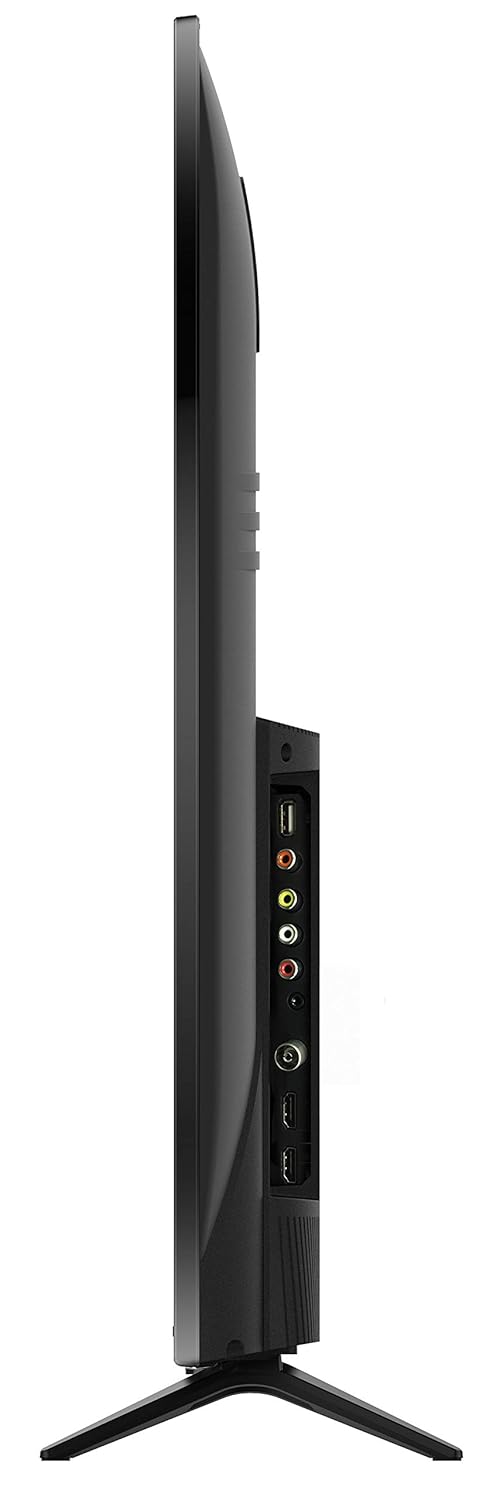
Obraz 4.2: Tył view of the TCL 55P8 TV, indicating VESA mounting points for wall installation.
4.2 Podłączanie urządzeń zewnętrznych
Your TCL 55P8 TV offers various ports for connecting external devices:
- Porty HDMI (x3): Podłącz dekodery, odtwarzacze Blu-ray, konsole do gier i inne urządzenia z obsługą HDMI.
- Porty USB (x2): Podłącz pamięci flash USB lub zewnętrzne dyski twarde w celu odtwarzania multimediów.
- Port LAN: Podłącz kabel Ethernet, aby uzyskać przewodowe połączenie z Internetem.
- Wejście AV: Use the provided AV-RCA adapter to connect older devices with composite video and stereo audio outputs.
- Gniazdo słuchawkowe: Podłącz słuchawki do prywatnego słuchania.
- Cyfrowe wyjście audio: Podłącz do soundbara lub systemu kina domowego, aby uzyskać lepszą jakość dźwięku.

Image 4.3: Diagram illustrating the various connectivity ports available on the TCL 55P8 TV.
5. Instrukcja obsługi
5.1 Włączanie/wyłączanie zasilania
Press the power button on the remote control or on the TV to turn it on or off. The TV may take a few moments to boot up due to its Android operating system.
5.2 Pilot zdalnego sterowania
The included remote control allows you to navigate the TV's features. It supports both IR and Bluetooth technology. Insert the two AAA batteries into the remote control, ensuring correct polarity.
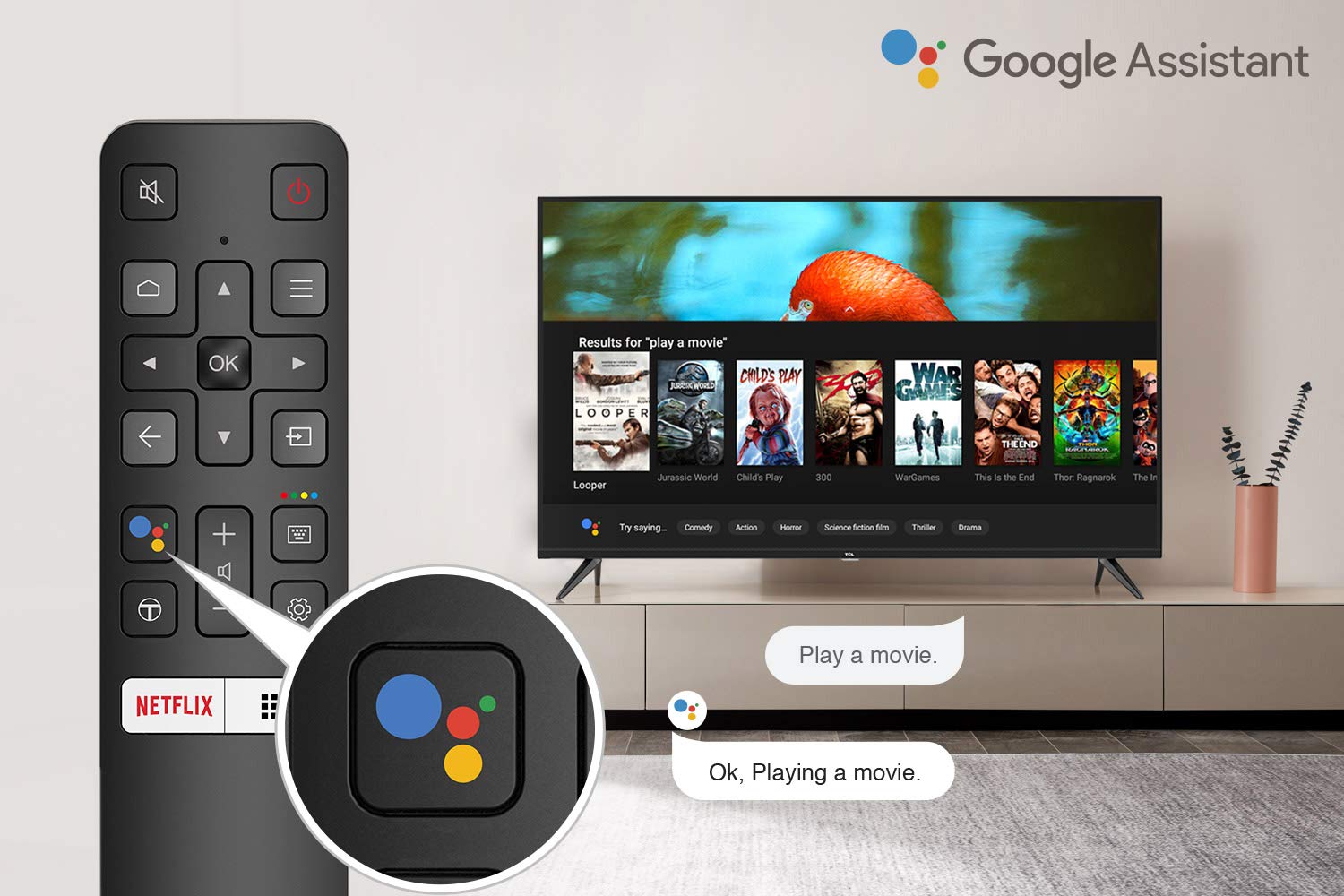
Image 5.1: The remote control for the TCL 55P8 TV, highlighting the Google Assistant button for voice commands.
5.3 Smart TV Features (Android TV 9.0)
Your TCL 55P8 TV runs on Android TV 9.0, offering a wide range of smart functionalities:
- AI-Google Assistant: Za pomocą poleceń głosowych możesz wyszukiwać treści, sterować inteligentnymi urządzeniami domowymi i uzyskiwać informacje za pomocą pilota.
- Google Cast (Chromecast built-in): Przesyłaj treści ze zgodnego smartfona, tabletu lub komputera bezpośrednio na ekran telewizora.
- T-cast: Utilize the T-cast app for additional smart features and screen mirroring.
- Bluetooth: Connect Bluetooth-enabled devices such as headphones or game controllers.
- Dostęp do aplikacji: Download and install various applications from the Google Play Store, including streaming services like Netflix, Amazon Prime Video, YouTube, Hotstar, Sony Liv, and Zee5.
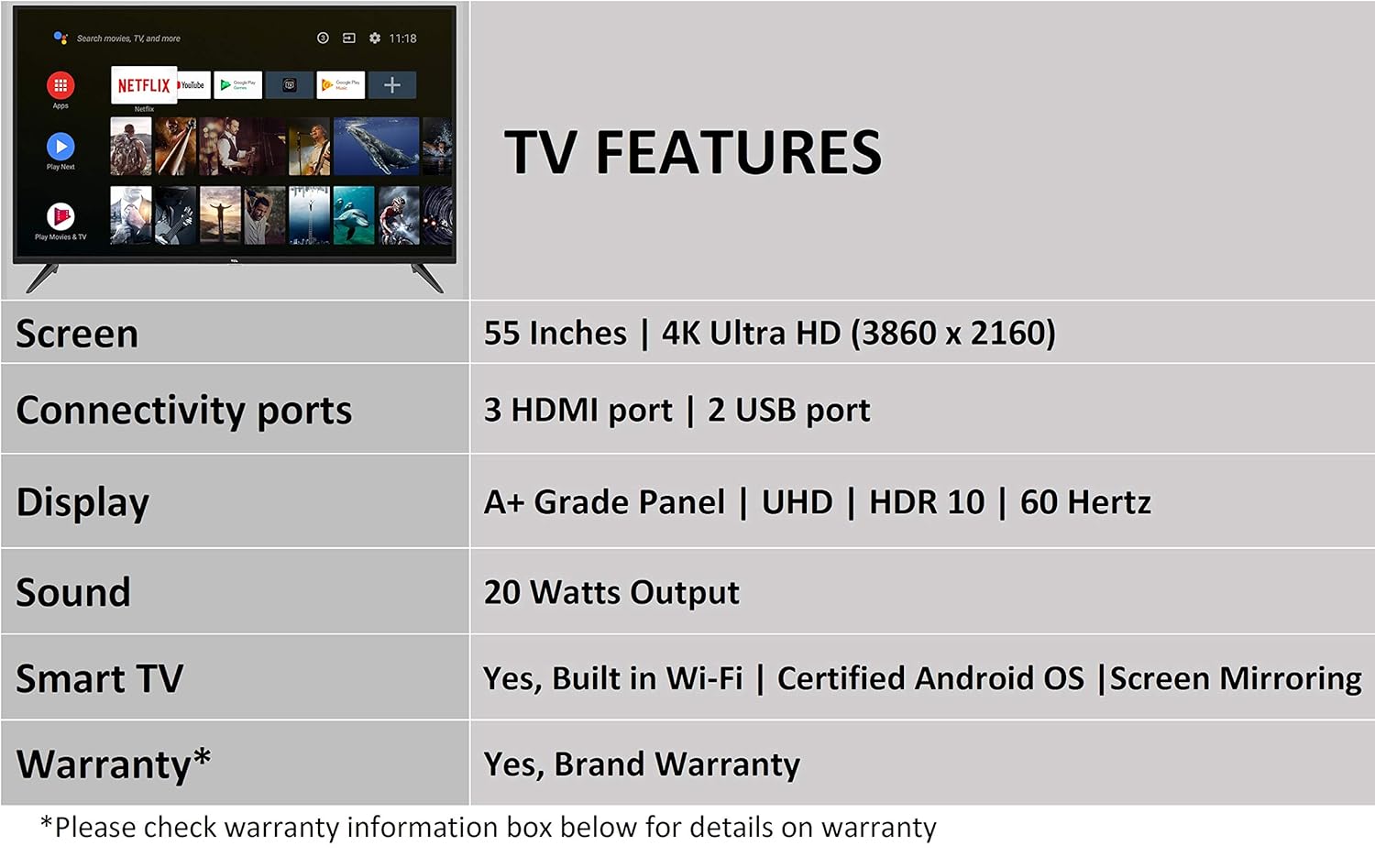
Image 5.2: The Android TV home screen on the TCL 55P8, displaying icons for popular streaming applications.
5.4 Ustawienia obrazu i dźwięku
- Zdjęcie: Navigate to the picture settings menu to adjust brightness, contrast, color, and sharpness. The TV supports 4K Ultra HD resolution, HDR10, and features Micro Dimming for enhanced contrast.
- Dźwięk: Access sound settings to adjust volume, equalizer, and select audio output modes. The TV provides 20 Watts of audio output and supports Dolby Audio.
6. Konserwacja
6.1 Czyszczenie telewizora
- Ekran: Gently wipe the screen with a soft, lint-free, dry cloth. For stubborn marks, slightly dampPrzetrzyj ściereczkę wodą (nie spryskuj bezpośrednio ekranu).
- Ciało: Wytrzyj ramę i podstawę telewizora miękką, suchą ściereczką.
- Ostrożność: Do not use abrasive cleaners, alcohol, benzene, or thinners, as these can damage the TV's surface.
6.2 Aktualizacje oprogramowania
Your Android TV may receive periodic software updates. Ensure your TV is connected to the internet to receive these updates, which can improve performance and add new features. You can usually check for updates in the TV's settings menu.
7. Rozwiązywanie Problemów
Jeśli masz problemy z telewizorem, zapoznaj się z poniższymi typowymi rozwiązaniami:
| Problem | Możliwe rozwiązanie |
|---|---|
| Brak zasilania | Check if the power cord is securely plugged into the TV and the wall outlet. Ensure the power outlet is functional. |
| Brak obrazu, ale dźwięk jest obecny | Verify the correct input source is selected. Check HDMI/AV cable connections. Try restarting the TV. |
| Brak dźwięku, ale obraz jest | Check the volume level and ensure the TV is not muted. Verify audio cable connections if using external speakers. Check audio output settings. |
| Pilot nie działa | Replace batteries. Ensure there are no obstructions between the remote and the TV's IR sensor. Re-pair the Bluetooth remote if necessary. |
| Problemy z połączeniem sieciowym | Check Wi-Fi password. Restart your router. Ensure the TV is within range of the Wi-Fi signal or the Ethernet cable is properly connected. |
| Slow Performance / App Crashes | Close unused applications. Clear cache for problematic apps. Restart the TV. Consider a factory reset if issues persist (note: this will erase all data). |
If the problem persists after attempting these solutions, please contact TCL customer support.
8. Specyfikacje
Detailed technical specifications for the TCL 55P8 55-inch AI 4K UHD Android Smart LED TV:
| Funkcja | Specyfikacja |
|---|---|
| Model | 55P8 |
| Rozmiar ekranu | 55 cala (138.78 cm) |
| Rezolucja | 4K Ultra HD (3840 x 2160 pikseli) |
| Częstotliwość odświeżania | 60 Hz |
| Viewing kąt | 178 stopni |
| Typ wyświetlacza | Panel LED klasy A+ |
| Obsługa HDR | HDR10 |
| System operacyjny | Android 9.0 |
| Edytor | Quad-core A55 (1.1GHz) |
| Koprocesor graficzny | Mali470x3 (600MHz-800MHz) |
| BARAN | 2 GB |
| Pamięć wewnętrzna | 16 GB |
| Wyjście audio | 20 watów |
| Technologia audio | AI Sound Engine, Dolby Audio |
| Porty HDMI | 3 (HDMI 2.0, HDCP2.2, ARC on Port 1) |
| Porty USB | 2 (USB 2.0) |
| Łączność | Wi-Fi (2x2 b/g/n 2.4GHz), Ethernet, Bluetooth 5.0 |
| Cechy specjalne | AI-Google Assistant, Google Cast, T-cast, Micro Dimming |
| Wymiary produktu (dł. x szer. x wys.) | 124.4 x 23.9 x 77.5 cm (z podstawką) |
| Waga przedmiotu | 12 kilogramów |

Image 8.1: Dimensional diagram of the TCL 55P8 TV, showing height, width, and depth measurements.
9. Gwarancja i wsparcie
9.1 Informacje o gwarancji
Your TCL 55P8 TV comes with an 18-miesięczna gwarancja provided by TCL from the date of purchase. Please retain your purchase receipt and warranty card for any warranty claims.
9.2 Installation and Customer Support
For requesting installation, wall mounting, or a product demonstration after delivery, please contact TCL customer service:
- Numery bezpłatne: 18004190622 lub 18001020622
For any other technical assistance or support, please refer to the contact information provided on your warranty card or the official TCL webstrona.
9.3 Polityka zwrotów
This product is eligible for replacement or refund within 10 days of delivery in case of any product defects, damage, or features not matching the description provided. Please refer to the retailer's return policy for detailed terms and conditions.


