1. Wprowadzenie
This manual provides detailed instructions for the installation, operation, and maintenance of your Lockly Secure Plus Bluetooth Smart Door Lock. Please read this manual thoroughly before installation and use to ensure proper function and security.
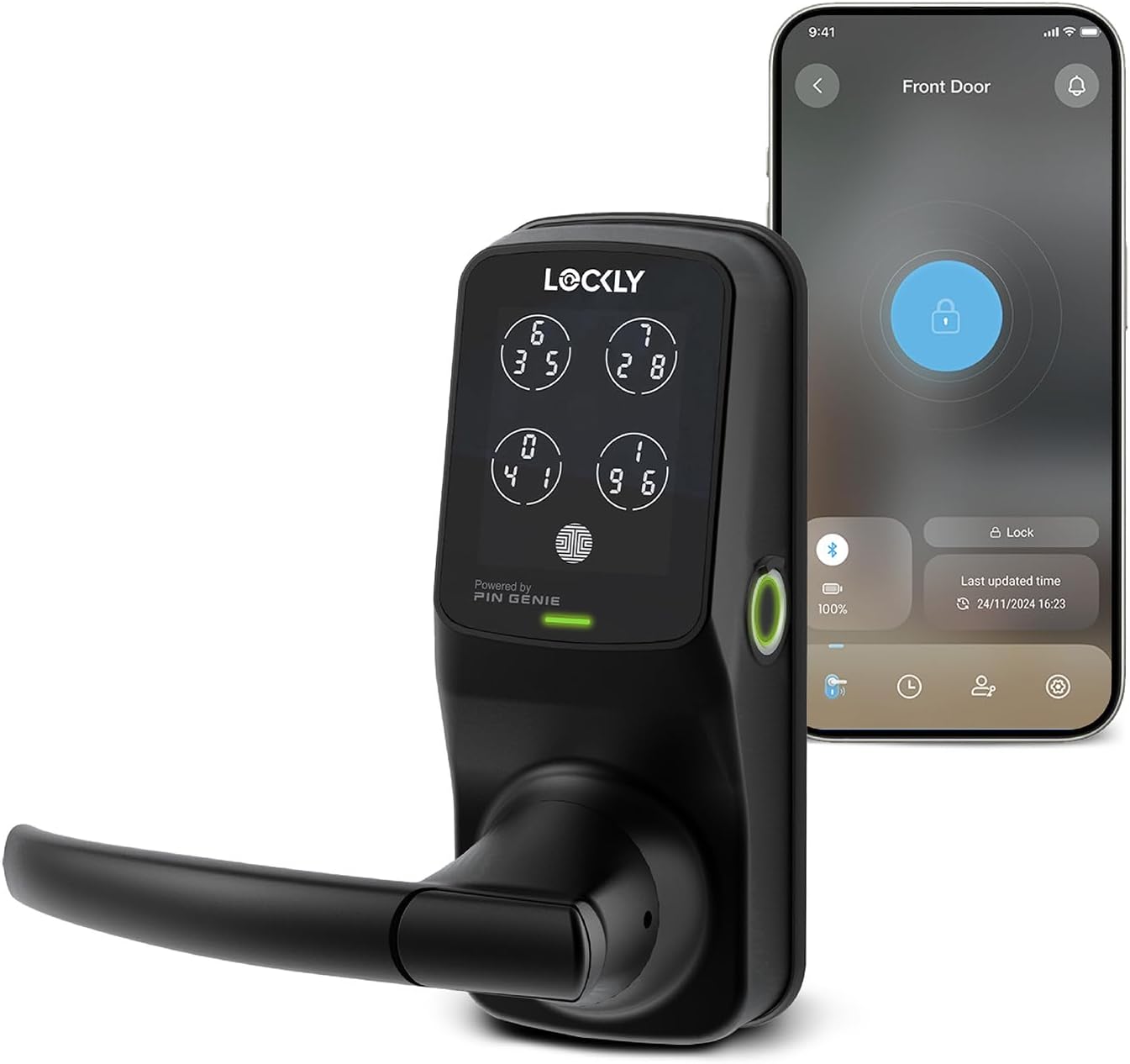
Image 1.1: The Lockly Secure Plus Smart Door Lock shown with its accompanying smartphone application interface.
2. Konfiguracja i instalacja
2.1 Zawartość opakowania
Sprawdź, czy w pakiecie znajdują się wszystkie komponenty:
- Smart Lock Assembly (Exterior and Interior)
- 4 baterie AA
- 2 x klucze zapasowe
- Sprzęt montażowy (śruby, blacha zaczepowa itp.)
- Installation Guide/Template
2.2 Zgodność z drzwiami
Przed montażem należy upewnić się, że drzwi spełniają następujące wymagania:
- Door Thickness: 1 3/8" to 2" (35mm to 50mm)
- Backset: 2 3/8" or 2 3/4" (60mm or 70mm)
- Cross Bore Diameter: 2 1/8" (54mm)
- Edge Bore Diameter: 1" (25mm)

Image 2.1: Diagram illustrating the required door measurements for proper installation of the Lockly Secure Plus.
2.3 Kroki instalacji
Follow the detailed instructions provided in the separate installation guide. A video introduction for installation is also available. Key steps include:
- Prepare the door and frame according to the template.
- Zamontuj zatrzask i blachę zaczepową.
- Zamontuj zespół zewnętrzny.
- Zainstaluj zespół wewnętrzny.
- Podłącz kabel.
- Install the batteries (4 x AA batteries are included).
- Perform door handing and initial setup.
3. Instrukcja obsługi
The Lockly Secure Plus offers multiple methods for unlocking and managing access.
3.1 Metody odblokowywania
- PIN Genie Digital Keypad: Enter your secure PIN on the dynamic keypad. The numbers on the keypad shuffle after each use to prevent code guessing.
- 3D Biometric Fingerprint Sensor: Place your registered finger on the sensor for quick access. The sensor recognizes fingerprints in approximately 0.3 seconds. Up to 99 fingerprints can be stored.
- Lockly App Control: Use the Lockly smartphone application to remotely lock and unlock your door.
- Sterowanie głosowe: With the optional Lockly Secure Link Wi-Fi Hub, you can use Amazon Alexa or Google Assistant-enabled devices to control your lock.
- Klucz fizyczny: Use the provided physical keys as a backup unlocking method.
- Offline Access Codes (OAC): Generate temporary access codes that can be used without an internet connection.

Obraz 3.1: Koniecview of the various unlocking methods available for the Lockly Secure Plus smart lock.
3.2 PIN Genie Digital Keypad
The patented PIN Genie keypad features four virtual buttons, each containing three different numbers. The position of these numbers changes after every use, making it difficult for onlookers to guess your PIN.
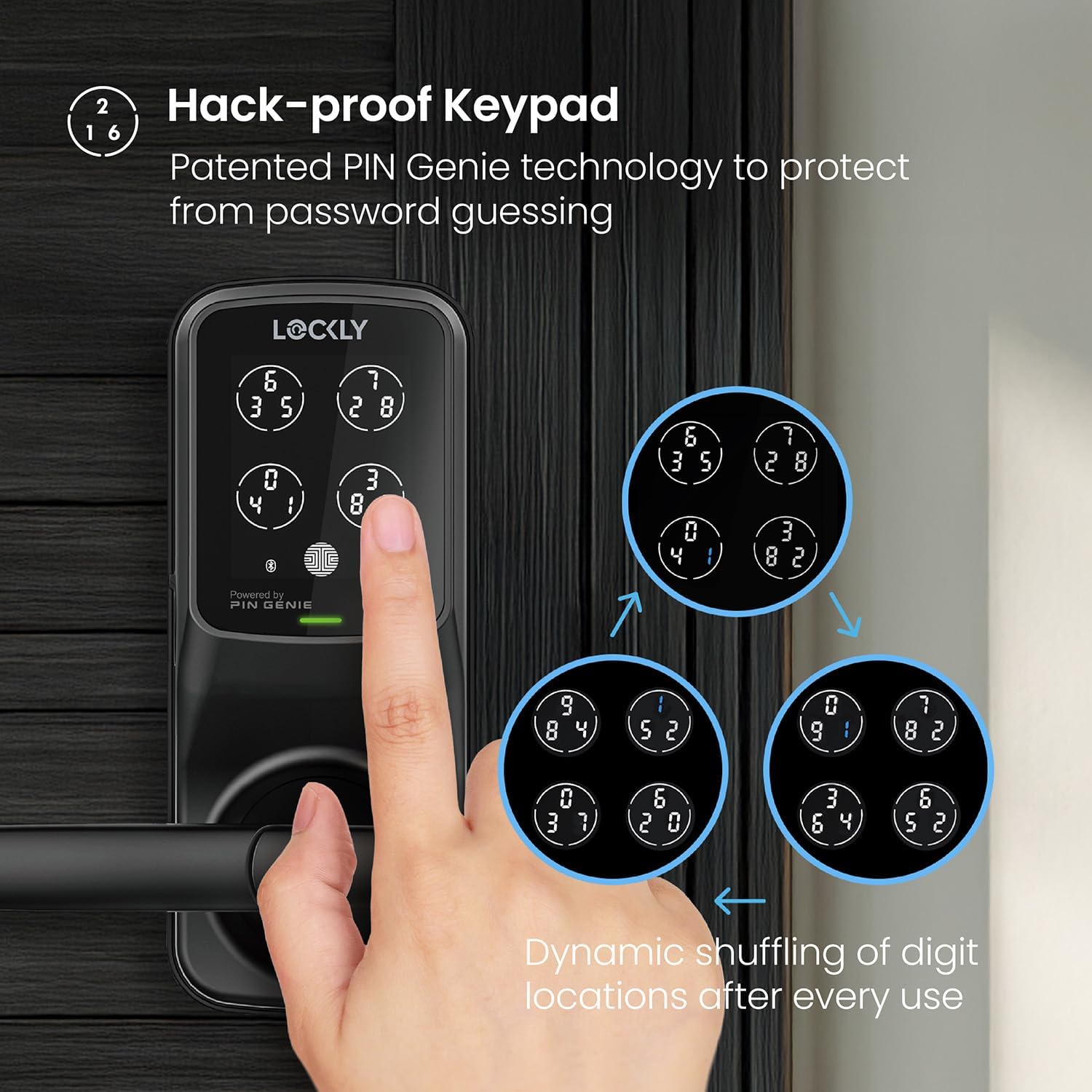
Image 3.2: The PIN Genie keypad demonstrating the dynamic shuffling of digits for enhanced security.
3.3 3D Biometric Fingerprint Sensor
The 3D biometric fingerprint sensor allows for quick and secure access. It features self-learning AI to improve recognition over time and can store up to 99 unique fingerprints.

Image 3.3: A user unlocking the Lockly Secure Plus using the integrated 3D biometric fingerprint sensor.
3.4 Lockly Mobile Application
The Lockly App provides comprehensive control and monitoring features:
- Remote lock and unlock functionality.
- Powiadomienia w czasie rzeczywistym dotyczące aktywności blokad.
- Access history logs.
- Management of eKeys and eBadges for granting revocable access.
- Generation of Offline Access Codes.

Image 3.4: The Lockly mobile application showing the access history and control options.
3.5 Programmable Auto-Lock
The auto-lock feature can be customized to automatically lock the door after a set period (5 to 300 seconds) following an unlock event.

Image 3.5: The Lockly app interface for configuring the programmable auto-lock feature.
3.6 Voice Control (Optional Wi-Fi Hub Required)
To enable voice control with Amazon Alexa or Google Assistant, the optional Lockly Secure Link Wi-Fi Hub is required. Once installed and configured, enable the Lockly Action/Skill in your voice assistant app to use voice commands for locking, unlocking, and checking door status.

Image 3.6: A user interacting with a voice assistant to control the Lockly smart lock, with the optional Wi-Fi Hub.
3.7 Tryb powitalny
The Welcome Mode feature allows you to preset your door to be unlocked during specific times, useful for expecting guests or service personnel. This mode can be configured with recurring schedules and first unlock verification.

Image 3.7: The Lockly app interface for setting up and managing Welcome Mode.
4. Konserwacja
4.1 Zarządzanie baterią
The Lockly Secure Plus operates on 4 AA alkaline batteries, providing up to 12 months of battery life. The Lockly app will provide low battery alerts. In case of complete battery depletion, a 9V battery can be used for emergency power supply via the contacts on the exterior unit.

Image 4.1: Illustration of the battery compartment and 9V emergency power supply contacts.
4.2 Czyszczenie
Aby zachować wygląd i funkcjonalność inteligentnego zamka, przecieraj zewnętrzne powierzchnie miękką, miękką szmatką.amp ściereczką. Unikaj stosowania środków czyszczących o działaniu ściernym lub rozpuszczalników, ponieważ mogą one uszkodzić wykończenie i elementy elektroniczne.
5. Rozwiązywanie Problemów
This section addresses common issues you might encounter with your Lockly Secure Plus.
- Zamek nie odpowiada: Check battery levels. If batteries are low, replace them or use the 9V emergency power.
- PIN Genie keypad not lighting up: Ensure the lock has power. If the issue persists, contact customer support.
- Fingerprint sensor not recognizing: Upewnij się, że palec jest czysty i suchy. Jeśli problemy z rozpoznaniem nadal występują, zarejestruj odcisk palca ponownie.
- Problemy z łącznością aplikacji: Ensure your smartphone's Bluetooth is enabled and you are within range. If using the Wi-Fi Hub, check its power and internet connection.
- Auto-lock not engaging: Verify the auto-lock settings in the Lockly app. Ensure the door is fully closed.
For more complex issues, refer to the online support resources or contact Lockly customer service.
6. Specyfikacje
| Funkcja | Szczegół |
|---|---|
| Marka | Zamknięty |
| Nazwa modelu | Lockly Secure Plus |
| Numer modelu przedmiotu | PGD628F |
| UPC | 850003895116 |
| Typ zamka | Inteligentny zamek |
| Cechy specjalne | Biometric, Touchscreen, Patented PIN Genie Technology, Bluetooth, Smartphone, eKeys & eBadges, Offline Access Codes™ |
| Tworzywo | Stop cynku |
| Kolor | Matowa czerń |
| Rodzaj wykończenia | Matowa czerń |
| Pozycja Wymiary (dł. x szer. x wys.) | 7.8 x 2.9 x 7.2 cala |
| Waga przedmiotu | 6.48 funta |
| Źródło zasilania | 4 baterie alkaliczne AA (w zestawie) |
| Protokół łączności | Bluetooth |
| Typ kontrolera | Amazon Alexa, iOS (with optional Wi-Fi Hub) |
| Zawarte komponenty | Smart Lock, 4*AA Battery, 2 Backup keys |
| Odporność na warunki atmosferyczne | IP54 atmosferyczne |
| Testowanie trwałości | 72 Hours Salt Spray Test, 2,200 N Appearance Pressure Resistance, 250,000 cycles Latchbolt Test |
7. Gwarancja i wsparcie
7.1 Gwarancja na produkt
The Lockly Secure Plus comes with a 2-year limited warranty from the date of purchase. This warranty covers manufacturing defects and malfunctions under normal use. Please retain your proof of purchase for warranty claims.
7.2 Obsługa klienta
Lockly provides professional customer service and lifetime 24/7 technical support. If you have any questions, require assistance with installation, or need troubleshooting help, please contact us via phone, email, or online chat.

Image 7.1: Lockly offers lifetime 24/7 customer support for all its products.


