Produkt ponadview
The MUSE MT-201 is a retro-style portable turntable designed for playing vinyl records, streaming music via Bluetooth, and digitizing your vinyl collection to USB. It features built-in stereo speakers, an AUX input for external devices, and RCA output for connecting to an external amplifier lub głośniki.
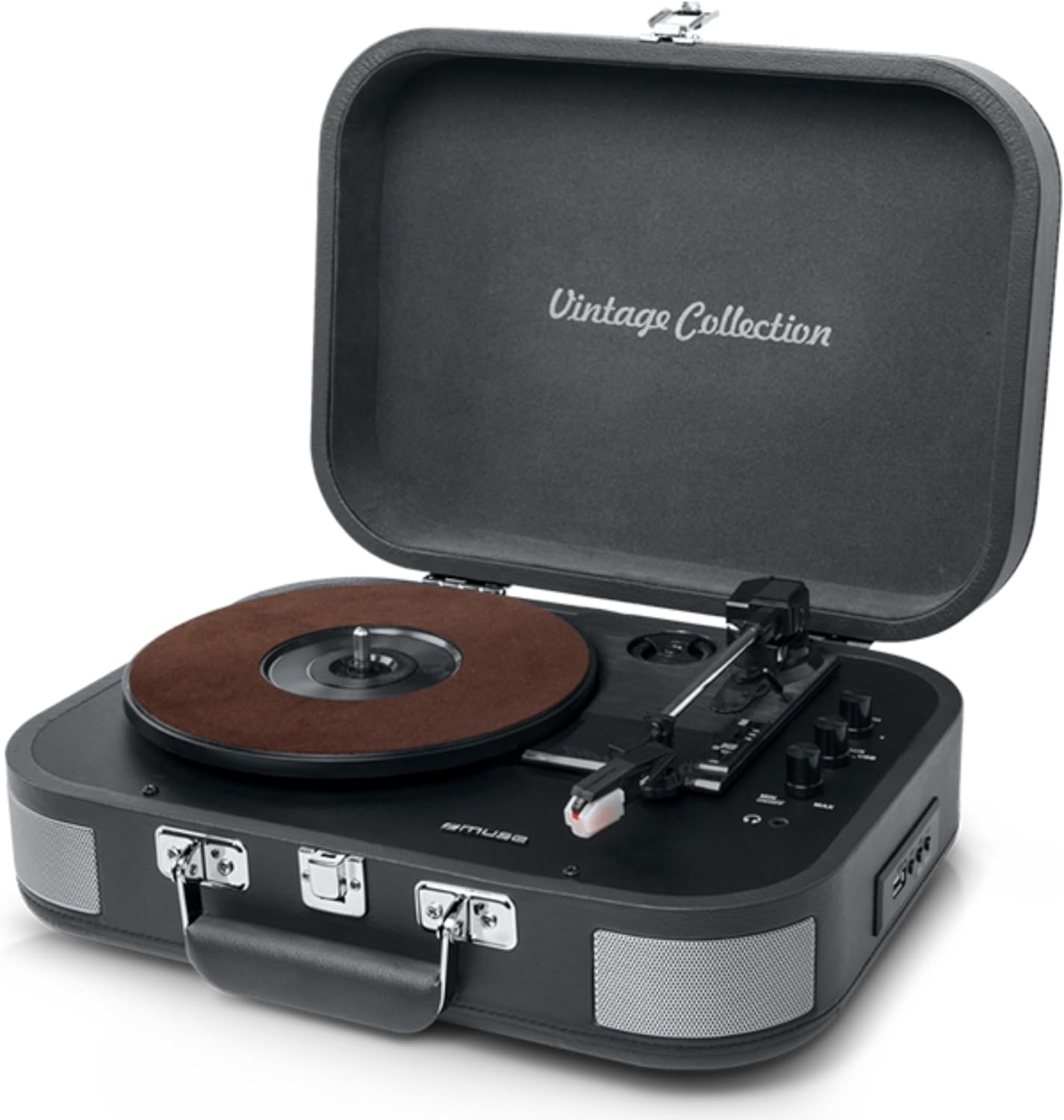
Figure 1: The MUSE MT-201 Retro Turntable in its open position, showcasing the record platter, tonearm, and control knobs. The case features a 'Vintage Collection' inscription on the lid.

Figure 2: The MT-201 turntable placed on a wooden surface in a home environment, highlighting its compact and portable design. The lid is open, ready for record playback.
Główne cechy
- Gramofon 3-biegowy: Obsługuje płyty 33, 45 i 78 RPM.
- Funkcja automatycznego zatrzymania: Automatyczne zatrzymanie odtwarzania po zakończeniu nagrania.
- Łączność Bluetooth: Przesyłaj muzykę bezprzewodowo ze zgodnych urządzeń.
- USB Playback & Recording: Odtwórz MP3 files from a USB stick or digitize vinyl records directly to USB without a PC.
- Wejście AUX: Connect external audio sources like MP3 players.
- Wyjście RCA: Połącz z zewnętrznym amplifiers or powered speakers for enhanced audio.
- Gniazdo słuchawkowe: Do prywatnego słuchania.
- Wbudowane głośniki stereo: Zintegrowane głośniki umożliwiające natychmiastowe odtwarzanie.
- Przenośna konstrukcja: Housed in a briefcase-style cabinet for easy transport.

Figure 3: An infographic highlighting key features such as stereo playback (33/45/78 RPM), Bluetooth streaming, vintage wood casing, and automatic shut-off for safety.

Figure 4: This image emphasizes the vintage design of the turntable, showing it both closed as a portable case and open for playback, illustrating its blend of classic aesthetics with modern functionality.
Zawartość opakowania
Sprawdź, czy w przesyłce znajdują się wszystkie elementy:
- MUSE MT-201 Turntable
- Zasilacz sieciowy
- Additional Stylus (x1pc)
- Adapter 45 RPM
- Instrukcja obsługi
Organizować coś
- Rozpakowywanie: Ostrożnie wyjmij gramofon z opakowania. Zachowaj opakowanie do transportu lub przechowywania w przyszłości.
- Umieszczenie: Gramofon należy ustawić na stabilnej, równej powierzchni, z dala od bezpośredniego światła słonecznego, źródeł ciepła oraz nadmiernego kurzu i wibracji.
- Podłączenie zasilania: Connect the supplied AC adapter to the DC IN jack on the back of the turntable and then plug the adapter into a standard wall outlet.
- Lid Opening: Otwórz pokrywę gramofonu.
- Ochrona rysika: Remove the stylus protective cap from the needle before use.
Instrukcja obsługi
Odtwarzanie płyt winylowych
- Włączanie: Turn the POWER/VOLUME knob clockwise to power on the unit and adjust the volume.
- Wybierz tryb: Ustaw przełącznik FUNCTION w trybie PHONO.
- Wybierz prędkość: Place a record on the platter. Select the appropriate speed (33, 45, or 78 RPM) using the SPEED selector switch. Use the 45 RPM adapter for 7-inch singles.
- Rozpocznij odtwarzanie: Gently lift the tonearm using the cue lever and position the stylus over the desired track on the record. Lower the tonearm slowly onto the record.
- Auto Stop: The turntable features an auto-stop function that will automatically stop the platter rotation when the record finishes. To disable this, set the AUTO STOP switch to OFF.
- Zakończ odtwarzanie: At the end of the record, lift the tonearm, return it to the tonearm rest, and lower the cue lever.
Łączność Bluetooth
- Wybierz tryb: Set the FUNCTION switch to BT (Bluetooth) mode. The Bluetooth indicator will flash.
- Łączenie w pary: Enable Bluetooth on your mobile device (smartphone, tablet, etc.) and search for the device named "MUSE MT-201".
- Łączyć: Select "MUSE MT-201" from the list of available devices. Once connected, the Bluetooth indicator will stop flashing and remain solid.
- Odtwarzanie nagranego dźwięku: You can now play music from your Bluetooth device through the turntable's speakers.
Odtwarzanie i nagrywanie przez USB
- Odtwarzanie z USB: Insert a USB flash drive into the USB port. Set the FUNCTION switch to USB mode. The unit will automatically detect and play compatible audio files (np. MP3).
- Recording Vinyl to USB: While playing a vinyl record, press the REC button to start recording. The recording indicator will light up. Press REC again to stop recording. The recorded audio will be saved as an MP3 file na dysku USB.
Wejście AUX
- Podłącz urządzenie: Connect an external audio device (e.g., MP3 player, smartphone) to the AUX IN jack using a 3.5mm audio cable (not supplied).
- Wybierz tryb: Set the FUNCTION switch to AUX mode.
- Odtwarzanie nagranego dźwięku: Play audio from your connected device. The sound will be output through the turntable's speakers.
Audio Outputs (RCA and Headphone)
- Wyjście RCA: Use RCA cables (not supplied) to connect the RCA OUT jacks on the back of the turntable to the audio input of an external amplifier or powered speakers. This bypasses the internal speakers.
- Gniazdo słuchawkowe: Plug 3.5mm headphones into the PHONES jack for private listening. The internal speakers will be muted when headphones are connected.
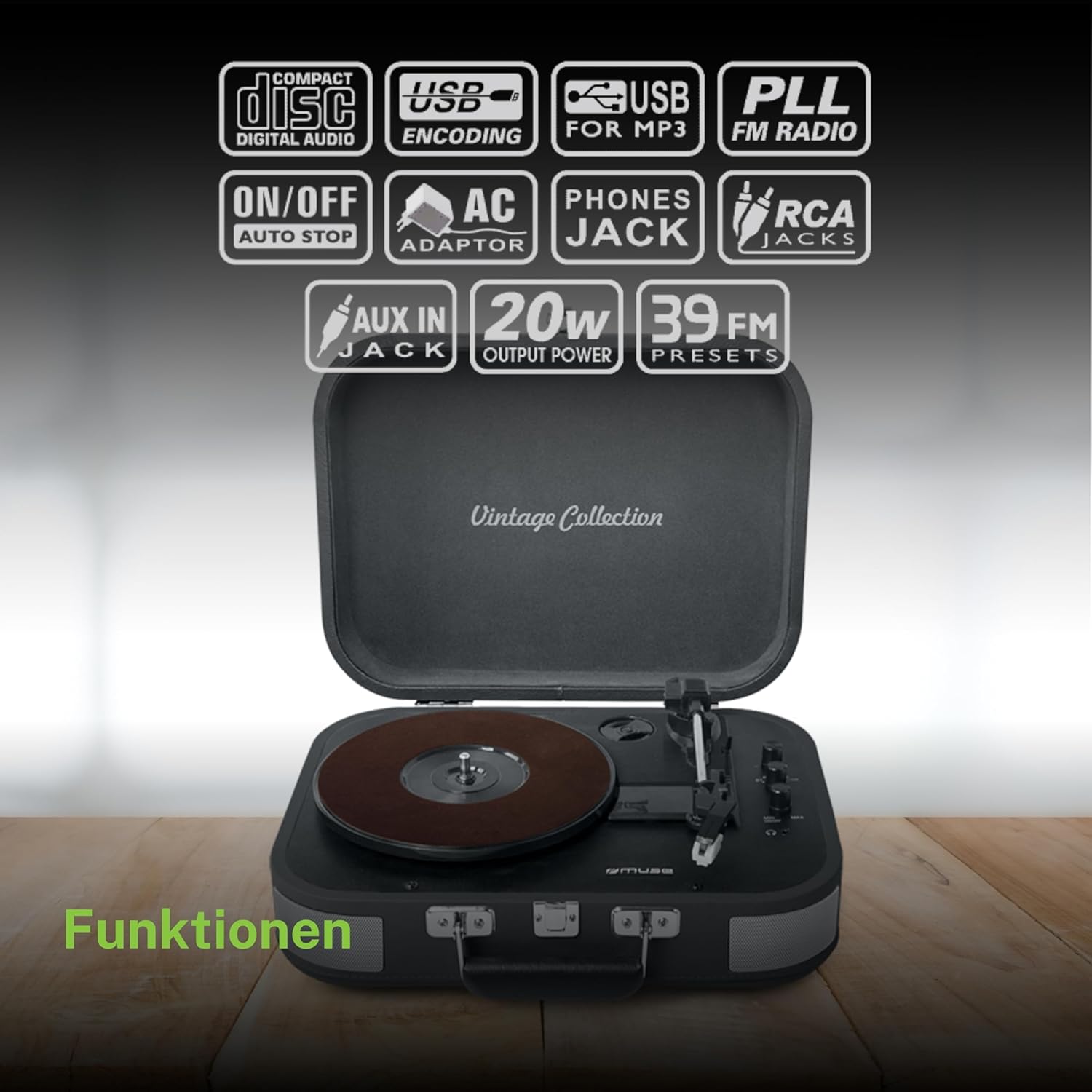
Rysunek 5: Ponadview of the various functions and connectivity options, including Compact Disc Digital Audio (though not a CD player, likely indicating digital audio compatibility), USB encoding for MP3, USB for MP3, PLL FM Radio (though not explicitly listed in features, may be a generic icon), ON/OFF Auto Stop, AC Adaptor, Phones Jack, RCA Jacks, AUX In Jack, 20W Output Power, and 39 FM Presets (again, FM radio not explicitly listed for this model).
Konserwacja
- Czyszczenie szafki: Wipe the cabinet with a soft, slightly damp ściereczką. Nie używaj środków czyszczących o właściwościach ściernych, wosków ani rozpuszczalników.
- Czyszczenie rysika: Delikatnie wyczyść rysik miękką szczoteczką od tyłu do przodu. Unikaj dotykania rysika palcami.
- Opieka nad dokumentacją: Utrzymuj płyty w czystości i bez kurzu. Przechowuj je pionowo w koszulkach, aby zapobiec ich odkształceniu.
- Wymiana rysika: The stylus has a limited lifespan. If sound quality deteriorates, replace the stylus with a new one (an additional stylus is included in the package).
Rozwiązywanie problemów
| Problem | Możliwa przyczyna | Rozwiązanie |
|---|---|---|
| Brak zasilania | Zasilacz nie jest podłączony lub gniazdko jest uszkodzone. | Sprawdź, czy zasilacz sieciowy jest prawidłowo podłączony do urządzenia i do sprawnego gniazdka ściennego. |
| Brak dźwięku z głośników | Volume too low; Function mode incorrect; Headphones connected; RCA output connected. | Increase volume; Select correct function (PHONO, BT, USB, AUX); Disconnect headphones; Disconnect RCA cables if using internal speakers. |
| Pomijanie rekordów | Dirty or scratched record; Stylus worn out; Turntable not level; Excessive vibration. | Clean record; Replace stylus; Place turntable on a stable, level surface; Avoid placing near vibrating objects. |
| Bluetooth nie łączy się | Turntable not in BT mode; Device too far; Device already connected to another unit. | Set function to BT; Ensure device is within range (approx. 10m); Disconnect from other Bluetooth devices. |
| Nagrywanie USB nie działa | USB drive full or incompatible format; Record not playing. | Ensure USB drive has sufficient space and is formatted correctly (FAT32); Ensure record is playing when REC button is pressed. |
Dane techniczne
| Funkcja | Specyfikacja |
|---|---|
| Nazwa modelu | MT-201 DG |
| Marka | MUZA |
| Technologia łączności | USB, Bluetooth, AUX, RCA |
| Maksymalna prędkość obrotowa | 78 obroty na minutę |
| Cechy specjalne | Integrated Speaker, Adjustable Speed, Digital Recorder |
| Tworzywo | Plastikowy |
| Waga przedmiotu | 2.3 kilograma |
| Styl | Retro |
| Kolor | Szary |
| Wymiary produktu | Wymiary 36 x 29 x 12.9 cm |
| Power Consumption (On-state) | 10 watów |
| Wymagane baterie | 1 AAAA Battery (not included, likely for remote if applicable, or internal clock/memory) |

Figure 6: A technical diagram illustrating the dimensions of the MUSE MT-201 turntable: 360mm (length), 290mm (width), and 129mm (height).


