1. Wprowadzenie
The Pyle PT12050CH is a 12-channel Bluetooth wireless power amplifier designed for multi-zone audio applications. This unit integrates sound amplification with various input options, including Bluetooth wireless streaming, USB, SD card, AUX, RCA, and microphone inputs. It is suitable for diverse environments such as restaurants, theaters, studios, or stages, providing flexible audio control and distribution.
This manual provides detailed instructions for the proper setup, operation, and maintenance of your PT12050CH amplifier, aby zapewnić optymalną wydajność i długowieczność.
2. Instrukcje bezpieczeństwa
Przed użyciem urządzenia prosimy o zapoznanie się ze wszystkimi instrukcjami bezpieczeństwa. Zachowaj tę instrukcję do wykorzystania w przyszłości.
- Źródło zasilania: Connect the unit only to the type of power source indicated on the marking label. Ensure the voltage selector switch on the rear panel is set correctly for your region (115V/230V).
- Wentylacja: Nie zasłaniaj żadnych otworów wentylacyjnych. Zainstaluj zgodnie z instrukcją producenta. Zachowaj odpowiednią przestrzeń wokół urządzenia, aby zapewnić prawidłowy przepływ powietrza.
- Woda i wilgoć: Nie wystawiaj urządzenia na działanie deszczu ani wilgoci. Nie stawiaj na nim przedmiotów wypełnionych płynami, takich jak wazony.
- Ciepło: Nie należy instalować w pobliżu źródeł ciepła, takich jak grzejniki, kratki wentylacyjne, piece lub inne urządzenia (w tym amp(lifiers) wytwarzające ciepło.
- Grunt: This appliance must be grounded. Do not defeat the safety purpose of the polarized or grounding-type plug.
- Serwisowanie: Nie próbuj samodzielnie naprawiać tego produktu. Wszelkie czynności serwisowe należy powierzyć wykwalifikowanemu personelowi serwisowemu.
- Czyszczenie: Odłącz ten produkt od gniazdka ściennego przed czyszczeniem. Nie używaj płynnych ani aerozolowych środków czyszczących. Użyj adamp ściereczka do czyszczenia.
3. Zawartość opakowania
Sprawdź, czy w opakowaniu znajdują się wszystkie elementy:
- Pyle PT12050CH Amplifier System miksujący
- Pilot zdalnego sterowania
- Antena Bluetooth
- Odłączane wsporniki do montażu w szafie
- Kabel zasilający
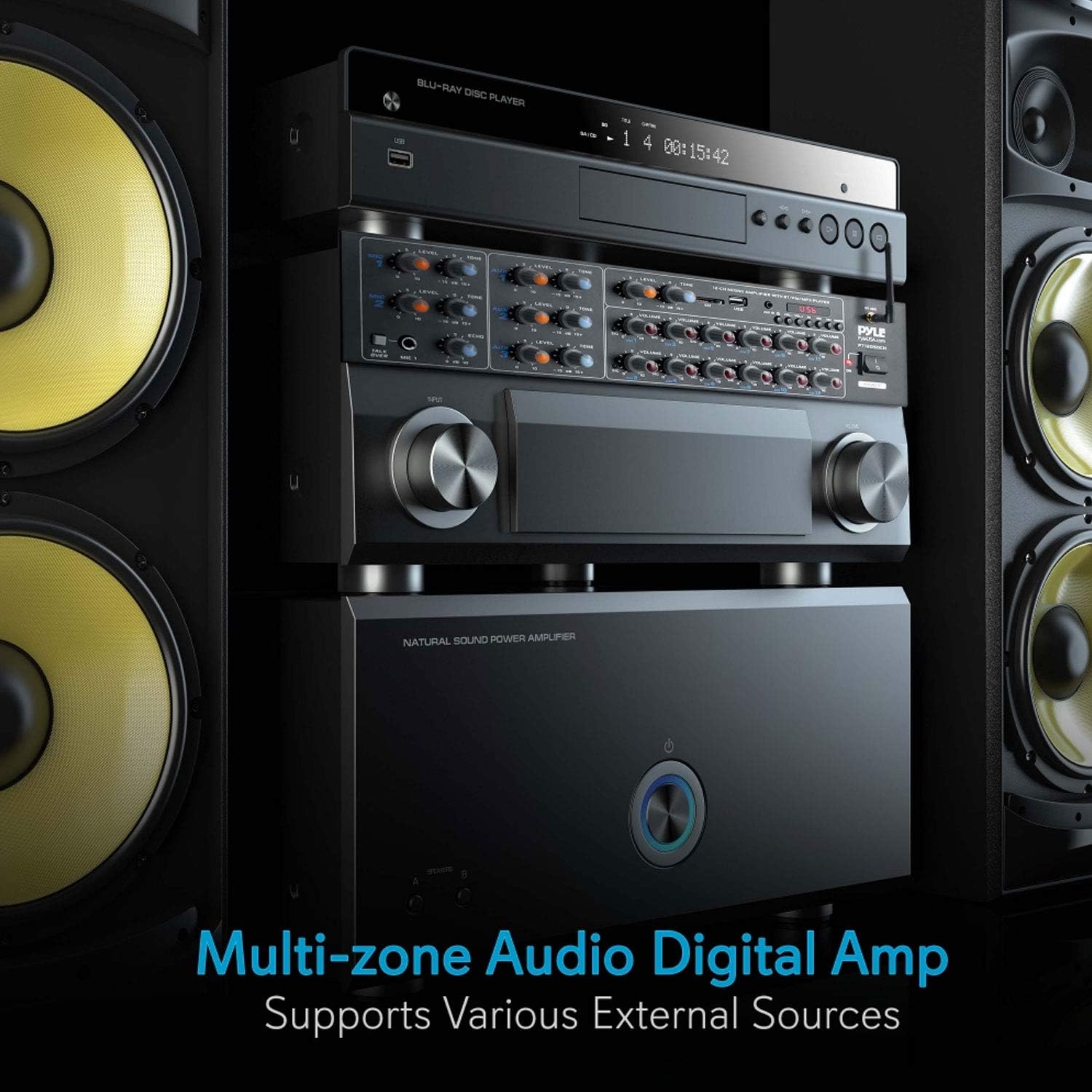
4. Koniec produktuview
4.1 Elementy sterujące na panelu przednim

- Wejścia MIC 1 i MIC 2: 1/4'' microphone input jacks with independent LEVEL and TONE controls.
- TALK OVER Button: Activates microphone priority function, reducing background music volume when a microphone signal is detected.
- AUX 1, AUX 2, AUX 3 Inputs: 3.5mm auxiliary input jacks with independent LEVEL and TONE controls.
- USB/SD Card Slot: Do odtwarzania dźwięku filez dysków flash USB lub kart pamięci SD.
- Sterowanie odtwarzaczem MP3: Play/Pause, Stop, Previous, Next, Mode, and Volume controls for USB/SD/Bluetooth playback.
- Antena Bluetooth: Do bezprzewodowej łączności Bluetooth.
- Channel Volume Controls (CH1-CH12): Independent rotary knobs to adjust the output volume for each of the 12 speaker channels.
- Przycisk zasilania: Obraca amplifier włączony lub wyłączony.
4.2 Połączenia panelu tylnego

- WEJŚCIE ZASILANIA: Podłączenie przewodu zasilającego prądem zmiennym.
- TOMTAGSELEKTOR E: Switch to select between 115V and 230V AC power.
- RCA AUDIO INPUTS (L/R): Three pairs of RCA inputs for connecting external audio sources like CD players, tuners, or tape decks.
- SPEAKER OUTPUTS (CH1-CH12): Screw-type terminals for connecting up to 12 speakers.
- MIC INPUTS (1/2): Additional 1/4'' microphone inputs.
5. Konfiguracja
5.1 Montaż w stojaku
The PT12050CH amplifier is designed for standard rack mounting. Attach the included rack mount brackets to the sides of the unit using the provided screws. Secure the unit into a standard 19-inch equipment rack.
5.2 Połączenie zasilania
- Przed podłączeniem kabla zasilającego należy upewnić się, że: TOMTAGE SELEKTOR switch on the rear panel is set to the correct voltage dla Twojego regionu (115 V lub 230 V). Nieprawidłowa głośnośćtagWybór ten może spowodować uszkodzenie urządzenia.
- Podłącz dostarczony kabel zasilający do WEJŚCIE MOCY na tylnym panelu ampliyfikator.
- Podłącz drugi koniec kabla zasilającego do odpowiedniego gniazdka ściennego prądu zmiennego.
5.3 Połączenia głośników
Ten amplifier supports 4-8 ohm impedance speakers. Connect your speakers to the SPEAKER OUTPUTS (CH1-CH12) on the rear panel. Ensure correct polarity (positive to positive, negative to negative) for each speaker to avoid phase issues.

5.4 Połączenia źródeł dźwięku
- Wejścia RCA: Connect external audio devices (e.g., CD player, DVD player, tuner) to the RCA AUDIO INPUTS (L/R) na tylnym panelu.
- Wejścia AUX: Connect portable devices (e.g., smartphones, tablets) using a 3.5mm audio cable to the AUX 1, AUX 2, or AUX 3 gniazda na panelu przednim.
- Karta USB/SD: Insert a USB flash drive or SD memory card into the respective slot on the front panel. The unit will automatically detect and begin playing compatible audio files.
- Wejścia mikrofonowe: Connect microphones to the 1/4'' Mikrofon 1 or Mikrofon 2 jacks on the front panel, or to the additional 1/4'' MIC INPUTS on the rear panel.

6. Instrukcja obsługi
6.1 Włączanie/wyłączanie zasilania
Naciśnij MOC włącz panel przedni, aby włączyć ampWłączanie i wyłączanie urządzenia. Kontrolka zasilania będzie świecić, gdy urządzenie jest włączone.
6.2 Wybór wejścia
Ten amplifier automatically detects and prioritizes inputs. For USB/SD/Bluetooth, use the TRYB button on the MP3 player section to cycle through input sources. For RCA and AUX inputs, ensure the corresponding input is active and its level is adjusted.
6.3 Regulacja głośności
- Głośność kanału: Use the individual TOM knobs for CH1-CH12 to adjust the output level for each connected speaker zone.
- Głośność mikrofonu: Dostosuj POZIOM knob for MIC 1 or MIC 2 to control microphone input volume.
- AUX Volume: Dostosuj POZIOM knob for AUX 1, AUX 2, or AUX 3 to control auxiliary input volume.
- MP3 Player Volume: Use the dedicated volume controls in the MP3 player section for USB/SD/Bluetooth audio.
6.4 parowanie Bluetooth
- Ensure the Bluetooth antenna is securely connected to the rear panel.
- Włącz ampliyfikator.
- Naciśnij TRYB button on the MP3 player section until 'BLUETOOTH' is displayed.
- Aktywuj Bluetooth na swoim smartfonie, tablecie lub komputerze.
- Szukaj available devices and select 'PYLEUSA' from the list.
- Po sparowaniu możesz przesyłać strumieniowo dźwięk bezprzewodowo do ampliyfikator.

6.5 Odtwarzanie USB/SD
Insert a USB flash drive or SD card containing MP3 or WMA audio files do odpowiedniego gniazda. amplifier will automatically switch to USB/SD mode and begin playback. Use the MP3 player controls (Play/Pause, Previous, Next) to manage your audio.
6.6 Microphone Operation and Voice Priority
Connect your microphone to one of the 1/4'' MIC input jacks. Adjust the microphone's POZIOM I TON controls for desired sound. Press the OBGADAĆ button to activate the voice priority function. When active, the background music volume will automatically decrease when a signal is detected from MIC 1, making announcements clearer.

6.7 Tone and Echo Adjustments
Użyj TON knobs for each microphone and auxiliary input to adjust the treble and bass frequencies. The ECHO control for MIC 1 and MIC 2 adds an echo effect to the microphone signal.
7. Konserwacja
- Czyszczenie: Disconnect the power before cleaning. Use a soft, dry cloth to wipe the exterior of the unit. Do not use harsh chemicals, solvents, or abrasive cleaners.
- Wentylacja: Regularnie sprawdzaj, czy otwory wentylacyjne są wolne od kurzu i zanieczyszczeń, aby zapobiec przegrzaniu.
- Składowanie: Jeśli urządzenie będzie przechowywane przez dłuższy czas, należy upewnić się, że znajduje się w chłodnym i suchym miejscu, z dala od bezpośredniego światła słonecznego i ekstremalnych temperatur.
- Połączenia kablowe: Okresowo należy sprawdzać, czy wszystkie połączenia kabli są dobrze zamocowane i czy nie występują ślady zużycia.
8. Rozwiązywanie Problemów
If you encounter issues with your Pyle PT12050CH amplifier, zapoznaj się z poniższymi typowymi problemami i rozwiązaniami:
| Problem | Możliwa przyczyna | Rozwiązanie |
|---|---|---|
| Brak zasilania | Kabel zasilający nie jest podłączony; Wyłącznik zasilania jest wyłączony; Nieprawidłowa głośnośćtage selection; Blown fuse. | Ensure power cable is securely connected. Turn on the POWER switch. Verify voltage selector is correct. Check and replace fuse if necessary (refer to qualified technician). |
| Brak dźwięku | Incorrect input selected; Volume levels too low; Speaker connections loose or incorrect; Faulty audio source. | Select the correct input source. Increase master and individual channel volume levels. Check all speaker wire connections for proper polarity and secure fit. Test with a different audio source. |
| Bluetooth nie łączy się | Amplifier not in Bluetooth mode; Device too far; Bluetooth not enabled on source device; Interference. | Zapewnić amplifier is in Bluetooth mode. Move source device closer to the amplifier. Enable Bluetooth on your device and re-scan. Avoid placing other wireless devices nearby. |
| Problemy z odtwarzaniem USB/SD | Nieobsługiwane file format; uszkodzony files; Karta USB/SD nie została prawidłowo włożona. | Zapewnij dźwięk files are MP3 or WMA format. Try a different USB/SD card. Re-insert the card/drive. |
| Mikrofon nie działa | Microphone not connected; Microphone level too low; Faulty microphone. | Connect microphone securely. Increase MIC LEVEL knob. Test with a different microphone. |
| Urządzenie nagrzewa się | Normal operation; Insufficient ventilation; Overloaded speakers. | Some warmth is normal. Ensure adequate ventilation around the unit. Verify speaker impedance is within 4-8 ohms. Reduce volume if excessive heat is observed. |
| Input source defaults to USB on power cycle | Designed behavior. | This is a known operational characteristic. You will need to manually select your desired input source using the MODE button after each power cycle. |
| Volume defaults to low settings on power cycle | Designed behavior. | This is a known operational characteristic. Adjust volume levels to your preference after each power cycle. |
9. Specyfikacje
- Model: PT12050CH
- Moc wyjściowa: 6000 W MAKS.
- Kanały: 12
- Impedancja głośnika: 4-8 omów
- Wejścia: 3 x RCA Audio (L/R), 2 x 1/4'' Mic (front), 2 x 1/4'' Mic (rear), 3 x 3.5mm AUX, USB, SD Card, Bluetooth
- Wersja Bluetooth: 2.1 (w przybliżeniu)
- Zasięg bezprzewodowy Bluetooth: 30 + ft.
- Media cyfrowe File Wsparcie: MP3, WMA
- Cechy: Multi-Zone Audio Control, Voice Priority (Talk-Over), LCD Digital Display
- Waga przedmiotu: 15.97 funta
- Wymiary: (Refer to product diagram for exact measurements)

10. Gwarancja i wsparcie
Pyle products are designed and manufactured to the highest quality standards. For warranty information or technical support, please refer to the warranty card included with your product or visit the official Pyle USA website. You may also contact customer service for assistance with product registration, troubleshooting, or service inquiries.
Wsparcie online: www.pyleusa.com


