Wstęp
Thank you for choosing the Astrum ET200 Earphone. This in-ear Bluetooth 4.0 earphone is designed to provide clear sound for both voice calls and music playback. Featuring dual pairing capability and a comfortable hook design, it offers up to 5 hours of talk time. Its high-performance speakers deliver rich bass and precise treble, ensuring a premium audio experience.
Produkt ponadview

Rycina 1: Przód view of the Astrum ET200 Earphone in white, showcasing its compact design and ear hook.
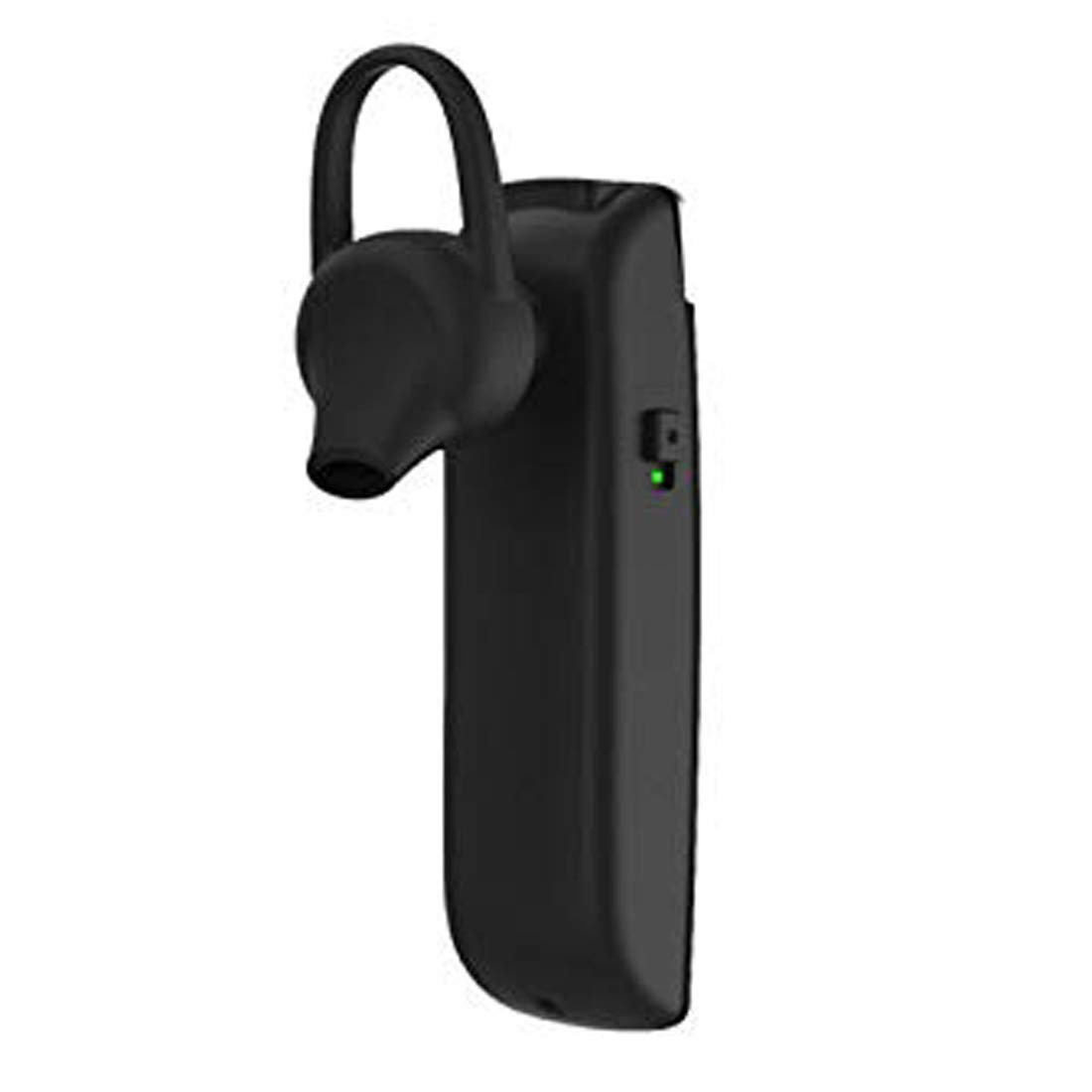
Rysunek 2: Strona view of the Astrum ET200 Earphone, highlighting the indicator light and control button area.

Figure 3: Both white and black versions of the Astrum ET200 Earphone, illustrating the overall form factor.
Organizować coś
1. Ładowanie słuchawek
Before first use, fully charge the earphone. Connect the charging cable (not specified, assuming standard micro-USB) to the charging port on the earphone and the other end to a USB power source (e.g., computer USB port, wall adapter). The indicator light will typically show red during charging and turn blue or off when fully charged.
2. Parowanie Bluetooth
- Włączanie: Press and hold the Multi-function Button (MFB) until the indicator light flashes blue and red alternately. This indicates the earphone is in pairing mode.
- Aktywuj Bluetooth: On your mobile device or computer, enable Bluetooth.
- Szukaj Urządzenia: Scan for available Bluetooth devices. You should see "Astrum ET200" or a similar name appear in the list.
- Łączyć: Select "Astrum ET200" from the list to connect. Once successfully paired, the indicator light will typically flash blue slowly or turn off.
- Podwójne parowanie: To pair a second device, disconnect the earphone from the first device, put it back into pairing mode, and connect to the second device. Then, reconnect to the first device from its Bluetooth settings. The earphone will now be connected to both devices simultaneously.
Instrukcja obsługi
- Włączanie: Naciśnij i przytrzymaj przycisk MFB przez około 3 sekundy, aż niebieska lampka kontrolna zacznie migać.
- Wyłączone: Naciśnij i przytrzymaj przycisk MFB przez około 5 sekund, aż czerwona lampka kontrolna zacznie migać, a następnie zgaśnie.
- Odbieranie/kończenie połączeń: Press the MFB once to answer an incoming call. Press the MFB once again to end an active call.
- Odrzuć połączenie: Press and hold the MFB for approximately 2 seconds to reject an incoming call.
- Ponowne wybieranie ostatniego numeru: Double-press the MFB to redial the last dialed number.
- Odtwórz/wstrzymaj muzykę: Press the MFB once to play or pause music playback.
- Regulacja głośności: (Assuming volume buttons are present, as is common for BT earphones) Use the volume up (+) and volume down (-) buttons on the earphone to adjust the volume. If no dedicated buttons, adjust volume from your connected device.
- Następny / poprzedni utwór: (Assuming track control buttons are present) Use the next track (>>) and previous track (<<) buttons on the earphone to skip tracks. If no dedicated buttons, control from your connected device.
Konserwacja
- Czyszczenie: Do czyszczenia słuchawek należy używać miękkiej, suchej ściereczki. Nie należy używać środków czyszczących o właściwościach ściernych ani rozpuszczalników.
- Składowanie: Przechowuj słuchawki w chłodnym, suchym miejscu, z dala od bezpośredniego światła słonecznego i ekstremalnych temperatur.
- Pielęgnacja baterii: To prolong battery life, avoid fully discharging the battery frequently. Charge the earphone regularly, even if not in use for extended periods.
- Wodoodporność: Słuchawki nie są wodoodporne. Unikaj narażenia na działanie wody i nadmiernej wilgoci.
Rozwiązywanie problemów
| Problem | Możliwa przyczyna | Rozwiązanie |
|---|---|---|
| Słuchawki nie włączają się. | Niski poziom naładowania baterii. | Naładuj słuchawki do pełna. |
| Nie można sparować z urządzeniem. | Earphone not in pairing mode; Bluetooth off on device; too far from device. | Ensure earphone is in pairing mode (flashing blue/red). Turn on Bluetooth on your device. Move earphone closer to device (within 10 meters). |
| Brak dźwięku lub niski poziom głośności. | Volume too low on earphone or device; earphone not connected properly. | Increase volume on both the earphone and your connected device. Reconnect the earphone to your device. |
| Przerywane połączenie. | Zakłócenia; zbyt duża odległość od urządzenia; niski poziom baterii. | Move closer to your device. Avoid strong electromagnetic interference. Charge the earphone. |
Specyfikacje
| Numer modelu | 1046 |
| Wersja Bluetooth | 4.0 |
| Współczynnik kształtu | In-Ear with Hook |
| Czas rozmowy | Do 5 godzin |
| Cechy | Voice + Music, Dual Pairing, Clear Sound, Rich Bass, Precise Treble |
| Wymiary (dł. x szer. x wys.) | Wymiary 3.5 x 3.5 x 12.8 cm |
| Waga przedmiotu | 10 gramów |
| Kolor | Biały |
| Producent | Astrum Electronics India Pvt. Ltd. |
Gwarancja i wsparcie
Informacje o gwarancji
The Astrum ET200 Earphone comes with a 1 rok gwarancji od daty zakupu. Niniejsza gwarancja obejmuje wady produkcyjne. Prosimy zachować dowód zakupu na wypadek roszczeń gwarancyjnych.
Obsługa klienta
For any technical assistance, troubleshooting, or warranty claims, please contact Astrum customer support through their official website or the retailer from whom you purchased the product. Please have your product model number (1046) and proof of purchase ready when contacting support.


