1. Koniec produktuview
The TrolMaster DSH-2 is a 240V Humidity Device Station designed to provide precise humidity control within a Hydro-X Control System. This device acts as a relay, allowing the Hydro-X system to manage external humidity-related equipment, such as humidifiers or dehumidifiers, by switching their power on or off based on programmed settings.

Rycina 1: Przód view of the TrolMaster DSH-2 240V Humidity Device Station, showing the 240V outlet and indicator lights.

Rysunek 2: Strona view of the TrolMaster DSH-2 240V Humidity Device Station, showing the power plug.
2. Zawartość opakowania
Sprawdź, czy w opakowaniu znajdują się wszystkie elementy:
- 1x DSH-2 240V Humidity Device Station
- 1x RJ12 Cable (for connection to Hydro-X system)
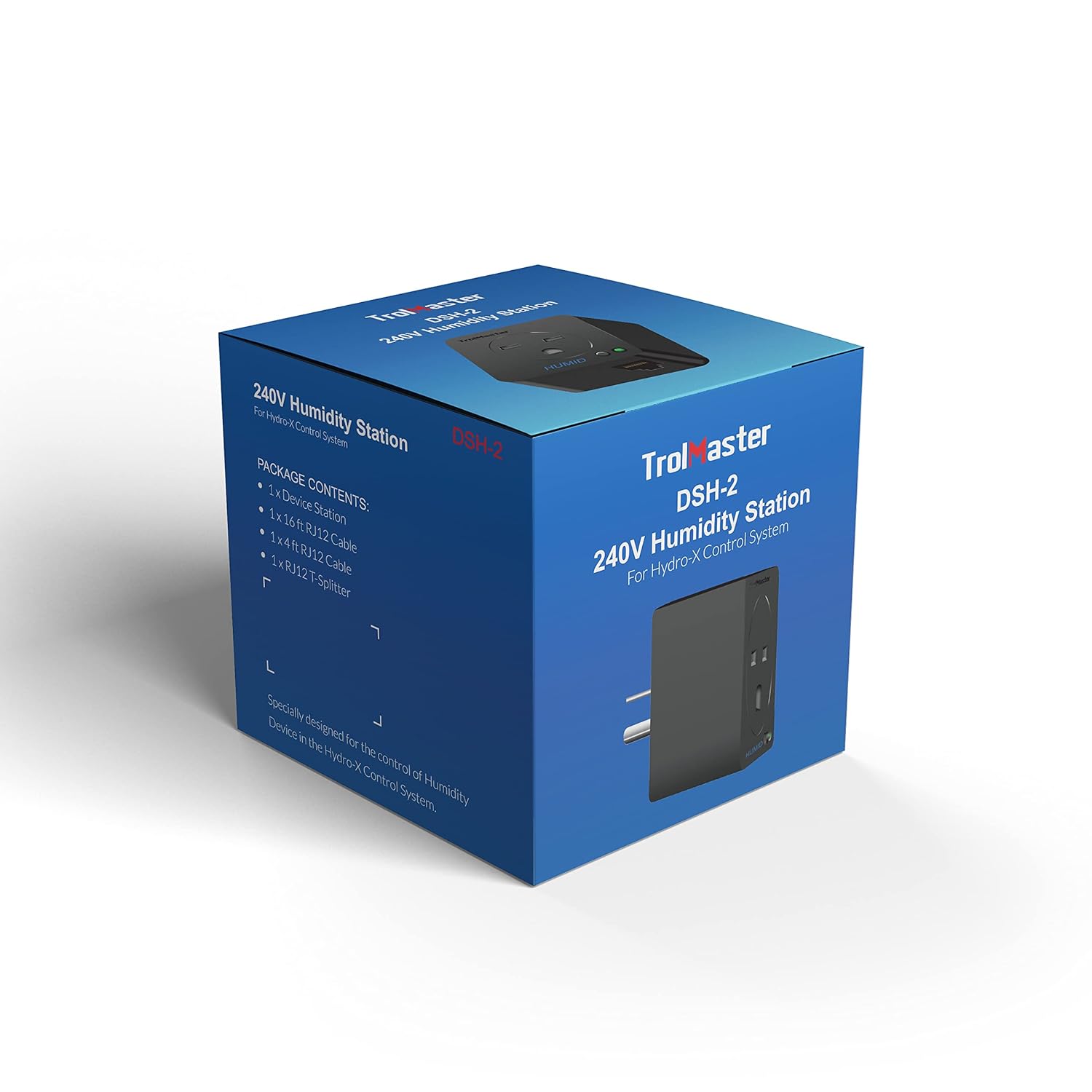
Figure 3: Packaging of the TrolMaster DSH-2, indicating package contents.
3. Instrukcje konfiguracji
Follow these steps to set up your DSH-2 Humidity Device Station:
- Podłączenie zasilania: Plug the DSH-2 device into a standard 240V power outlet. Ensure the outlet is properly grounded.
- Connect to Hydro-X System: Use the provided RJ12 cable to connect the DSH-2 to an available 'Device' port on your TrolMaster Hydro-X Control System. The Hydro-X system will automatically detect the DSH-2.
- Connect Humidity Device: Plug your 240V humidifier or dehumidifier into the outlet on the DSH-2.
- Konfiguracja: Refer to your Hydro-X Control System manual for instructions on how to configure the humidity settings and assign the DSH-2 to a specific humidity control zone.

Figure 4: Connection diagram illustrating how the DSH-2 (Humid Device Stations H1, H2) connects to the Hydro-X Control System's device ports.
4. Instrukcja obsługi
Once connected and configured with your Hydro-X Control System, the DSH-2 operates automatically based on the parameters set in the Hydro-X system. The DSH-2 acts as a switch, turning the connected humidity device on or off to maintain the desired humidity levels.
- Kontrolki: Observe the indicator lights on the DSH-2 for operational status. Typically, a green light indicates power and proper connection.
- Kontrola systemu: All humidity setpoints, differentials, and schedules are managed directly through the Hydro-X Control System interface.
5. Konserwacja
The DSH-2 Humidity Device Station requires minimal maintenance. Follow these guidelines to ensure longevity and optimal performance:
- Czyszczenie: Periodically wipe the exterior of the device with a soft, dry cloth. Do not use liquid cleaners or abrasive materials.
- Środowisko: Ensure the device is operated in a dry environment, free from excessive dust or moisture.
- Integralność kabla: Regularly inspect the RJ12 cable and power cord for any signs of damage. Replace if necessary.
6. Rozwiązywanie Problemów
If you encounter issues with your DSH-2, consider the following troubleshooting steps:
- Brak zasilania: Ensure the DSH-2 is securely plugged into a live 240V outlet. Check the circuit breaker.
- Not Detected by Hydro-X: Verify that the RJ12 cable is firmly connected to both the DSH-2 and an active 'Device' port on the Hydro-X system. Try a different RJ12 cable or port.
- Humidity Device Not Responding: Confirm that the humidity device (humidifier/dehumidifier) plugged into the DSH-2 is powered on and functioning correctly independently. Check the settings for the DSH-2 within the Hydro-X Control System.
- Nieprawidłowe odczyty wilgotności: This is typically related to the humidity sensor connected to the Hydro-X system, not the DSH-2 itself. Refer to your Hydro-X system manual for sensor troubleshooting.
If problems persist, contact TrolMaster customer support or your authorized dealer.
7. Specyfikacje
| Funkcja | Specyfikacja |
|---|---|
| Wymiary produktu | 3.35 x 3.15 x 3.54 cala |
| Waga przedmiotu | 11.84 uncji |
| Numer modelu | DSH-2 |
| Producent | TrolMistrz |
| Kolor | Czarny |
| Typ montażu | Blat stołu |
| Górna ocena temperatury | 122 stopni Fahrenheita |
| Kraj pochodzenia | Chiny |
8. Informacje o gwarancji
For detailed warranty information regarding your TrolMaster DSH-2, please refer to the official TrolMaster website or contact your authorized dealer. Warranty terms and conditions may vary and are subject to the manufacturer's policy at the time of purchase.
9. Obsługa klienta
If you require further assistance or have questions not covered in this manual, please contact TrolMaster customer support through their official website or the contact information provided by your retailer. When contacting support, please have your product model (DSH-2) and purchase details ready.
TrolMaster Official Webstrona: www.trolmaster.com


