1. Wprowadzenie
The LAUNCH CRP123XV2.0 is an advanced OBD2 diagnostic tool designed to assist in comprehensive vehicle diagnosis and maintenance. This 2025 upgraded model offers enhanced features, including 4-system diagnosis (Engine, Transmission, ABS, SRS) and 7 essential reset functions. Equipped with an Android 8.1 operating system, a 5-inch touchscreen, and a robust 6100mAh battery, it provides a user-friendly and efficient experience for both professional technicians and car enthusiasts. This manual provides detailed instructions for the proper use and care of your device.

Figure 1: LAUNCH CRP123XV2.0 Diagnostic Tool Overview
2. Konfiguracja
2.1. Rozpakowanie i opłata początkowa
Upon receiving your LAUNCH CRP123XV2.0, carefully unbox all components. It is recommended to fully charge the device before its first use. Connect the provided charging cable to the device and a suitable power source. The 6100mAh battery ensures extended operation.
2.2. Włączanie i wybór języka
Press and hold the power button to turn on the device. Follow the on-screen prompts to select your preferred language. The device supports multiple languages.
2.3. Wi-Fi Connection and Software Update
Connect the device to a stable Wi-Fi network. This is crucial for receiving lifetime free software updates, which frequently add new vehicle models and functions. Navigate to the 'Upgrade' section in the main menu to check for and install available updates. Regular updates ensure optimal performance and compatibility.
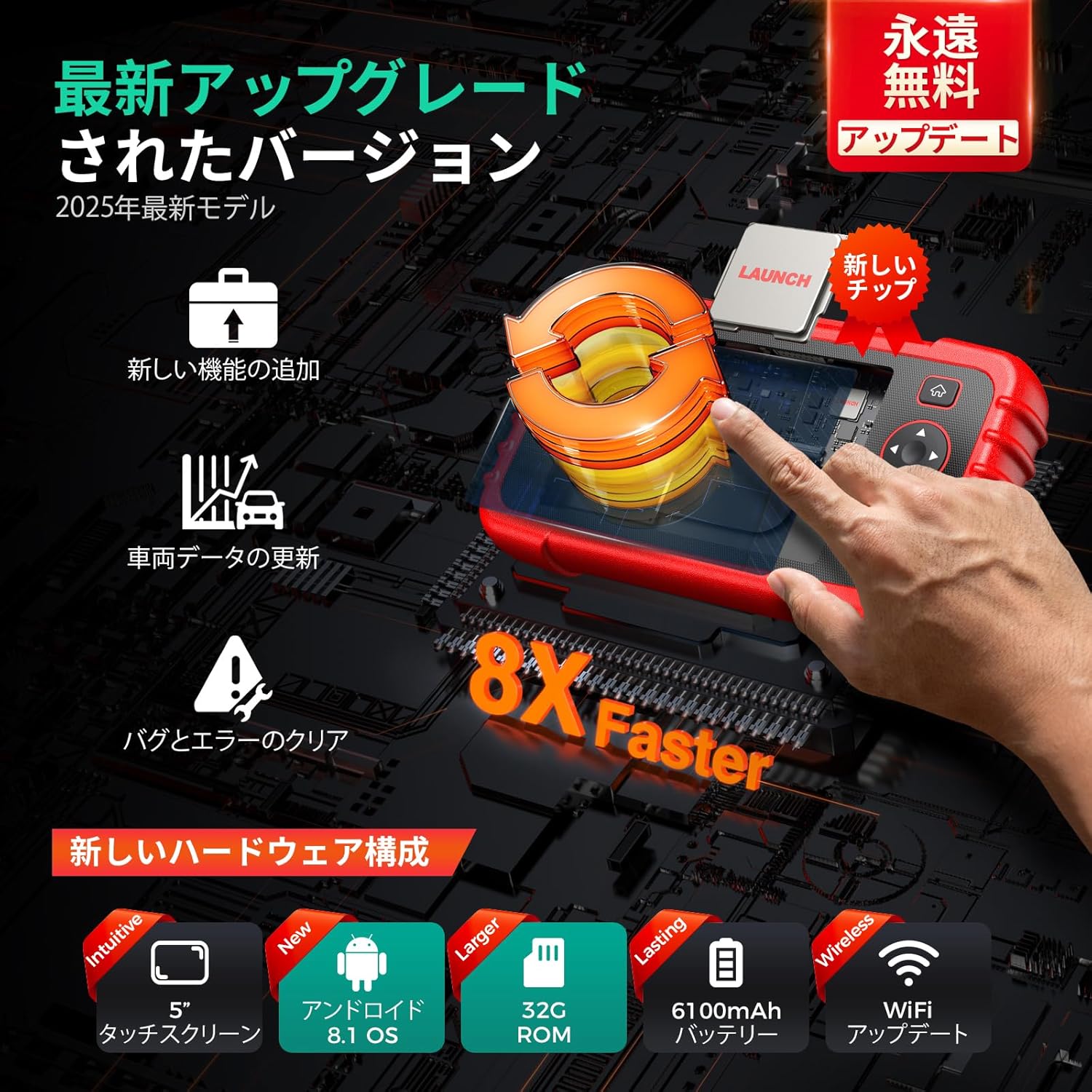
Figure 2: Hardware Upgrades and Wireless Update Capability
2.4. Połączenie pojazdu
Locate the OBD2 port in your vehicle (typically under the dashboard). Connect the diagnostic tool's cable to the vehicle's OBD2 port. Ensure a secure connection before proceeding with any diagnostic operations.
3. Instrukcja obsługi
3.1. 4-Diagnostyka systemu
The CRP123XV2.0 provides in-depth diagnosis for four critical vehicle systems: Engine, Transmission, Anti-lock Braking System (ABS), and Supplemental Restraint System (SRS/Airbag). When a warning light illuminates, use this function to:
- Read DTCs (Diagnostic Trouble Codes): Identify the specific fault codes causing the issue.
- Wyczyść kody DTC: Erase fault codes after repairs are completed, turning off warning lights.
- View Dane na żywo: Monitor real-time parameters from the selected system.

Rysunek 3: 4-Możliwości diagnostyczne systemu
3.2. 7 Funkcje resetowania
The device includes 7 commonly used maintenance reset functions:
- Reset oleju: Resetuje system kontroli żywotności oleju po jego wymianie.
- Reset SAS (czujnik kąta skrętu): Kalibruje czujnik kąta skrętu.
- Reset BMS (system zarządzania baterią): Rejestruje nową baterię w ECU.
- Brake Reset (EPB Electronic Parking Brake): Resetuje elektroniczne klocki hamulcowe po wymianie.
- Regeneracja DPF (filtra cząstek stałych): Rozpoczyna proces regeneracji filtra DPF.
- Krwawienie z układu ABS: Wykonuje odpowietrzanie układu ABS w celu przywrócenia czułości hamulców.
- Dopasowanie przepustnicy: Ponownie uczy się położenia przepustnicy.

Rysunek 4: Koniecview z 7 funkcji resetowania
3.3. Live Data Stream Display
Monitor various real-time vehicle parameters such as oil temperature, pressure, transmission temperature, engine RPM, and coolant temperature. The device can display data in a single multi-graph or merge up to four PIDs (Parameter IDs) for comparative analysis, helping to pinpoint anomalies.

Figure 5: Live Data Stream with 4-in-1 Graph
3.4. DTC Code Definition
The built-in DTC library provides detailed explanations for diagnostic trouble codes, allowing you to understand the meaning of each code without needing external resources.
3.5. Vehicle Health Report
Generate a comprehensive vehicle health report automatically. This report can be recorded, played back for further analysis, shared via email, or printed from a computer. It provides a clear overview of the vehicle's status.

Rysunek 6: Generowanie i udostępnianie raportów diagnostycznych
3.6. Objętość bateriitagTest
Monitoruj pojemność akumulatora pojazdutage in real-time. The device displays the voltage both graphically and numerically, providing insight into the battery's health.
3.7. Autoautoryzacja FCA
The CRP123XV2.0 supports FCA AutoAuth, enabling diagnosis of 2018 and newer FCA SGW (Security Gateway) equipped vehicles.
4. Konserwacja
4.1. Czyszczenie urządzenia
Użyj miękkiego, damp cloth to clean the device's exterior. Avoid using abrasive cleaners or solvents that could damage the screen or casing. Keep the OBD2 connector free from dust and debris.
4.2. Aktualizacje oprogramowania
Regularly check for and install software updates via Wi-Fi. These updates provide new features, bug fixes, and expanded vehicle compatibility. Navigate to the 'Upgrade' section on the main menu to perform updates.
4.3. Pielęgnacja baterii
Aby przedłużyć żywotność baterii, unikaj częstego całkowitego rozładowywania urządzenia. Przechowuj urządzenie w chłodnym, suchym miejscu, gdy nie jest używane. W przypadku dłuższego przechowywania upewnij się, że bateria jest naładowana do około 50–70%.
4.4. Przechowywanie
Store the diagnostic tool in its protective carrying case to prevent damage from impacts or environmental factors. Keep it away from extreme temperatures and direct sunlight.
5. Rozwiązywanie Problemów
5.1. Urządzenie się nie włącza
- Upewnij się, że urządzenie jest w pełni naładowane.
- Sprawdź, czy przycisk zasilania jest wciśnięty i prawidłowo przytrzymany.
5.2. Problemy z połączeniem z pojazdem
- Check that the OBD2 cable is securely connected to both the device and the vehicle's OBD2 port.
- Upewnij się, że zapłon pojazdu jest w pozycji ON (silnik wyłączony lub uruchomiony, w zależności od rodzaju testu).
- Confirm your vehicle is OBD2 compliant (most vehicles manufactured after 1996 are).
- Note: Some specific vehicle models, such as Daihatsu, may not be supported. Refer to the product specifications for compatible brands.
5.3. Update Failures
- Zapewnij stabilne i silne połączenie Wi-Fi.
- Sprawdź, czy na urządzeniu jest wystarczająca ilość wolnego miejsca.
- Uruchom ponownie urządzenie i spróbuj ponownie przeprowadzić aktualizację.
5.4. Incorrect Language Display
If the language display is incorrect or appears to be a poor translation, navigate to the settings menu to re-select the desired language. While efforts are made for accurate translations, minor discrepancies may occur.
5.5. General Issues and Technical Support
For any other issues or detailed assistance, utilize the 'Online Feedback' feature on the device or contact the seller directly. Providing detailed information about the problem will help in receiving a prompt and appropriate solution.

Figure 7: Support and Troubleshooting Resources
6. Specyfikacje
| Funkcja | Opis |
|---|---|
| Model | CRP123XV2.0 |
| System operacyjny | Android 8.1 |
| Edytor | New, faster processor |
| Pamięć | 32 GB pamięci ROM |
| Wyświetlacz | 5-calowy ekran dotykowy (720P) |
| Bateria | Akumulator litowo-jonowy 6100 mAh |
| Łączność | Wireless WiFi |
| Pokrycie pojazdu | 1996-2025 models, 80+ brands (Universal Fit) |
| Wymiary | Wymiary 25.3 x 18.7 x 8.2 cm |
| Waga | 1.06 kilogramów |
| UPC | 680666201616 |

Figure 8: Model Comparison and Upgrades
7. Gwarancja i pomoc techniczna
7.1. Gwarancja jakości
The LAUNCH CRP123XV2.0 comes with a one-year quality guarantee. In the event of any quality-related issues within this period, free replacement or repair services will be provided.
7.2. Lifetime Free Software Updates
Enjoy lifetime free software updates for your device. These updates ensure your tool remains current with the latest vehicle models and diagnostic technologies. Connect to Wi-Fi regularly to download and install updates.
7.3. Wsparcie techniczne
For any questions or concerns regarding the product, please contact the seller directly. The device also features an 'Online Feedback' function, allowing you to submit issues and receive appropriate solutions.


