1. Wprowadzenie
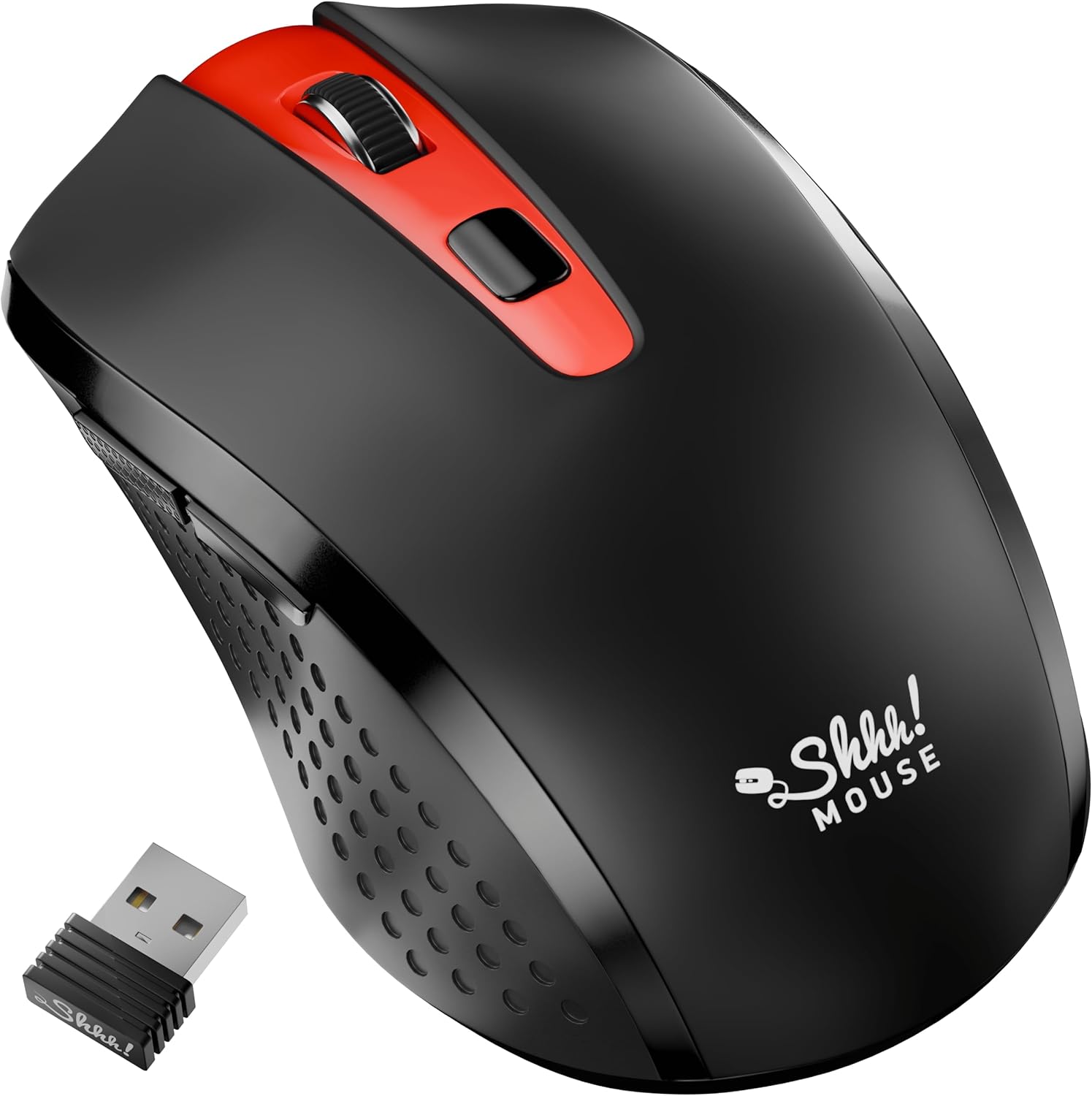
Thank you for choosing the SHHHMOUSE Silent Wireless Mouse. This manual provides essential information for setting up, operating, and maintaining your new mouse. Designed for quiet operation and ergonomic comfort, this mouse enhances your productivity without disturbing those around you.
Główne cechy:
- Quiet Mouse Wireless: Enjoy silent clicks with a noiseless clicking mechanism for a peaceful working environment.
- Ergonomiczny komfort: Experience a comfortable grip that reduces strain during extended work sessions.
- Precision Elevated: Advanced optical sensor for high-precision cursor control.
- Podłącz i graj: Seamless connection via USB receiver, no extra software or drivers required.
- Wydłużony czas użytkowania: Up to 18 months of battery life for prolonged use.
2. Co znajduje się w pudełku
Sprawdź, czy w opakowaniu znajdują się wszystkie elementy:
- 1 x SHHHMOUSE Silent Wireless Mouse
- 1 x odbiornik USB
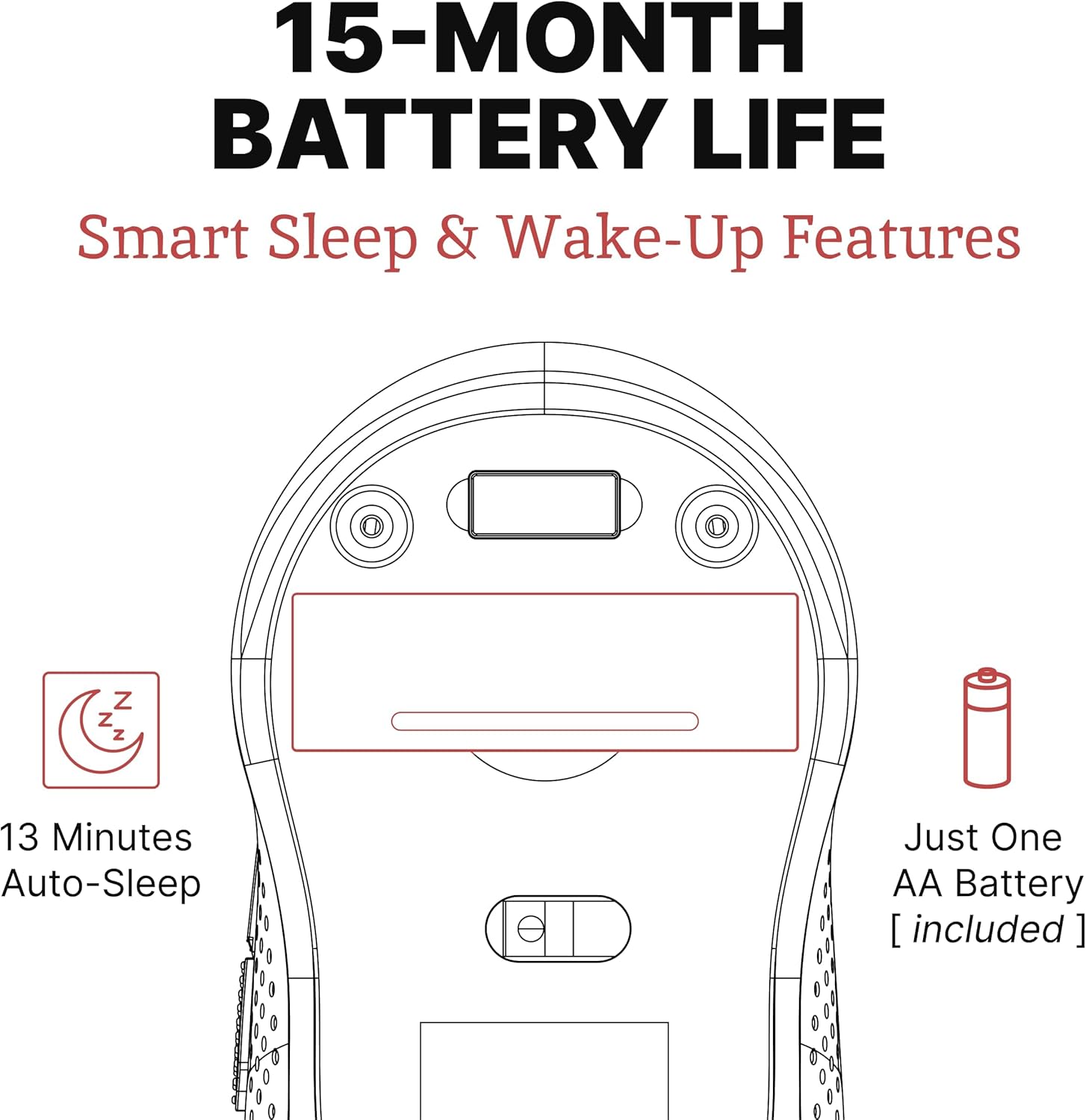
- 1 bateria AA
3. Przewodnik konfiguracji
Follow these steps to set up your SHHHMOUSE Silent Wireless Mouse:
- Włóż baterię: Open the battery compartment on the underside of the mouse. Insert the provided AA battery, ensuring correct polarity.
- Zlokalizuj odbiornik USB: The tiny USB receiver is typically stored inside the battery compartment for safe keeping during transport. Remove it.
- Podłącz odbiornik: Plug the USB receiver into an available USB port on your laptop, desktop, or Chromebook.
- Włączanie: Włącz mysz za pomocą włącznika zasilania znajdującego się na spodzie.
- Automatyczne połączenie: Mysz powinna automatycznie połączyć się z urządzeniem. Zazwyczaj nie są wymagane żadne dodatkowe sterowniki.


Konfiguracja wideo:
Video 1: "New Silent Portable Wireless Shhhmouse i440" - This video demonstrates the unboxing and initial setup of the mouse, including battery insertion and USB receiver connection.
4. Korzystanie z myszy
Funkcje przycisków:
- Kliknięcie lewym/prawym przyciskiem: Standard mouse functions for selection and context menus. These are ultra-silent buttons.
- Kółko przewijania: Used for vertical scrolling. Also functions as a middle click button. Features an anti-slip design.
- Przełącznik DPI: Przycisk ten znajduje się obok kółka przewijania i umożliwia regulację czułości myszy (DPI).
- Przyciski boczne: Typically configured for 'Page Up' and 'Page Down' functions, useful for web przeglądanie i nawigacja po dokumentach.

Adjusting DPI (Sensitivity):
Press the DPI switch button to cycle through different sensitivity levels (e.g., 800, 1200, 1600 DPI). Choose the setting that best suits your task and preference for cursor speed.

Smart Sleep & Wake-Up Features:
To conserve battery life, the mouse will enter a smart sleep mode after 13 minutes of inactivity. To wake it up, simply click any button or move the mouse.
5. Konserwacja
Wymiana baterii:
When the mouse's performance degrades or the low power indicator (if present) illuminates, it's time to replace the battery. Open the battery compartment on the underside, remove the old AA battery, and insert a new one, observing polarity.
Czyszczenie:
To maintain optimal performance, regularly clean your mouse. Use a soft, dry cloth to wipe the exterior. For the optical sensor, use a cotton swab lightly dampened with rubbing alcohol, ensuring no liquid enters the mouse's interior.
6. Rozwiązywanie Problemów
| Problem | Możliwa przyczyna | Rozwiązanie |
|---|---|---|
| Mysz nie reaguje | Low battery; USB receiver disconnected; Mouse power off. | Replace battery; Re-insert USB receiver; Turn on mouse power switch. |
| Nieregularny ruch kursora | Zabrudzony czujnik optyczny; Nieodpowiednia powierzchnia; Zakłócenia. | Clean optical sensor; Use on a smooth, opaque surface; Move mouse closer to receiver or away from other wireless devices. |
| Krótki czas pracy baterii | Frequent use; Battery type. | Ensure mouse enters sleep mode when idle; Use high-quality alkaline batteries. |
7. Specyfikacje
| Funkcja | Szczegół |
|---|---|
| Marka | SHHHMOUSE |
| Numer modelu | SHHH2659Black |
| Technologia łączności | USB Wireless (2.4G) |
| Technologia wykrywania ruchu | Optyczny |
| Funkcja specjalna | Soundless Clicks |
| Poziomy DPI | Adjustable (e.g., 800, 1200, 1600) |
| Typ baterii | 1 baterie AA (w zestawie) |
| Średnia żywotność baterii | Do 15 miesięcy |
| Waga przedmiotu | 2.29 uncji |
| Wymiary produktu (dł. x szer. x wys.) | 4.22 x 2.5 x 0.04 cala |
| Zgodność platformy sprzętowej | Windows XP/Vista/Win7, Mac 10.x, Chromebook, PC, Laptop |
| Kolor | Czarny i czerwony |
8. Gwarancja i wsparcie
SHHHMOUSE products are designed for durability and reliability. For specific warranty information, please refer to the warranty card included with your product or visit the official SHHHMOUSE webstrona.
For further assistance or technical support, please contact SHHHMOUSE customer service through the contact information provided on the product packaging or the brand's official webstrona.
Szczegółowy podręcznik użytkownika (w formacie PDF) jest również dostępny do pobrania: Pobierz podręcznik użytkownika