Wstęp
The AKASO WT50 Mini Projector is a compact and versatile device designed for both home and outdoor entertainment. Featuring DLP projection technology, 1080P resolution support, WiFi and Bluetooth connectivity, and a built-in Android system, it offers a portable solution for displaying content from various sources. This manual provides essential information for setting up, operating, and maintaining your projector.
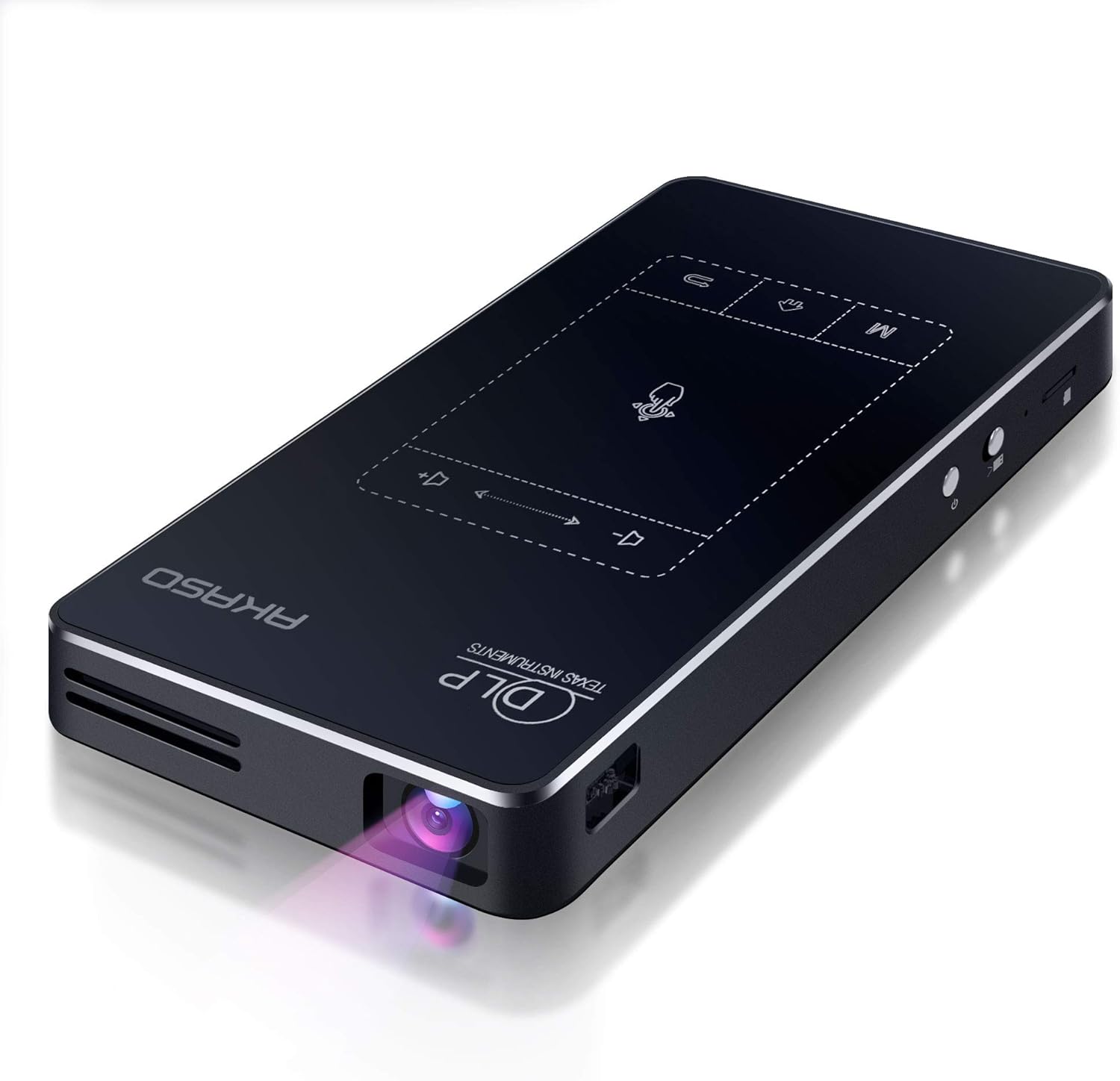
Image: AKASO WT50 Mini Projector, showcasing its sleek, compact design with the projection lens visible.
Co jest w pudełku
Upon receiving your AKASO WT50 Mini Projector, please verify that all components are present and undamaged. The standard package includes:
- AKASO WT50 Mini Projector
- 360° rotatable support bracket
- Charging Cable (original cable recommended for compatibility)
- Zdalne sterowanie
- Instrukcja obsługi (ten dokument)
Note: If any accessories are missing or damaged, please contact our after-sales service immediately.
Produkt ponadview
The AKASO WT50 is designed for portability and ease of use, integrating advanced projection technology with smart features.
Główne cechy:
- Super Portable Design: Compact (5.71 x 3.15 x 0.79 inches) and lightweight (0.64 lbs) for easy transport.
- Clear and Bright DLP Projection: Utilizes advanced DLP technology for sharper images without pixelation or the 'screen door effect', offering higher brightness and richer colors.
- Wiele opcji łączności: Supports wireless screen mirroring (AirPlay, WiFi display/Miracast, EShare, DLNA) and wired connections (USB, HDMI, Audio, Micro SD).
- Wbudowany system Android 9.0: Access to over 3 million apps from the Google Play Store.
- Wygodne opcje sterowania: Remote control and touchscreen panel with automatic keystone correction.
- Wbudowana bateria: 5000mAh battery provides approximately 2 hours of screen projection.

Obraz: Szczegółowy view of the AKASO WT50 Mini Projector, highlighting its various ports (USB, HDMI, DC, Headset) and control buttons (Touch panel, Home, Menu, Volume, Power switch, Lens focus dial).
Physical Controls and Ports:
- Przycisk zasilania: Znajduje się z boku urządzenia. Naciśnij i przytrzymaj, aby włączyć/wyłączyć urządzenie.
- Pokrętło ostrości: Manual adjustment for image sharpness, typically located near the lens.
- Panel dotykowy: Intuitive touch controls on the top surface for navigation and settings.
- Porty USB: Do podłączania dysków USB i innych urządzeń peryferyjnych.
- Wejście HDMI: For connecting external devices like laptops, gaming consoles, or TV sticks.
- Gniazdo audio (3.5 mm): Do podłączenia słuchawek lub głośników zewnętrznych.
- Wejście DC: For connecting the power adapter to charge the device.
- Gniazdo Micro SD: For expanding storage or playing media directly.
Organizować coś
- Opłata początkowa: Before first use, fully charge the projector using the provided original charging cable. The charging port is labeled 'DC'.
- Konfiguracja pilota zdalnego sterowania: Insert AAA batteries (not included) into the remote control.
- Włączanie: Slide the power switch to the 'on' position and then press the power button. The projector will boot up, and the lens will emit light.
- Umieszczenie: Position the projector on a stable surface. The included 360° rotatable support bracket or a mini tripod can be used for optimal positioning.
- Regulacja ostrości: Use the manual focus dial on the side of the projector to achieve a clear image.
- Korekcja Keystone'a: The projector supports automatic keystone correction. If manual adjustment is needed, navigate to the settings menu.
Instrukcja obsługi
1. Nawigacja i sterowanie
You can navigate the projector's interface using either the touchscreen panel on the device or the remote control.
- Touchscreen Panel: Use the intuitive touch interface for direct control.
- Zdalne sterowanie: Provides full control over menus, volume, and playback.

Image: A hand interacting with the touch-sensitive control panel on the AKASO WT50 Mini Projector, demonstrating ease of use.
2. Opcje łączności
The projector offers diverse ways to connect to your devices:
- Bezprzewodowe kopiowanie ekranu: Connect your smartphone or tablet via AirPlay (for iOS), WiFi display (Miracast for Android), EShare, or DLNA. Note: Due to copyright restrictions, some streaming services like Hulu and Netflix cannot be mirrored wirelessly. You can download their apps directly onto the projector via the Google Play Store.
- HDMI: Podłącz urządzenia takie jak laptopy, konsole do gier i odtwarzacze Blu-ray za pomocą kabla HDMI.
- USB: Odtwarzaj media filebezpośrednio z dysku flash USB.
- Mikro SD: Insert a Micro SD card to access stored media.
- Bluetooth: Podłącz zewnętrzne głośniki lub słuchawki Bluetooth, aby uzyskać lepszą jakość dźwięku.

Image: AKASO WT50 Mini Projector displaying various connectivity options including USB, HDMI, Airplay, and Bluetooth, with connected devices like a laptop, game controller, smartphone, tablet, and smart speaker.
3. Regulacja obrazu
- Automatyczna korekcja trapezu: The projector automatically adjusts the image to ensure it remains visually square, even when the projector's position changes.
- Ręczne ustawianie ostrości: Use the focus dial on the side of the projector to sharpen the image.

Image: Demonstration of AKASO WT50 Mini Projector's auto keystone correction and manual focus, showing how distorted images are automatically or manually corrected for clarity.
4. System Android i aplikacje
The built-in Android 9.0 system allows you to download and use a wide range of applications directly from the Google Play Store. This enables direct access to streaming services, productivity tools, and more, without needing an external device.

Image: AKASO WT50 Mini Projector interface showing the Android 9.0 system with various app icons like YouTube, Netflix, and Google Play Store.
Konserwacja
- Czyszczenie obiektywu: Do delikatnego przecierania soczewki projektora używaj miękkiej, niepozostawiającej włókien ściereczki przeznaczonej specjalnie do soczewek optycznych. Unikaj materiałów ściernych i silnych środków chemicznych.
- Czyszczenie powierzchni zewnętrznej: Przetrzyj obudowę projektora miękką, suchą ściereczką. Nie używaj płynnych środków czyszczących bezpośrednio na urządzeniu.
- Składowanie: When not in use, store the projector in a cool, dry place away from direct sunlight and extreme temperatures. Ensure the lens cover is closed to protect it from dust and scratches.
- Pielęgnacja baterii: For optimal battery life, avoid fully discharging the battery frequently. Charge the projector regularly, even if not in constant use.
Rozwiązywanie problemów
| Problem | Możliwa przyczyna | Rozwiązanie |
|---|---|---|
| Projektor się nie włącza | Niski poziom naładowania baterii lub problem z zasilaniem | Ensure the projector is fully charged or connected to power. Check the power adapter and cable. |
| Obraz jest rozmazany | Incorrect focus or keystone | Adjust the manual focus dial. Check keystone correction settings (automatic or manual). |
| No image from connected device | Incorrect input source or cable issue | Verify the correct input source (HDMI, USB, etc.) is selected. Check cable connections. |
| Cannot connect via screen mirroring | Network issues or app restrictions | Ensure both devices are on the same WiFi network. Some copyrighted content cannot be mirrored wirelessly; try downloading the app directly on the projector. |
| Słaba jakość dźwięku lub brak dźwięku | Volume settings or external audio device issue | Adjust projector volume. Check external speaker/headphone connection or Bluetooth pairing. |
Specyfikacje
| Funkcja | Szczegół |
|---|---|
| Marka | AKASO |
| Numer modelu | WT50 |
| Waga przedmiotu | 0.64 lbs (approx. 1.74 pounds listed in specs, using feature bullet for consistency) |
| Wymiary produktu | 5.71 x 3.15 x 0.79 cala |
| Rozdzielczość wyświetlacza | 1920x1080 (1080P) |
| Technologia łączności | 3.5mm Jack, HDMI, USB, Wi-Fi |
| Cechy specjalne | Built-In Wi-Fi, Digital Keystone Correction, Lightweight, Portable, Short Throw |
| Bateria | 1 Lithium Ion battery required (included), 5000mAh (approx. 2 hours projection) |
| System operacyjny | Android 9.0 |
Gwarancja i wsparcie
For any questions, concerns, or to inquire about warranty information and after-sales service, please refer to the contact details provided with your product packaging or visit the official AKASO website. Always use the original charging cable to avoid incompatibility issues.


