Wstęp
The Vimtag Wifi 1080p UHD 2MP Security Camera is designed to provide comprehensive surveillance for your home or business. Featuring 1080p Ultra HD resolution, a 2MP lens, and Wi-Fi connectivity, this camera offers clear and smooth streaming. Key functionalities include an inbuilt LED floodlight for enhanced night vision, motion detection with siren alerts, two-way audio communication, and compatibility with mobile devices and Amazon Alexa. Its robust design is suitable for outdoor use, ensuring reliable performance in various environments.
Zawartość opakowania
Przed rozpoczęciem instalacji sprawdź, czy w opakowaniu znajdują się wszystkie elementy:
- Krzepatag Wifi 1080p UHD 2MP Security Camera
- Uchwyt montażowy
- Zasilacz
- Śruby montażowe i kołki ścienne
- Instrukcja obsługi (ten dokument)

Image: Contents of the Vimtag Security Camera package, showing the camera, mounting hardware, power adapter, and documentation.
Produkt ponadview
Familiarize yourself with the various components and ports of your Vimtag kamera bezpieczeństwa.

Image: Detailed diagram illustrating the various parts of the Vimtag camera, including the antenna, LED floodlight, reset button, LAN port, power cable, sensor, camera lens, and microphone.
- Camera Antenna: Do odbioru sygnału Wi-Fi.
- LED Flood Light: Provides illumination for full-color night vision and acts as a deterrent.
- Przycisk resetowania: Służy do przywracania ustawień fabrycznych lub ponownego uruchamiania urządzenia.
- Port LAN: Do przewodowego połączenia sieciowego (opcjonalnie).
- Przewód zasilający: Łączy się z zasilaczem.
- Transduktor: Wykrywa światło otoczenia w celu automatycznego przełączania trybu dziennego/nocnego.
- Obiektyw aparatu: Przechwytuje wideo footage.
- MIKROFON: Built-in microphone for audio input and two-way communication.
Przewodnik po konfiguracji
1. Konfiguracja początkowa i instalacja aplikacji
- Pobierz Vimatag Aplikacja: Szukaj "Vimtag„w sklepie z aplikacjami na Twoim urządzeniu mobilnym (iOS lub Android) i pobierz oficjalną aplikację.
- Utwórz konto: Open the Vimtag app and follow the on-screen instructions to register a new user account.
- Włącz kamerę: Connect the power adapter to the camera's power cable and plug it into an electrical outlet. Wait for the camera to initialize (typically indicated by an LED status light).
- Dodaj urządzenie: In the Vimtag app, select the option to "Add Device" or scan the QR code located on the camera or its packaging.
- Połącz się z Wi-Fi: Follow the app's prompts to connect the camera to your home Wi-Fi network. Ensure the camera is within range of your Wi-Fi router for optimal signal strength. For best performance, consider the camera's proximity to the router.
2. Instalacja fizyczna
The Vimtag camera comes with a universal mounting bracket for flexible installation on ceilings or walls.
- Wybierz lokalizację: Wybierz odpowiednią lokalizację na zewnątrz, która zapewni pożądane viewing angle and is within Wi-Fi range. Ensure the power cable can reach an outlet.
- Montowanie: Use the provided mounting screws and wall plugs to securely attach the mounting bracket to the chosen surface.
- Podłącz kamerę: Securely attach the camera to the mounting bracket. Adjust the camera's angle to cover the desired area.

Image: The Vimtag security camera mounted on its wall bracket, ready for outdoor surveillance.

Image: Two Vimtag cameras illustrating their connectivity options, including power and optional LAN connections.
Instrukcja obsługi
Na żywo View i monitorowanie
Once connected, you can monitor your camera feed anytime via the Vimtag mobile app or PC client. The F3.6mm 2MP lens with smart H.264 video encoding ensures smooth 1080P Ultra HD streaming even with lower internet speeds.
Dwukierunkowy dźwięk
Utilize the built-in microphone and speaker for two-way communication. This allows you to listen to the environment around the camera and speak through the camera from your mobile device.
Motion Detection and Siren
The camera features an inbuilt motion detection sensor that can trigger an alarm siren and activate the LED floodlight. This provides an immediate deterrent and illuminates the area for clear recording.

Image: The Vimtag camera demonstrating its LED floodlight and siren functionality, deterring an intruder.
Night Vision with LED Floodlight
The unique inbuilt LED floodlight provides clear night vision up to 32 feet. When motion is detected, the floodlight can automatically switch on, providing full-color video display even in complete darkness, unlike traditional infrared night vision which typically provides black and white images.
Storage Options: SD Card and Cloud Recording
- Pamięć karty SD: The camera supports an SD card (up to 128 GB). Vimtag's unique compressed video technology allows the camera to save up to 75% more video on an SD card compared to other cameras.
- Nagrywanie w chmurze: A cloud function is available to securely store all videos in real-time. One month of free cloud storage is typically included.
Wsparcie Alexa
The Vimtag camera supports Amazon Alexa Echo Show. You can control the camera with voice commands such as "Alexa, show live view," "turn left," or "turn right."
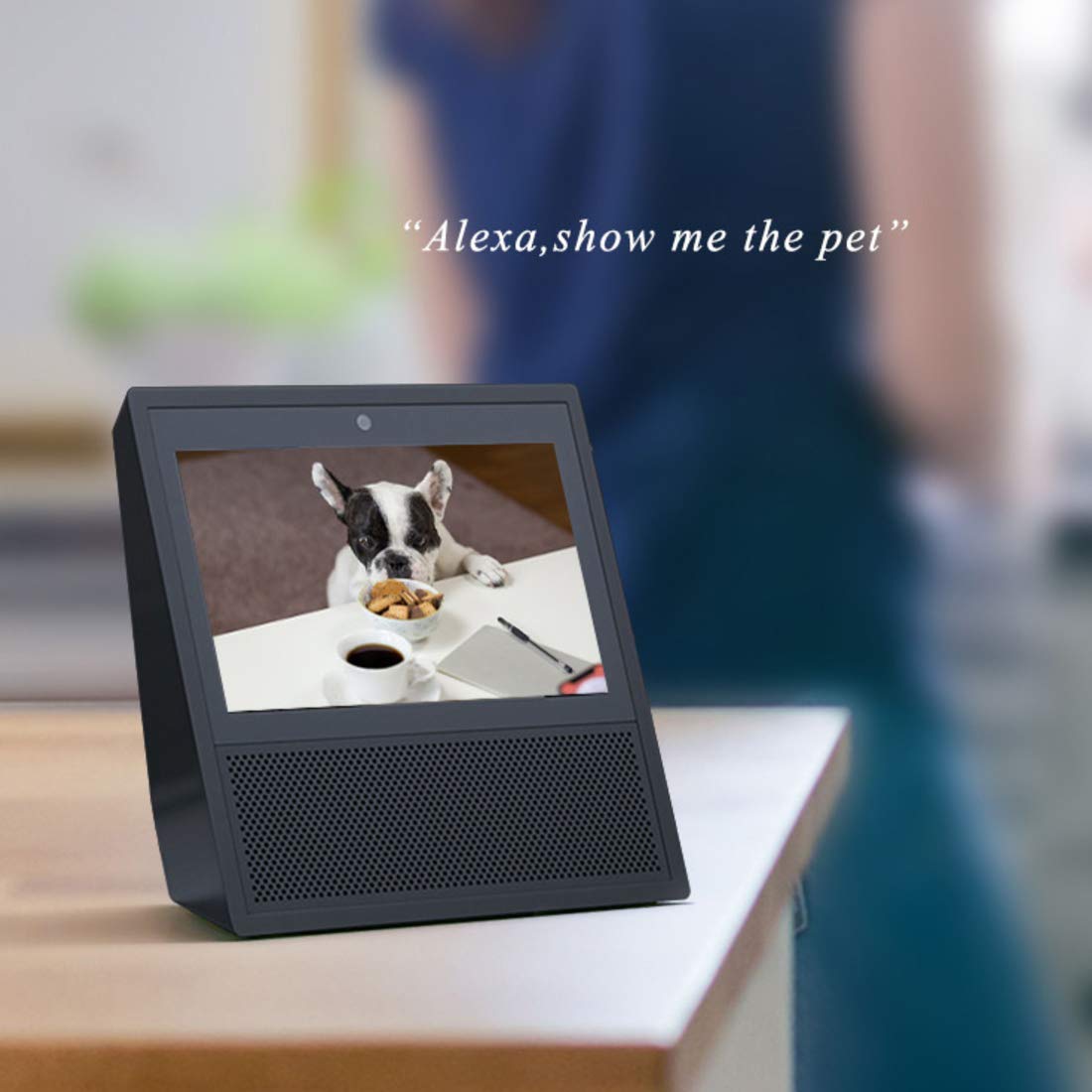
Image: An Amazon Echo Show device displaying a live video feed from the Vimtag camera, demonstrating Alexa integration.
Dostęp wieloużytkownikowy
Multiple users can access the camera feed simultaneously. All user access is protected by a password.
Konserwacja
- Czyszczenie: Regularnie przecieraj obiektyw i korpus aparatu miękką, suchą ściereczką, aby usunąć kurz i brud. Unikaj stosowania silnych środków chemicznych i materiałów ściernych.
- Zarządzanie kartami SD: Periodically check the SD card status through the app. While Vimtag's compression technology maximizes storage, regular review and backup of important footage jest zalecane.
- Aktualizacje oprogramowania układowego: Keep your camera's firmware updated through the Vimtag app to ensure optimal performance, security, and access to new features.
- Cykl zasilania: Jeśli zauważysz problemy z łącznością lub kamera zachowuje się nietypowo, spróbuj wyłączyć ją i włączyć ponownie, odłączając i ponownie podłączając zasilacz.
Rozwiązywanie problemów
| Wydanie | Możliwa przyczyna / rozwiązanie |
|---|---|
| Kamera często rozłącza się z siecią Wi-Fi. |
|
| Motion detection is too sensitive (false alarms). |
|
| Nie można uzyskać dostępu do nagranego footage from SD card via app. |
|
| App settings for motion detection times are not working correctly. |
|
| Poor image quality or night vision. |
|
Specyfikacje
| Funkcja | Szczegół |
|---|---|
| Numer modelu | B4 2MP Outdoor IP Camera |
| Wymiary produktu | Wymiary 15 x 8 x 6 cm |
| Waga przedmiotu | 400 gramów |
| Rezolucja | 1080p Ultra HD (2MP) |
| Technologia łączności | Wi-Fi |
| Cechy specjalne | HD Resolution, Night Vision (with LED Floodlight), Motion Detection, Two-Way Audio |
| Zastosowanie wewnątrz/na zewnątrz | Plenerowy |
| Źródło zasilania | Elektryczny przewodowy |
| Kompatybilne urządzenia | Tablet, iOS, Android, Amazon Alexa Echo Show |
| Maksymalna pojemność karty SD | 128 GB |
Gwarancja i wsparcie
Informacje o gwarancji
This Vimtag Produkt jest dostarczany z 2 rok gwarancji od daty zakupu. Prosimy zachować dowód zakupu na wypadek roszczeń gwarancyjnych. Gwarancja obejmuje wady produkcyjne i usterki powstałe w normalnych warunkach użytkowania.
Obsługa klienta
For any technical assistance, troubleshooting, or warranty inquiries, please contact Vimtag customer care:
- Linia pomocy: +91-97114 11021
- Godziny otwarcia: Monday - Saturday, 10:30 AM - 6:30 PM (IST)
You can also visit the official Vimtag store on Amazon for more information and resources: Krzepatag Sklep


