Wstęp
Thank you for choosing the Bontempi 12 2407 Electronic Mini Keyboard. This manual provides essential information for the safe and proper use, setup, and maintenance of your new instrument. Please read it thoroughly before use and keep it for future reference.
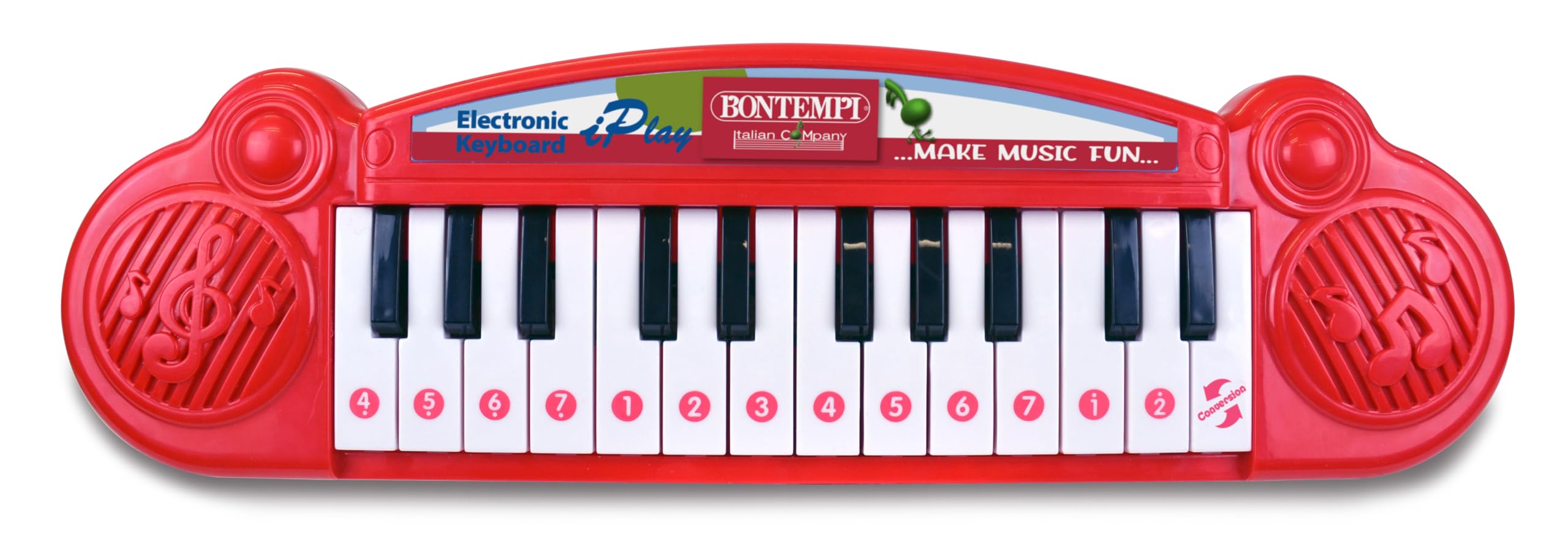
Image showing the Bontempi 12 2407 Electronic Mini Keyboard, red in color, with 24 keys, displayed in its retail packaging. The packaging highlights features like '23 Demo' songs and 'Any Key Play'.
Informacje dotyczące bezpieczeństwa
Warning: Not suitable for children under 36 months (3 years) due to small parts that could be swallowed.
- Zawsze nadzoruj dzieci podczas zabawy.
- Nie wystawiaj klawiatury na działanie wody ani nadmiernej wilgoci.
- Do not drop or subject the keyboard to strong impacts.
- Only use the specified battery type and ensure correct polarity.
Zawartość opakowania
W przesyłce powinny znaleźć się następujące elementy:
- 1 x Bontempi 12 2407 Electronic Mini Keyboard
Organizować coś
Instalacja baterii
- Znajdź komorę baterii na spodzie klawiatury.
- Za pomocą śrubokręta otwórz pokrywę komory baterii.
- Insert 2 x 1.5V batteries (not included), ensuring correct polarity (+/-) as indicated inside the compartment.
- Załóż pokrywę komory baterii i zabezpiecz ją śrubą.
Notatka: Always remove exhausted batteries promptly and dispose of them responsibly. Do not mix old and new batteries or different types of batteries.
Działanie
Włączanie/wyłączanie zasilania
Locate the power switch, usually on the front or side of the keyboard. Slide it to the 'ON' position to power on the instrument. Slide it to the 'OFF' position to turn it off.
Odtwarzanie notatek
Press any of the 24 keys to play individual musical notes. Experiment with different keys to create melodies.
Piosenki demonstracyjne
The keyboard features 23 pre-recorded demonstration songs. To activate them, use the 'demosong' selector. Pressing the selector button will cycle through the available demonstration songs.
Any Key Play Function
Engage the 'any key play' function using its dedicated selector. In this mode, pressing any key will advance the melody of a selected demonstration song, allowing interactive play.
Cechy
- 24 electronic keys
- 23 utworów demonstracyjnych
- Selector for notes, demo songs, and 'any key play' function
- Funkcja włączania/wyłączania
Konserwacja
Czyszczenie
To clean the keyboard, wipe it with a soft, dry cloth. Do not use abrasive cleaners, solvents, or immerse the unit in water.
Składowanie
When not in use, store the keyboard in a dry place away from direct sunlight and extreme temperatures. If storing for an extended period, remove the batteries to prevent leakage.
Rozwiązywanie problemów
- Brak dźwięku:
Check if the power switch is in the 'ON' position. Ensure batteries are correctly installed and not depleted. Replace batteries if necessary. - Klawisze nie reagują:
Ensure the keyboard is powered on. If the issue persists after checking batteries, contact customer support.
Specyfikacje
| Funkcja | Specyfikacja |
|---|---|
| Numer modelu | 12 2407 |
| Wymiary (dł. x szer. x wys.) | 34.5 x 10 x 3 cm (13.58 x 3.94 x 1.18 cala) |
| Waga | 280 gramów (0.62 funta) |
| Liczba kluczy | 24 |
| Zasilacz | 2 baterie 1.5V (brak w zestawie) |
| Tworzywo | Plastikowy |
| Zalecany wiek | 3 lata i więcej |
| UPC | 047663335452 |
Gwarancja i wsparcie
Informacje dotyczące gwarancji produktu i obsługi klienta nie są dostępne w niniejszej instrukcji. Prosimy o zapoznanie się z opakowaniem produktu lub oficjalną instrukcją producenta. webWięcej szczegółów na temat gwarancji i sposobu skontaktowania się z obsługą klienta w celu uzyskania pomocy znajdziesz na tej stronie.


