1. Koniec produktuview
The Amazon Echo Dot Demo 2 is a compact smart speaker designed to bring the convenience of Alexa into your home. This device offers improved speaker quality for richer sound and is equipped with features suitable for family use, including parental controls and kid-friendly content.

Image 1.1: The Amazon Echo Dot Demo 2 device in Gray.
2. Przewodnik konfiguracji
Follow these steps to set up your Echo Dot Demo 2:
- Rozpakuj urządzenie: Carefully remove the Echo Dot (3rd generation), power adapter (15W), and Quick Start Guide from the box.
- Włączanie: Plug the included power adapter into the Echo Dot and then into a wall outlet. The light ring on the device will turn blue, then orange, indicating it is ready for setup.
- Pobierz aplikację Alexa: On your mobile device (Fire OS, Android, or iOS), download and install the Amazon Alexa app. The app is also accessible via a web przeglądarka.
- Połącz się z Wi-Fi: Open the Alexa app and follow the on-screen instructions to connect your Echo Dot to your Wi-Fi network. The device supports dual-band Wi-Fi (802.11 a/b/g/n/ac on 2.4 and 5 GHz networks). It does not support ad-hoc (peer-to-peer) Wi-Fi networks. Amazon Wi-Fi simple setup can assist in connecting smart devices easily.
- Konfiguruj ustawienia: Once connected, the app will guide you through personalizing settings, including linking your Amazon account and setting up parental controls if desired.
Your Echo Dot Demo 2 is now ready for use.
3. Instrukcja obsługi
The Echo Dot Demo 2 is voice-controlled via Alexa. Here are some key operating features:
3.1. Voice Commands and Interaction
Simply say "Alexa" followed by your command or question. Exampobejmują:
- "Alexa, włącz muzykę."
- "Alexa, tell me a story."
- „Alexa, ustaw timer na 10 minut.”
- "Alexa, jaka jest pogoda?"

Image 3.1: A child interacting with the Echo Dot Demo 2 by asking a question.
3.2. Audio i rozrywka
The device features improved speaker quality for a richer and louder sound experience. You can pair it with a second Echo Dot for stereo sound. It supports various audio services and content suitable for children, including over 1,000 Audible books and thousands of songs via Amazon Kids+ (formerly FreeTime Unlimited).
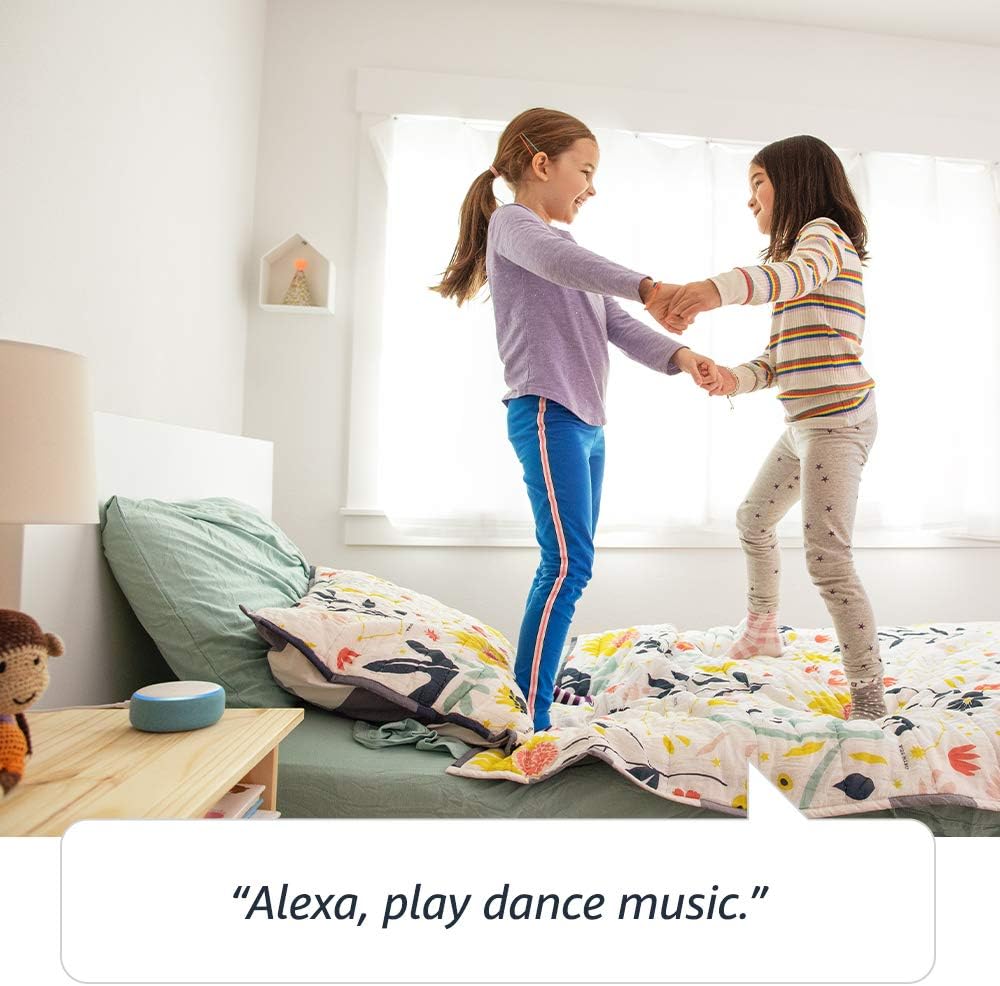
Image 3.2: Children enjoying music played through the Echo Dot Demo 2.
3.3 Komunikacja
The Echo Dot Demo 2 allows for communication with approved friends and family. You can also use the Drop In feature to connect with other Echo devices within your household.

Image 3.3: Connecting with other Echo devices throughout the house.
3.4. Privacy Controls
The device is designed with multiple layers of privacy controls. These include wake word technology, streaming indicators, and a microphone off button. You can also view i usuń nagrania głosowe. Więcej informacji znajdziesz w Centrum prywatności Alexa.

Image 3.4: Press the mic off button to disconnect the microphones for privacy.
3.5. Łączność Bluetooth
The Echo Dot supports Advanced Audio Distribution Profile (A2DP) for streaming audio from your mobile device to the Echo Dot or from the Echo Dot to your Bluetooth speaker. Audio/Video Remote Control Profile (AVRCP) allows for voice control of connected mobile devices. Bluetooth speakers requiring PIN codes are not supported.
3.6. Bedtime Routines
The Echo Dot can assist with bedtime routines by playing lullabies or reading stories.

Image 3.5: The Echo Dot can read bedtime stories.
4. Konserwacja
To ensure the longevity and optimal performance of your Echo Dot Demo 2, follow these maintenance guidelines:
- Czyszczenie: Use a soft, dry, lint-free cloth to clean the exterior of the device. Do not use abrasive cleaners, liquids, or sprays.
- Umieszczenie: Place the device on a stable, flat surface away from direct sunlight, heat sources, and moisture. Avoid placing it near strong electromagnetic fields.
- Moc: Always use the original power adapter provided with the device. Disconnect the power adapter during electrical storms or when unused for extended periods.
- Wentylacja: Upewnij się, że urządzenie ma odpowiednią wentylację. Nie blokuj żadnych otworów wentylacyjnych.
5. Rozwiązywanie Problemów
If you encounter issues with your Echo Dot Demo 2, try the following troubleshooting steps:
- Brak zasilania:
- Upewnij się, że zasilacz jest prawidłowo podłączony do urządzenia Echo Dot i do sprawnego gniazdka ściennego.
- Spróbuj podłączyć zasilacz do innego gniazdka.
- Brak połączenia Wi-Fi:
- If Alexa indicates it cannot connect to the internet, check your home Wi-Fi network.
- Uruchom ponownie router Wi-Fi i modem.
- Open the Alexa app and navigate to device settings to reconfigure the Wi-Fi connection.
- Upewnij się, że urządzenie znajduje się w zasięgu routera Wi-Fi.
- Alexa nie odpowiada:
- Ensure the microphone is not muted (the light ring will be red if muted). Press the microphone off button to unmute.
- Mów wyraźnie i bezpośrednio do urządzenia.
- Try restarting the Echo Dot by unplugging it from the power outlet for a few seconds and then plugging it back in.
- Brak dźwięku:
- Sprawdź poziom głośności mówiąc „Alexa, zwiększ głośność”.
- If connected to an external speaker via Bluetooth or 3.5mm cable, ensure the external speaker is powered on and functioning correctly.
For further assistance, refer to the Amazon Alexa app or contact Amazon Customer Service.
6. Specyfikacje
| Funkcja | Szczegół |
|---|---|
| Rozmiar | 3.9” x 3.9” x 1.7” (99 mm x 99 mm x 43 mm) |
| Waga | 10.6 uncji (300 grama) |
| Łączność Wi-Fi | Dual-band Wi-Fi supports 802.11 a/b/g/n/ac (2.4 and 5 GHz) networks. Does not support ad-hoc (peer-to-peer) Wi-Fi networks. |
| Łączność Bluetooth | Obsługa A2DP do strumieniowego przesyłania dźwięku; AVRCP do sterowania głosowego podłączonymi urządzeniami mobilnymi. Głośniki Bluetooth wymagające podania kodu PIN nie są obsługiwane. |
| Audio | Built-in speaker, 3.5 mm stereo audio output (cable not included). |
| Wymagania systemowe | Alexa App compatible with Fire OS, Android, iOS devices, and web przeglądarek. |
| W zestawie: | Echo Dot (3rd generation), 15W power adapter, Quick Start Guide. |
| Generacja | Echo Dot Kids Edition - 2019 release |
| Przedział wiekowy | Ages 3 and up. Not for children under 3 years. |
| Funkcje prywatności | Technologia wybudzania, wskaźniki strumieniowania, przycisk wyłączania mikrofonu, możliwość view i usuwać nagrania głosowe. |
7. Gwarancja i wsparcie
7.1. Informacje o gwarancji
Your Echo Dot Demo 2 includes a 2-letnia gwarancja bezstresowego użytkowania. If the device breaks, you can return it for a free replacement. Use of the Echo Dot Kids Edition is subject to specific terms, which can be found on the Amazon webstrona.
7.2. Funkcje ułatwień dostępu
The Alexa app and Alexa-enabled products offer several features for customers with accessibility needs related to vision, hearing, mobility, and speech. More information on Alexa accessibility can be found on the Amazon webstrona.
7.3. Obsługa klienta
For any questions, technical assistance, or warranty claims, please contact Amazon Customer Service through the Alexa app or the Amazon support webstrona.