1. Koniec produktuview
The UGREEN 90-Degree USB-A to USB-C Cable (Model 20855, 1.6FT) is designed for convenient charging and data transfer. Its right-angle connectors provide a more comfortable and space-saving connection, especially useful in tight spaces or while using your device.

Image: UGREEN 90-Degree USB-A to USB-C Cable, showcasing jego projektu.
2. Co znajduje się w pudełku
- 1.6ft USB A to USB C Cable (1 unit)
- Instrukcja obsługi (1 szt.)
3. Główne cechy
- Upgraded Right Angle Design: The 90-degree USB-C connector offers a more convenient and comfortable user experience, particularly when charging while holding the device. Note: The maximum allowable thickness of the device case is 0.08 inches (2mm).
- Szybkie ładowanie: Supports 18W fast charging, capable of fully charging compatible devices like the Samsung S22 in approximately 1.5 hours.
- True Data Sync: Achieves data transfer speeds of up to 480 Mbps, allowing for the transfer of 1GB of data in about 30 seconds. Note: Video transmission is not supported.
- Trwała konstrukcja: The cable has undergone over 20,000 bending tests and 3,000 plug/unplug tests, ensuring flexibility and longevity. Features nylon braiding, an aluminum shell, and reinforced connectors.
- Szeroka kompatybilność: Compatible with a wide range of USB-C devices, including iPhone 15 series, Samsung Galaxy S/Note/Z Flip/Fold series, Google Pixel, iPad models, Nintendo Switch, and more.

Image: Right-angle connector for comfortable use while gaming or holding the device.

Image: Illustration of 3A fast charging, showing 65 minutes to 100% charge.

Image: Data transfer at 480 Mbps, transferring 1GB in 30 seconds.

Image: Features like nylon braided cable, aluminum shell, and reinforced connector for durability.
4. Setup & Usage
- Podłącz do źródła zasilania: Insert the USB-A end of the cable into a compatible USB-A charger or a computer's USB-A port. Ensure the power source supports the desired charging speed (e.g., 18W for fast charging).
- Połącz z urządzeniem: Insert the 90-degree USB-C end into your device's USB-C port. The right-angle design allows for a flush connection, reducing cable strain and improving ergonomics.
- Ładowanie: Once connected, your device should begin charging automatically. The cable supports fast charging for compatible devices.
- Transfer danych: When connected to a computer, your device should be recognized for data transfer. You can then transfer files at up to 480 Mbps.
Important Note on USB-A Orientation: The USB-A connector is not reversible. When plugging into a USB-A port, ensure the correct orientation. The 90-degree bend on the USB-A end will direct the cable either upwards or downwards depending on the port's orientation. Consider this when planning your setup to ensure the cable bends in the desired direction.
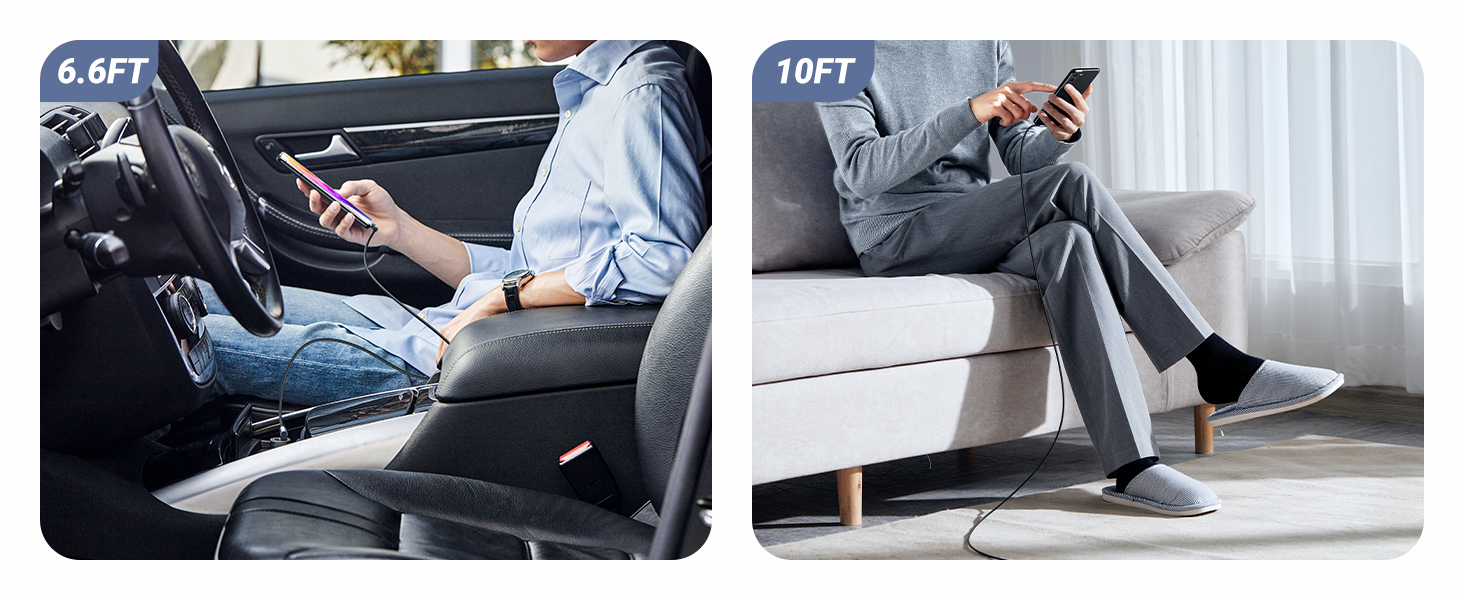
Image: Demonstrates the use of double 90-degree connectors for convenient charging and usage.
5. Zgodność
This UGREEN USB-A to USB-C cable is compatible with a wide range of devices featuring a USB-C port. This includes, but is not limited to:
- Smartfony: iPhone 15/15 Plus/15 Pro/15 Pro Max, Samsung Galaxy S24/S23/S22/S21/S10/S9/S8, Samsung Galaxy Z Flip 3/Z Fold 3, Note 20/10/9/8, A20/A10e/A52/A51/A50/A70/A71/A80, Motorola Moto Z Force/Moto Edge 20 Fusion/Moto G60S/G50/Moto Z Play, Google Pixel 5a/4a/4 XL/3a/3 XL/2 XL, TCL 30/20/10, LG G7/G8/V50/Stylo 4/5, Huawei Mate/P/Nova series, Xiaomi 11/10/9/8/MIX FOLD/MIX 4.
- Tabletki: iPad Air 4, iPad Mini, iPad Pro 11"/12.9" (2020/2018), Microsoft Surface Duo, Samsung Galaxy Tab S3.
- Konsole do gier: Nintendo Switch, PS5 Controller.
- Inne urządzenia: GoPro Hero5 Black, DJI Osmo Pocket Handheld 3 Axis Gimbal Stabilizer.

Image: Visual representation of wide device compatibility.
6. Pielęgnacja i konserwacja
- Składowanie: Store the cable in a clean, dry place away from extreme temperatures. Avoid tightly coiling or bending the cable at sharp angles to prevent internal damage.
- Czyszczenie: Do czyszczenia kabla i złączy należy używać miękkiej, suchej ściereczki. Nie należy używać płynnych środków czyszczących ani rozpuszczalników.
- Obsługiwanie: Podłączając lub odłączając kabel, zawsze chwytaj za głowicę złącza, a nie ciągnij za sam kabel.
7. Rozwiązywanie Problemów
- Device Not Charging/Connecting:
- Ensure both ends of the cable are securely plugged into the device and power source/computer.
- Verify that the power source (charger, USB port) is functional.
- Check if your device's case thickness exceeds 0.08 inches (2mm), as this may prevent the 90-degree connector from fully seating.
- Aby zidentyfikować problem, przetestuj kabel przy użyciu innego kompatybilnego urządzenia lub źródła zasilania.
- Powolne ładowanie:
- Ensure your power adapter supports fast charging (e.g., 18W or higher) and is compatible with your device's fast charging protocol.
- Confirm that your device itself supports fast charging.
- Problemy z przesyłaniem danych:
- Upewnij się, że Twoje urządzenie jest ustawione na „File Transfer" mode (if applicable) when connected to a computer.
- Verify that the computer's USB-A port is functioning correctly.
- Remember that this cable does not support video transmission.
8. Specyfikacje produktu
| Funkcja | Szczegół |
|---|---|
| Marka | ZIELONY |
| Numer modelu | 20855 |
| Typ złącza | USB Type C (Male) to USB Type A (Male) |
| Typ kabla | USB typu C |
| Funkcja specjalna | 90 Degree Connectors, Fast Charging, Data Sync |
| Długość | 1.6 stopy (0.5 m) |
| Szybkość przesyłu danych | 480 Megabytes Per Second (Mbps) |
| Cotage | 18 watów (maks.) |
| Prąd zasilacza sieciowego | 3 Amps (maks.) |
| Tworzywo | Nylon Braided, Aluminum Shell, Reinforced Connector |
| Kolor | Czarny |
| Waga przedmiotu | 0.704 uncji (0.02 kilograma) |
| Wymiary produktu | 7.55 x 5.1 x 0.34 cala |
9. Gwarancja i wsparcie
Aby uzyskać informacje dotyczące gwarancji lub pomocy technicznej, zapoznaj się z oficjalną stroną UGREEN website or contact UGREEN customer service directly. Details may also be available on the product packaging or purchase platform.