Wstęp
The Samsung Galaxy Watch Active is a lightweight and durable smartwatch designed to help you track your fitness, monitor your health, and stay connected. It features automatic workout tracking, stress and sleep analysis, and seamless integration with your smartphone. This manual provides essential information for setting up, operating, maintaining, and troubleshooting your device.

Image: The Samsung Galaxy Watch Active 40MM in Black, showcasing its sleek, round design and digital display.
Organizować coś
1. Rozpakowanie i opłata początkowa
Your Galaxy Watch Active package includes the following items:
- Samsung Galaxy Watch Active (40MM)
- Ładowarka bezprzewodowa
- Straps (pre-attached or in box)
- USB-A to MicroUSB Cable
- Szybki przewodnik
Before first use, fully charge your watch. Connect the USB-A to MicroUSB Cable to the wireless charger, then plug the USB-A end into a compatible power adapter (not included) or USB port. Place your watch on the magnetic charging pad. The watch display will indicate charging status.
2. Parowanie ze smartfonem
To unlock the full potential of your Galaxy Watch Active, pair it with a compatible smartphone:
- Ensure your smartphone is running Android OS 5.0 or above with 1.5GB RAM or more, or iOS 9.0 or above (iPhone 5 and above).
- Pobierz i zainstaluj Galaxy Noszony ze sklepu Google Play lub Apple App Store.
- Turn on your Galaxy Watch Active by pressing and holding the Home key (bottom button).
- Otwórz Galaxy Noszony app on your smartphone and follow the on-screen instructions to connect your watch.
- Confirm the pairing code displayed on both your watch and phone.
3. Customizing Your Watch
Once paired, you can customize watch faces, widgets, and app settings through the Galaxy Wearable app on your phone. You can also adjust brightness, sound, and notification preferences directly on the watch.
Video: A demonstration of the Samsung Galaxy Watch Active's user interface, showing various watch faces, notifications, and app navigation. This video highlights the ease of customization and interaction with the watch's features.
Obsługa zegarka Galaxy Watch Active
1. Podstawowa nawigacja
- Przesuń w lewo/w prawo: Navigate through widgets and notifications.
- Przesuń w dół: Access Quick Panel for settings like brightness, Wi-Fi, and Bluetooth.
- Przesuń palcem w górę: Access the Apps screen.
- Klawisz Home (dolny przycisk): Return to the watch face; double-press for a customizable shortcut.
- Klawisz Wstecz (górny przycisk): Powrót do poprzedniego ekranu.
2. Monitorowanie kondycji fizycznej
The watch automatically detects up to 6 exercises and can track over 39 different activities. To start a manual workout:
- Przesuń do Zdrowie Samsunga widget or open the app from the Apps screen.
- Wybierać Ćwiczyć and choose your desired activity.
- Uzyskiwać Start aby rozpocząć śledzenie.
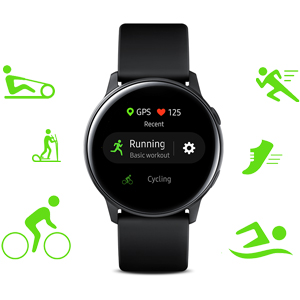
Image: A close-up of the Samsung Galaxy Watch Active display showing fitness tracking data, likely during a running activity, with a focus on metrics like distance or time.
3. Monitorowanie stanu zdrowia
- Tętno: The watch continuously monitors your heart rate and sends real-time alerts for high or low readings. Access the Heart Rate widget for detailed information.
- Analiza snu: Wear your watch to bed for automatic sleep pattern analysis. It helps you understand your sleep stages and encourages better rest.
- Monitorowanie stresu: The watch can track your stress levels. Use the 'Breathe' feature to guide you through breathing exercises to help reduce stress.
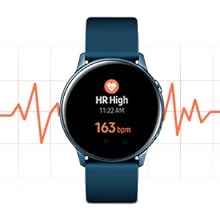
Image: The Samsung Galaxy Watch Active screen showing a heart rate reading, indicating the device's capability to monitor cardiovascular health.
4. Inteligentne funkcje
- Powiadomienia: Receive notifications from your synced phone directly on your wrist. You can respond to messages using quick replies, voice-to-text, or a small keyboard.
- Sterowanie muzyką: Control music playback on your phone or store music directly on the watch for phone-free listening with Bluetooth headphones.
- Wodoodporność: The watch features a swim-ready design, allowing you to wear it during swimming activities. Ensure water lock mode is activated before submerging.
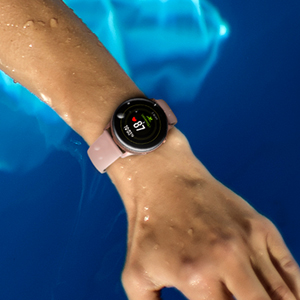
Image: The Samsung Galaxy Watch Active being worn in water, demonstrating its water-resistant capabilities for activities like swimming.
Wideo: Oficjalnyview of the Samsung Galaxy Watch Active, highlighting its key features such as fitness tracking, health monitoring, and seamless integration with the Samsung ecosystem.
Konserwacja
1. Czyszczenie zegarka
Regularly clean your watch and straps to prevent skin irritation and maintain performance:
- Wipe the watch body and screen with a soft, lint-free cloth.
- For straps, follow the manufacturer's cleaning recommendations based on the material. Avoid harsh chemicals.
- Przed ładowaniem sprawdź, czy styki ładowania z tyłu zegarka są czyste i suche.
2. Najlepsze praktyki dotyczące opłat
- Use only the official Samsung wireless charger provided with your device.
- Avoid exposing the charger or watch to extreme temperatures.
- Charge your watch regularly to maintain optimal battery health.
3. Aktualizacje oprogramowania
Keep your watch's software updated to ensure the best performance, security, and access to new features. Updates can be managed through the Galaxy Wearable app on your smartphone.
Rozwiązywanie problemów
1. Bateria szybko się rozładowuje
- Check Watch Faces: Some animated or complex watch faces can consume more battery. Try switching to a simpler, pre-installed watch face.
- Dostosuj jasność: Lowering screen brightness can significantly extend battery life.
- Wyłącz nieużywane funkcje: Turn off Wi-Fi, GPS, or Always On Display if not needed.
- Aplikacje działające w tle: Zamknij niepotrzebne aplikacje działające w tle.
2. Connectivity Issues (Bluetooth/Wi-Fi)
- Uruchom ponownie urządzenia: Uruchom ponownie zegarek i smartfon.
- Sprawdź Bluetooth: Ensure Bluetooth is enabled on both devices and they are within range.
- Naprawa: If issues persist, try unpairing and re-pairing your watch through the Galaxy Wearable app.
3. Zegarek nie odpowiada
- Wymuś ponowne uruchomienie: Press and hold the Home key (bottom button) for about 7 seconds until the watch restarts.
- Sprawdź, czy nie ma uszkodzeń: Inspect the watch for any physical damage or water ingress.
Specyfikacje
| Funkcja | Szczegół |
|---|---|
| Numer modelu | SM-R500NZKAXAR |
| Wymiary | 1.56 x 1.56 x 0.41 cala |
| Waga przedmiotu | 0.9 uncji |
| System operacyjny | Tizen 4.0 |
| Rozmiar ekranu | 1.57 cala (rozmiar ekranu w pozycji stojącej) |
| Rozdzielczość skanera | 360x360 |
| Pojemność pamięci masowej | 4000 MB |
| Rozmiar zainstalowanej pamięci RAM | 1.5 GB |
| Technologie łączności | Bluetooth, Wireless (Wi-Fi, NFC) |
| GPS | GPS, Glonass, Beidou, Galileo |
| Bateria | 1 CR123A battery required (included), 247mAh |
| Battery Life (Low Usage) | Do 90 godzin |
| Wejście interfejsu ludzkiego | Przyciski, ekran dotykowy |
| Kolor | Czarny |
| Odporność na wodę | Swim-ready design |
Informacje o gwarancji
Your Samsung Galaxy Watch Active is covered by a limited manufacturer's warranty. For specific details regarding warranty terms, coverage, and duration, please refer to the warranty card included in your product packaging or visit the official Samsung support webstrona.
Obsługa klienta
For further assistance, technical support, or service inquiries, please contact Samsung Customer Service. You can find contact information, FAQs, and additional resources on the official Samsung website. Please have your model number (SM-R500NZKAXAR) and serial number ready when contacting support.


