1. Wprowadzenie
Welcome to the instruction manual for your new SWIFT SW350T Trinocular Compound Lab Microscope. This powerful and versatile instrument is designed for detailed observation of specimen slides, making it ideal for clinical instruction, scientific research, and educational purposes. With its advanced features, including a Siedentopf head, wide-field eyepieces, and camera compatibility, the SW350T provides exceptional clarity and performance. Please read this manual thoroughly to ensure proper setup, operation, and maintenance of your microscope.
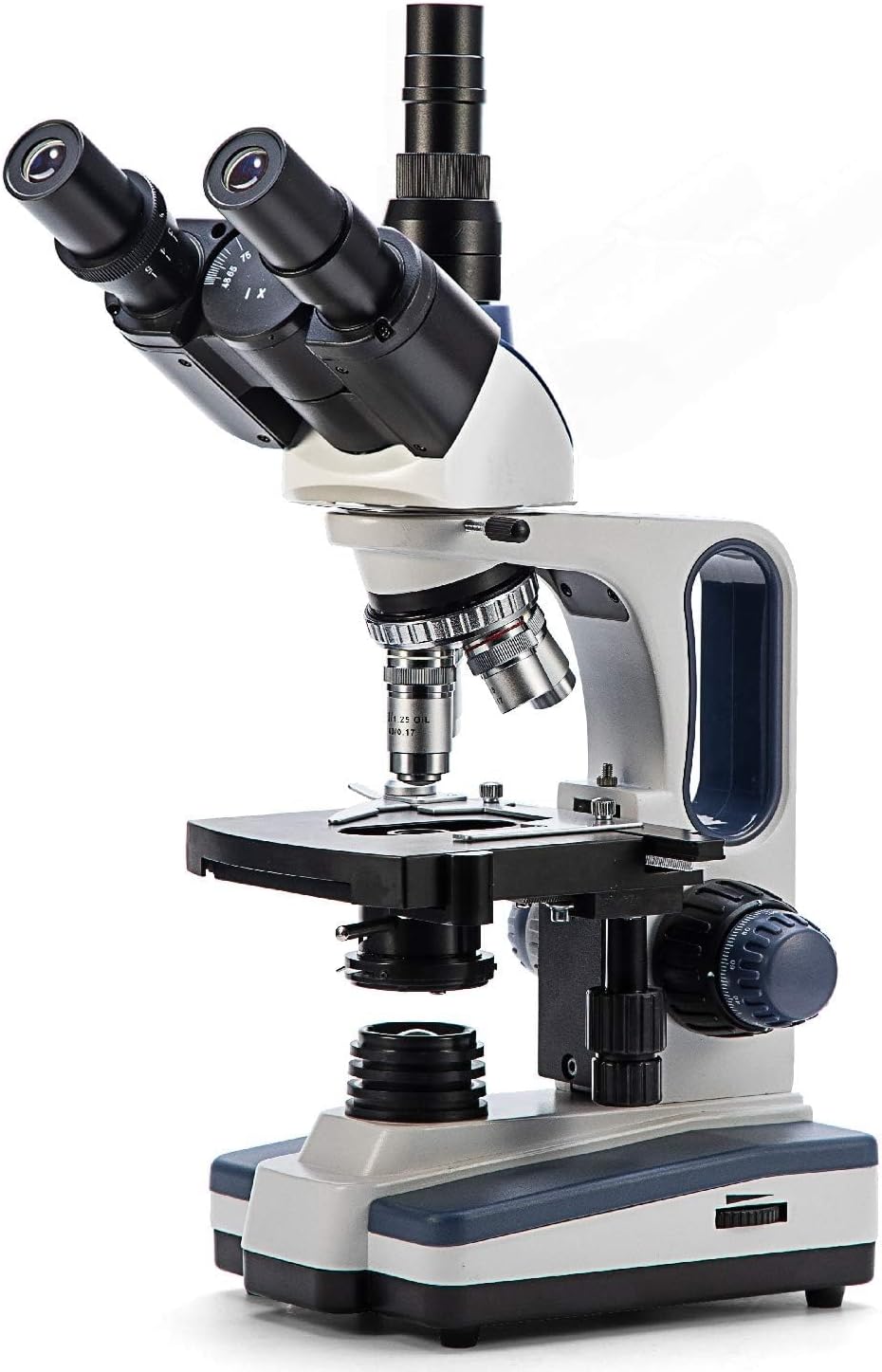
Figure 1: The SWIFT SW350T Trinocular Compound Lab Microscope, showcasing its robust design and key optical components.
2. Koniec produktuview i komponenty
Familiarize yourself with the various parts of your SWIFT SW350T microscope. Understanding each component's function is crucial for effective operation.

Figure 2: Detailed diagram illustrating the main components of the SWIFT SW350T microscope.
Kluczowe komponenty:
- Siedentopf Head: Fully rotatable for shared viewing, equipped with trinocular port for camera attachments.
- Okulary: Interchangeable wide-field 10X and 25X glass eyepieces, ergonomically tilted at 30 degrees.
- Obrotowa końcówka: Holds 4 DIN Achromatic objective lenses (4X, 10X, 40X, 100X Oil).
- Soczewki obiektywowe: Provide magnification levels of 40X, 100X, 250X, 400X, 1000X, 2500X.
- Mechaniczny Stage: Double-layered with a secure slide holder for precise specimen positioning.
- Kondensator Abbego: Illuminates slide specimens from below, with adjustable brightness.
- Coarse and Fine Adjustment Knobs: For precise focusing.
- Źródło światła LED: Brilliant and adjustable illumination.
- Port kamery: Dedicated port for connecting microscope cameras (not included).
3. Instrukcje konfiguracji
Follow these steps to set up your microscope for the first time.
- Rozpakowywanie: Ostrożnie wyjmij wszystkie elementy z opakowania. Zachowaj oryginalne opakowanie do późniejszego przechowywania lub transportu.
- Umieszczenie: Place the microscope on a stable, level surface away from direct sunlight, excessive dust, and vibrations.
- Head Installation: Gently attach the Siedentopf head to the microscope body. Secure it with the set screw, ensuring it is firmly in place but not overtightened.
- Wkładanie okularu: Insert the desired wide-field eyepieces (10X or 25X) into the eyepiece tubes on the Siedentopf head.
- Objective Lens Installation: Ensure the objective lenses are securely screwed into the revolving nosepiece. The 4X objective should be aligned with the light path for initial setup.
- Podłączenie zasilania: Connect the power cord to the microscope's power input and then to a standard electrical outlet (110 Volts AC).

Figure 3: The SWIFT SW350T microscope along with its power cord, additional eyepieces, and other accessories, ready for setup.
4. Operating Your Microscope
4.1 Powering On and Illumination
Locate the power switch on the base of the microscope and turn it on. Adjust the brightness of the LED illumination using the dimming handwheel to achieve optimal viewing conditions for your specimen.
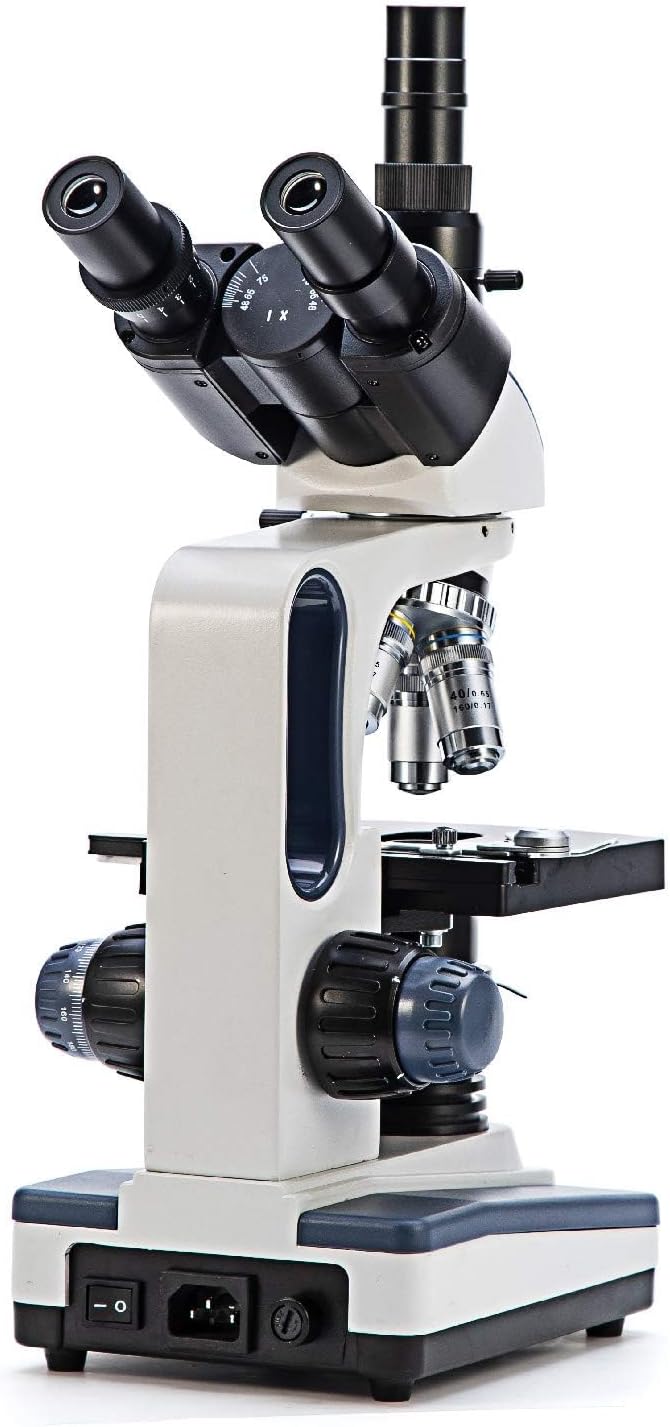
Rysunek 4: Tył view of the microscope, highlighting the power input and switch for operation.
4.2 Placing a Specimen Slide
Umieść przygotowany preparat w urządzeniu mechanicznymtage. Use the slide holder clips to secure the slide in place.

Rysunek 5: Zbliżenie view mechanicznego stage, showing the slide holder and X-Y translational axis controls.
4.3 Regulacja powiększenia
Rotate the revolving nosepiece to select the desired objective lens. Start with the lowest magnification (4X or 10X) for initial viewing and then gradually increase as needed. The total magnification is calculated by multiplying the eyepiece magnification by the objective lens magnification.
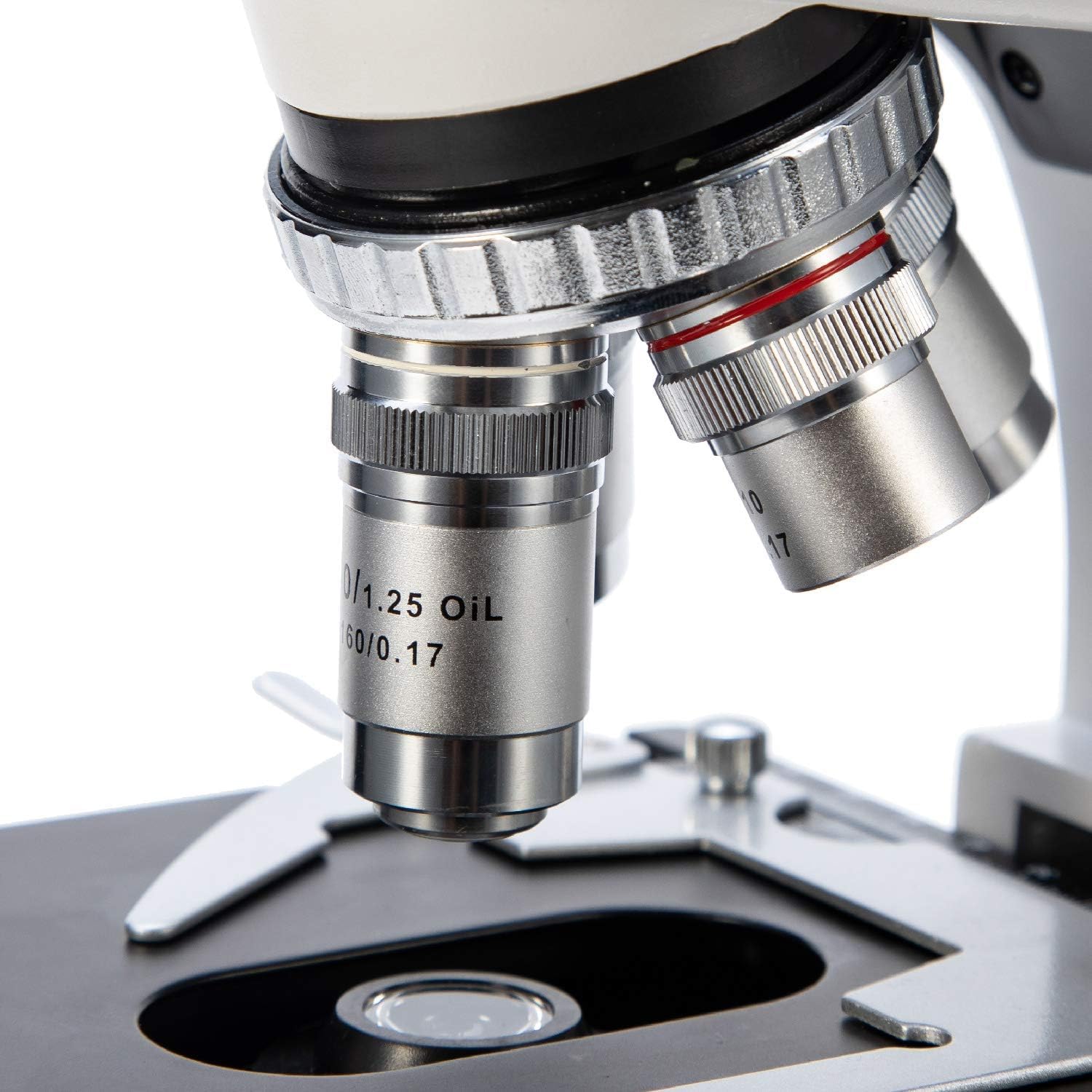
Rysunek 6: Szczegółowy view of the objective lenses mounted on the revolving nosepiece.
4.4 Ustawianie ostrości
Use the coarse adjustment knob for large focus changes, typically with lower magnification objectives. Once the image is roughly in focus, use the fine adjustment knob for precise focusing, especially at higher magnifications.
4.5 Using the Abbe Condenser
The Abbe condenser, located beneath the stage, helps to concentrate and direct light through the specimen. Adjust its height and the iris diaphragm to control contrast and resolution. For optimal viewing, the condenser should be raised close to the stage for higher magnifications and lowered for lower magnifications.

Figure 7: Close-up of the Abbe condenser and the light source beneath the mechanical stage.
4.6 Using the Trinocular Port (Camera Compatibility)
The SW350T features a dedicated trinocular port for attaching microscope cameras (sold separately). This allows for digital imaging, live streaming, and recording of your observations. To use, simply insert your compatible microscope camera into the trinocular port and follow the camera's specific instructions for setup and software installation.

Rysunek 8: Zbliżenie view of the trinocular head, showing the dedicated camera port for digital imaging.
5. Konserwacja i pielęgnacja
Proper maintenance will extend the life and performance of your microscope.
- Czyszczenie optyki: Use only specialized lens cleaning paper and optical cleaning solution for objective lenses and eyepieces. Gently wipe in a circular motion from the center outwards. Avoid touching optical surfaces with bare hands.
- Czyszczenie ciała: Przetrzyj korpus mikroskopu miękką,amp płótno. Nie używaj ostrych środków chemicznych ani ściernych środków czyszczących.
- Składowanie: Gdy mikroskop nie jest używany, należy przykryć go dołączoną osłoną przeciwkurzową, aby chronić go przed kurzem i zanieczyszczeniami. Przechowywać w chłodnym, suchym miejscu.
- Obsługiwanie: Zawsze noś mikroskop za ramię i podstawę. Unikaj gwałtownych ruchów i uderzeń.
- Oil Immersion (100X Objective): If using the 100X oil immersion objective, ensure to clean off immersion oil immediately after use to prevent damage to the lens.
6. Przewodnik rozwiązywania problemów
Aby zapoznać się z najczęstszymi problemami i ich rozwiązaniami, zapoznaj się z poniższą tabelą.
| Problem | Możliwa przyczyna | Rozwiązanie |
|---|---|---|
| Brak oświetlenia | Power switch off, power cord disconnected, brightness knob set to minimum. | Turn on power switch, check power cord connection, increase brightness. |
| Obraz jest rozmazany lub nieostry | Incorrect focus adjustment, slide upside down, objective lens not fully engaged. | Adjust coarse and fine focus, ensure slide is correctly oriented, rotate nosepiece until objective clicks into place. |
| Dark or uneven field of view | Condenser not adjusted correctly, iris diaphragm closed too much, objective lens dirty. | Adjust condenser height, open iris diaphragm, clean objective lens. |
| Dust or spots visible in image | Dust on eyepiece, objective, or slide. | Clean eyepieces, objectives, and slide using appropriate cleaning methods. |
7. Specyfikacje techniczne
Detailed specifications for the SWIFT SW350T microscope.
| Funkcja | Specyfikacja |
|---|---|
| Marka | SZYBKI |
| Numer modelu | EF12021 |
| Maksymalne powiększenie | 2500X |
| Okulary | Wide-Field 10X and 25X |
| Soczewki obiektywowe | 4 DIN Achromatic (4X, 10X, 40X, 100X Oil) |
| Typ głowy | Siedentopf Trinocular, 30-degree inclined, 360-degree rotatable |
| Stage | Double-layered Mechanical Stage |
| Skraplacz | Kondensor Abbego z przysłoną irysową |
| Typ źródła światła | LED, adjustable brightness |
| Zasilacz | 110 V (AC) |
| Tworzywo | Metal |
| Kolor | Czarny, Srebrny, Biały |
| Waga przedmiotu | 7.81 funta (3.55 kilograma) |
| Wymiary opakowania | 18.35 x 12.8 x 9.09 cala |
| Kompatybilne urządzenia | Laptop, Personal Computer (via camera port) |
| Data pierwszej dostępności | 29 stycznia 2019 r. |
| Producent | NJEDU |
8. Gwarancja i wsparcie
8.1 Informacje o gwarancji
Your SWIFT SW350T microscope is covered by a manufacturer's warranty. Please refer to the official SWIFT website or the included warranty card for specific terms and conditions regarding coverage and duration.
8.2 Dalsze wsparcie
For more detailed information, advanced techniques, or specific inquiries, please consult the comprehensive User Guide PDF available online: SWIFT SW350T User Guide (PDF). You may also visit the official SWIFT store on Amazon for additional resources and product information.


