Wstęp
This manual provides detailed instructions for the setup, operation, maintenance, and troubleshooting of your NFL Bitty Boomers Wireless Bluetooth Speaker. Please read this manual carefully before using your speaker to ensure optimal performance and longevity.
Your Bitty Boomers speaker is an ultra-portable audio device designed for convenience and quality sound. Key features include:
- Ultra-Portable 2" Tall Speaker
- Bluetooth 5.0 Technology for wireless connectivity
- Zasięg bezprzewodowy do 30 stóp
- Over 4 hours of music time on a single charge
- Rechargeable via Micro USB (cable included)
- Ability to connect two Bitty Boomers (BB5 Models Only) for True Wireless Stereo experience
- Includes a strap for easy attachment to backpacks or bags
Organizować coś
1. Ładowanie głośnika
Before first use, fully charge your Bitty Boomers speaker. Locate the Micro USB charging port on the back of the speaker.

Obraz: Tył view of the Bitty Boomers speaker, highlighting the Micro USB charging port located at the bottom center. This port is used for recharging the speaker's internal battery.
- Connect the small end of the included Micro USB cable to the charging port on the speaker.
- Podłącz większy koniec kabla USB do źródła zasilania USB (np. portu USB komputera, zasilacza ściennego USB).
- The LED indicator light will illuminate during charging and turn off when fully charged. A full charge typically takes approximately 1 hour.
2. Włączanie/wyłączanie zasilania
To power on the speaker, press and hold the power button (usually located on the bottom or side) for approximately 3 seconds until you hear an audible tone and the LED indicator light flashes.
To power off, press and hold the power button again for approximately 3 seconds until you hear an audible tone and the LED indicator light turns off.
Instrukcja obsługi
1. Parowanie Bluetooth
Your Bitty Boomers speaker uses Bluetooth 5.0 for wireless connection to your devices.
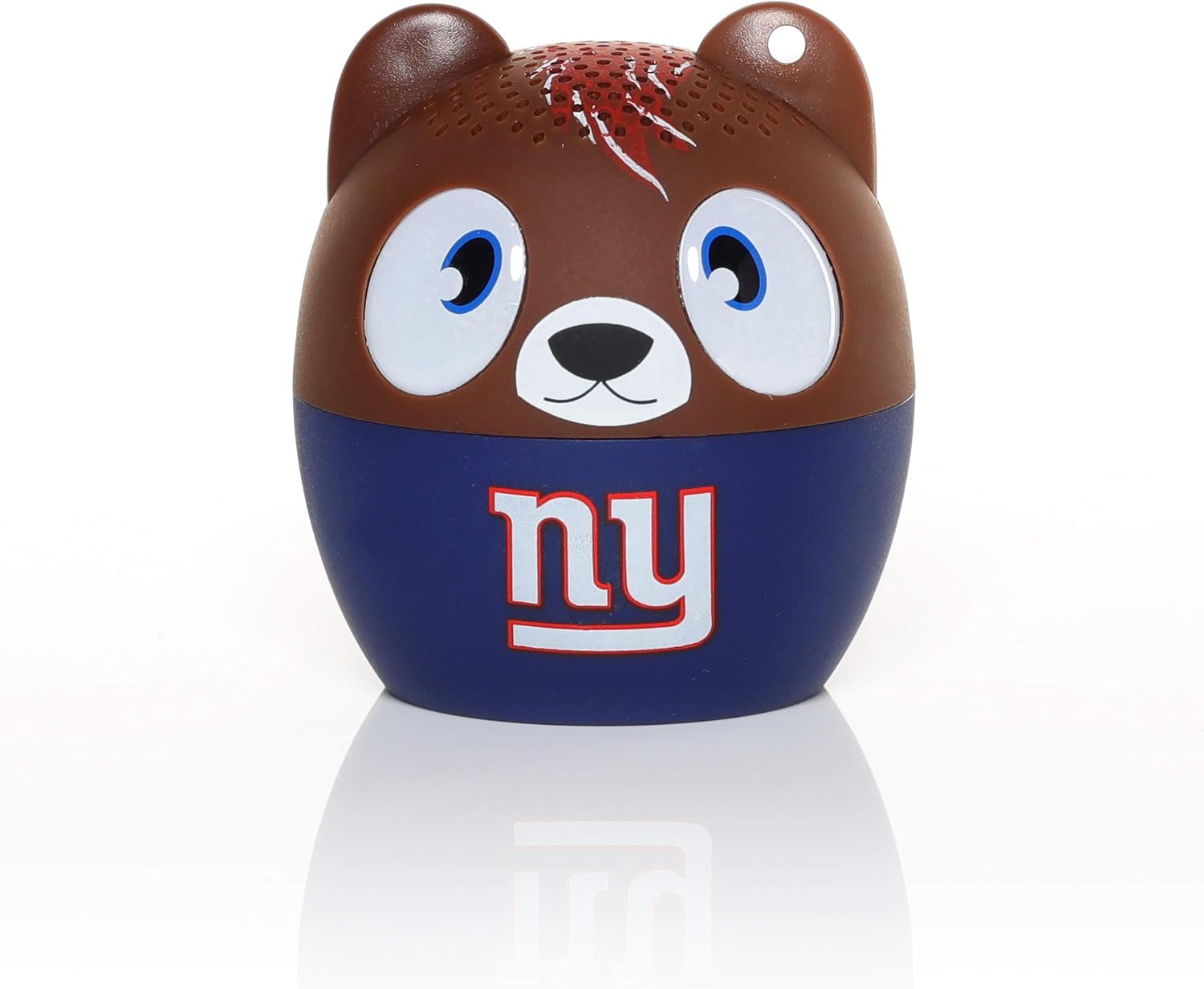
Obraz: Przód view of the Bitty Boomers speaker, featuring the New York Giants team logo. This is the primary visual of the speaker during operation.
- Ensure the speaker is powered on and within 30 feet of your Bluetooth-enabled device (smartphone, tablet, laptop, etc.).
- Głośnik automatycznie przejdzie w tryb parowania, o czym poinformuje migająca dioda LED.
- On your device, navigate to the Bluetooth settings and turn Bluetooth on.
- Scan for available devices. You should see "Bitty Boomers" or a similar name appear in the list.
- Select "Bitty Boomers" to connect. Once connected, the LED light will stop flashing and remain solid, and you will hear a confirmation tone.
2. True Wireless Stereo (TWS) Pairing (BB5 Models Only)
For an enhanced audio experience, you can connect two Bitty Boomers (BB5 models) together to create a true wireless stereo sound system.
- Ensure both Bitty Boomers speakers are powered off.
- Włącz oba głośniki jednocześnie. Automatycznie podejmą próbę sparowania.
- Once successfully paired with each other, one speaker will act as the master and the other as the slave. The master speaker's LED will flash, indicating it is ready to pair with your device.
- On your device, navigate to Bluetooth settings and connect to the master "Bitty Boomers" speaker as described in the "Bluetooth Pairing" section.
- Dźwięk będzie teraz odtwarzany przez oba głośniki w trybie stereo.
3. Using the Included Strap
The Bitty Boomers speaker comes with a strap for convenient portability. You can attach it to backpacks, bags, or keychains.
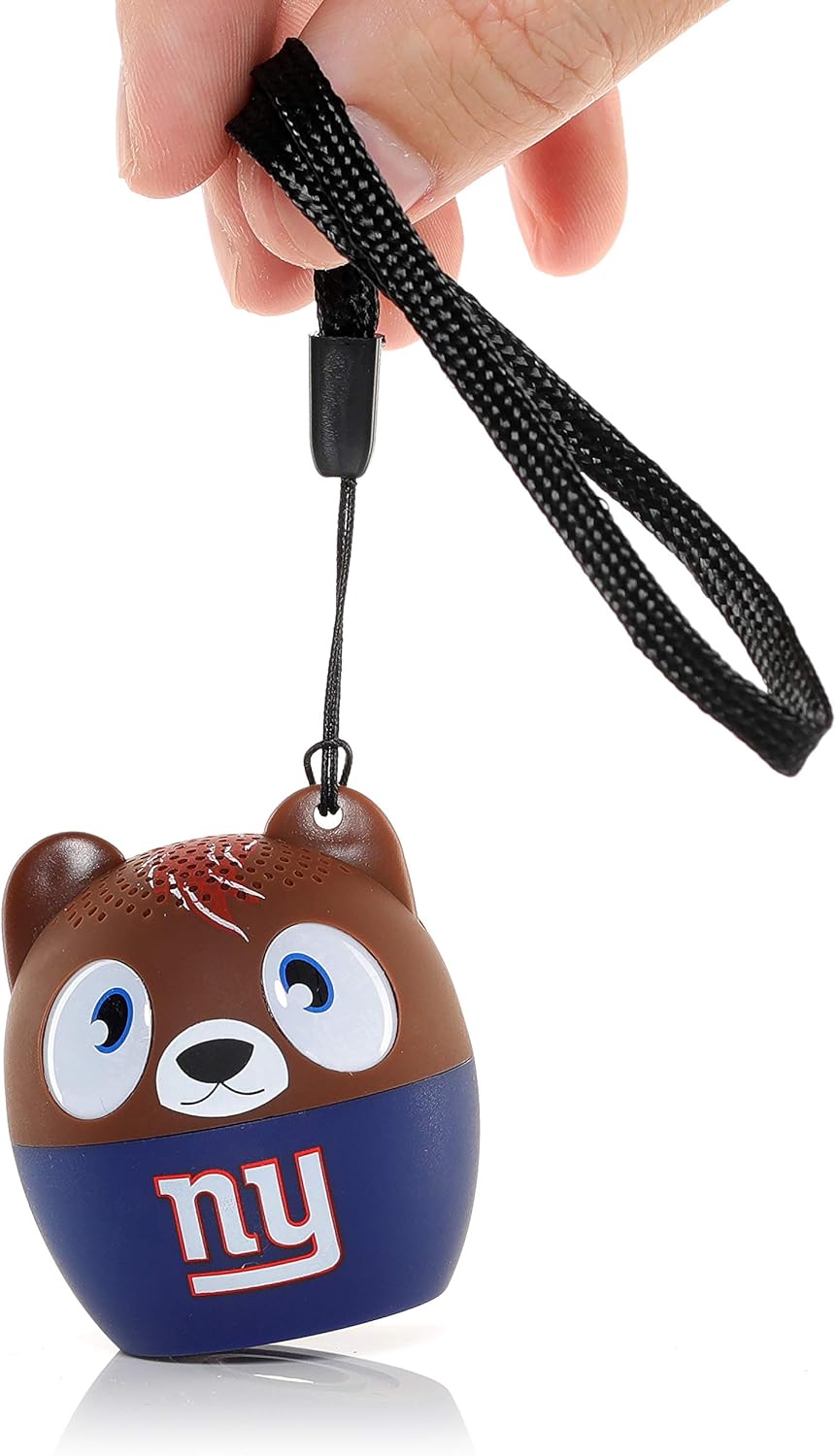
Obraz: A hand holding the Bitty Boomers speaker by its black fabric strap, demonstrating how the strap can be used for portability and attachment to other items.
Thread the strap through the small loop located on the top of the speaker (often near one of the 'ears' for character models) and secure it as desired.
Konserwacja
Czyszczenie
To clean your Bitty Boomers speaker, use a soft, dry, lint-free cloth. Do not use abrasive cleaners, solvents, or strong chemicals, as these may damage the speaker's finish or internal components. Avoid getting moisture into any openings.
Składowanie
When not in use for extended periods, store the speaker in a cool, dry place away from direct sunlight and extreme temperatures. It is recommended to fully charge the speaker before storing it for a long time to preserve battery health.
Pielęgnacja baterii
The speaker contains a rechargeable lithium polymer battery. To maximize battery life:
- Unikaj częstego całkowitego rozładowywania akumulatora.
- Nie wystawiaj głośnika na działanie ekstremalnie wysokich lub niskich temperatur.
- Ładuj głośnik regularnie, nawet jeśli nie używasz go często.
Rozwiązywanie problemów
| Problem | Możliwe rozwiązanie |
|---|---|
| Głośnik nie włącza się. | Ensure the speaker is fully charged. Connect it to a power source using the Micro USB cable and allow it to charge for at least 15 minutes before attempting to power on again. |
| Nie można sparować z urządzeniem Bluetooth. |
|
| Brak dźwięku lub niski poziom głośności. |
|
| Głośnik często się rozłącza. |
|
Specyfikacje
| Funkcja | Szczegół |
|---|---|
| Nazwa modelu | Malutkie boomery |
| Numer modelu | BITTYNYG |
| Typ głośnika | przenośny głośnik |
| Technologia łączności | Bluetooth 5.0 |
| Zasięg bezprzewodowej | Do 30 stóp (9.1 metrów) |
| Żywotność baterii | Ponad 4 XNUMX godzin |
| Źródło zasilania | Zasilanie bateryjne (akumulator litowo-polimerowy) |
| Port ładowania | Mikro USB |
| Wymiary produktu (dł. x szer. x wys.) | 2" gł. x 2" szer. x 2" wys. (5.08 x 5.08 x 5.08 cm) |
| Waga przedmiotu | 2.4 uncji (68 grama) |
| Maksymalna moc wyjściowa głośnika | 3 watów |
| Zawarte komponenty | Power Cable (Micro USB), Strap |
Informacje o gwarancji
Your Bitty Boomers Wireless Bluetooth Speaker is covered by a 1-letnia gwarancja producentaNiniejsza gwarancja obejmuje wady materiałowe i wykonawcze powstałe w wyniku normalnego użytkowania. Nie obejmuje ona uszkodzeń spowodowanych niewłaściwym użytkowaniem, wypadkami, nieautoryzowanymi modyfikacjami ani normalnym zużyciem.
Proszę zachować dowód zakupu na potrzeby roszczeń gwarancyjnych.
Wsparcie
For further assistance, technical support, or warranty inquiries, please visit the official Bitty Boomers weblub skontaktuj się z działem obsługi klienta. Dane kontaktowe zazwyczaj znajdują się na opakowaniu produktu lub u producenta. webstrona.
Zasoby internetowe:
- Bitty Boomers Amazon Store
- Zapoznaj się z oficjalną instrukcją producenta webwitryna zawierająca najbardziej aktualne informacje dotyczące pomocy technicznej.


