1. Wprowadzenie
Thank you for choosing the AUNA Silver Star Internet Stereo Radio. This versatile music device combines powerful performance with multiple features and a stylish design. It offers a wide range of listening options including Internet Radio, DAB+, FM, Bluetooth, and USB playback. This manual provides essential information for setting up, operating, and maintaining your device to ensure optimal performance and longevity.

Figure 1: AUNA Silver Star Internet Stereo Radio, front view z wyświetlaczem i elementami sterującymi.
2. Informacje dotyczące bezpieczeństwa
Przed użyciem urządzenia należy uważnie przeczytać wszystkie instrukcje bezpieczeństwa. Zachowaj tę instrukcję do wykorzystania w przyszłości.
- Źródło zasilania: Używaj wyłącznie dostarczonego zasilacza. Upewnij się, że napięcietage odpowiada wymaganiom Twojego regionu.
- Woda i wilgoć: Nie wystawiaj urządzenia na działanie deszczu, wilgoci ani kapiących/rozpryskujących się płynów. Nie stawiaj na urządzeniu przedmiotów wypełnionych płynami, takich jak wazony.
- Wentylacja: Ensure adequate ventilation. Do not block ventilation openings. Maintain a minimum distance of 10 cm around the device for proper airflow.
- Ciepło: Trzymaj urządzenie z dala od źródeł ciepła, takich jak grzejniki, kratki wentylacyjne, piece lub inne urządzenia (w tym amp(lifiers) wytwarzające ciepło.
- Czyszczenie: Przed czyszczeniem odłącz urządzenie od gniazdka elektrycznego. Użyj miękkiej, suchej ściereczki. Nie używaj środków czyszczących w płynie ani w aerozolu.
- Serwisowanie: Nie próbuj samodzielnie naprawiać tego produktu. Wszelkie czynności serwisowe należy powierzyć wykwalifikowanemu personelowi serwisowemu.
3. Zawartość opakowania
Carefully unpack your AUNA Silver Star Internet Stereo Radio and check that all items are present and in good condition:
- AUNA Silver Star Internet Stereo Radio Unit
- Zdalne sterowanie
- Zasilacz sieciowy
- Instrukcja obsługi (ten dokument)
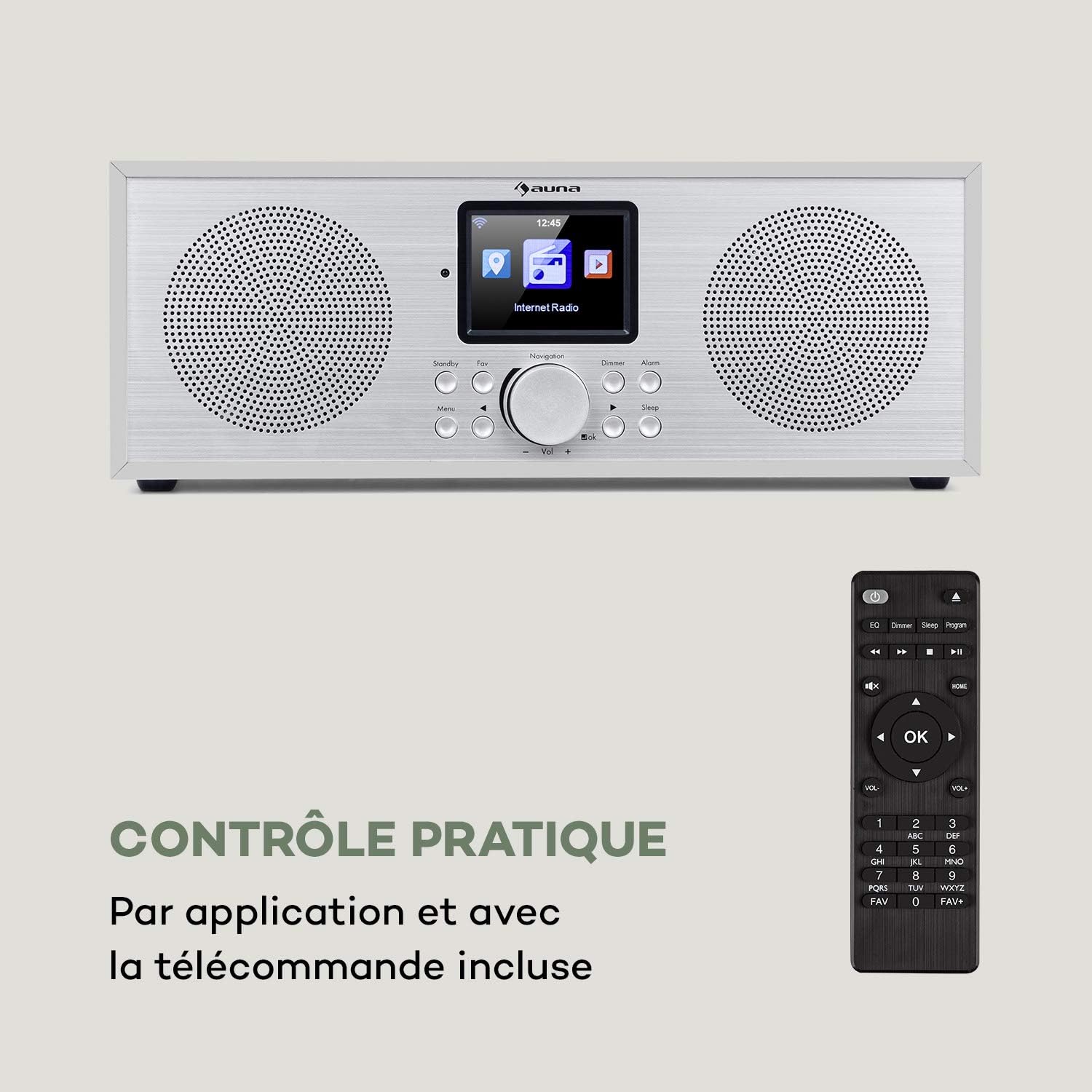
Figure 2: The AUNA Silver Star Internet Stereo Radio unit and its included remote control.
4. Konfiguracja
4.1 Podłączanie zasilania
Connect the provided mains adapter to the "DC IN" port on the rear of the radio and then plug the adapter into a wall outlet. Ensure the ON/OFF switch on the back is set to "ON".
4.2 Podłączenie anteny
For optimal FM and DAB+ reception, extend the telescopic antenna located at the rear of the unit fully.
4.3 Połączenie sieciowe (Wi-Fi)
To access Internet Radio features, the device requires a Wi-Fi connection. Upon first power-on, the radio will guide you through the network setup process on its display. Select your Wi-Fi network from the list and enter the password using the navigation controls.
4.4 Połączenia zewnętrzne
The radio features various ports for external devices:
- WEJŚCIE AUX: Connect external audio sources (e.g., MP3 player) using a 3.5mm audio cable.
- ZAKREŚLAĆ: Podłącz radio do zewnętrznego amplifier or active speakers for enhanced audio output.
- USB: Insert a USB flash drive for MP3 file odtwarzanie nagranego dźwięku.

Figure 3: Rear panel connections including AUX IN, LINE OUT, USB, and DC IN.
5. Instrukcja obsługi
5.1 Podstawowe sterowanie
The radio can be operated using the buttons and rotary knob on the front panel, or via the included remote control. The 2.8" (7 cm) HCC display provides clear information and navigation.
- Zasilanie/Czuwanie: Press the Standby button to turn the unit on or off.
- Gałka nawigacyjna: Rotate to scroll through menus or adjust volume. Press to confirm selection.
- Menu: Uzyskaj dostęp do menu głównego.
- Z powrotem: Wróć do poprzedniego menu.
- Ulubione: Access favorite stations.
- ściemniacz: Dostosuj jasność wyświetlacza.
- Alarm: Ustaw alarmy.
- Spać: Ustaw wyłącznik czasowy.

Figure 4: The high-contrast color display for easy navigation.
5.2 Wybór trybu
From the main menu, you can select different operating modes:
- Radio internetowe: Access thousands of online radio stations worldwide. Browse by genre, location, or search.
- DAB+: Tune into digital audio broadcasting stations for high-quality sound.
- FM: Listen to traditional analog FM radio stations.
- Bluetooth: Pair your smartphone, tablet, or computer to stream audio wirelessly.
- USB: Odtwórz MP3 filez podłączonego dysku flash USB.
- Wejście AUX: Play audio from an external device connected to the AUX IN port.
5.3 parowanie Bluetooth
Aby sparować urządzenie Bluetooth:
- Select "Bluetooth" mode on the radio. The radio will enter pairing mode.
- Na swoim urządzeniu mobilnym włącz Bluetooth i wyszukaj dostępne urządzenia.
- Select "AUNA Silver Star" from the list. Once connected, you can stream audio to the radio.

Figure 5: Wireless audio streaming via Bluetooth from a smartphone.
5.4 Odtwarzanie USB
Insert a USB flash drive into the USB port on the rear of the unit. Select "USB" mode from the menu. The radio will automatically detect and display playable MP3 files. Use the navigation controls to browse and select tracks.

Figure 6: Connecting a USB flash drive for MP3 playback.
5.5 Air Music Control App
For convenient control, download the "Air Music Control" app from your smartphone's app store (available on App Store and Google Play). This app allows you to control the radio, browse stations, and manage settings from your mobile device.

Figure 7: Controlling the radio using the Air Music Control app.
6. Konserwacja
6.1 Czyszczenie
Always unplug the radio from the power outlet before cleaning. Use a soft, dry, lint-free cloth to wipe the surfaces. Do not use abrasive cleaners, waxes, or solvents as they may damage the finish. Avoid spraying liquids directly onto the unit.
6.2 Przechowywanie
If you plan to store the radio for an extended period, unplug it from the power supply and store it in a cool, dry place, away from direct sunlight and extreme temperatures.
7. Rozwiązywanie Problemów
If you encounter issues with your AUNA Silver Star Internet Stereo Radio, refer to the following common problems and solutions:
| Problem | Możliwa przyczyna | Rozwiązanie |
|---|---|---|
| Brak zasilania | Zasilacz nie jest podłączony; przełącznik WŁ./WYŁ. jest wyłączony. | Ensure power adapter is securely connected and plugged into a live outlet. Check ON/OFF switch on the back. |
| Brak dźwięku | Głośność jest zbyt niska; Wyciszenie jest włączone; Wybrano nieprawidłowe źródło. | Increase volume. Check if mute is active. Select the correct input source (Internet Radio, DAB+, FM, Bluetooth, USB, AUX). |
| Nie można połączyć się z siecią Wi-Fi | Incorrect password; Router issue; Weak signal. | Double-check Wi-Fi password. Restart your router. Move the radio closer to the router or use a Wi-Fi extender. |
| Słaby odbiór DAB+/FM | Antenna not extended; Location interference. | Fully extend the telescopic antenna. Try repositioning the radio to a different location. |
| Odtwarzanie USB nie działa | Format USB nie jest obsługiwany; Files not MP3; USB drive issue. | Ensure USB drive is formatted to FAT32. Verify filePliki są w formacie MP3. Spróbuj użyć innego dysku USB. |
Jeśli po wypróbowaniu tych rozwiązań problem nadal występuje, skontaktuj się z obsługą klienta.
8. Specyfikacje
| Marka | AUNA |
| Numer modelu | KC6-SilverStar ST WHs |
| Wymiary produktu | 33 x 12 x 15 cm (L x H x D) |
| Waga przedmiotu | 2.3 kilogramów |
| Moc wyjściowa | 2 x 8 W RMS |
| Wyświetlacz | 2.8" (7 cm) HCC (High Contrast Color) |
| Technologia tunera | FM, Internet Radio, DAB+ |
| Technologia łączności | Bluetooth, Aux, Wi-Fi, USB |
| Tworzywo | Wood, Aluminium |
| Źródło zasilania | Elektryczny przewodowy |
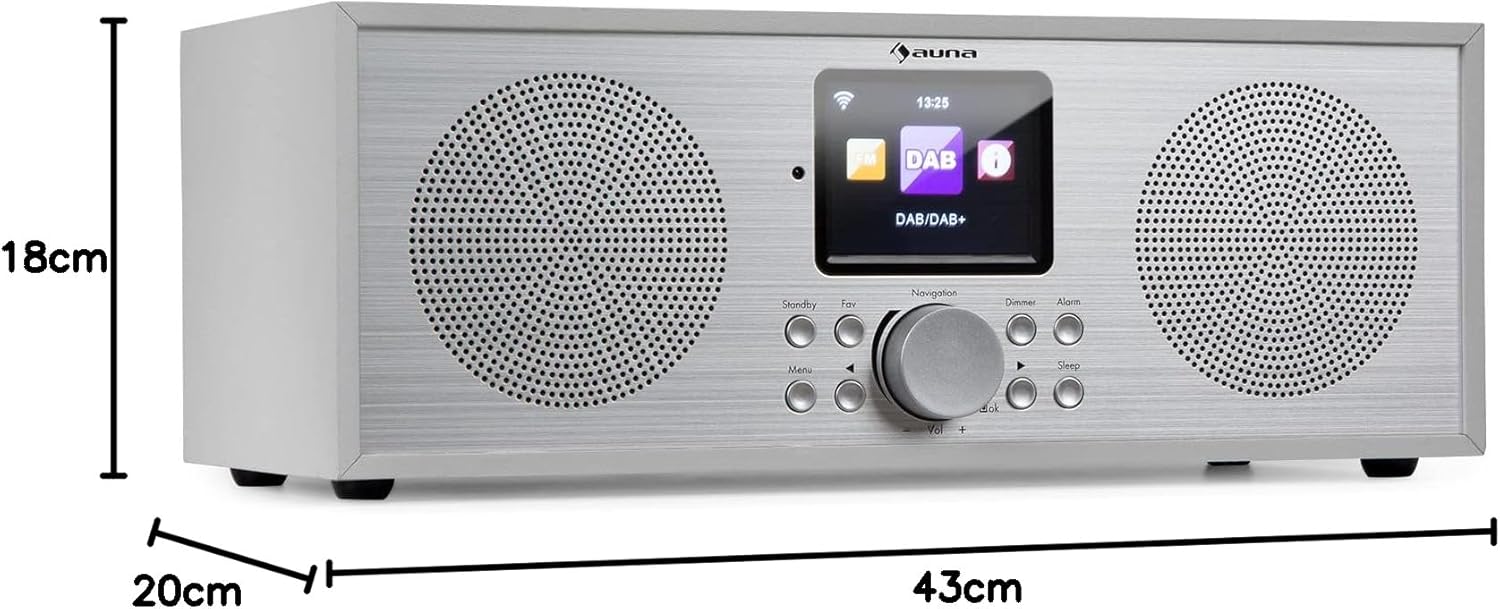
Rysunek 8: Wymiary produktu.
9. Gwarancja i wsparcie
Your AUNA Silver Star Internet Stereo Radio comes with a standard manufacturer's warranty. Please refer to the warranty card included in your package or visit the official AUNA webSzczegółowe warunki gwarancji można znaleźć na naszej stronie.
For technical support, troubleshooting assistance beyond this manual, or spare parts, please contact AUNA customer service through their official webstronie internetowej lub danych kontaktowych podanych przy zakupie.