Produkt ponadview
The Sengled Smart LED A19 Full Color Light Bulb allows for versatile lighting control within your smart home ecosystem. These bulbs offer 16 million colors and tunable whites, enabling users to adjust lighting to suit various moods and activities. They integrate with compatible smart hubs and voice assistants for convenient control.

Image: Four Sengled A19 Full Color Smart LED Light Bulbs, showcasing their vibrant color capabilities.
Główne cechy
- Hub Required: Compatible with Amazon Echo built-in hub, SmartThings, Wink, Hubitat, or Sengled Hub. The Sengled smart hub requires an Ethernet connection to your home router.
- Stabilne połączenie: Utilizes Zigbee protocol for a stable connection, compatible with 2.4 or 5 GHz routers.
- Voice & Group Control: Control bulbs hands-free using Alexa, Echo, or Google Home Assistant. Supports adding up to 64 smart bulbs to the Smart Hub system for group control.
- Dimmable & Remote Control: Adjust brightness from 1% to 100% and schedule on/off times remotely via the Sengled Smart Home APP.
- Energy Saving & Easy Installation: 60-watt equivalent LED bulbs save up to 80% energy. Designed for standard E26 light sockets.
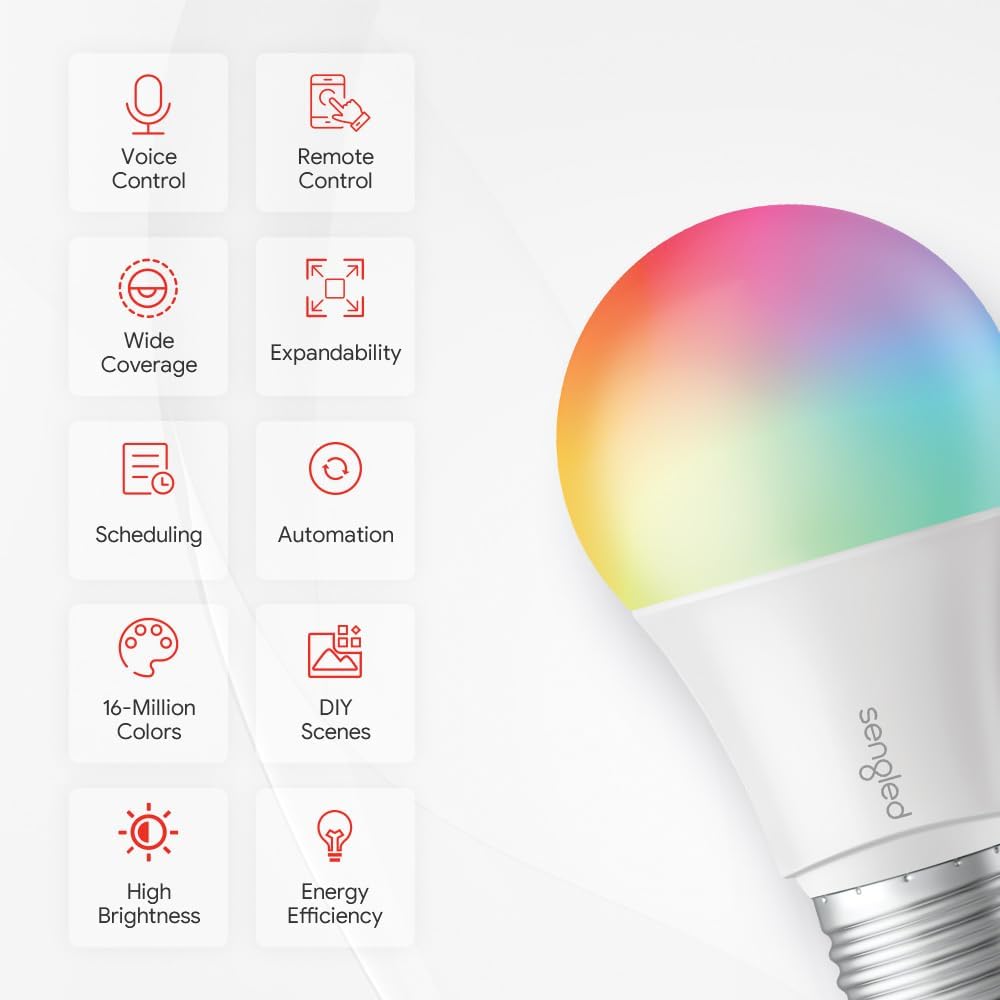
Image: An infographic highlighting the various features of Sengled smart bulbs, such as voice control, remote control, and energy efficiency.
Organizować coś
Setting up your Sengled Smart LED bulbs involves a few simple steps, primarily connecting them to a compatible Zigbee hub.
1. Choose Your Hub Option
Sengled Smart Zigbee devices offer flexible connectivity options:
- Sengled Smart Hub: For a dedicated Sengled smart home system.
- SmartThings Zigbee Hub: Connect directly via the SmartThings App for setup and control.
- Amazon Echo Device with Built-in Zigbee Hub: Compatible Echo devices include Echo (4th Gen), Echo Plus (1st, 2nd Gen), Echo Show 10, and Echo Studio. Setup and control are managed via the Alexa App.

Image: A visual representation of Sengled bulbs' compatibility with different smart home hubs and devices.
2. Download the Sengled Home App
Download the Sengled Home app from your device's app store (iOS/Android) and register an account. Ensure your chosen smart hub is online and connected.

Image: A user holding a smartphone with the Sengled Home App displayed, prompting download and registration.
3. Installation and Powering On
Screw the Sengled Smart LED bulb into any standard E26 light socket and turn on the power switch.

Image: A person installing a Sengled smart bulb into a ceiling light fixture.
4. Guided Setup and Personalization
Follow the guided instructions within the Sengled Home app or your chosen hub's app (SmartThings, Alexa) to discover and add your new bulbs. You may need to scan a QR code found on the product or packaging.

Image: A visual guide to the 4-step setup process for Sengled smart bulbs.

Image: Hands interacting with a smartphone, illustrating the guided setup process.

Image: A person personalizing their smart light settings using a smartphone.
Operating Your Smart Bulbs
Sterowanie głosowe
Once connected to a compatible voice assistant (Alexa, Google Home Assistant), you can control your lights using simple voice commands. For example, "Alexa, turn on the kitchen lights" or "Hey Google, dim the living room to 50%."
Video: This video demonstrates how Sengled Smart Bulbs can be controlled using voice commands via Alexa, showcasing the ease of adjusting lighting for various activities.

Image: A Sengled smart bulb shown in conjunction with Amazon Echo devices, illustrating compatibility and control through the Alexa app.
App Control and Personalization
The Sengled Home app provides comprehensive control over your smart bulbs. You can:
- Turn lights on/off individually or in groups.
- Adjust brightness (1% to 100%).
- Change colors (16 million options) and color temperature.
- Create custom scenes for different moods or activities.
- Ustaw harmonogramy i timery automatycznego oświetlenia.

Image: An illustration of how to set schedules and timers for automated lighting using the app.
Kontrola grupowa
Manage multiple bulbs simultaneously by creating groups within the app. This allows you to control entire rooms or areas with a single command, simplifying your lighting experience.

Obraz: Byłyample of group control, showing how to manage lights in different rooms from the app.
Konserwacja
Sengled Smart LED bulbs require minimal maintenance. Ensure the bulbs are clean and free from dust to maintain optimal light output. Before cleaning, always turn off the power to the light fixture.
Rozwiązywanie problemów
- Żarówka nie reaguje:
- Check if the bulb is securely screwed into the socket and the power switch is on.
- Ensure your smart hub is powered on and connected to the internet.
- Verify the bulb is within range of your hub.
- Try resetting the bulb (refer to your hub's specific instructions for resetting Zigbee devices).
- Problemy z łącznością:
- Confirm your Wi-Fi network (if applicable to your hub) is stable and operating on a 2.4 GHz or 5 GHz frequency.
- Restart your router and smart hub.
- Sterowanie głosowe nie działa:
- Ensure your voice assistant device (e.g., Echo) is online and properly linked to your smart home app.
- Check the device names in your app to ensure they match your voice commands.
Specyfikacje
| Atrybut | Wartość |
|---|---|
| Marka | sengled |
| Nazwa modelu | E11-N1EAWA_4P |
| Numer modelu przedmiotu | E11-N1EAW6P_VC |
| Typ światła | PROWADZONY |
| Kształt żarówki Rozmiar | A19 |
| Podstawa żarówki | E26 |
| Cotage | 8.6 watów |
| Ekwiwalent żarowy Wattage | 60 watów |
| Jasność | 800 lumenów |
| Temperatura barwowa | 4000 kelwinów |
| Kolor | Full Color (16 Millions) |
| Tomtage | 120 wolty |
| Technologia łączności | Zigbee |
| Zastosowanie wewnątrz/na zewnątrz | Wnętrz |
| Waga przedmiotu | 1.04 funta |
| Wymiary produktu | 2.36" szer. x 4.25" wys. |
| UPC | 840696101793 |
Gwarancja i wsparcie
This Sengled Smart LED Light Bulb comes with a 3-letnia ograniczona gwarancja producenta. For detailed warranty information and support, please refer to the official Sengled webodwiedź witrynę lub skontaktuj się z obsługą klienta.
A comprehensive User Guide is also available in PDF format: Pobierz instrukcję użytkownika (PDF)


