1. Ważne instrukcje bezpieczeństwa
Przed użyciem produktu należy uważnie przeczytać wszystkie instrukcje bezpieczeństwa i zachować instrukcję do wykorzystania w przyszłości. Nieprzestrzeganie tych instrukcji może spowodować porażenie prądem, pożar lub poważne obrażenia.
- To urządzenie jest przeznaczone wyłącznie do użytku wewnątrz pomieszczeń. Nie używać na zewnątrz ani na mokrych powierzchniach.
- Do not allow children to operate the vacuum cleaner. Supervise children and pets when the vacuum is operating.
- Do not use the vacuum cleaner to pick up large objects, sharp objects, or liquids.
- Ensure the charging base is placed against a wall in an open area, free from obstacles.
- Do not handle the charging base or vacuum cleaner with wet hands.
- Turn off the power switch and unplug the charging base before cleaning or performing maintenance.
- Use only the original power adapter and charging base provided by MOOKA.
- Jeśli przewód zasilający jest uszkodzony, musi zostać wymieniony przez producenta lub wykwalifikowanego pracownika serwisu, aby uniknąć zagrożeń.
2. Koniec produktuview
Familiarize yourself with the components of your MOOKA I3 Robot Vacuum Cleaner.
2.1 Robot Odkurzacz
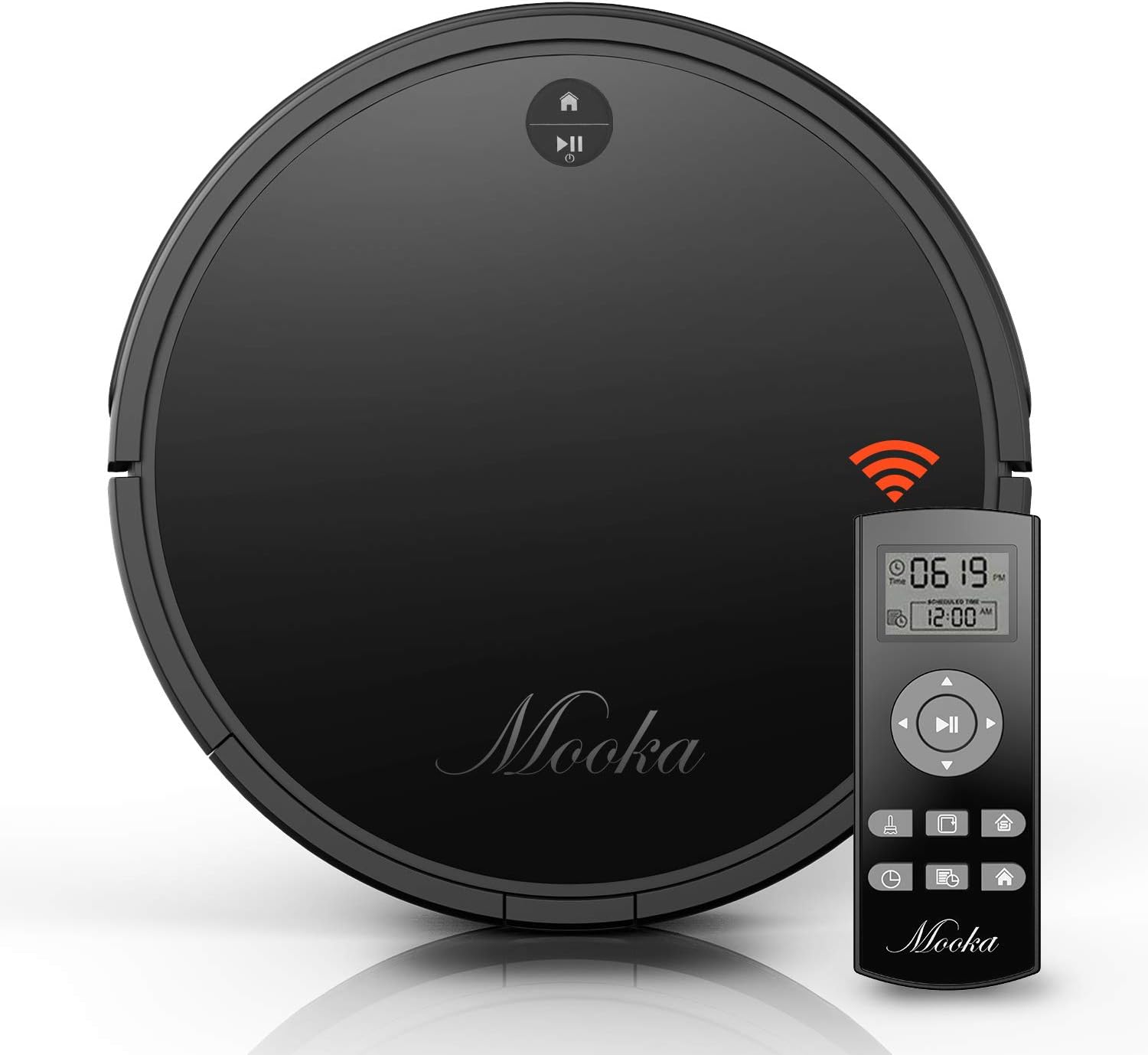
The main unit of the MOOKA I3 Robot Vacuum Cleaner features a sleek, low-profile design allowing it to clean under furniture. It is equipped with various sensors for navigation and cleaning.

The robot utilizes laser distance sensors, numerous other sensors, and an advanced processor for intelligent navigation and cleaning. It employs a precise SLAM algorithm for efficient path planning.

The underside reveals a 3-point cleaning system, including dual side brushes, a floating main brush, and powerful suction for effective debris collection from various surfaces.
2.2 Pilot zdalnego sterowania
The remote control allows you to operate the vacuum cleaner from a distance, select cleaning modes, set schedules, and direct the robot manually. It requires 2 AAA batteries (not included).
2.3 Baza ładująca
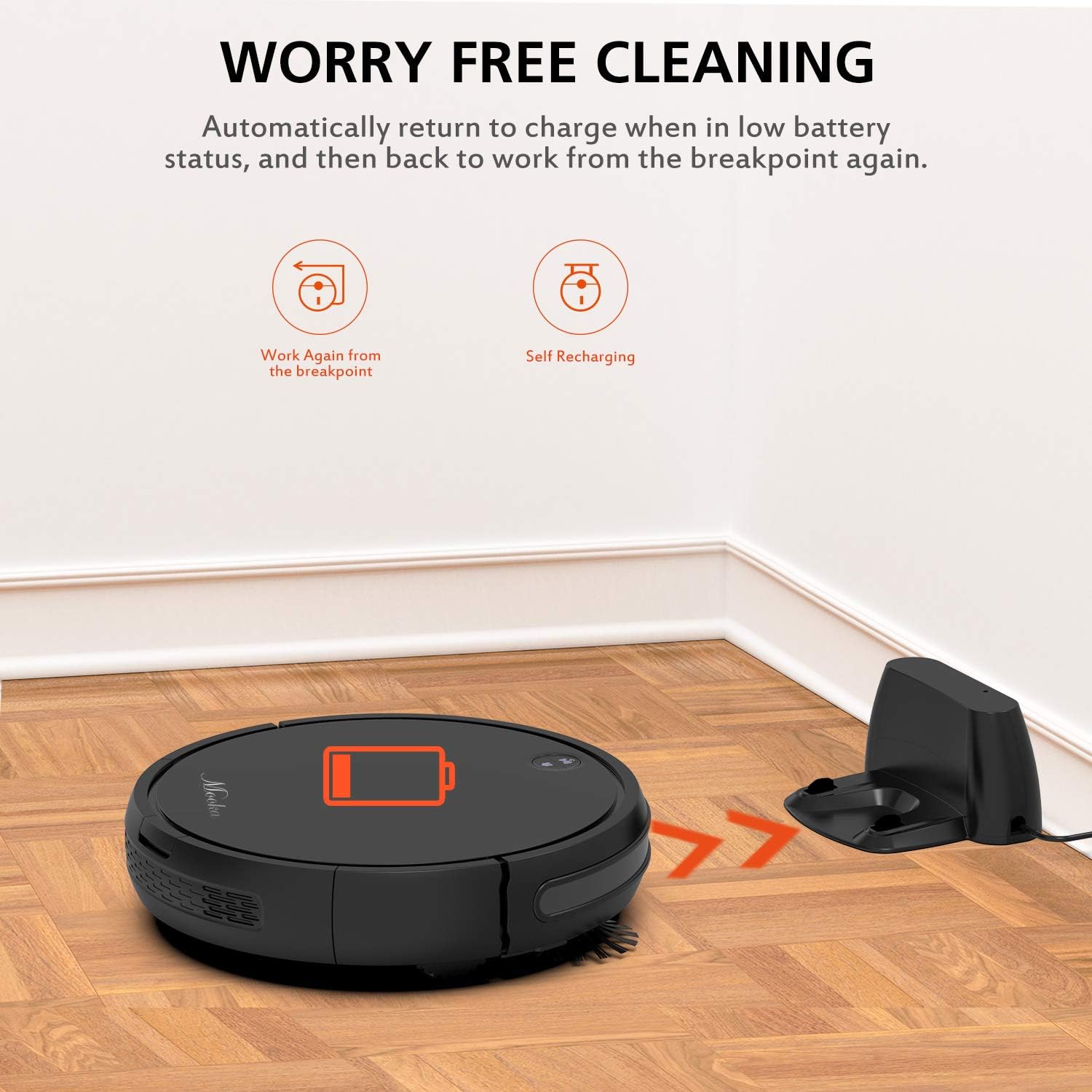
The charging base serves as the robot's home station, where it automatically returns to recharge when its battery is low or after completing a cleaning cycle. It connects to an AC power adapter.
2.4 Dołączone akcesoria

W skład pakietu wchodzą następujące elementy:
- MOOKA I3 Robot Vacuum Cleaner
- Pilot zdalnego sterowania (2 baterie AAA nie są dołączone)
- Baza ładująca
- Zasilacz sieciowy
- HEPA-style Filter (1 pre-installed, 1 replacement)
- Szczotki boczne (2 pary)
- Szczotka do czyszczenia
- Śrubokręt
- Instrukcja obsługi
3. Rozpoczęcie pracy
3.1 Rozpakowywanie
Ostrożnie wyjmij wszystkie elementy z opakowania. Zachowaj opakowanie do transportu lub przechowywania w przyszłości.
3.2 Umiejscowienie stacji ładującej
Place the charging base against a wall in an open, uncluttered area. Ensure there is at least 1 meter (3 feet) of clear space to the front and 0.5 meters (1.5 feet) to each side of the charging base. Plug the AC power adapter into the charging base and then into a wall outlet. The indicator light on the charging base will illuminate.
3.3 Pierwsze ładowanie

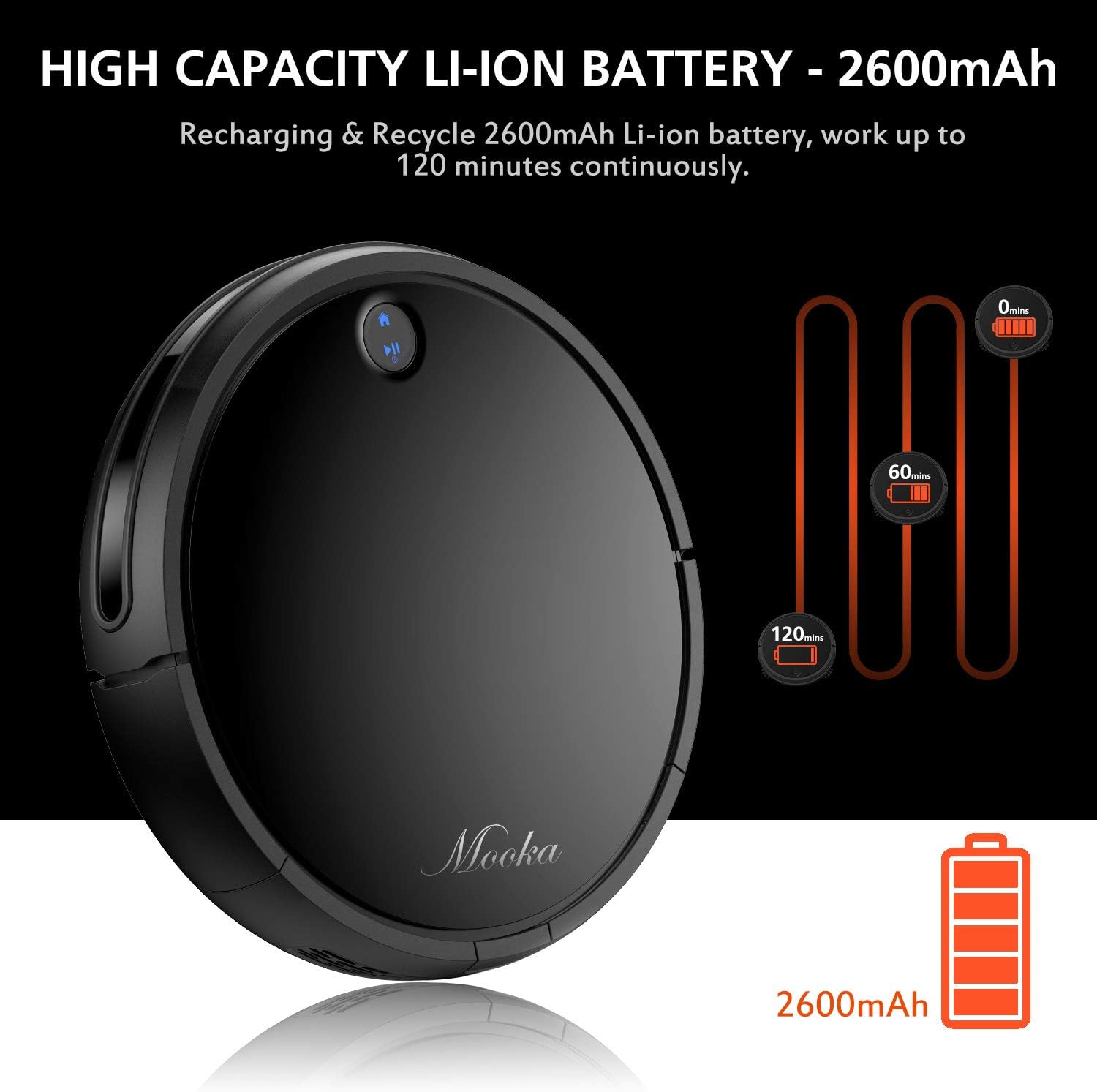
Before first use, fully charge the robot vacuum cleaner. Place the robot onto the charging base, ensuring the charging contacts align. The robot will emit a sound and the indicator light will show charging status. A full charge typically takes 3 to 5 hours. The robot features a 2600mAh Lithium-ion battery, providing approximately 100-120 minutes of cleaning time on a full charge.
The robot is designed to automatically return to its charging base when the battery is low, ensuring it is always ready for the next cleaning cycle.
3.4 Montaż szczotek bocznych
Zamontuj szczotki boczne, dociskając je do słupków na spodzie robota, aż zatrzasną się na swoim miejscu. Upewnij się, że są solidnie zamocowane.
4. Obsługa robota odkurzającego
4.1 Włączanie/wyłączanie
- Włączanie: Naciśnij przycisk zasilania na robocie lub pilocie. Zaświeci się kontrolka.
- Aby wyłączyć: Press and hold the power button on the robot until the indicator light turns off, or use the power button on the remote control.
4.2 tryby czyszczenia
The MOOKA I3 offers multiple cleaning modes to suit different needs:
- Automatyczne czyszczenie: The robot automatically navigates and cleans the entire floor area. This is the default mode.
- Czyszczenie punktowe: The robot cleans a concentrated area in a spiral pattern, ideal for small spills or heavily soiled spots.
- Czyszczenie krawędzi: Robot czyści wzdłuż ścian i krawędzi mebli, zapewniając dokładne pokrycie powierzchni.
- Sprzątanie pokoju jednoosobowego: The robot cleans a specific room and then returns to its charging base.
4.3 Planowanie sprzątania
You can program the robot to clean automatically at a specific time each day (Daily Cycle Cleaning). Refer to the remote control section for detailed instructions on setting the time and schedule.
4.4 Korzystanie z pilota zdalnego sterowania
The remote control provides convenient access to all functions. Insert 2 AAA batteries into the remote control before use. The remote control distance is approximately 7 meters.
- Przycisk zasilania: Włącza lub wyłącza robota.
- Przyciski kierunkowe: Ręczne sterowanie robotem.
- Przycisk Home: Sends the robot back to the charging base.
- Przyciski wyboru trybu: Select Auto, Spot, Edge, or Single Room cleaning modes.
- Schedule Button: Set or cancel daily cleaning schedules.
- Ustawienie czasu: Adjust the current time on the robot.
5. Konserwacja i pielęgnacja
Regular maintenance ensures optimal performance and extends the lifespan of your MOOKA I3 Robot Vacuum Cleaner.
5.1 Opróżnianie pojemnika na kurz
The dust bin should be emptied after each cleaning cycle or when the 'full' indicator (if available) illuminates. Press the dust bin release button, remove the bin, and empty its contents into a trash receptacle.
5.2 Czyszczenie filtra HEPA
Remove the HEPA filter from the dust bin. Tap it gently over a trash can to remove loose debris. The filter can be rinsed with water; ensure it is completely dry before reinserting. Replace the HEPA filter every 3-6 months, or as needed, to maintain suction performance.
5.3 Cleaning the Side Brushes and Main Brush
Periodically check the side brushes and main brush for tangled hair or debris. Use the provided cleaning tool or a pair of scissors to cut and remove any tangled hair. The side brushes can be pulled off for easier cleaning and replaced if worn.
5.4 Czyszczenie czujników
Wipe the anti-drop sensors, anti-collision sensors, and charging contacts on the robot and charging base with a clean, dry cloth. Keep these sensors clear of dust and debris for proper operation.
6. Rozwiązywanie Problemów
If you encounter issues with your MOOKA I3, refer to the table below for common problems and solutions.
| Problem | Możliwa przyczyna | Rozwiązanie |
|---|---|---|
| Robot nie włącza się. | Niski poziom naładowania baterii; Wyłącz zasilanie. | Naładuj robota; włącz główny wyłącznik zasilania. |
| Robot nie ładuje się. | Charging contacts dirty; Charging base not powered; Robot not aligned. | Wyczyść styki ładowania; Sprawdź, czy baza ładująca jest podłączona; Ponownie ustaw robota na bazie. |
| Robot często się zacina. | Przeszkody (kable, dywany); brudne czujniki. | Usuń przeszkody; Wyczyść czujniki. |
| Słaba skuteczność czyszczenia. | Dust bin full; Filter clogged; Brushes tangled/worn. | Opróżnij pojemnik na kurz; Wyczyść/wymień filtr; Wyczyść/wymień szczotki. |
| Robot nie wraca do stacji ładującej. | Stacja ładująca jest zablokowana; Robot znajduje się zbyt daleko od stacji. | Ensure clear path to base; Manually place robot closer to base. |
7. Specyfikacje techniczne
Below are the technical specifications for the MOOKA I3 Robot Vacuum Cleaner:
| Funkcja | Specyfikacja |
|---|---|
| Model | I3 |
| Kolor | Czarny |
| Suction Option | Direct Suction (Brushless Suction) |
| Tryby czyszczenia | Auto, Edge, Spot, Single Room |
| Typ filtra | Wysokowydajny filtr HEPA |
| Szczotki boczne | Podwójny |
| Objętość roboczatage | Prąd stały 14.8 V |
| Moc znamionowa | 24 W |
| Typ baterii | Litowo-jonowy |
| Pojemność baterii | 2600mAh |
| Automatyczne ładowanie | Tak |
| Harmonogramowanie czasu | Daily Cycle Cleaning |
| Czas ładowania | Około 3-5 godzin |
| Pojemność pojemnika na kurz | 500ml |
| Czas pracy | 100-120 minut |
| Waga przedmiotu | 6.1 funtów |
| Zalecenia dotyczące powierzchni | Dywan, drewno, płytki |
| Cechy specjalne | Remote Control, HEPA Filtration, Rechargeable Battery, Anti-Drop Sensors, Smart Anti-Collision |
8. Gwarancja i obsługa klienta
MOOKA provides a 1-LETNIA gwarancja for the I3 Robot Vacuum Cleaner from the date of purchase. Additionally, a 30-dniowa gwarancja zwrotu pieniędzy is offered. This warranty covers manufacturing defects and issues arising from normal use.
For warranty claims, technical assistance, or any questions regarding your product, please contact MOOKA customer support. Please have your purchase receipt and product model number ready when contacting support.
Contact information for MOOKA customer support can typically be found on the product packaging, the official MOOKA webna stronie internetowej lub u sprzedawcy.


