1. Wprowadzenie
This manual provides comprehensive instructions for the safe and effective operation of your HIDIZS DH1000 Portable Hi-Res DAC/Headphone Amplifier. The DH1000 is designed to enhance your audio experience with its dual balanced amplifier architecture, supporting a wide range of Hi-Res audio formats and driving various headphone impedances. Please read this manual thoroughly before initial use and retain it for future reference.

Image: Three HIDIZS DH1000 units in grey and black, highlighting the compact and premium build quality of the portable ampliyfikator.
2. Zawartość opakowania
Sprawdź, czy w przesyłce znajdują się wszystkie elementy:
- HIDIZS DH1000 Portable Hi-Res DAC/Headphone Ampjednostka lifier
- Kabel USB do ładowania/danych danych
- Instrukcja obsługi (ten dokument)
3. Koniec produktuview
Familiarize yourself with the various components and ports of your DH1000 unit:
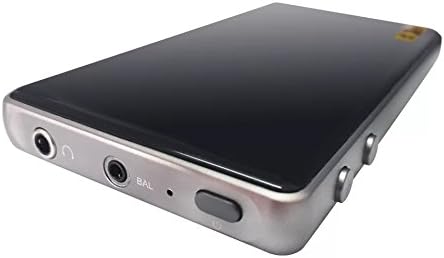
Obraz: szczegółowy view of the HIDIZS DH1000's input/output panel, featuring the 3.5mm unbalanced headphone jack, 2.5mm balanced headphone jack, and the power/control button.
Kluczowe komponenty:
- 2.5mm Balanced Headphone Jack: For connecting headphones with a 2.5mm balanced plug.
- 3.5mm Unbalanced Headphone Jack: For connecting headphones with a standard 3.5mm unbalanced plug.
- Przycisk zasilania: Used to power the device on/off and potentially for other control functions.
- Port USB-C: For charging the device and connecting to audio source devices (e.g., smartphone, PC).
- Regulacja głośności: (Location may vary, typically on the side) For adjusting audio output volume.
4. Konfiguracja
4.1 Ładowanie urządzenia
The DH1000 is equipped with an internal rechargeable battery. Before first use, it is recommended to fully charge the device.
- Connect one end of the provided USB cable to the USB-C port on the DH1000.
- Connect the other end of the USB cable to a compatible USB power adapter (e.g., smartphone charger, computer USB port).
- The charging indicator (if present) will illuminate or change color to indicate charging status. Once fully charged, the indicator may turn off or change color again.
4.2 Podłączanie do źródła dźwięku
The DH1000 can be connected to various audio source devices such as smartphones, tablets, computers (PC/Mac), and digital audio players (DAPs).

Image: The HIDIZS DH1000 amplifier connected to a smartphone, demonstrating its portable use case for enhanced audio playback.
- Ensure the DH1000 is sufficiently charged.
- Using a compatible USB cable (often the same one used for charging), connect the DH1000's USB-C port to the USB port of your audio source device.
- Your audio source device may automatically recognize the DH1000 as an external audio device. If not, you may need to select it manually in your device's audio settings.
4.3 Podłączanie słuchawek
Connect your headphones to the appropriate jack on the DH1000.
- For standard headphones, use the 3.5mm Unbalanced Headphone Jack.
- For headphones with a 2.5mm balanced cable, use the Zbalansowane gniazdo słuchawkowe 2.5 mm for optimal performance and stereo separation.
5. Instrukcja obsługi
5.1 Włączanie/wyłączanie
To power on the DH1000, press and hold the Power Button until the indicator light illuminates. To power off, press and hold the Power Button again until the indicator light turns off.
5.2 Regulacja głośności
Adjust the audio output volume using the dedicated volume controls on the DH1000. Start with a low volume level and gradually increase it to a comfortable listening level to prevent hearing damage.
5.3 Odtwarzanie dźwięku
Once connected and powered on, the DH1000 will process the audio signal from your source device. Ensure your audio source is playing Hi-Res audio files for optimal performance. The DH1000 supports a wide array of high-resolution audio formats, including:
- Plik FLAC
- MAŁPA
- WAV
- ALAC (kodek Apple Lossless Audio)
- DSF
- Różnica
- PCM up to 24-Bit/192kHz
- Native DSD64/128
The DH1000 is capable of driving headphones with impedance ranging from 8 to 600Ω, providing ample power for a variety of headphone types.
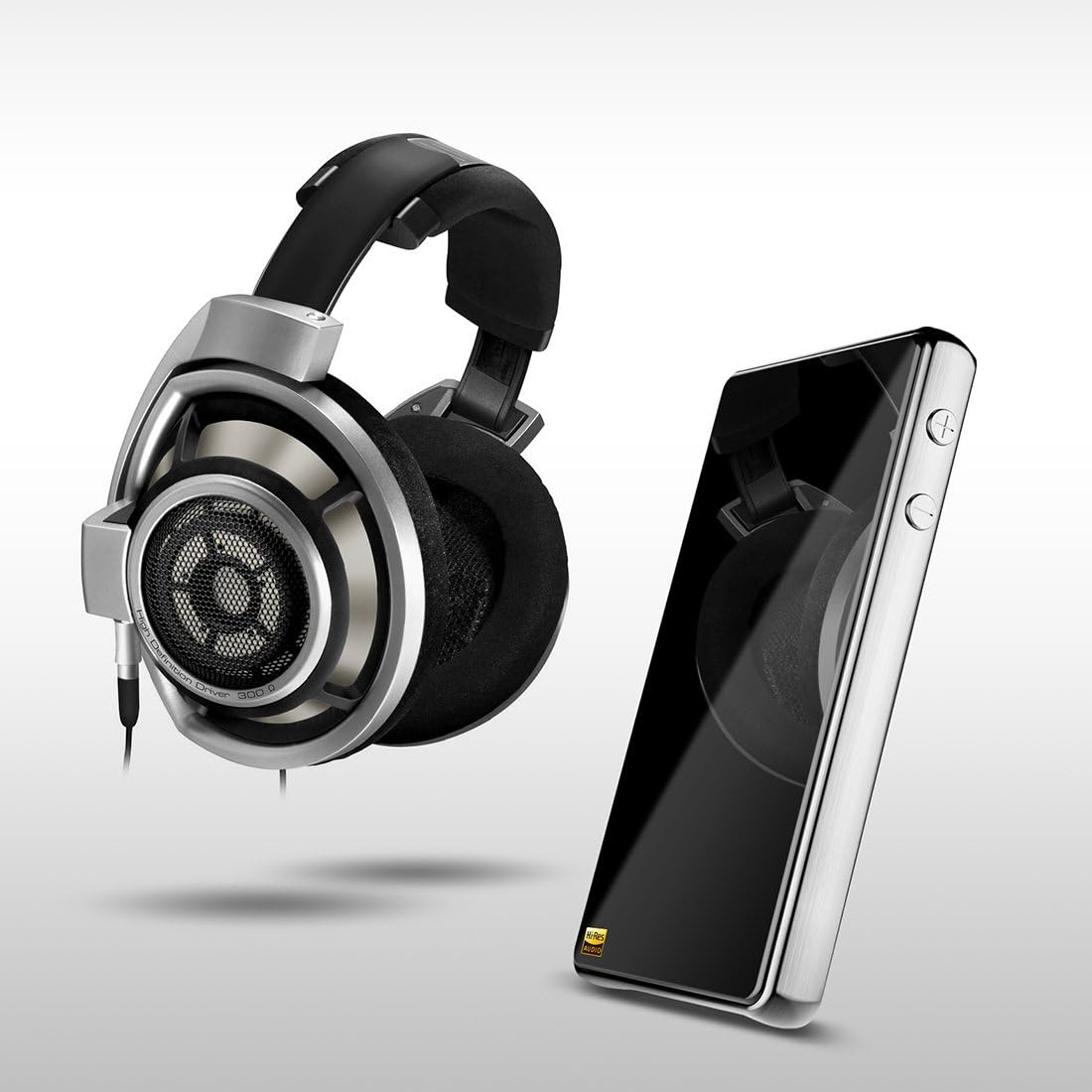
Image: The HIDIZS DH1000 positioned alongside a pair of high-end over-ear headphones, illustrating its role in a premium audio setup.
6. Konserwacja
To ensure the longevity and optimal performance of your HIDIZS DH1000, please follow these maintenance guidelines:
- Czyszczenie: Use a soft, dry, lint-free cloth to clean the exterior of the device. Avoid using abrasive cleaners, solvents, or strong chemicals, as they may damage the finish.
- Składowanie: Jeśli urządzenie nie będzie używane przez dłuższy czas, należy je przechowywać w chłodnym i suchym miejscu, z dala od bezpośredniego światła słonecznego i ekstremalnych temperatur.
- Obsługiwanie: Obchodź się z urządzeniem ostrożnie. Unikaj upuszczania go i narażania na silne uderzenia, które mogą uszkodzić podzespoły wewnętrzne.
- Wilgoć: Keep the device away from water and other liquids. Do not operate it in humid environments.
- Demontaż: Do not attempt to disassemble, modify, or repair the device yourself. This will void the warranty and may cause damage or injury. Contact authorized service personnel for any repairs.
7. Rozwiązywanie Problemów
If you encounter issues with your DH1000, refer to the following common problems and solutions:
| Problem | Możliwa przyczyna | Rozwiązanie |
|---|---|---|
| Urządzenie nie włącza się. | Niski poziom naładowania baterii. | Naładuj całkowicie urządzenie za pomocą dostarczonego kabla USB. |
| Brak dźwięku. | Incorrect connection; Volume too low; Source device not playing. | Ensure all cables are securely connected. Increase volume on both DH1000 and source device. Verify audio playback on the source device. |
| Poor sound quality (distortion, static). | Damaged cable; Incorrect audio settings; Low-quality audio file. | Try a different USB or headphone cable. Check audio settings on your source device. Use high-quality audio files. |
| Urządzenie nie zostało rozpoznane przez komputer. | Driver issue; Faulty USB port/cable. | Try a different USB port or cable. Restart your computer. Check Hidizs website for any necessary drivers. |
If the problem persists after trying these solutions, please contact Hidizs customer support for further assistance.
8. Specyfikacje
Detailed technical specifications for the HIDIZS DH1000:
| Funkcja | Specyfikacja |
|---|---|
| Nazwa modelu | HIDIZS DH1000 |
| Numer modelu | DH100GR01 |
| Wymiary (dł. x szer. x wys.) | Wymiary 12 x 6.7 x 1.5 cm |
| Waga przedmiotu | 185.97 g (6.56 uncji) |
| Tworzywo | Aluminium |
| Technologia łączności | Przewodowy (USB) |
| Gniazda słuchawkowe | 2.5 mm Balanced Jack, 3.5 mm Unbalanced Jack |
| Odpowiedź częstotliwościowa | 0 Hz ~ 50 kHz |
| Separacja stereo | 120dB |
| Stosunek sygnału do szumu (SNR) | 122dB |
| Supported Headphone Impedance | 8 do 600 Ω |
| Obsługiwane formaty audio | FLAC, APE, WAV, ALAC, APPLE LOSSLESS, DSF, DSDIFF, PCM 24-Bit/192kHz, native DSD64/128 |
| Źródło zasilania | Battery (1 Lithium Ion battery required) |
| Cechy specjalne | Lightweight, Dual Balanced Ampżywsze |
| Zgodność | iPhone, Android Phones, iPad, PC, MAC, most DAPs |
9. Gwarancja i wsparcie
Warranty information for the HIDIZS DH1000 is typically provided at the point of purchase or on the official Hidizs website. Please refer to your purchase documentation or visit the Hidizs official webstrona zawierająca szczegółowe warunki gwarancji i dane kontaktowe pomocy technicznej.
For technical support, troubleshooting beyond this manual, or service inquiries, please contact Hidizs customer service through their official channels.


