1. Wprowadzenie i koniecview
The Acer V226HQL is a 21.5-inch LED LCD monitor designed for various computing needs. It features Acer eColor technology for enhanced visuals and Acer ComfyView innovations to reduce glare, providing a comfortable viewing experience. This monitor offers a wide array of connectivity ports and incorporates eco-friendly features for energy efficiency.
The monitor is designed for adaptability, allowing users to find an optimal working angle with its quick and smooth tilt adjustment. The stand includes a magnetic area for organizing small items, and the monitor is also wall-mountable for space-saving configurations.

Rycina 1: Przód view of the Acer V226HQL monitor, showcasing its display and Acer branding.
2. Konfiguracja
2.1 Rozpakowanie i montaż
Carefully remove the monitor and all components from the packaging. Assemble the stand according to the instructions provided in the quick start guide. Ensure all connections are secure before proceeding.
2.2 Podłączanie monitora
The Acer V226HQL monitor supports multiple input types. Connect the appropriate cable from your computer to the monitor's input port.
- Połączenie HDMI: Use an HDMI cable for digital video and audio transmission.
- DVI-D Connection: Use a DVI-D cable for digital video transmission.
- Połączenie VGA: Use a VGA cable for analog video transmission.
After connecting the video cable, connect the power cable to the monitor and then to a power outlet.
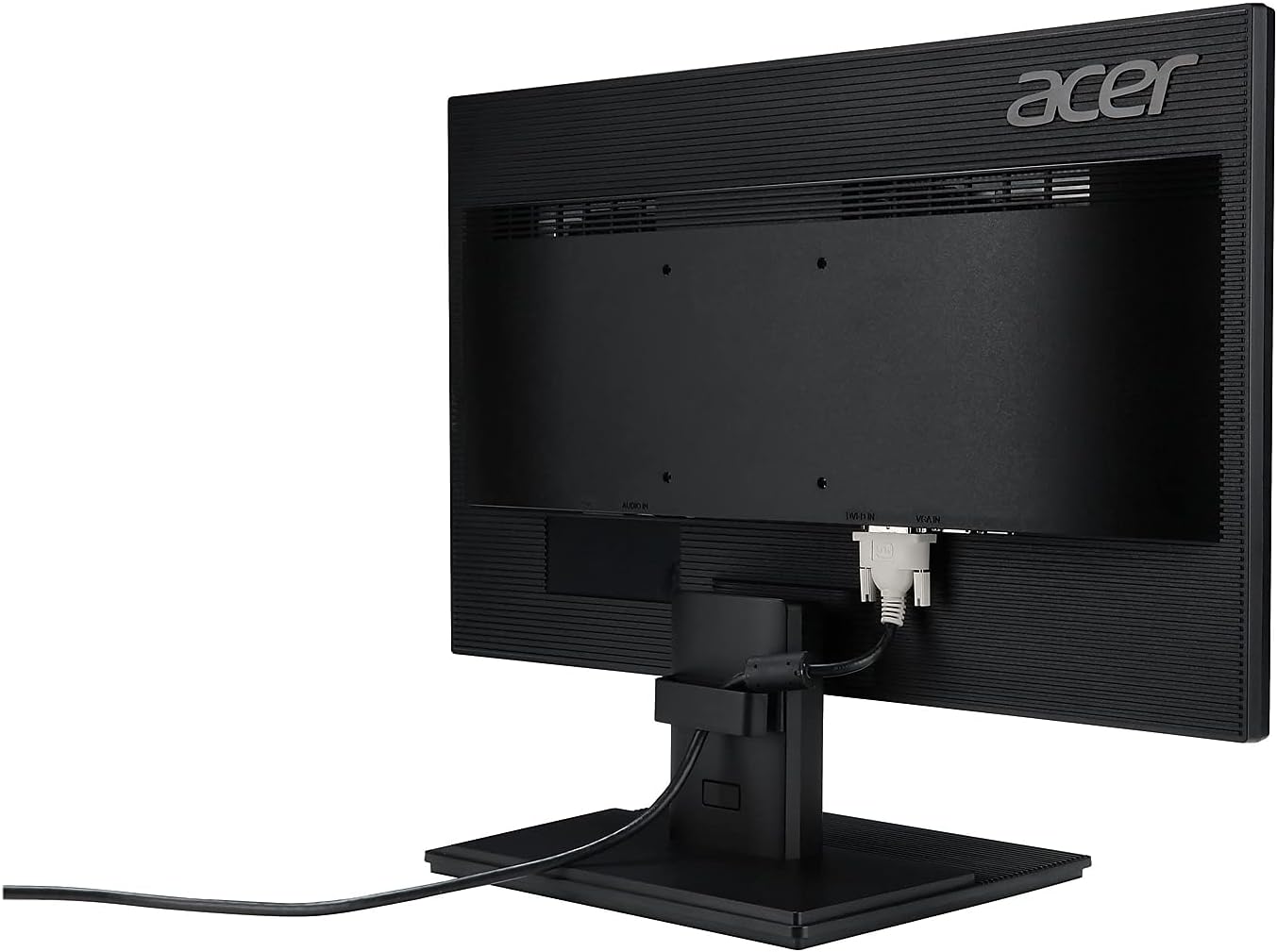
Rysunek 2: Tył view of the Acer V226HQL monitor, illustrating the HDMI, DVI-D, and VGA input ports with an HDMI cable connected.
2.3 Montaż na ścianie
The monitor is compatible with VESA wall mounts. If you choose to wall-mount the monitor, ensure you use a VESA-compliant mounting kit and follow the kit's instructions carefully. The VESA mount points are located on the rear of the monitor.
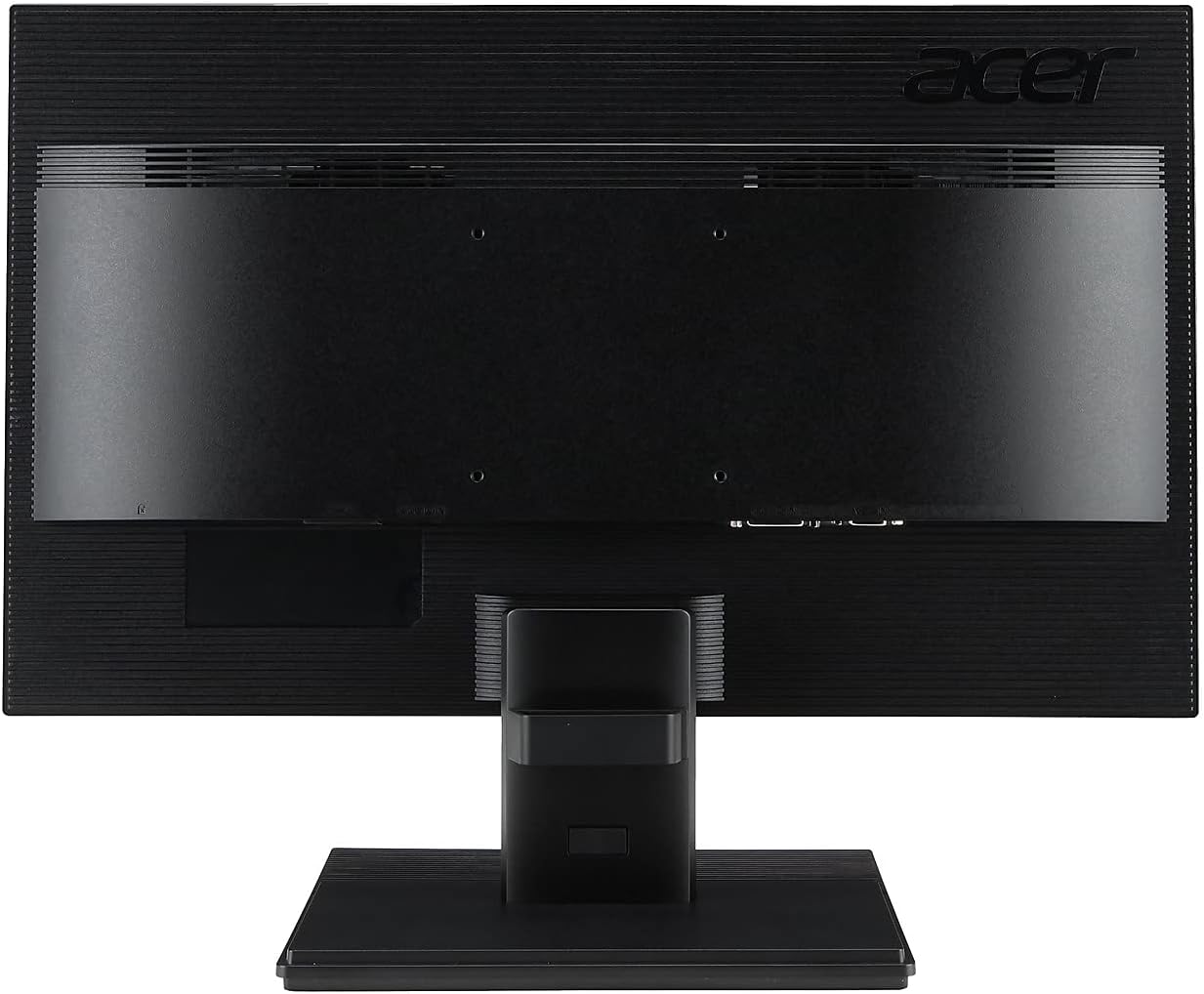
Rysunek 3: Tył view of the Acer V226HQL monitor, showing the VESA mount points for wall installation.
3. Obsługa monitora
3.1 Włączanie/wyłączanie zasilania
Locate the power button on the bottom right bezel of the monitor. Press it to turn the monitor on or off. A blue LED indicator will illuminate when the monitor is powered on.
3.2 Elementy sterujące wyświetlaczem ekranowym (OSD)
The monitor features several control buttons located on the bottom right bezel, adjacent to the power button. These buttons allow you to navigate the On-Screen Display (OSD) menu to adjust various settings:
- Jasność: Dostosuj ogólną jasność ekranu.
- Kontrast: Modify the difference between the brightest and darkest areas of the image.
- Ustawienia kolorów: Fine-tune color temperature, gamma, and other color-related parameters.
- Filtr światła niebieskiego: Activate the blue light filter to reduce eye strain during prolonged use.
- Wybór wejścia: Ręczne przełączanie między wejściami HDMI, DVI-D i VGA.
Refer to the detailed OSD menu guide in the full product manual for specific navigation and adjustment procedures.
4. Konserwacja
4.1 Czyszczenie monitora
Aby wyczyścić ekran monitora, delikatnie przetrzyj go miękką, niepozostawiającą włókien ściereczką. W przypadku uporczywych zabrudzeń,ampen the cloth with a mild, non-abrasive screen cleaner. Avoid using harsh chemicals or abrasive materials that could damage the screen surface.
Do monitora casing, należy używać miękkiej, suchej ściereczki. Nie rozpylać środków czyszczących bezpośrednio na monitor.
4.2 Środki ostrożności
- Aby zapobiec przegrzaniu, należy zapewnić odpowiednią wentylację wokół monitora.
- Nie blokuj otworów wentylacyjnych.
- Unikaj umieszczania ciężkich przedmiotów na monitorze i jego kablach.
- Trzymaj monitor z dala od bezpośredniego światła słonecznego, źródeł ciepła i nadmiernej wilgoci.
- Przed czyszczeniem lub jeśli monitor nie będzie używany przez dłuższy czas, należy odłączyć kabel zasilający.
5. Rozwiązywanie Problemów
If you encounter issues with your Acer V226HQL monitor, refer to the following common troubleshooting steps:
- Brak wyświetlacza: Ensure the monitor is powered on and the video cable is securely connected to both the monitor and the computer. Verify that the correct input source is selected via the OSD menu.
- Słaba jakość obrazu: Check the resolution settings on your computer to ensure they match the monitor's native resolution (1920 x 1080). Adjust brightness, contrast, and color settings through the OSD menu.
- Problemy z zasilaniem: Confirm the power cable is properly connected to both the monitor and the power outlet. Test the power outlet with another device.
- Migotanie ekranu: Check for loose cable connections. Ensure the refresh rate is set correctly (60 Hz).
For more complex issues, consult the comprehensive troubleshooting section in the full product manual or contact Acer customer support.
6. Specyfikacje
| Funkcja | Specyfikacja |
|---|---|
| Numer modelu | V226HQL |
| Rozmiar ekranu | 21.5 cali |
| Typ panelu | LED-LCD |
| Maksymalna rozdzielczość | 1920 x 1080 (Pełna rozdzielczość HD) |
| Proporcje obrazu | 16:9 |
| Czas reakcji | 5 ms |
| Współczynnik kontrastu dynamicznego | 100,000,000:1 |
| Natywny współczynnik kontrastu | 1,000:1 |
| Poziomy Viewing kąt | 170° |
| Pionowy Viewing kąt | 160° |
| Jasność (typowa) | 250 cd/m² |
| Zintegrowane głośniki | 2 x 1.0W |
| Złącza sygnałowe | VGA, HDMI, DVI-D |
| Częstotliwość odświeżania | 60 Hz |
| Wymiary produktu (dł. x szer. x wys.) | 2 x 20 x 12 cala |
| Waga przedmiotu | 7.14 funta |
| Kolor | Czarny |
| Możliwość montażu na ścianie | Tak (zgodny ze standardem VESA) |
7. Gwarancja i wsparcie
7.1 Ograniczona gwarancja
This Acer V226HQL monitor comes with a Trzyletnia ograniczona gwarancja. Please retain your proof of purchase for warranty claims. The warranty covers defects in materials and workmanship under normal use. For full details on warranty terms and conditions, refer to the warranty card included with your product or visit the official Acer support webstrona.
7.2 Obsługa klienta
For technical assistance, product inquiries, or warranty service, please contact Acer customer support. You can find contact information and support resources on the official Acer website. When contacting support, please have your monitor's model number (V226HQL) and serial number readily available.


