1. Wprowadzenie
1.1 Produkt powyżejview
The ELRO AS8000 Surveillance Camera System offers advanced security features for your home or business. This kit includes two high-definition cameras designed to integrate seamlessly with your existing ELRO AS8000 alarm system. When your alarm system is triggered, you receive instant notifications on your smartphone, allowing you to access live camera feeds via the ELRO Smart Alarm application.
Główne cechy obejmują:
- Rozdzielczość HD 1080p: Zapewnia wyraźny i szczegółowy obraz wideotage.
- 100° Viewkąt ing: Captures a wide area, ideal for corner mounting.
- Dwukierunkowy dźwięk: Built-in microphone and speaker for communication via the ELRO Smart Alarm app.
- Widzenie nocne: Infrared LEDs ensure visibility even in complete darkness.
- Integracja ze smartfonem: Remote access and control through the ELRO Smart Alarm app.
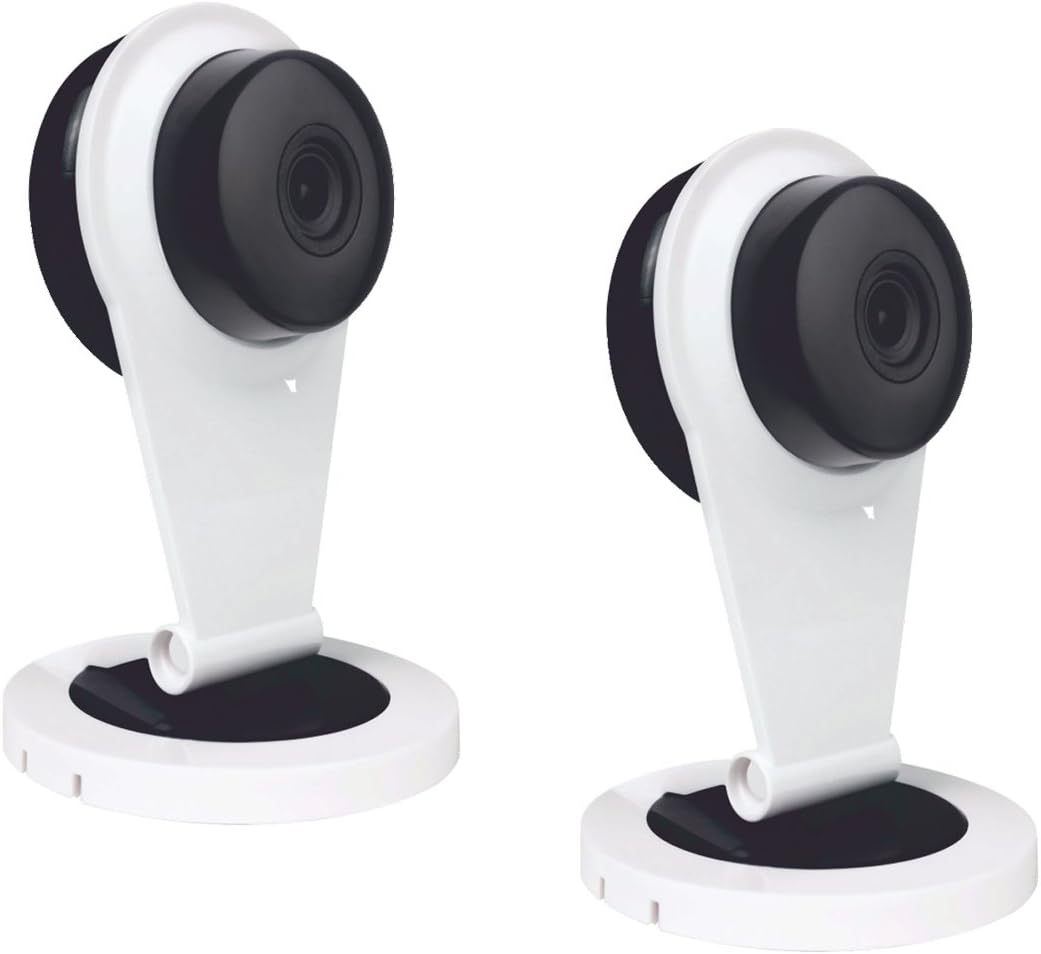
Figure 1: Two ELRO AS8000 Surveillance Cameras. These cameras provide high-definition video and are designed for indoor use.
1.2 Zawartość opakowania
Sprawdź, czy wszystkie przedmioty są obecne i w dobrym stanie:
- 2 x ELRO AS8000 Surveillance Cameras
- 2 x zasilacz
- Instrukcja obsługi (ten dokument)
2. Informacje dotyczące bezpieczeństwa
Read all safety instructions before using the product. Failure to follow these instructions may result in electric shock, fire, or other hazards.
- Use only the power adapters supplied with the cameras.
- Do not expose the cameras to water or moisture. This product is designed for indoor use only.
- Avoid placing cameras near heat sources or in direct sunlight.
- Nie próbuj samodzielnie otwierać ani naprawiać aparatu. Wszelkie czynności serwisowe zlecaj wykwalifikowanemu personelowi.
- Przechowywać w miejscu niedostępnym dla dzieci.
3. Konfiguracja
3.1 Rozpakowanie
Ostrożnie wyjmij wszystkie elementy z opakowania. Zachowaj opakowanie do późniejszego przechowywania lub transportu.
3.2 Instalacja
The ELRO AS8000 cameras are designed for easy installation. They are suitable for indoor use and can be mounted on a ceiling or placed on a flat surface.
- Wybierz odpowiednią lokalizację: Wybierz miejsce w pomieszczeniu, które zapewnia pożądane viewing angle and is within reach of a power outlet. For optimal coverage, consider corner mounting to utilize the 100° viewkąt.
- Podłącz zasilanie: Plug the supplied power adapter into the camera and then into a wall outlet. The camera will power on.
3.3 Connecting to the ELRO AS8000 System
To integrate the cameras with your ELRO AS8000 alarm system, follow these steps:
- Download the ELRO Smart Alarm App: If you haven't already, download the ELRO Smart Alarm application from your smartphone's app store (available for iOS and Android).
- Open the App and Log In: Launch the ELRO Smart Alarm app and log in to your account associated with your ELRO AS8000 alarm system.
- Dodaj nowe urządzenie: Navigate to the device management section within the app. Select the option to "Add New Device" or "Add Camera."
- Postępuj zgodnie z instrukcjami wyświetlanymi na ekranie: The app will guide you through the process of pairing the camera with your alarm system. This typically involves scanning a QR code on the camera or entering a device ID.
- Skonfiguruj ustawienia aparatu: Once connected, you can configure settings such as motion detection zones, recording preferences, and notification alerts within the app.
4. Instrukcja obsługi
4.1 Using the ELRO Smart Alarm App
The ELRO Smart Alarm app is your primary interface for managing and monitoring your surveillance cameras. Ensure your smartphone has an active internet connection.
- Dostęp na żywo View: From the app's main dashboard, select the desired camera to view transmisja na żywo.
- Otrzymywać powiadomienia: When your ELRO AS8000 alarm system is triggered, or if motion is detected (if configured), you will receive push notifications on your smartphone. Tap the notification to quickly access the camera feed.

Figure 2: ELRO AS8000 Cameras highlighting key features: Camera function, Night Vision, and Live View za pośrednictwem aplikacji.
4.2 Dźwięk dwukierunkowy
The cameras are equipped with a microphone and speaker, enabling two-way communication:
- Chwila viewing the live feed in the ELRO Smart Alarm app, locate the microphone icon.
- Press and hold the microphone icon to speak. Your voice will be transmitted through the camera's speaker.
- Puść ikonę, aby słuchać przez mikrofon kamery.
4.3 Widzenie nocne
The integrated infrared LEDs automatically activate in low-light conditions, providing clear black-and-white video footage up to a certain range. This ensures continuous surveillance 24/7.
5. Konserwacja
Regular maintenance helps ensure optimal performance and longevity of your cameras.
- Czyszczenie: Delikatnie przetrzyj obiektyw i korpus aparatu miękką, suchą ściereczką. Nie używaj silnych środków chemicznych ani ściernych środków czyszczących.
- Aktualizacje oprogramowania układowego: Periodically check the ELRO Smart Alarm app for available firmware updates for your cameras. Keeping the firmware updated ensures you have the latest features and security enhancements.
- Cykl zasilania: If a camera becomes unresponsive, try unplugging its power adapter for 10 seconds and then plugging it back in.
6. Rozwiązywanie Problemów
If you encounter issues with your ELRO AS8000 cameras, refer to the following common solutions:
| Problem | Możliwa przyczyna | Rozwiązanie |
|---|---|---|
| Camera not connecting to app | Incorrect Wi-Fi password, camera too far from router, app not updated, camera not powered on. | Verify Wi-Fi credentials. Move camera closer to router. Update ELRO Smart Alarm app. Ensure camera is powered and indicator light is on. Try resetting the camera (refer to app for specific reset instructions). |
| Brak życia view | Internet connection issues (phone or camera), camera offline. | Check your phone's internet connection. Verify the camera's status in the app. Power cycle the camera. Check your home internet connection. |
| Słaba jakość wideo | Brudny obiektyw, mała szerokość pasma, słabe oświetlenie. | Clean the camera lens. Ensure stable and sufficient internet bandwidth. Adjust lighting conditions or rely on night vision. |
| Dwukierunkowe audio nie działa | Microphone/speaker muted in app, app permissions, internet delay. | Check audio settings in the ELRO Smart Alarm app. Ensure the app has microphone permissions on your phone. Verify stable internet connection. |
If the problem persists, please contact ELRO customer support.
7. Specyfikacje
| Funkcja | Szczegół |
|---|---|
| Numer modelu | SAS80CA11A |
| Rozdzielczość wideo | Rozdzielczość 1080p HD |
| Viewing kąt | 100 stopni |
| Technologia łączności | Bezprzewodowy |
| Cechy specjalne | HD Resolution, Night Vision, Two-Way Audio |
| Kompatybilne urządzenia | Smartphone (via ELRO Smart Alarm App) |
| Źródło zasilania | Elektryczny przewodowy |
| Typ montażu | Ceiling Mount (also suitable for flat surface placement) |
| Tworzywo | Metal |
| Zalecane zastosowania | Home Security, Night Vision Surveillance |
| Współczynnik kształtu | Kopuła |
8. Gwarancja i wsparcie
8.1 Informacje o gwarancji
ELRO products are designed and manufactured to the highest quality standards. For specific warranty details, please refer to the warranty card included with your product or visit the official ELRO webZachowaj dowód zakupu na wypadek roszczeń gwarancyjnych.
8.2 Obsługa klienta
If you require further assistance or have questions not covered in this manual, please contact ELRO customer support. Contact information can typically be found on the ELRO website or within the ELRO Smart Alarm application.
Zasoby internetowe: For FAQs, additional guides, and software downloads, visit the official ELRO support page.