Wstęp
The VTech DS6151-2 is a 2-handset, 2-line cordless phone system designed for home or small business use. It features a digital answering system with a mailbox for each line, and message time and date stamps. This manual provides comprehensive instructions for setting up, operating, maintaining, and troubleshooting your phone system.
Co jest w pudełku
Sprawdź, czy w przesyłce znajdują się wszystkie elementy wymienione poniżej:
- 2 Słuchawki
- 1 Jednostka bazowa
- 1 Ładowarka
- 2 baterie AAA (w zestawie)
- Zasilacz do jednostki bazowej
- Power adapter for charging cradle
- Kable telefoniczne (2)

Image: The VTech DS6151-2 system, showing the main base unit with one handset docked, and a separate charging cradle with the second handset docked. Two telephone line connections are visible in the background.
Organizować coś
Follow these steps to set up your VTech DS6151-2 cordless phone system:
- Podłącz jednostkę bazową:
- Plug one end of the telephone line cord into the TEL LINE 1 jack on the back of the base unit.
- Podłącz drugi koniec przewodu telefonicznego do gniazdka telefonicznego w ścianie.
- If using a second line, repeat for TEL LINE 2.
- Podłącz mniejszy koniec zasilacza jednostki bazowej do gniazda POWER z tyłu jednostki bazowej.
- Podłącz większy koniec zasilacza do gniazdka elektrycznego, którego nie można kontrolować za pomocą przełącznika ściennego.
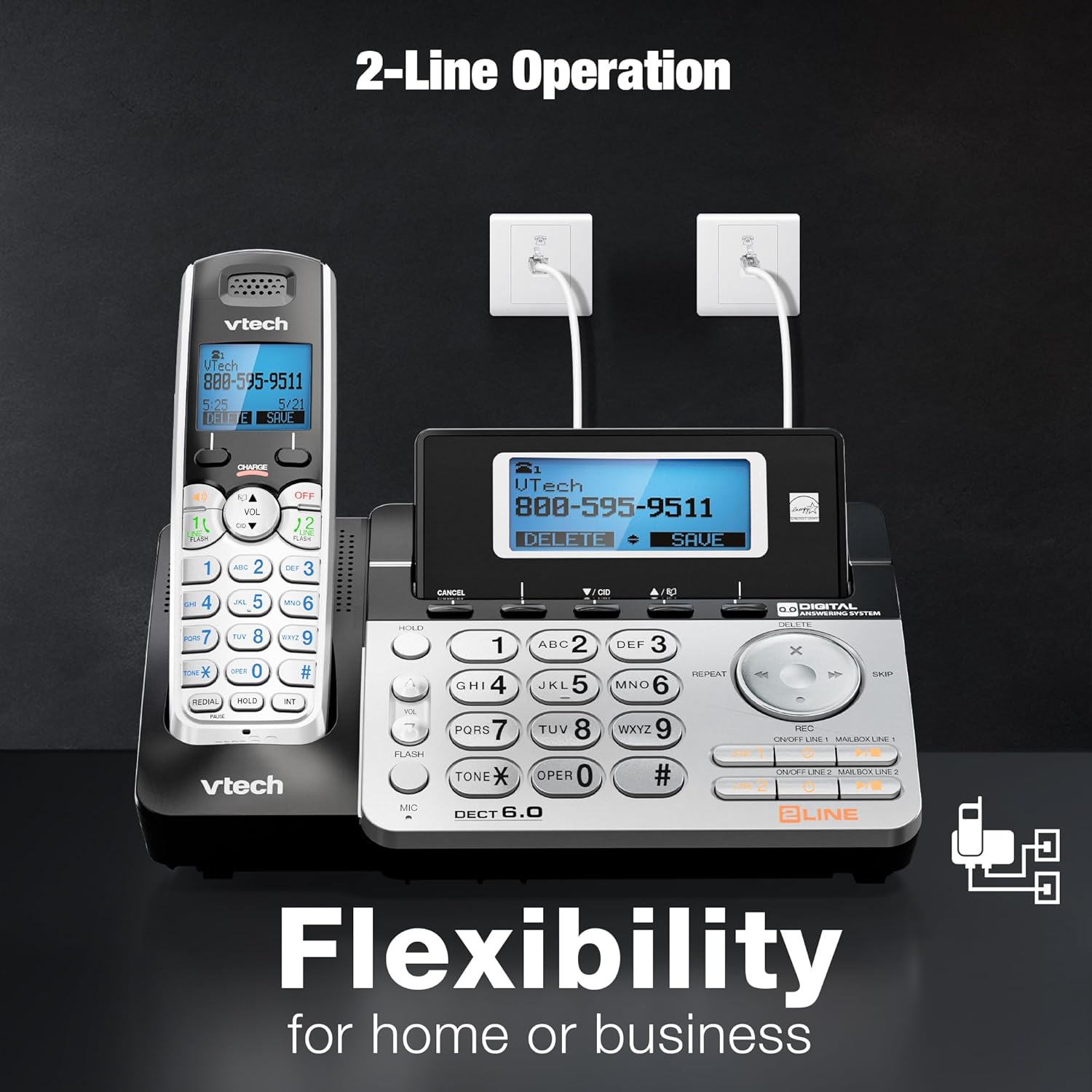
Image: The VTech DS6151-2 base unit and a handset, illustrating the connection of two telephone lines to wall jacks, highlighting the 2-line operation capability.
- Instalacja baterii w słuchawce:
- Otwórz pokrywę komory baterii z tyłu każdego telefonu.
- Podłącz wtyczkę akumulatora do gniazda wewnątrz komory.
- Place the battery pack with the label UP and tuck the wires inside the compartment.
- Zamknij pokrywę komory baterii.
- Ładowanie słuchawek:
- Place each handset in the base unit or charging cradle with the display facing up.
- Na słuchawce zaświeci się kontrolka CHARGE, co będzie oznaczać prawidłowe ładowanie.
- Przed pierwszym użyciem należy ładować słuchawki przez co najmniej 16 godzin.
- Ustaw datę i godzinę:
- After the handsets are charged, follow the on-screen prompts to set the date and time. This is important for the answering system's message time and date stamps.
Instrukcja obsługi
2-Line Operation
The system supports two separate telephone lines. You can conference between an outside line and up to 2 cordless handsets. The system is expandable up to 12 handsets.
- To select a line for an outgoing call, press LINIA 1 or LINIA 2 na słuchawce lub bazie.
- When a call comes in, the corresponding line button will flash. Press it to answer.
Cyfrowy system zgłoszeniowy
The integrated digital answering system records up to 13 minutes of messages and features a voice guide. Each line has its own mailbox.
- Aby odtworzyć wiadomości, naciśnij ODTWÓRZ/ZATRZYMAJ na jednostce bazowej.
- To delete messages, press USUWAĆ podczas odtwarzania wiadomości.
- Messages are time and date stamped dla łatwego odniesienia.

Image: The VTech DS6151-2 base unit and handset, highlighting the digital answering system with a visual indicator of "13 Minutes Recording time."
Identyfikator dzwoniącego / Połączenie oczekujące
The system stores up to 50 names and numbers in the Caller ID history, allowing you to review połączenia przychodzące.
- Naciskać CID on the handset or base to review Rejestr identyfikatorów dzwoniących.
- When a new call comes in while you are on another call, a tone will sound, and the new caller's information will appear on the display (requires Call Waiting service from your provider).

Image: The VTech DS6151-2 phone system, emphasizing the Caller ID / Call Waiting feature with a display indicating storage for "50 Names and Numbers."
Intercom Between Handsets and Base Unit
Communicate privately between handsets or between a handset and the base unit without using a telephone line.
- Aby rozpocząć połączenie interkomowe, naciśnij INT on the handset or base, then select the desired destination.
Handset and Base Speakerphones
Enjoy hands-free conversations with the built-in speakerphones on both the handsets and the base unit.
- Naciśnij GŁOŚNIK button on the handset or base during a call to activate the speakerphone.

Image: The VTech DS6151-2 base unit and a handset, illustrating the speakerphone function for "Hands-Free" conversations.
Trilingual Prompts
The system offers voice prompts and menu options in English, Spanish, and French.
- Refer to the full user manual for instructions on changing the language settings.
Voicemail Waiting Indicator
The handset display provides a visual alert for new voicemail messages (requires voicemail service from your provider).

Image: A VTech DS6151-2 handset displaying a voicemail alert, indicating new messages are waiting.
High-Contrast Backlit Screen and Large Buttons
The handsets feature a high-contrast backlit screen and enlarged buttons, making it easy to see details and dial even in low light conditions.
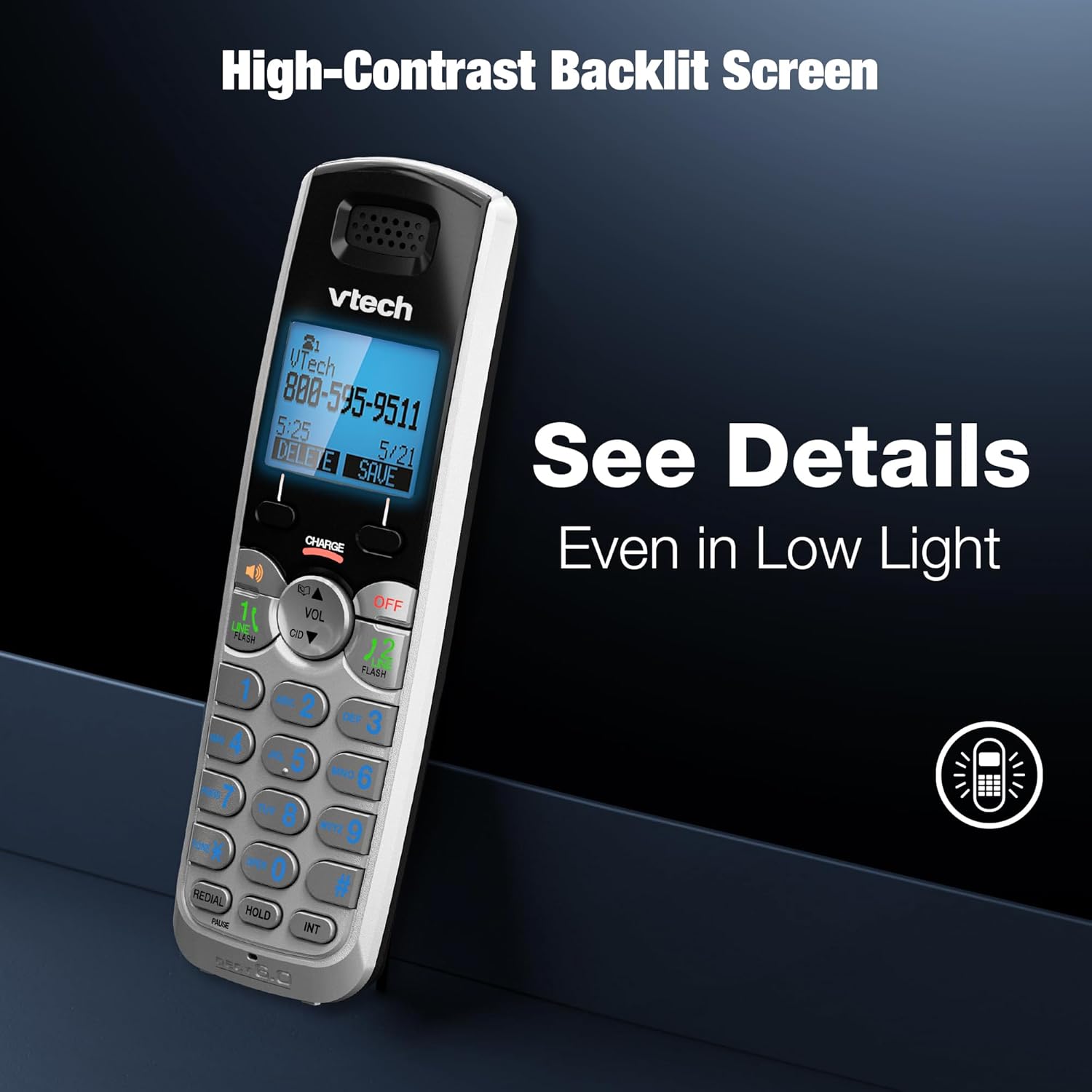
Image: A VTech DS6151-2 handset showcasing its high-contrast backlit screen, designed for clear visibility in various lighting conditions.

Image: The VTech DS6151-2 phone system, illustrating the large display and enlarged buttons on both the base and handset for improved readability and ease of use.
Long Range with DECT 6.0
DECT 6.0 digital technology provides superior sound quality, security, and range. Enjoy clear, interference-free audio and extended range for long distances with exceptional clarity.

Image: The VTech DS6151-2 phone system depicted in a large home environment, demonstrating its long-range capability with DECT 6.0 technology.
Konferencje telefoniczne
Easily conference between an outside line and up to 2 cordless handsets for seamless communication.

Image: A woman using the VTech DS6151-2 phone system, illustrating its ability to conference calls between an outside line and multiple handsets.
Konserwacja
Proper maintenance ensures the longevity and optimal performance of your VTech DS6151-2 phone system.
- Czyszczenie: Przetrzyj telefon i jednostkę bazową miękką szmatką.amp ściereczką. Nie używaj sprayów czyszczących ani silnych środków chemicznych.
- Pielęgnacja baterii:
- If the handset will not be used for a long period, remove the battery to prevent leakage.
- Replace batteries when the handset indicates low battery or when talk time significantly decreases. Use only the specified AAA rechargeable batteries.
- Lokalizacja: Unikaj umieszczania telefonu w miejscu narażonym na bezpośrednie działanie promieni słonecznych, w pobliżu źródeł ciepła lub w miejscach o dużej wilgotności.
Rozwiązywanie problemów
Jeśli masz problemy z systemem telefonicznym, wypróbuj poniższe kroki rozwiązywania problemów:
| Problem | Rozwiązanie |
|---|---|
| Brak sygnału wybierania. |
|
| Słuchawka się nie ładuje. |
|
| Słaba jakość dźwięku lub szumy. |
|
| Automatyczna sekretarka nie nagrywa wiadomości. |
|
Więcej szczegółowych informacji na temat rozwiązywania problemów znajdziesz w pełnej instrukcji obsługi.
Specyfikacje
| Funkcja | Szczegół |
|---|---|
| Wymiary produktu | 8.5 x 6.5 x 5 cala |
| Waga przedmiotu | 1.9 funta |
| Numer modelu | DS6151-2 |
| Baterie | Wymagane 2 baterie AAA (w zestawie) |
| Marka | VTech |
| Kolor | Srebrny/Czarny |
| Typ telefonu | Bezprzewodowy |
| Tworzywo | Plastikowy |
| Źródło zasilania | Elektryczny przewodowy |
| Typ systemu odbierającego | Cyfrowy |
| Czas rozmów telefonicznych | 1.5 godzin |
| Możliwość rozbudowy | Możliwość rozbudowy do 12 słuchawek |
| Historia identyfikacji dzwoniącego | 50 Name and number |
| Czas nagrywania w systemie sekretarskim | Do 13 minut |
| Technologia | Technologia cyfrowa DECT 6.0 |
Gwarancja i wsparcie
VTech products are designed for reliability and performance. For detailed warranty information, technical support, and frequently asked questions, please refer to the official user manual or visit the VTech support webstrona.
Oficjalna instrukcja obsługi (PDF): Pobierz tutaj
For further assistance, please contact VTech customer service.


