Wstęp
This manual provides essential information for the safe and efficient operation of your Vonyx ST180 Portable Sound System. Please read these instructions carefully before use and retain them for future reference.
The Vonyx ST180 is a versatile, self-contained portable sound system featuring a 12-inch woofer, 450 Watts of power, Bluetooth connectivity, CD/MP3 player (USB/SD), and multiple microphone inputs. Its integrated battery, telescopic handle, and wheels make it suitable for various mobile applications.
Instrukcje bezpieczeństwa
- Źródło zasilania: Upewnij się, że zasilanie jest zgodne z objtage określone na urządzeniu. Używaj wyłącznie dołączonego kabla zasilającego.
- Woda i wilgoć: Aby uniknąć porażenia prądem elektrycznym lub pożaru, nie wystawiaj urządzenia na działanie deszczu i wilgoci.
- Wentylacja: Zapewnij odpowiednią wentylację. Nie blokuj otworów wentylacyjnych.
- Ciepło: Trzymaj urządzenie z dala od źródeł ciepła, takich jak grzejniki, kratki wentylacyjne, piece i inne urządzenia wytwarzające ciepło.
- Czyszczenie: Przed czyszczeniem odłącz od zasilania. Używaj wyłącznie suchej ściereczki.
- Serwisowanie: Nie próbuj samodzielnie naprawiać urządzenia. Wszelkie prace serwisowe zlecaj wykwalifikowanemu personelowi.
- Pielęgnacja baterii: For optimal battery life, fully charge the unit before first use and recharge regularly. Avoid complete discharge.
Organizować coś
1. Rozpakowanie i wstępna kontrola
Carefully remove the sound system and all accessories from the packaging. Inspect the unit for any signs of damage during transit. Retain the packaging for future transport or storage.
2. Power Connection and Battery Charging
Connect the provided power cable to the AC inlet on the rear panel of the unit and then to a suitable wall outlet. The internal battery will begin charging automatically. The "CHARGE" indicator light will illuminate during charging.

Obraz 1: The Vonyx ST180 Portable Sound System with its telescopic handle extended, ready for transport. This image shows the overall design and portability features.

Obraz 2: Rear panel connections of the Vonyx ST180, including the AC power inlet, external battery terminals, and RCA Line Out ports.
A full charge is recommended before the first use to maximize battery life. The unit can operate while charging.
3. Konfiguracja mikrofonu
- Mikrofony bezprzewodowe: Insert batteries into the two UHF wireless microphones. The system operates on 863.000 MHz and 865.000 MHz. Ensure the microphones are switched on. The "RF" indicator on the control panel will light up when a wireless microphone is connected.
- Mikrofon przewodowy: Connect the wired microphone to the 6.35mm MIC input jack on the control panel.
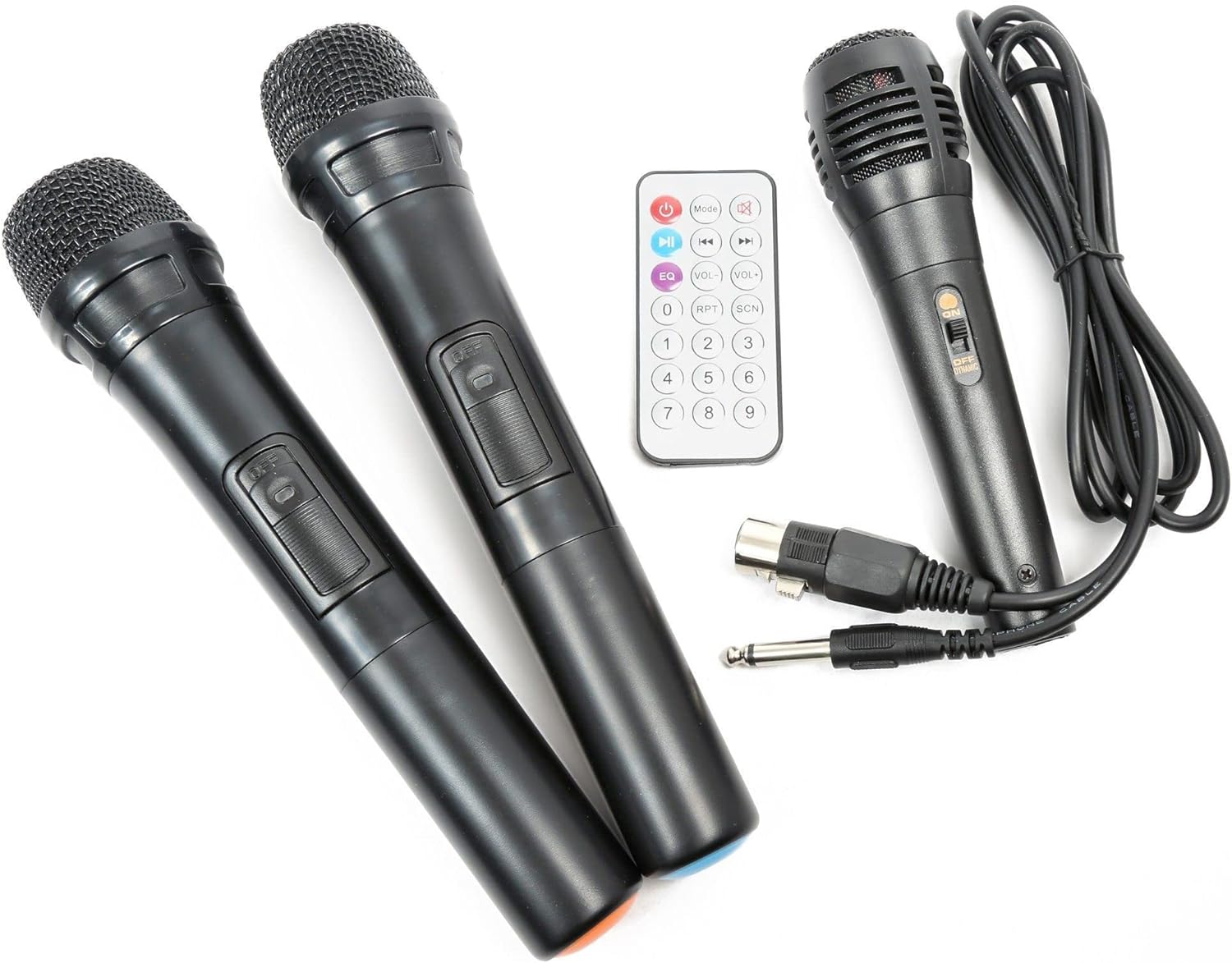
Obraz 3: Included accessories: two UHF wireless microphones, one wired microphone, and the infrared remote control.
Instrukcja obsługi
1. Włączanie/wyłączanie zasilania
Locate the "POWER" switch on the control panel. Flip it to the "ON" position to power on the unit. Flip it to "OFF" to power down.

Obraz 4: Nadview of the Vonyx ST180 control panel, featuring master volume, EQ controls, microphone inputs, and the integrated media player.
2. Wybór źródła dźwięku
The ST180 supports multiple audio sources:
- Bluetooth:
- Press the "MODE" button on the media player or remote control until "BT" appears on the display.
- On your smartphone, tablet, or computer, enable Bluetooth and search for "VONYX".
- Select "VONYX" to pair. A confirmation tone will sound upon successful pairing.
- Możesz teraz bezprzewodowo przesyłać strumieniowo dźwięk ze swojego urządzenia.
- CD/MP3 Player (USB/SD):
- Włóż płytę CD do napędu CD, dysk USB do portu USB lub kartę SD do gniazda karty SD.
- The unit will automatically detect the media and begin playback, or you may need to press the "MODE" button to select the correct source (USB or SD).
- Use the playback controls (Play/Pause, Next, Previous, Folder, Repeat, Shuffle) on the unit or remote control.
- Line Input (3.5mm Jack): Connect an external audio device (e.g., laptop, MP3 player) using a 3.5mm audio cable to the "LINE INPUT" jack. Select "LINE" mode if available, or ensure no other media is playing.
- External Audio Input (RCA): Connect devices with RCA outputs to the "LINE IN" RCA ports on the control panel.
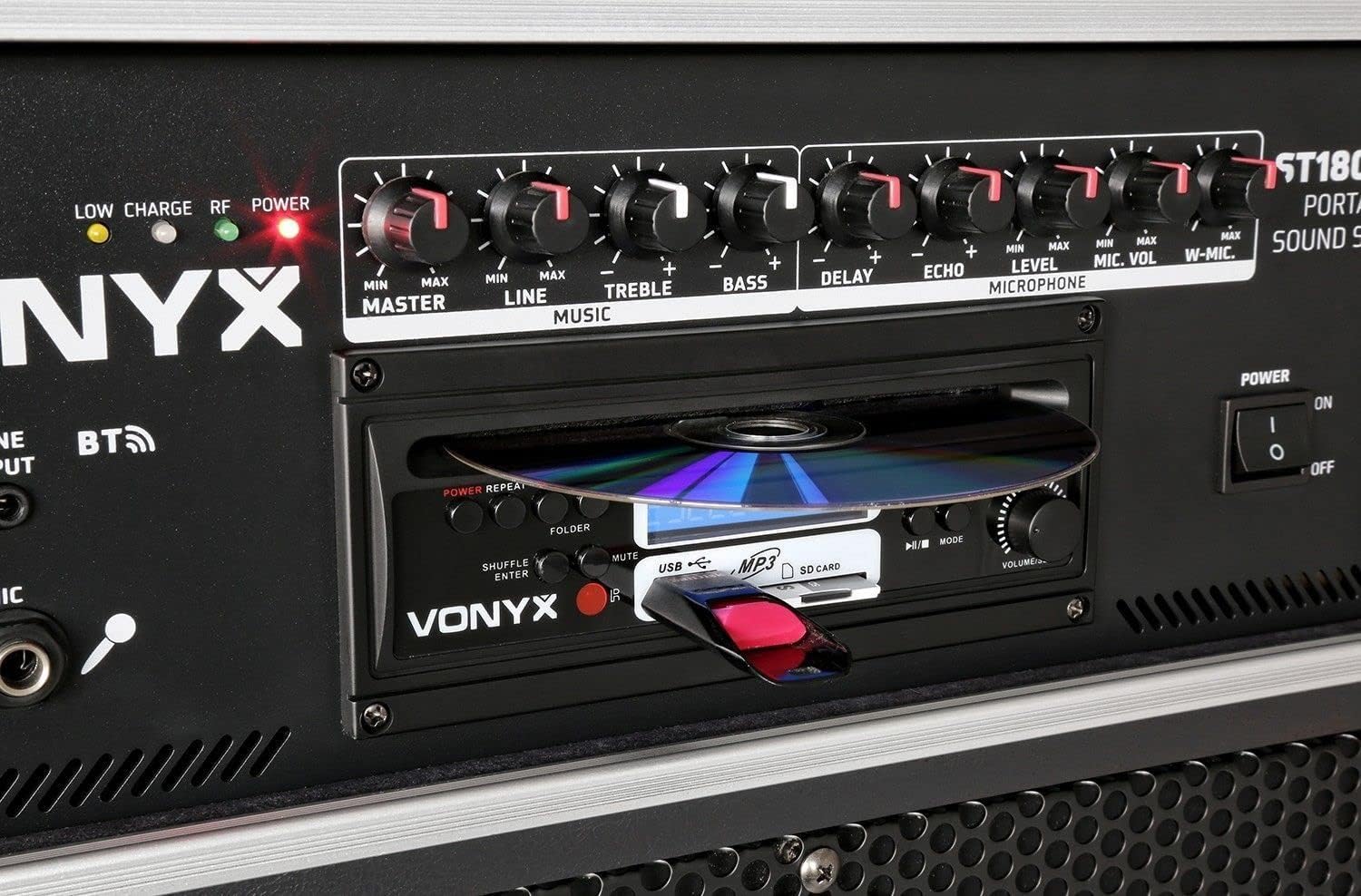
Obraz 5: Szczegółowy view of the integrated media player, showing the CD tray, USB port, and SD card slot. A USB drive is inserted.
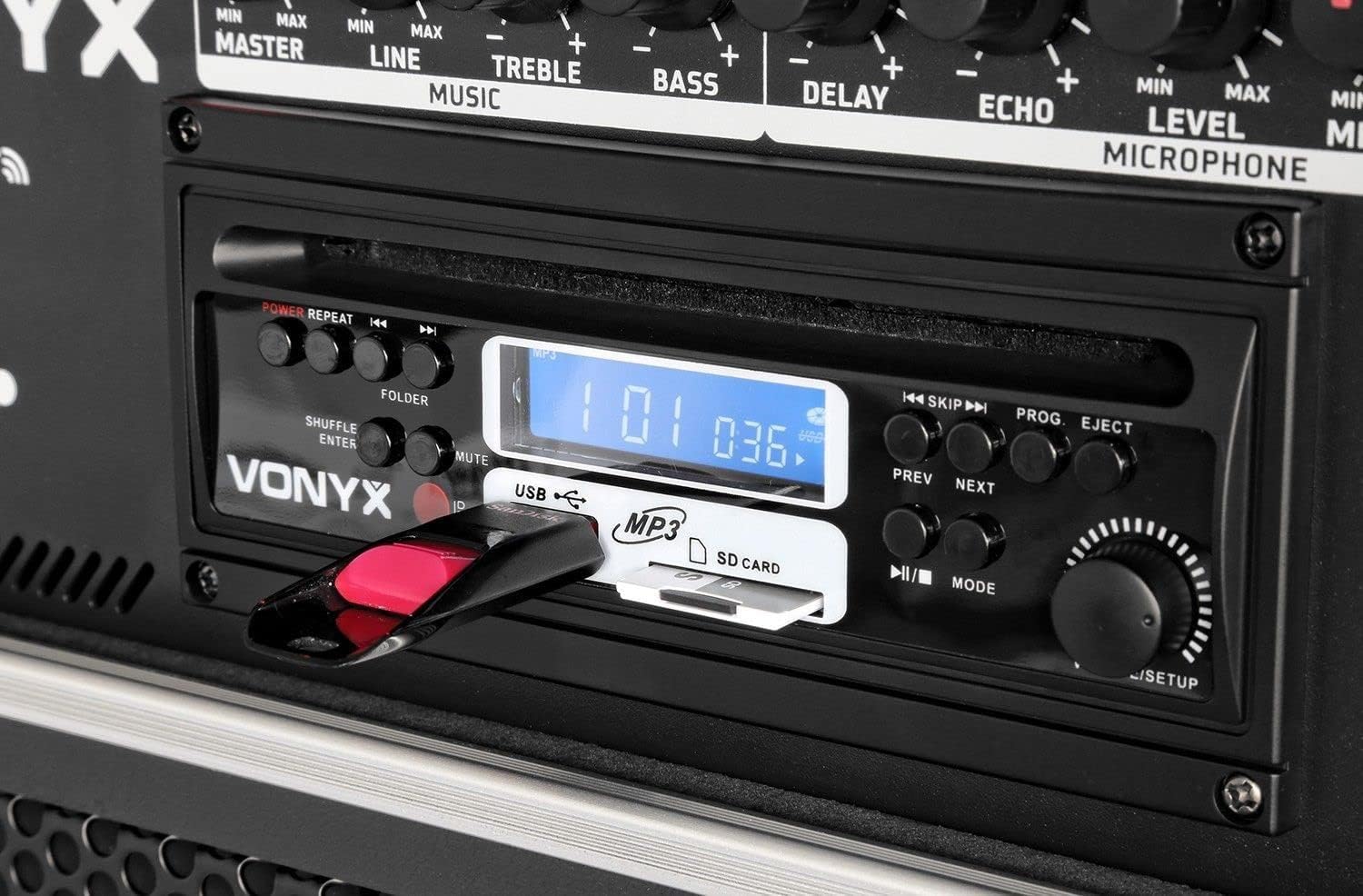
Obraz 6: Close-up of the media player's control buttons and digital display, indicating playback status and selected source.
3. Użycie mikrofonu
Adjust the microphone volume using the "MIC VOL" knob for wired microphones and "W-MIC" knob for wireless microphones. Use the "LEVEL" knob to fine-tune the microphone input sensitivity. Apply "DELAY" and "ECHO" effects as desired.
4. Sterowanie dźwiękiem
- MISTRZ: Controls the overall output volume of the system.
- LINIA: Adjusts the volume of the line input sources.
- POTROIĆ: Dostosowuje odpowiedź wysokich częstotliwości.
- GITARA BASOWA: Dostosowuje odpowiedź niskiej częstotliwości.
5. Pilot zdalnego sterowania
The included infrared remote control allows for convenient operation of the media player functions (play, pause, track skip, mode selection) and volume adjustments from a distance.
Konserwacja
- Czyszczenie: Do czyszczenia zewnętrznej części urządzenia należy używać miękkiej, suchej ściereczki. Nie należy używać środków czyszczących o właściwościach ściernych ani rozpuszczalników.
- Przechowywanie baterii: If storing the unit for an extended period, ensure the battery is partially charged (around 50%) and recharge it every few months to prevent deep discharge.
- Transport: When moving the unit, utilize the telescopic handle and wheels. Exercise caution on uneven surfaces.
Rozwiązywanie problemów
| Problem | Możliwa przyczyna | Rozwiązanie |
|---|---|---|
| Brak zasilania | Power cable disconnected; unit switched off; battery depleted. | Check power cable connection; ensure power switch is ON; charge the battery. |
| Brak dźwięku | Master volume too low; incorrect input selected; audio source not playing. | Increase MASTER volume; select correct input mode; ensure audio source is playing and its volume is up. |
| Mikrofon nie działa | Microphone switched off; batteries depleted (wireless); MIC/W-MIC volume too low; incorrect frequency (wireless). | Switch microphone ON; replace batteries; increase MIC/W-MIC volume; ensure wireless microphones are on correct frequencies (863.000 MHz / 865.000 MHz). |
| Bluetooth nie łączy się | Unit not in Bluetooth mode; device too far; previously paired with another device. | Select "BT" mode; ensure device is within range; disconnect from other Bluetooth devices and try pairing again. |
| Nie można odtwarzać płyt CD/USB/SD | Incorrect media format; media not inserted correctly; media player mode not selected. | Ensure media is in supported format (MP3); re-insert media; select correct mode (CD, USB, or SD). |
Specyfikacje
| Marka | VONYKS |
| Numer modelu | 170.013 |
| Moc wyjściowa | 450 watów |
| Rozmiar głośnika niskotonowego | 12 cali |
| Liczba kanałów | 2 |
| Wejścia audio | USB, SD/MMC, Bluetooth, 6.3mm Jack (Microphone), 3.5mm Jack (External Audio), RCA Line In |
| Wyjście audio | RCA Stereo Line Out |
| Częstotliwości mikrofonów bezprzewodowych | Częstotliwość 863.000 MHz, 865.000 MHz |
| Odpowiedź częstotliwościowa | Do 20,000 Hz |
| Akumulator do ponownego ładowania | 12V/4.5Ah (Integrated) |
| Technologia łączności | Bluetooth, USB |
| Cechy specjalne | Bluetooth, USB Port, Portable, CD Player, SD Card Slot, Telescopic Handle, Wheels |
| Wymiary (dł. x szer. x wys.) | Wymiary 32 x 43 x 76 cm |
| Waga przedmiotu | 32.7 kilograma |
| Tworzywo | Nylon |
| Źródło zasilania | AC and Battery Combination |
| Typ montażu | Montaż na słupie |
Gwarancja i wsparcie
For warranty information and technical support, please refer to the documentation provided with your purchase or visit the official Vonyx webZachowaj dowód zakupu na wypadek roszczeń gwarancyjnych.
Producent: Wonyks
Informacje kontaktowe: Please refer to the Vonyx official website or your retailer for the most up-to-date support contact details.


