1. Wprowadzenie
This manual provides detailed instructions for the setup, operation, maintenance, and troubleshooting of your Leopold FC750R PD 87-key High-end Mechanical Keyboard. Please read this manual thoroughly before using the product to ensure proper functionality and longevity.
2. Zawartość opakowania
Po otwarciu opakowania należy sprawdzić, czy zawiera ono wszystkie poniższe elementy:
- Leopold FC750R PD Mechanical Keyboard body
- Pokrywa klawiatury
- Kabel PS/2
- USB cable (removable type, 1.8m)
- Ściągacz nasadek klawiszy
- Instrukcja obsługi (ten dokument)
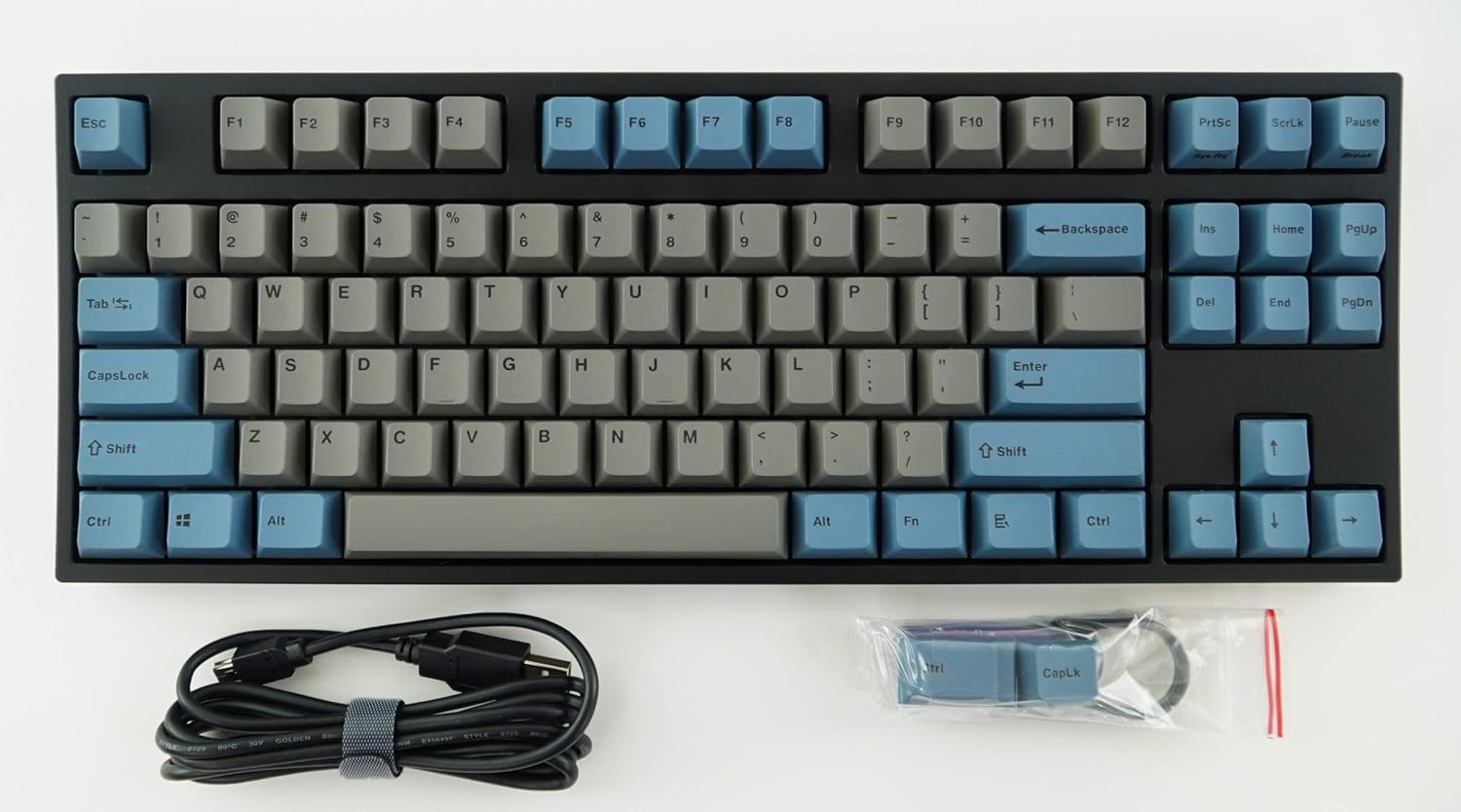
Image: The Leopold FC750R PD Mechanical Keyboard shown with its included accessories, including the USB cable and keycap puller.
3. Konfiguracja
Follow these steps to set up your Leopold FC750R PD Mechanical Keyboard:
- Rozpakuj klawiaturę: Ostrożnie wyjmij klawiaturę i wszystkie akcesoria z opakowania.
- Podłącz kabel: The keyboard supports both USB and PS/2 interfaces.
- For USB connection: Connect the removable USB cable to the port on the back of the keyboard and then to an available USB port on your computer.
- For PS/2 connection: Connect the PS/2 cable to the port on the back of the keyboard and then to the PS/2 keyboard port on your computer.
- Zgodność z systemem operacyjnym: The keyboard is compatible with Microsoft Windows 7, 8, 10, Vista, and XP. No special drivers are typically required for basic functionality.
- Umieszczenie: Place the keyboard on a stable, flat surface. You can adjust the keyboard's angle using the flip-out feet located on the underside.

Obraz: Bok view of the Leopold FC750R PD keyboard showing the adjustable feet extended for ergonomic tilt.
4. Instrukcja obsługi
The Leopold FC750R PD is an 87-key mechanical keyboard designed for standard typing and gaming. Its layout is a Tenkeyless (TKL) design, omitting the numeric keypad for a more compact form factor.
4.1. Podstawowe użytkowanie
Once connected, the keyboard should be immediately recognized by your operating system. You can begin typing and using it for all standard computer input tasks.

Obraz: Widok z góry na dół view of the Leopold FC750R PD mechanical keyboard, showcasing its 87-key layout with grey and blue keycaps.
4.2. Klawisze funkcyjne (kombinacje Fn)
The keyboard may feature secondary functions accessible via the Fn key. Refer to the keycaps for printed legends indicating these functions (e.g., media controls, volume adjustment, etc.). To activate a secondary function, hold down the Fn key and press the desired function key (F1-F12) or other designated key.

Obraz: Zbliżenie view of the left side of the Leopold FC750R PD keyboard, highlighting the Esc, F1-F4, Tab, CapsLock, Shift, and Ctrl keys.
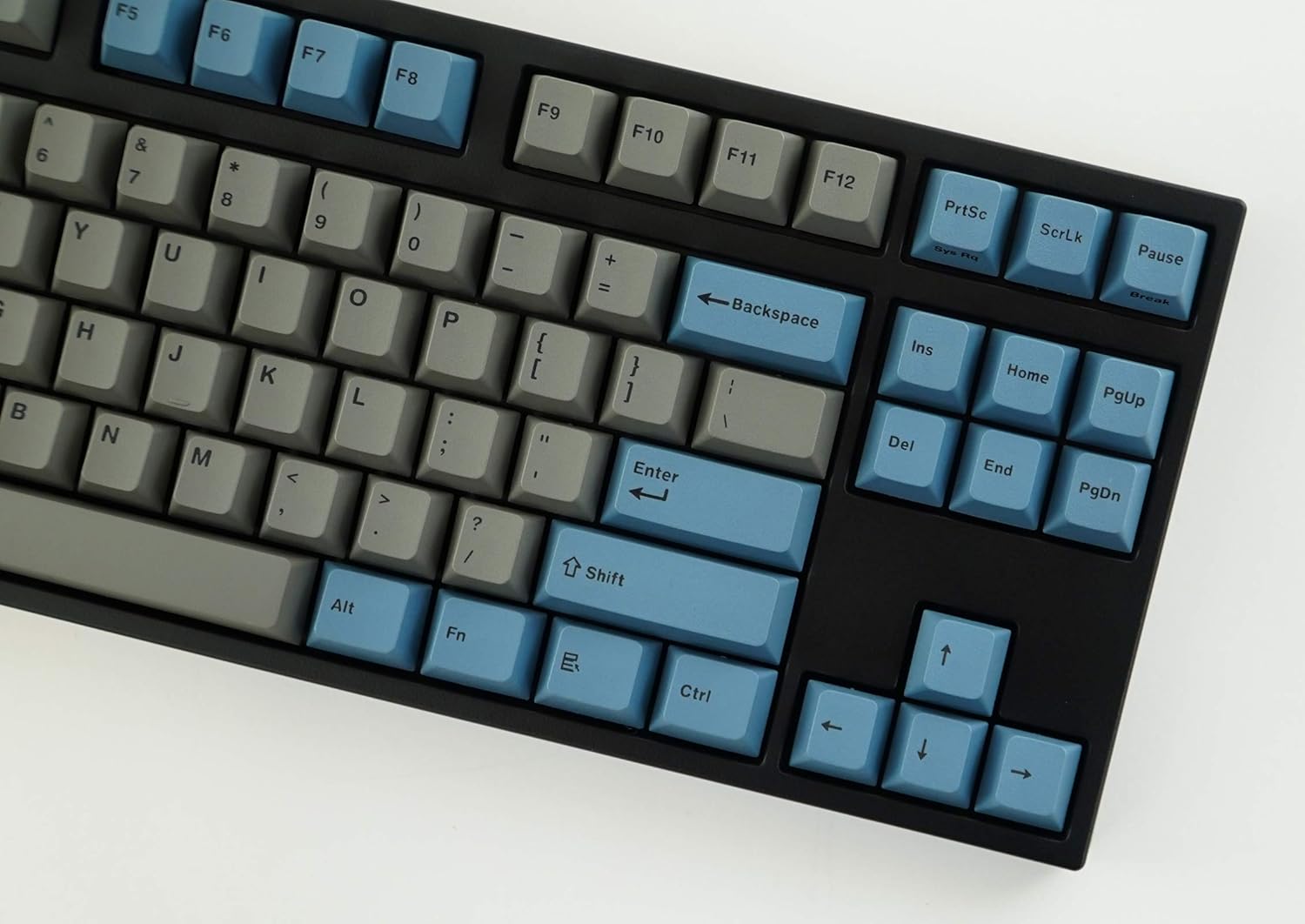
Obraz: Zbliżenie view of the right side of the Leopold FC750R PD keyboard, showing the Backspace, Enter, Shift, and arrow keys, along with the Insert, Home, Page Up, Delete, End, and Page Down keys.
5. Konserwacja
Proper maintenance will extend the lifespan of your mechanical keyboard.
- Czyszczenie nakładek klawiszy: Użyj miękkiego, damp cloth to wipe down the keycaps. For deeper cleaning, you can use the included keycap puller to remove keycaps and clean them with mild soap and water. Ensure keycaps are completely dry before reattaching.
- Czyszczenie korpusu klawiatury: Use a soft, dry cloth to wipe dust from the keyboard body. For stubborn dirt, a slightly damp Można użyć ściereczki, ale należy unikać nadmiernej wilgoci.
- Usuwanie kurzu: Use compressed air to blow out dust and debris from between the keycaps and switches.
- Unikaj płynów: Nie rozlewaj płynów na klawiaturę. W przypadku zalania natychmiast odłącz klawiaturę od komputera i pozostaw ją do całkowitego wyschnięcia przed ponownym podłączeniem.
- Składowanie: When not in use, store the keyboard in a clean, dry environment, ideally using the included keyboard cover to protect it from dust.

Image: A low-angle side profile of the Leopold FC750R PD keyboard, showcasing the keycap profile and the keyboard's sturdy build.
6. Rozwiązywanie Problemów
If you encounter issues with your Leopold FC750R PD keyboard, try the following steps:
- Klawiatura nie odpowiada:
- Ensure the USB or PS/2 cable is securely connected to both the keyboard and the computer.
- Try connecting the keyboard to a different USB or PS/2 port on your computer.
- Sprawdź działanie klawiatury na innym komputerze, aby ustalić, czy problem dotyczy klawiatury czy konfiguracji komputera.
- Uruchom ponownie komputer.
- Niektóre klawisze nie działają:
- Sprawdź, czy pod klawiszem nie znajdują się żadne przeszkody fizyczne.
- Carefully remove the keycap using the keycap puller and inspect the switch for any visible damage or debris.
- Opóźnienie wejściowe lub rozłączenia:
- Sprawdź, czy kabel nie jest uszkodzony lub zagięty.
- Avoid connecting the keyboard through unpowered USB hubs; connect directly to the computer if possible.
If the problem persists after trying these steps, please contact Leopold customer support for further assistance.
7. Specyfikacje
| Funkcja | Szczegół |
|---|---|
| Numer modelu | FC750R_EGBPD |
| Zmień markę | Cherry MX (Black Switch) |
| Liczba kluczy | 87 kluczy |
| Kluczowy rzut | 19mm |
| Naciśnięcie klawisza | 4 ± 0.5 mm |
| Materiał nasadek klawiszy | 1.5mm PBT (Polybutylene Terephthalate) |
| Wymiary (dł. x szer. x wys.) | 36.00cm X 14.00cm X 3.30cm (14.17"L x 5.51"W x 1.3"H) |
| Waga | 1 kg (2.2 funtów) |
| Długość kabla | 1.8m (Removable type) |
| Płytka drukowana | FR-4 Dual Layer |
| Obsługiwany system operacyjny | Microsoft Windows 7, 8, 10, Vista, XP |
| Interfejs | USB & PS/2 |
| Kolor | Grey/Blue |
8. Gwarancja i wsparcie
Leopold products are manufactured to high quality standards. For information regarding warranty coverage, please refer to the warranty card included with your product or visit the official Leopold website. For technical support or service inquiries, please contact Leopold customer service through their official channels.
You can visit the Leopold Store on Amazon for more information: Leopold Store


