1. Wprowadzenie
The ecobee Switch+ is a smart light switch designed to integrate seamlessly into your smart home ecosystem, offering advanced lighting control and built-in Amazon Alexa functionality. This manual provides detailed instructions for installation, operation, and troubleshooting to ensure optimal performance of your device.

Obraz: Przód view of the ecobee Switch+ Smart Light Switch.
The ecobee Switch+ combines smart lighting features with the convenience of Amazon Alexa, allowing you to control your lights with voice commands, motion detection, ambient light sensors, and through the ecobee mobile app. It also supports Apple HomeKit and Google Assistant for broader smart home integration.
Produkt ponadview Wideo
Wideo: Oficjalnyview of the ecobee Switch+ Smart Light Switch, highlighting its key features and benefits.
2. Informacje dotyczące bezpieczeństwa
WARNING: Installation involves handling high voltage wiring. If you are uncomfortable or unfamiliar with electrical work, consult a qualified electrician. Always turn off power at the circuit breaker before beginning installation.
The ecobee Switch+ requires a neutral wire and a ground wire for proper operation. It is compatible with single-pole switches only and is not designed for use with 3-way or 4-way switches. Ensure your electrical setup meets these requirements before proceeding.
3. Co znajduje się w pudełku
- Ecobee Switch+ Inteligentny włącznik światła
- Dekoracyjna płytka wykończeniowa
- Instrukcje instalacji
- Drut nakrętki

Image: The ecobee Switch+ box contents, showing the switch, wall plate, wire nuts, and setup instructions on a smartphone screen.
4. Konfiguracja i instalacja
Installation of the ecobee Switch+ typically takes about 45 minutes and can be completed by following the step-by-step instructions provided in the ecobee mobile app. Ensure you have the necessary tools: a Philips head screwdriver, a flathead screwdriver, and pliers (optional).
Kroki instalacji:
- Wyłącz zasilanie: Locate your circuit breaker and turn off the power to the switch you are replacing. Confirm power is off by flipping the switch a few times.
- Usuń stary przełącznik: Carefully remove the existing wall plate and unscrew the old light switch from the wall box.
- Identyfikacja przewodów: Identify the line, load, neutral, and ground wires. The ecobee Switch+ requires a neutral wire (typically white) and a ground wire (typically copper or green).
- Connect ecobee Switch+: Use the provided wire nuts to connect the ecobee Switch+ wires to your home's wiring according to the in-app instructions.
- Przełącznik montażowy: Secure the ecobee Switch+ into the wall box using the mounting screws.
- Zainstaluj płytę ścienną: Attach the decorative trim plate.
- Przywróć zasilanie: Włącz ponownie zasilanie za pomocą wyłącznika obwodu.
- Konfiguracja aplikacji: Download the ecobee app from the App Store or Google Play. Follow the in-app prompts to connect your Switch+ to your Wi-Fi network and complete the setup, including linking with Amazon Alexa, Apple HomeKit, or Google Home.
Detailed Installation and Setup Video
Video: A comprehensive guide demonstrating the unboxing, installation process, and initial setup of the ecobee Switch+ using the mobile app.
5. Instrukcja obsługi
Kontrola fizyczna:
The ecobee Switch+ features a rocker-style switch. Press the bottom portion to toggle the connected lights on or off.
Sterowanie głosowe za pomocą Amazon Alexa:
With built-in Amazon Alexa, you can control your lights and access Alexa's features directly from the switch. Simply say "Alexa" followed by your command.
- "Alexa, włącz światło."
- "Alexa, wyłącz światło."
- „Alexa, ustaw timer na 5 minut.”
- "Alexa, jaka jest pogoda?"
- To mute Alexa, press the top portion of the switch until the light ring turns red. Press again to unmute.

Image: A family using voice commands to interact with the ecobee Switch+ in a living room setting.
Kontrola aplikacji mobilnej:
Use the ecobee mobile app (available on Android and iOS) to control your lights remotely, adjust settings, and manage smart features.
- Toggle lights on/off.
- Configure Smart On/Off settings.
- Set Night Light preferences.
- Integrate with Apple HomeKit and Google Home for centralized control.

Image: The ecobee Switch+ on a wall, with a smartphone showing the ecobee app interface for remote light control.
6. Inteligentne funkcje
The ecobee Switch+ offers several intelligent features to automate your lighting:
- Smart On: Automatically turns on lights when motion is detected in the room. You can configure daylight detection and 'Do Not Disturb' times to prevent activation during specific periods.
- Smart Off: Automatically turns off lights when no one is detected in the room after a set period (e.g., 1 minute). This helps conserve energy.
- Światło nocne: Provides a subtle glow in the dark, useful for hallways or children's rooms. This feature can be enabled or disabled via the app.
- Czujnik światła otoczenia: Detects the amount of natural light in a room to optimize lighting behavior.
- Czujnik ruchu: Detects occupancy to trigger Smart On/Off features.
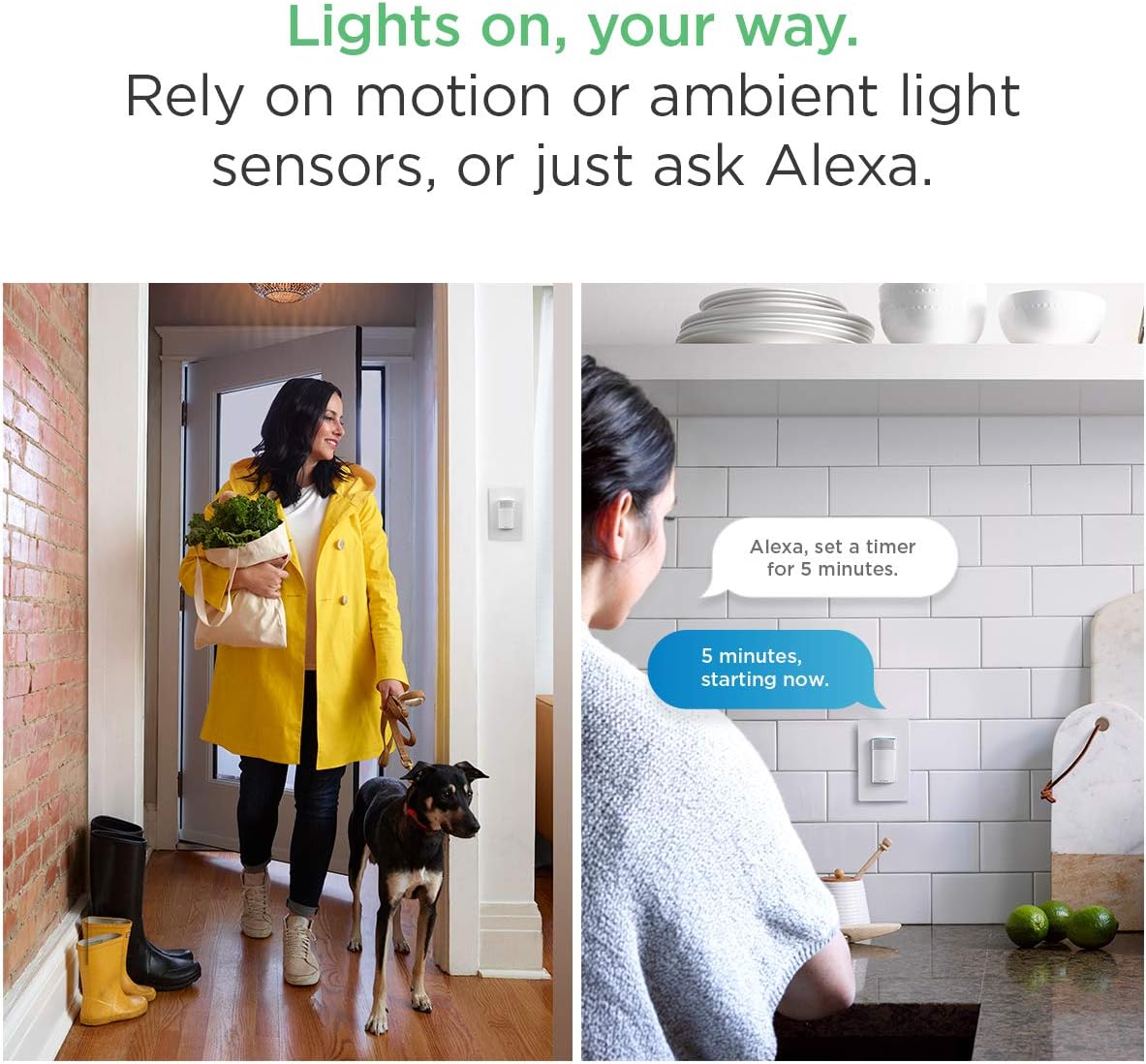
Image: Demonstrates motion-activated lighting and voice control for setting timers.
7. Konserwacja
- Czyszczenie: Gently wipe the surface of the switch and wall plate with a soft, dry cloth. Avoid using abrasive cleaners or solvents.
- Aktualizacje oprogramowania: Ensure your ecobee Switch+ firmware is up to date through the ecobee mobile app to access the latest features and improvements.
8. Rozwiązywanie Problemów
- Światła nie reagują: Check if the circuit breaker is on. Ensure the switch is properly installed and wired. Verify Wi-Fi connectivity.
- Alexa nie odpowiada: Ensure Alexa is not muted (red light ring). Check Wi-Fi connection. Re-link your Amazon account in the ecobee app if necessary.
- Problemy z łącznością Wi-Fi: Ensure your Wi-Fi network is 2.4 GHz. If using a mesh Wi-Fi system, ensure the switch is connecting to a stable signal. Try restarting your router.
- Funkcje Smart nie działają: Verify settings in the ecobee app for Smart On, Smart Off, and Night Light. Check for any 'Do Not Disturb' schedules that might be interfering.
9. Specyfikacje
| Specyfikacja | Wartość |
|---|---|
| Numer modelu | EB-SMSWV-02 |
| Dimensions (Switch+) | Height: 106 mm (4.17 inch), Width: 45 mm (1.8 inch), Depth: 50 mm (2 inch) |
| Dimensions (Wall Plate) | Height: 119 mm (4.7 inch), Width: 45 mm (2.95 inch), Depth: 7 mm (0.3 inch) |
| Wymagania elektryczne | 120V AC 60Hz, 600W incandescent, 150W LED and CFL |
| Okablowanie | Neutral and ground wire required, Automatic line and load wire switching |
| Zgodność | Single/double/multi-switch (not 3-way compatible), Rocker style plates |
| Łączność | Wi-Fi, IEEE 802.11 b/g/n 2.4 GHz, WPA/WPA2, WEP, DHCP, TLS, 915 MHz |
| Metoda kontroli | Voice (Amazon Alexa), Mobile App (Android, iOS), HomeKit, Google Assistant |
| Tryb działania | Automatyczny, wyłączony, inteligentny wyłączony |
| Tworzywo | Miedź (materiał stykowy) |
| Certyfikaty | RoHS compliant, UL Listed |
10. Gwarancja i wsparcie
Gwarancja:
The ecobee Switch+ comes with a 1-Year Limited Warranty. Please refer to the warranty documentation included with your product for full details and terms.
Obsługa klienta:
For further assistance, technical support, or warranty claims, please contact ecobee customer support through their official website or the ecobee mobile app.