Wstęp
Thank you for choosing the Macally USB Wired Keyboard. This compact and versatile keyboard is designed to enhance your productivity on both Mac and Windows PC systems. Featuring 78 scissor switch keys and 13 shortcut keys, it offers a comfortable and efficient typing experience. This manual provides detailed instructions for setup, operation, maintenance, and troubleshooting to ensure optimal performance of your new keyboard.

Image: The Macally USB Wired Keyboard, showcasindzięki kompaktowej konstrukcji i białemu wykończeniu.
Główne cechy
- Versatile Compact Design: Boosts productivity and saves desk space, ideal for both home and office environments.
- Easy Plug and Play Setup: Simple USB connection for immediate use with Mac and Windows PCs.
- Zgodność z systemami Mac i Windows: Seamless operation across different operating systems.
- 13 One-Touch Shortcut Keys: Dedicated keys for Mac functions (cut/copy/paste/iTunes) and multimedia hotkeys for Windows.
- Scissor Switch Keys: Provides a responsive, tactile, and quiet typing experience.
- Integrated Typing Angle: Subtle angle for improved comfort during extended use.
Przewodnik po konfiguracji
1. Rozpakowywanie
Carefully remove the keyboard from its packaging. Ensure all components, including the keyboard and user guide, are present.
2. Podłączanie klawiatury
- Locate an available USB-A port on your Mac or Windows PC.
- Plug the USB connector of the Macally keyboard into the USB-A port.
- For Mac users with only USB-C ports, a USB-C to USB-A adapter (not included) will be required.

Image: The Macally USB Wired Keyboard with its USB-A cable, illustrating the simple wired connection for Mac and PC.
3. Driver Installation (Automatic)
The Macally USB Wired Keyboard is plug-and-play. Your operating system (Mac OS or Windows) will automatically detect the keyboard and install the necessary drivers. No manual driver installation is required.
Instrukcja obsługi
Podstawowe pisanie
Once connected, the keyboard is ready for immediate use. Simply begin typing as you would with any standard keyboard.
Using Shortcut Keys
The keyboard features 13 dedicated shortcut keys for enhanced productivity. These keys are located on the top row of the keyboard (F1-F12 and an additional key).
| Klawisz | Function (Mac) |
|---|---|
| F1 | Zmniejsz jasność |
| F2 | Zwiększ jasność |
| F3 | Kontrola misji |
| F4 | Platforma startowa |
| F5 | Keyboard Backlight Decrease (if applicable) |
| F6 | Keyboard Backlight Increase (if applicable) |
| F7 | Previous Track (Media) |
| F8 | Play/Pause (Media) |
| F9 | Next Track (Media) |
| F10 | Wycisz głośność |
| F11 | Zmniejsz głośność |
| F12 | Zwiększ głośność |
| Eject Key | Power Off / Eject (depending on system configuration) |
For Windows PC users, these keys function as standard multimedia hotkeys (e.g., play/pause, volume control).
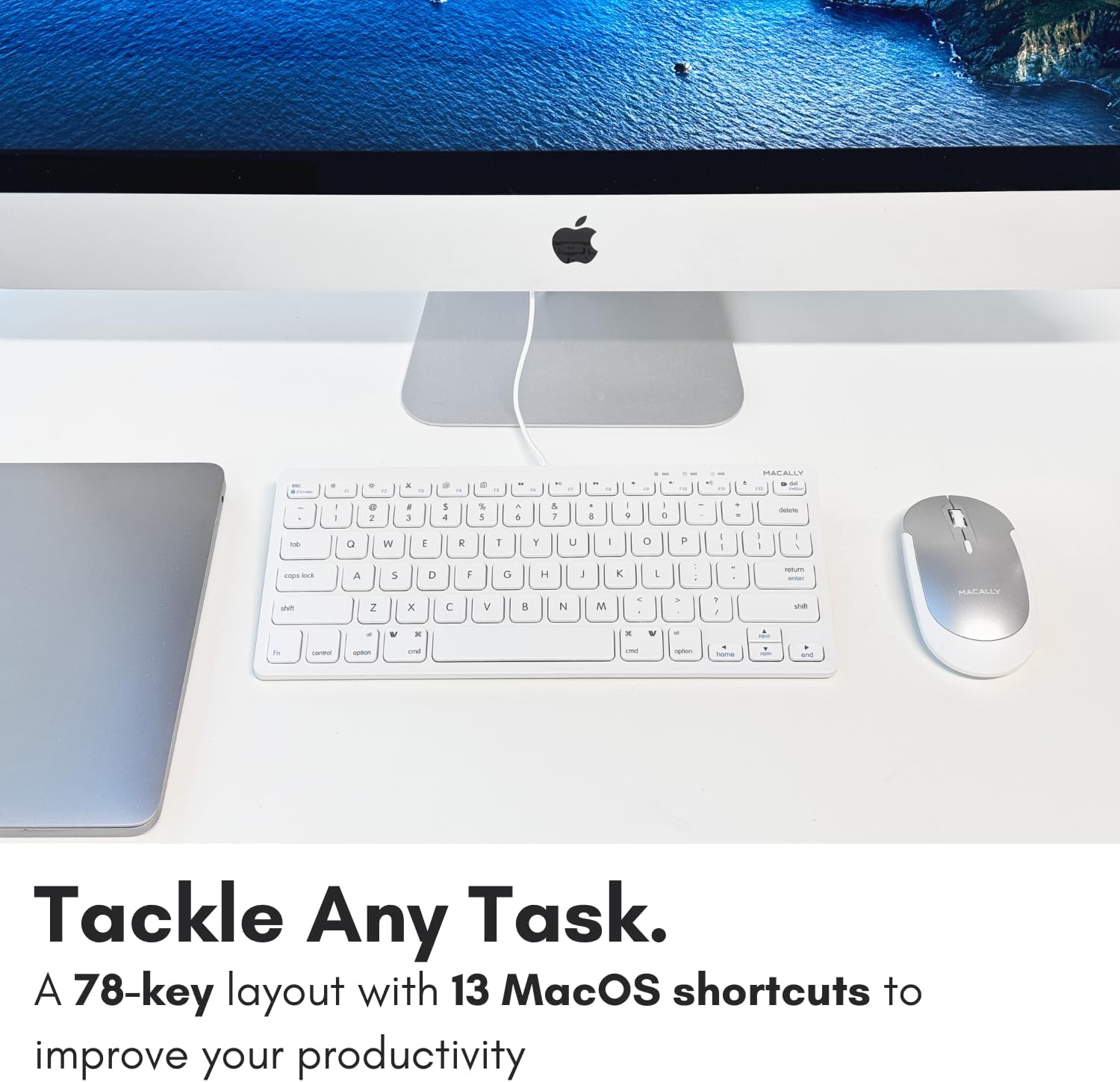
Obraz: Zbliżenie view of the Macally keyboard, highlighting the 13 shortcut keys designed for efficiency.
Konserwacja
Czyszczenie klawiatury
- Przed czyszczeniem odłącz klawiaturę od komputera.
- Użyj miękkiej, niestrzępiącej się ściereczki, lekko wyczyśćampwodą lub łagodnym roztworem czyszczącym.
- Unikaj nadmiernej wilgoci i nie rozpylaj środków czyszczących bezpośrednio na klawiaturę.
- Do usuwania kurzu i zanieczyszczeń spomiędzy klawiszy należy użyć sprężonego powietrza.
Składowanie
Jeśli klawiatura nie będzie używana przez dłuższy czas, należy ją przechowywać w chłodnym, suchym miejscu, z dala od bezpośredniego światła słonecznego i ekstremalnych temperatur.
Rozwiązywanie problemów
| Problem | Rozwiązanie |
|---|---|
| Klawiatura nie odpowiada |
|
| Klawisze nie działają poprawnie lub są lepkie |
|
| Shortcut keys not working on Mac |
|
Specyfikacje
| Funkcja | Szczegół |
|---|---|
| Numer modelu | SLIMKEYC |
| Łączność | USB Wired (USB-A) |
| Liczba kluczy | 78 |
| Klawisze skrótu | 13 (Mac functions / Windows multimedia) |
| Typ klucza | Przełącznik nożycowy |
| Zgodność | Mac OS, Windows OS, Linux, Chrome OS |
| Wymiary (dł. x szer. x wys.) | 11.2 x 4.7 x 0.2 cala |
| Waga | 10.4 uncji |
| Długość kabla | Około 4.7 stóp |
Gwarancja i wsparcie
Macally stands behind its products. The Macally USB Wired Keyboard comes with up to a 2-letnia gwarancja I LIFETIME tech support.
For technical assistance, warranty claims, or further inquiries, please visit the official Macally webodwiedź witrynę lub skontaktuj się bezpośrednio z działem obsługi klienta.
Więcej informacji i materiałów pomocniczych znajdziesz na stronie: www.macally.com
Filmy o produktach
Compact USB Wired Keyboard for Mac and PC
Video: An official product video from Jukegear (Seller) demonstrating the compact design and wired connectivity of the Macally USB keyboard for both Mac and PC systems. This video highlights the ease of use and compatibility.


