1. Wprowadzenie
This manual provides essential instructions for the proper installation, operation, and maintenance of the Traxon TI.IC.0030000 TX-Connect Smart Indoor Interconnection Cable. Please read this manual thoroughly before using the product to ensure safe and efficient functionality.
The Traxon TI.IC.0030000 is an 11.82-inch interconnection cable designed exclusively for use with the Traxon TX-Connect System in indoor environments. It facilitates reliable data and power transmission between compatible Traxon devices.
2. Koniec produktuview
The Traxon TI.IC.0030000 cable is a compact and durable solution for connecting components within the Traxon TX-Connect ecosystem. Its design ensures secure and stable connections for various indoor applications.
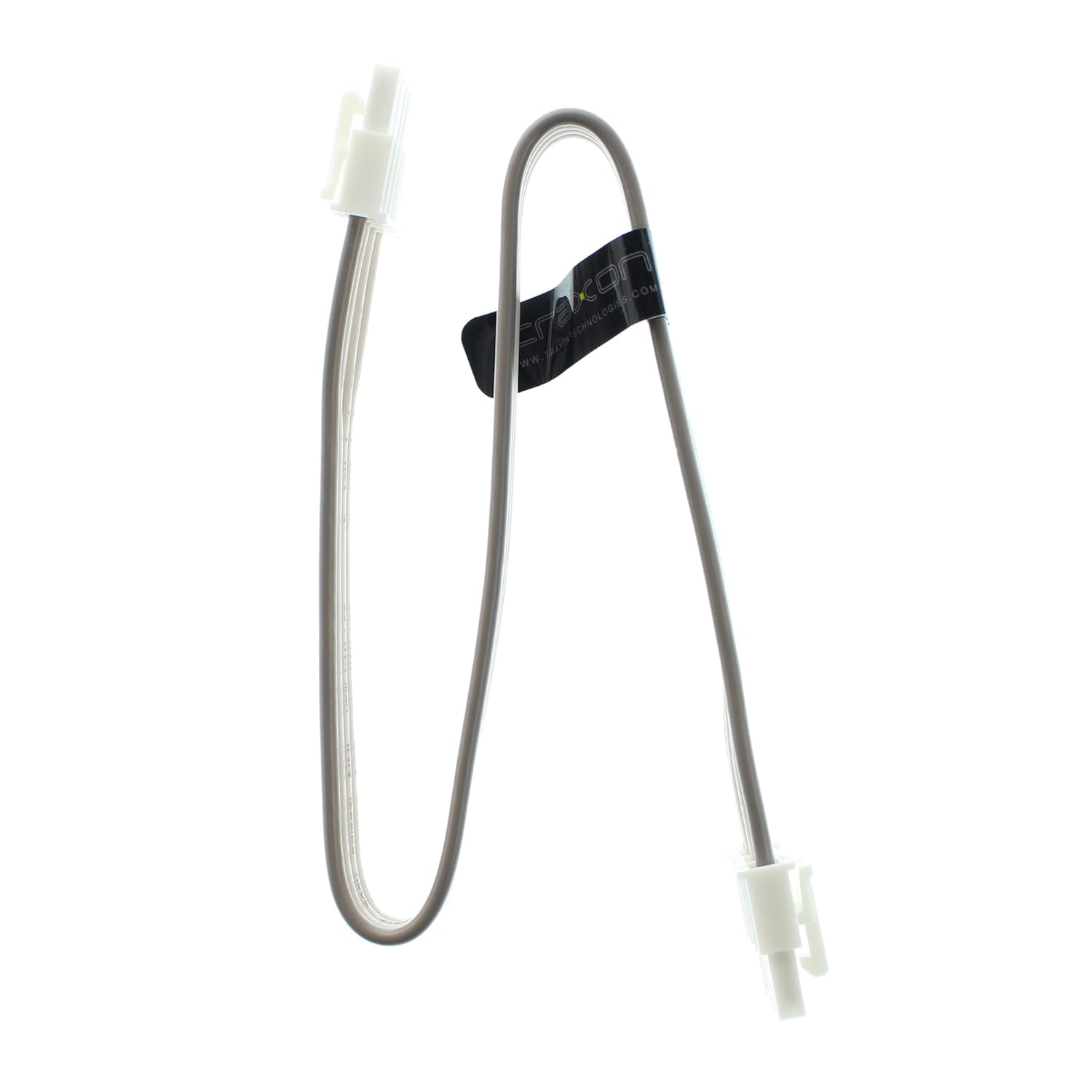
Figure 1: Traxon TI.IC.0030000 TX-Connect Smart Indoor Interconnection Cable. This image displays the full length of the 11.82-inch cable with its white connectors at each end.
3. Konfiguracja i instalacja
This cable is designed for plug-and-play functionality within the specified system. Ensure all devices are powered off before making connections.
- Zidentyfikuj zgodne porty: Locate the designated TX-Connect ports on your Traxon devices. These ports are typically labeled or identifiable by their specific connector shape.
- Podłącz kabel: Gently insert one end of the TI.IC.0030000 cable into the TX-Connect output port of the first device. Ensure the connector is fully seated and secure.
- Connect to Second Device: Insert the other end of the cable into the TX-Connect input port of the second device. Verify a firm connection.
- Włączanie: Once all connections are secure, power on your Traxon TX-Connect System components.
Ważna uwaga: This cable is exclusively for indoor use and must only be connected to Traxon TX-Connect System components. Using it with incompatible systems or in outdoor environments may result in damage or malfunction.

Rysunek 2: Zbliżenie view of the cable's connector. This image highlights the specific design of the connector, which ensures proper fit and secure connection within the Traxon TX-Connect System.
4. Działanie
Once properly connected, the Traxon TI.IC.0030000 cable operates passively, facilitating the intended communication and power transfer between the connected Traxon TX-Connect devices. No user interaction is required for its operation beyond initial setup.
5. Konserwacja i pielęgnacja
To ensure the longevity and optimal performance of your Traxon TI.IC.0030000 cable, follow these guidelines:
- Czyszczenie: Use a soft, dry cloth to gently wipe the cable and connectors. Avoid using liquid cleaners or abrasive materials.
- Składowanie: Store the cable in a cool, dry place away from direct sunlight and extreme temperatures when not in use. Avoid sharp bends or kinks in the cable.
- Obsługiwanie: Always grasp the connector housing when plugging or unplugging the cable. Do not pull on the cable itself, as this can damage the internal wiring.
- Środowisko: Ensure the cable is used strictly in indoor environments, as it is not designed to withstand outdoor elements.
6. Rozwiązywanie Problemów
If you experience issues with your Traxon TX-Connect System that you suspect are related to the interconnection cable, consider the following:
- Brak połączenia/Połączenie przerywane:
- Ensure both ends of the cable are fully and securely seated in their respective ports.
- Verify that the cable is not visibly damaged (e.g., cuts, severe kinks).
- Test with a known working Traxon TI.IC.0030000 cable if available, to rule out the cable as the source of the problem.
- System się nie włącza:
- Confirm that all power supplies for the Traxon TX-Connect System components are correctly connected and functioning.
- Ensure the cable is properly connected between the power-distributing and power-receiving components.
If problems persist after following these steps, consult the user manuals for your specific Traxon TX-Connect devices or contact Traxon customer support.
7. Specyfikacje
The following are the technical specifications for the Traxon TI.IC.0030000 TX-Connect Smart Indoor Interconnection Cable:
| Numer modelu | TI.IC.0030000 |
| Marka | Traxon |
| Długość | 11.82 cala (około 30 cm) |
| Typ złącza | Proprietary TX-Connect (RJ45-like) |
| Typ kabla | Interconnection Cable (Ethernet-based signaling) |
| Kompatybilne urządzenia | Traxon TX-Connect System components |
| Zalecane zastosowania | Indoor networking, Connecting electronic devices, Stage/studio equipment |
| Wymiary produktu | 12 x 0.6 x 0.1 cala |
| Waga przedmiotu | 1 funt |

Figure 3: Close-up of the cable's identification label. This image clearly shows the model number TI.IC.0030000 printed on the cable's label, confirming the product's identity.
8. Gwarancja i wsparcie
For information regarding warranty coverage, technical support, or service inquiries for your Traxon TI.IC.0030000 cable, please refer to the documentation provided with your complete Traxon TX-Connect System or visit the official Traxon webDane kontaktowe do działu obsługi klienta są zazwyczaj dostępne na stronie producenta. webstrona.


