Wstęp
This manual provides detailed instructions for the installation, setup, and operation of your LUX Kono KN-S-MG1 Smart Thermostat. Please read this manual thoroughly before beginning installation or operation to ensure proper functionality and safety.
The LUX Kono KN-S-MG1 is a programmable smart thermostat designed to personalize your home comfort and optimize energy savings through features like geofencing and remote control via the LUX app.
Informacje dotyczące bezpieczeństwa
OSTRZEŻENIE: Ryzyko porażenia prądem elektrycznym
- Always turn off power to the heating and cooling system at the main circuit breaker or fuse box before installing or servicing the thermostat.
- Improper wiring can cause damage to the thermostat or the HVAC system.
- Jeśli nie jesteś pewien, jaką czynność należy wykonać, instalację powinien wykonać wykwalifikowany technik.
- Ensure all wiring connections are secure and insulated.
Zawartość opakowania
Sprawdź, czy w przesyłce znajdują się wszystkie elementy:
- LUX Kono KN-S-MG1 Smart Thermostat
- Sprzęt montażowy (śruby, kotwy ścienne)
- LUX Power Bridge (for systems without a C-wire)
- Instrukcja instalacji (ten dokument)
Instalacja
Before installation, ensure the power to your HVAC system is turned off at the circuit breaker.
1. Wyjmij stary termostat
- Wyłącz zasilanie systemu HVAC za pomocą wyłącznika automatycznego.
- Zdejmij pokrywę starego termostatu.
- Zrób zdjęcie połączeń przewodów, aby mieć je pod ręką.
- Disconnect the wires one by one, labeling each wire with the corresponding terminal letter (e.g., R, C, Y, G, W).
- Remove the old thermostat's backplate from the wall.
2. Wiring the Kono KN-S-MG1
The Kono KN-S-MG1 requires a C-wire for continuous power. If your system does not have a C-wire, use the included LUX Power Bridge.
Zgodność:
- Forced air, gas, oil & electric furnaces (up to 2 Heat/1 Cool stagjest)
- Heat pump systems (with or without auxiliary/emergency heat)
Refer to the wiring diagram specific to your HVAC system type. Connect the labeled wires to the corresponding terminals on the Kono backplate.
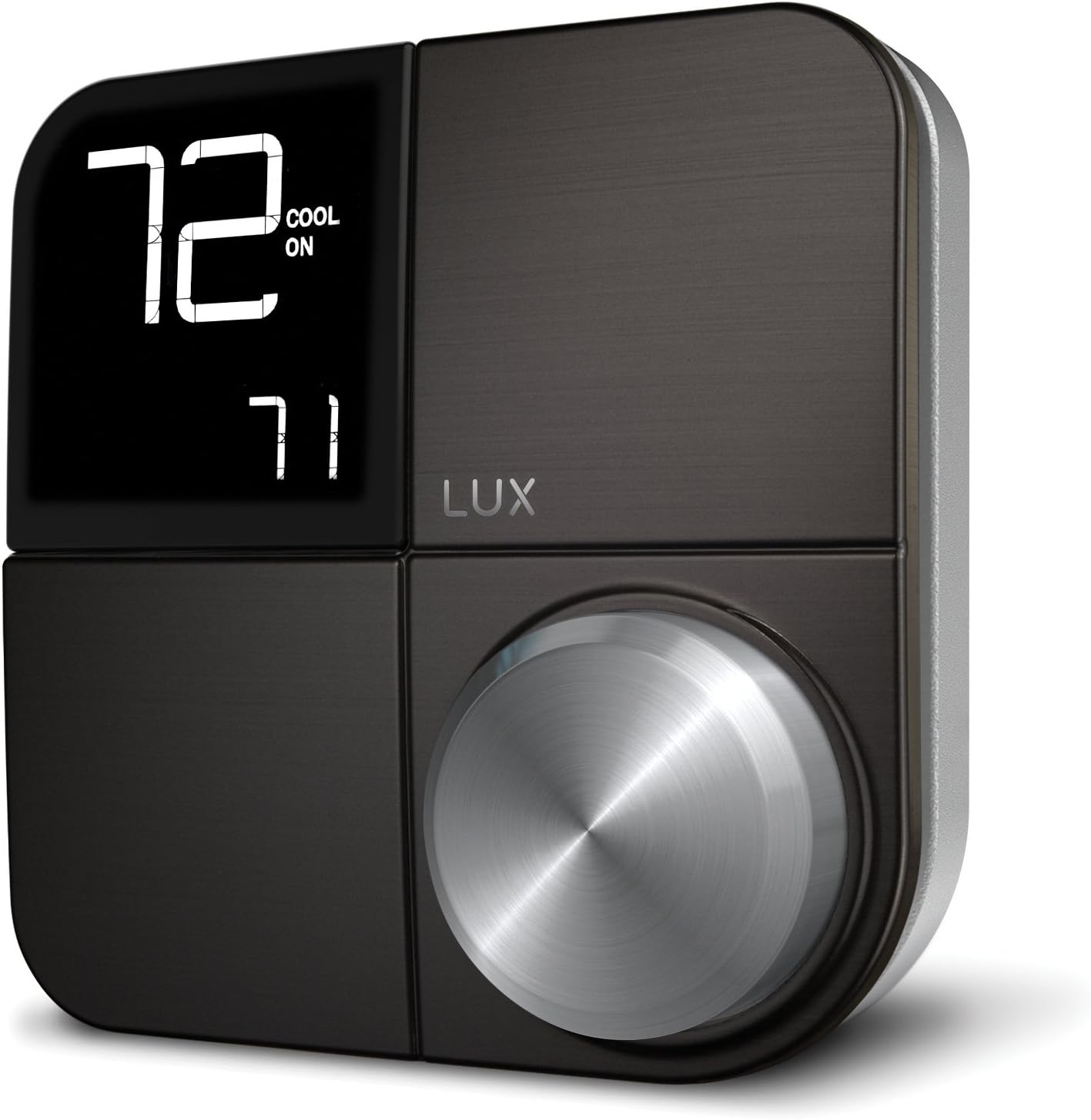 Obraz: Przód view of the LUX Kono KN-S-MG1 Smart Thermostat, displaying its digital screen and control knob.
3. Montaż termostatu
- Mount the Kono backplate to the wall using the provided screws and anchors. Ensure it is level.
- Carefully push any excess wire back into the wall opening.
- Align the Kono thermostat body with the backplate and gently push it into place until it clicks securely.
 Image: The LUX Kono KN-S-MG1 Smart Thermostat installed on a wall, blending into a modern dining room environment.
Konfiguracja początkowa i połączenie Wi-Fi
- Włączanie: Restore power to your HVAC system at the circuit breaker. The thermostat display should illuminate.
- Download the LUX App: Download the official LUX app from your smartphone's app store.
- Utwórz konto: Postępuj zgodnie z instrukcjami w aplikacji, aby utworzyć nowe konto użytkownika lub zaloguj się, jeśli już je posiadasz.
- Połącz się z Wi-Fi: The app will guide you through connecting your Kono thermostat to your home Wi-Fi network. Ensure your Wi-Fi network is 2.4GHz compatible.
- Konfiguracja systemu: The app will prompt you to configure your HVAC system type (e.g., conventional, heat pump) and other settings.
Instrukcja obsługi
Podstawowa obsługa
- Regulacja temperatury: Use the control knob on the thermostat or the LUX app to set your desired temperature.
- Tryb systemowy: Switch between Heat, Cool, Auto, and Off modes using the thermostat interface or the app.
- Tryb wentylatora: Select Fan On (continuous operation) or Fan Auto (fan runs only when heating/cooling) via the thermostat or app.
Harmonogramy programowania
The Kono KN-S-MG1 allows you to create custom heating and cooling schedules to optimize comfort and energy usage. Schedules are typically managed through the LUX app for ease of use.
- Open the LUX app and navigate to the scheduling section.
- Create daily or weekly schedules with different temperature settings for various times of the day (e.g., Wake, Away, Home, Sleep).
- Save your schedules to activate them on the thermostat.
Zaawansowane funkcje
- Geofencing (Home & Away Aware): This feature uses your smartphone's location to automatically adjust the thermostat when you leave or approach your home, saving energy when away and ensuring comfort upon return. Enable and configure this feature within the LUX app.
- Zdalne sterowanie: Control your thermostat from anywhere using the LUX app on your smartphone.
- Sterowanie głosowe: The Kono KN-S-MG1 supports integration with certain smart home platforms like Android and Vera for voice control. Note: This product does NOT work with Amazon Alexa or Apple HomeKit.
Konserwacja
- Czyszczenie: Przetrzyj zewnętrzną część termostatu miękką szmatką.amp ściereczka. Nie należy używać środków czyszczących o właściwościach ściernych ani rozpuszczalników.
- Aktualizacje oprogramowania: Ensure your LUX app and thermostat firmware are up to date for optimal performance and new features. Updates are typically managed through the LUX app.
- Nie wymaga baterii: The Kono KN-S-MG1 is powered by your HVAC system (C-wire) or the LUX Power Bridge, so no battery replacement is necessary.
Rozwiązywanie problemów
| Problem | Możliwa przyczyna | Rozwiązanie |
|---|---|---|
| Wyświetlacz termostatu jest pusty. | Brak zasilania termostatu. | Check the circuit breaker for your HVAC system. Ensure the C-wire or LUX Power Bridge is correctly installed and connected. |
| System HVAC nie reaguje na termostat. | Incorrect wiring; system mode incorrect; power issue. | Verify wiring connections. Ensure the system mode (Heat/Cool/Auto) is correctly selected. Check power to the HVAC unit. |
| Cannot connect to Wi-Fi or app shows "no internet". | Incorrect Wi-Fi password; router issues; 5GHz network. | Ensure correct Wi-Fi password. Restart your router. Confirm your Wi-Fi network is 2.4GHz. Re-attempt Wi-Fi setup through the LUX app. |
| Temperature not maintained as programmed. | Incorrect schedule settings; geofencing interference; system limitations. | Review your schedules in the LUX app. Check geofencing settings. Ensure your HVAC system is functioning correctly. |
For further assistance, please contact LUX customer support.
Specyfikacje
| Marka | LUKS |
| Nazwa modelu | KN-S-MG1 |
| Wymiary produktu | 2.8 x 6.5 x 6 cala |
| Waga przedmiotu | 9.6 uncji |
| Kolor | Czarny |
| Tworzywo | Plastikowy |
| Źródło zasilania | Electric (System C-wire or LUX Power Bridge) |
| Tomtage | 230 V (AC) |
| Technologia łączności | Wi-Fi (2.4 GHz) |
| Typ kontrolera | Android, Vera (Note: Does NOT work with Amazon Alexa or Apple HomeKit) |
| Funkcja specjalna | Geofencing: Home & Away Aware |
| Typ wyświetlacza | LCD z podświetleniem |
| Typ sterowania | Button Control, Voice |
| Typ montażu | Montaż ścienny |
| UPC | 021079170098 |
Gwarancja i wsparcie
For warranty information and technical support, please refer to the official LUX website or contact LUX customer service directly. Keep your purchase receipt as proof of purchase.
 Image: The retail packaging for the LUX Kono Smart Thermostat, showing the product image and key features.


