Wstęp
The DOSS Traveler Bluetooth Speaker is designed to provide high-quality audio in a durable, portable, and waterproof form factor. This manual provides detailed instructions on setting up, operating, and maintaining your speaker to ensure optimal performance and longevity.
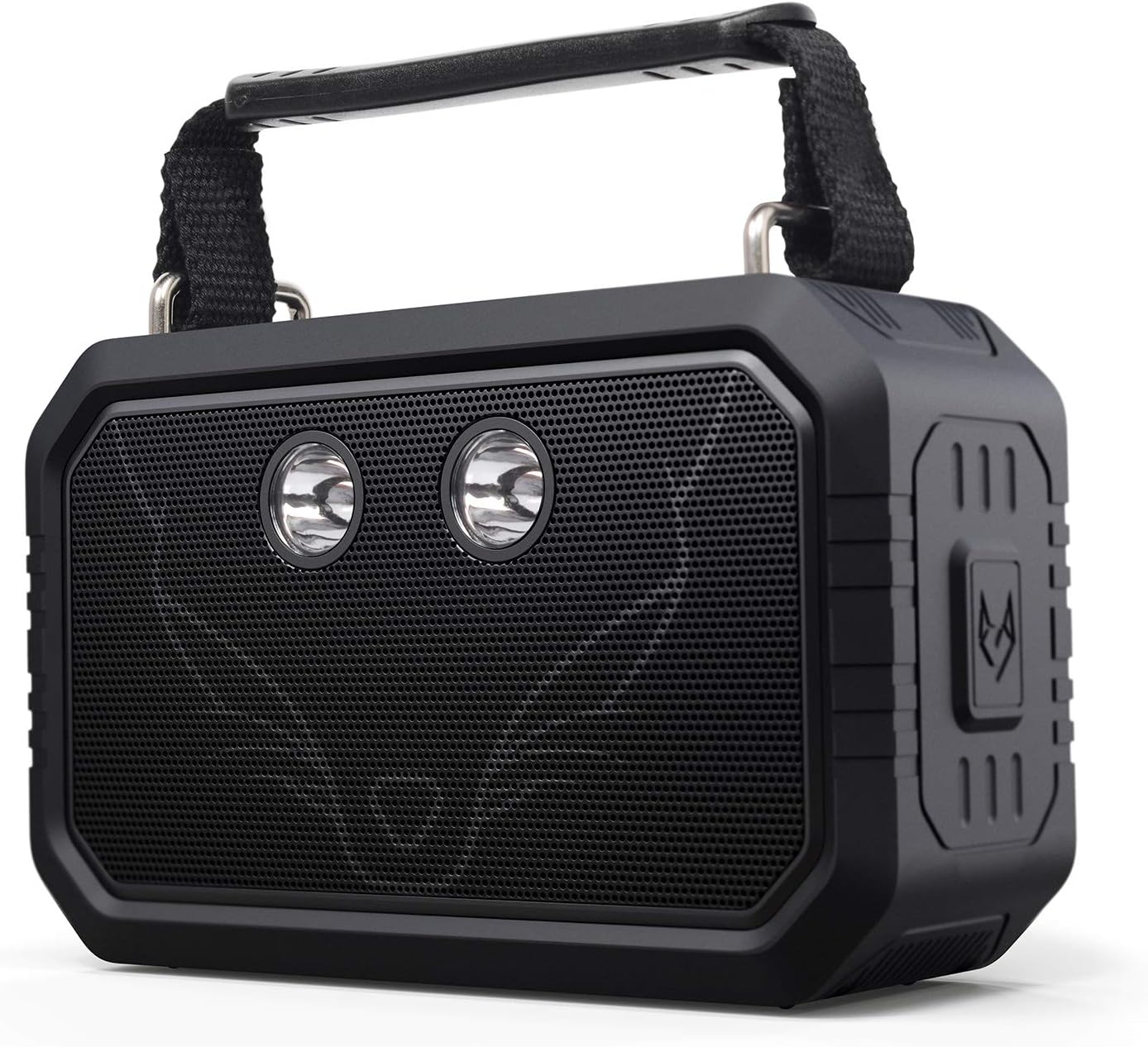
Rycina 1: Przód view of the DOSS Traveler Bluetooth Speaker. This image displays the speaker's robust design, featuring a black rubberized casing, a metal grille covering the dual drivers, and two integrated LED lights. A sturdy handle is visible at the top.
Zawartość opakowania
Proszę sprawdzić, czy w paczce znajdują się następujące elementy:
- DOSS Traveler Bluetooth Speaker
- Krótka rączka
- Flashlight (integrated)
- Charging Cable (USB Type-A)
- Kabel AUX-in
- Instrukcja obsługi (ten dokument)
Produkt ponadview
Familiarize yourself with the various components and controls of your DOSS Traveler speaker.

Rysunek 2: Eksplodowany view of the DOSS Traveler speaker, illustrating its internal components including the dual 10W drivers, passive radiators, and the internal circuitry that supports its audio and lighting features.
Przyciski i porty
- Przycisk zasilania: Naciśnij i przytrzymaj, aby włączyć/wyłączyć.
- Przyciski zwiększania / zmniejszania głośności: Dostosuj głośność dźwięku.
- Przycisk Odtwórz/Pauza: Kontroluj odtwarzanie dźwięku.
- Przycisk Bluetooth: Initiate Bluetooth pairing mode.
- Przycisk trybu światła: Cycle through the five integrated LED flashlight modes (low brightness, medium brightness, high brightness, strobe, SOS).
- Gniazdo kart Micro SD: For direct playback from a Micro SD card.
- Port ładowania: USB Type-A port for charging the speaker.
- Port wejściowy AUX: Wejście audio 3.5 mm do połączeń przewodowych.
Organizować coś
1. Ładowanie głośnika
Before first use, fully charge the speaker. Connect the provided USB charging cable to the speaker's charging port and a compatible USB power source. The charging time is approximately 4 hours. A full charge provides up to 12 hours of playtime.
2. Włączanie/wyłączanie zasilania
Press and hold the Power button for 2-3 seconds to turn the speaker on or off.
3. Parowanie Bluetooth
- Ensure the speaker is powered on and in Bluetooth pairing mode (indicated by a flashing LED indicator).
- Na swoim urządzeniu (smartfonie, tablecie, laptopie) włącz Bluetooth i wyszukaj dostępne urządzenia.
- Select "DOSS Traveler" from the list.
- Once connected, the LED indicator will become solid, and you will hear an audible confirmation.
4. Bezprzewodowe parowanie stereo (TWS)
To achieve a 40W stereo sound experience, you can pair two DOSS Traveler speakers together:
- Ensure both DOSS Traveler speakers are powered on and not connected to any other Bluetooth devices.
- On one speaker, press and hold the Bluetooth button until you hear a pairing tone. This speaker will become the primary unit.
- The second speaker will automatically connect to the primary unit. You will hear a confirmation tone once paired.
- Połącz urządzenie z głównym głośnikiem przez Bluetooth, jak opisano w kroku 3.
Instrukcja obsługi
Podstawowe odtwarzanie dźwięku
- Regulacja głośności: Naciśnij przycisk zwiększania głośności (+) lub zmniejszania głośności (-), aby dostosować głośność.
- Odtwórz/Pauza: Naciśnij przycisk Odtwórz/Pauza, aby rozpocząć lub wstrzymać odtwarzanie.
- Następny utwór: Press and hold the Volume Up (+) button to skip to the next track.
- Poprzedni utwór: Press and hold the Volume Down (-) button to go to the previous track.
Tryby oświetlenia
The DOSS Traveler features five adjustable LED flashlight modes. Short press the Light Mode button to cycle through them:
- Niska jasność
- Średnia jasność
- Wysoka jasność
- Strobe (intermittent flashing)
- SOS (Morse code signal for emergency)

Figure 3: The DOSS Traveler speaker illuminating a dark outdoor environment with its integrated LED lights, demonstrating its practical light modes for various uses.
Tryb wejścia Aux
Connect an external audio device using the provided 3.5mm Aux-in cable. The speaker will automatically switch to Aux-in mode. Control playback from your connected device.
Tryb Micro SD
Włóż kartę Micro SD z dźwiękiem files into the Micro SD card slot. The speaker will automatically detect the card and begin playback. Use the playback controls on the speaker to manage your music.
Konserwacja
- Czyszczenie: Przetrzyj głośnik miękką, damp płótno. Nie używaj ostrych środków chemicznych ani ściernych środków czyszczących.
- Składowanie: Przechowuj głośnik w chłodnym, suchym miejscu, z dala od bezpośredniego światła słonecznego i ekstremalnych temperatur.
- Wodoodporna pielęgnacja: While IPX6 rated, ensure the rubber flap covering the ports is securely closed before exposing the speaker to water. After exposure to water, especially saltwater, rinse the speaker with fresh water and allow it to dry completely before charging or using the ports.

Figure 4: A hand holding the DOSS Traveler speaker under running water, demonstrating its IPX6 waterproof capability. The speaker is designed to withstand pressurized jets of water.
Rozwiązywanie problemów
| Problem | Możliwa przyczyna | Rozwiązanie |
|---|---|---|
| Głośnik nie włącza się. | Niski poziom naładowania baterii. | Naładuj głośnik całkowicie. |
| Nie można sparować przez Bluetooth. | Głośnik nie jest w trybie parowania; Bluetooth w urządzeniu jest wyłączony; urządzenie znajduje się zbyt daleko od głośnika. | Ensure speaker is in pairing mode. Turn device Bluetooth on/off. Move device closer to speaker (within 10 meters). |
| Brak dźwięku. | Zbyt niski poziom głośności; nieprawidłowy tryb; urządzenie nie jest podłączone. | Increase volume on speaker and device. Check if speaker is in correct mode (Bluetooth, Aux, Micro SD). Reconnect device. |
| Zniekształcenie dźwięku. | Zbyt wysoki poziom głośności; niski poziom baterii. | Zmniejsz głośność. Naładuj głośnik. |
| Światła nie działają. | Low battery; incorrect mode. | Charge the speaker. Press the Light Mode button to cycle through modes. |
Specyfikacje
| Funkcja | Szczegół |
|---|---|
| Marka | DOM NOCLEGOWY |
| Nazwa modelu | DOSS 21565 (Traveler-Black) |
| Typ głośnika | Plenerowy |
| Technologia łączności | Bluetooth |
| Technologia komunikacji bezprzewodowej | Bluetooth |
| Zasięg Bluetooth | 10 metrów |
| Maksymalna moc wyjściowa głośnika | 20 Watts (2x10W drivers) |
| Tryb wyjścia audio | Stereofoniczny |
| Poziom wodoodporności | Wodoodporność IPX6 |
| Żywotność baterii | 12 godzin |
| Czas ładowania | 4 godzin |
| Waga przedmiotu | 0.68 kilogramów (1.5 funty) |
| Wymiary produktu | 2.4" gł. x 6.5" szer. x 4.4" wys. |
| Tworzywo | Plastikowy |
| Zawarte komponenty | Short handle, Flashlight (integrated) |
| Funkcja specjalna | Bluetooth, Aux-in, Micro SD, IPX6 Waterproof, 12H Playtime, 5 Mode Flashlights |
Gwarancja
The DOSS Traveler Bluetooth Speaker is backed by a 12-miesięczna gwarancja, starting from the date of purchase. This warranty covers any quality-related concerns under normal use conditions.
Wsparcie
If you encounter any issues with your DOSS Traveler Bluetooth Speaker or require assistance, please feel free to contact our support team. We are committed to providing you with 24-hour prompt assistance and support.
- Telefon: 1-833-275-3677
- E-mail: support@dossav.com


