1. Wprowadzenie
Thank you for choosing the CableCreation 3.5mm TRRS Headphone Extension Cable. This cable is designed to extend the reach of your 3.5mm audio devices, supporting both audio output and microphone input. Its 4-conductor (TRRS) design ensures compatibility with headsets that include a microphone, making it suitable for a wide range of applications from car stereos to laptops and smartphones. The right-angle connector provides a space-saving solution and reduces strain on the cable.
2. Koniec produktuview
The CableCreation 3.5mm TRRS Headphone Extension Cable features a male 3.5mm TRRS connector on one end and a female 3.5mm TRRS jack on the other. The male connector is designed with a 90-degree angle for improved durability and space efficiency. The cable is constructed with TPE material and a braided exterior for flexibility and resistance to wear.

Figure 1: CableCreation 3.5mm TRRS Headphone Extension Cable.
Główne cechy:
- 4-Conductor (TRRS) Design: Supports both stereo audio and microphone functions, unlike 3-conductor (TRS) cables which only support audio.
- 90-Degree Right-Angle Connector: Reduces strain on the cable and allows for connections in tight spaces.
- Trwała konstrukcja: Features inner enameled wire and a TPE material jacket with a braided exterior for enhanced flexibility and longevity.
- Uniwersalna kompatybilność: Works with devices equipped with a 3.5mm headphone jack, including smartphones, tablets, laptops, car stereos, and speakers.

Figure 2: Comparison of 4-Conductor (TRRS) vs. 3-Conductor (TRS) functionality.

Figure 3: Right-angle design for space saving.
3. Konfiguracja
The CableCreation 3.5mm TRRS Headphone Extension Cable is designed for simple plug-and-play operation. No software installation or external power is required.
Kroki połączenia:
- Identify the 3.5mm audio output jack on your source device (e.g., smartphone, tablet, laptop, car stereo).
- Włóż male 3.5mm TRRS connector of the extension cable into the audio output jack of your source device. Ensure it is fully inserted for a secure connection.
- Connect your headphones or headset (with microphone) to the female 3.5mm TRRS jack of the extension cable. Ensure it is also fully inserted.
- Verify that both audio playback and microphone input (if applicable) are functioning correctly.
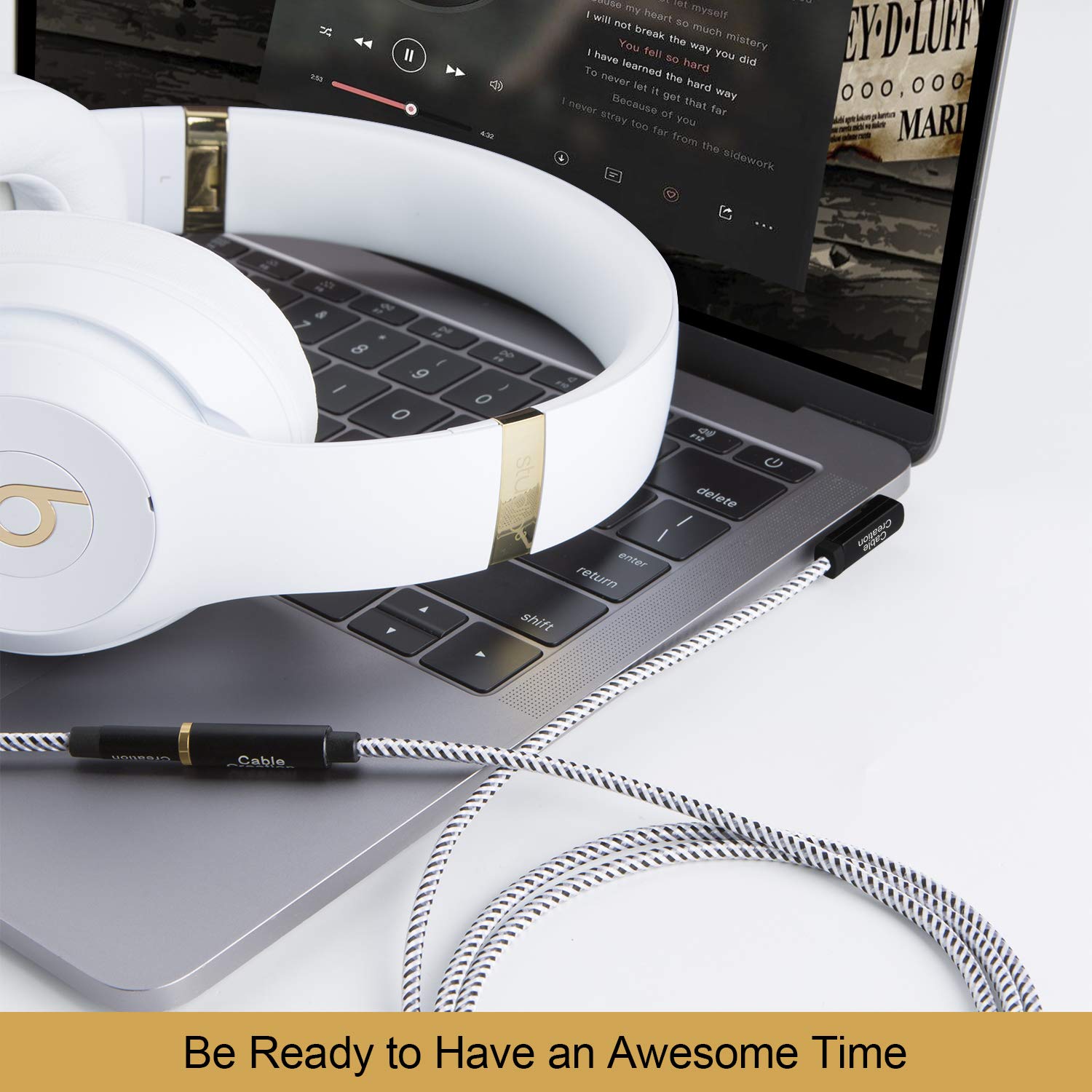
Figure 4: Connecting the extension cable to a laptop and headphones.
4. Instrukcja obsługi
Once connected, the extension cable operates transparently, extending the reach of your audio connection without requiring any specific user interaction. The cable supports simultaneous audio output and microphone input, allowing for communication during calls or gaming.
Wskazówki dotyczące użytkowania:
- Adjust volume directly on your source device or headphones.
- Ensure the 90-degree connector is oriented to minimize cable bending and stress, especially in confined spaces.
- Avoid excessive pulling or tugging on the cable to prevent damage to the connectors or internal wiring.

Figure 5: Using the extension cable for video calls with microphone support.
5. Konserwacja
Proper care and maintenance will prolong the life of your CableCreation extension cable.
Instrukcje dotyczące pielęgnacji:
- Czyszczenie: Do czyszczenia kabla i złączy używaj miękkiej, suchej ściereczki. Unikaj stosowania silnych środków chemicznych i materiałów ściernych.
- Składowanie: Store the cable in a cool, dry place away from direct sunlight and extreme temperatures. Avoid tightly coiling the cable to prevent internal wire damage.
- Obsługiwanie: Podłączając lub odłączając kabel, zawsze chwytaj za obudowę złącza, a nie ciągnij za sam kabel.
- Unikaj zginania: While the cable is flexible, repeated sharp bends, especially near the connectors, can reduce its lifespan. The 90-degree connector is designed to mitigate this at the male end.

Figure 6: Cable flexibility and bend lifespan.

Figure 7: Cable resistance to stretching and twisting.
6. Rozwiązywanie Problemów
If you encounter issues with your CableCreation extension cable, refer to the following common problems and solutions:
| Problem | Możliwa przyczyna | Rozwiązanie |
|---|---|---|
| Brak wyjścia audio. | Loose connection, incorrect port, device volume too low, incompatible cable (TRS instead of TRRS). | Ensure both ends of the cable are fully inserted. Check device volume settings. Confirm your headphones/headset are working directly with the source. Verify the cable is a 4-conductor TRRS type if microphone support is needed. |
| Mikrofon nie działa. | Loose connection, incompatible cable (TRS instead of TRRS), device microphone settings, headset issue. | Ensure all connections are secure. Confirm your headset's microphone works when connected directly to the source. Check your device's audio input/microphone settings. This cable is TRRS, ensuring microphone compatibility. |
| Przerywany dźwięk lub szum. | Loose connection, damaged cable, interference. | Reseat both connectors. Inspect the cable for visible damage. Test with another audio cable to rule out device issues. Avoid placing the cable near strong electromagnetic fields. |
7. Specyfikacje
- Numer modelu: CC0451
- Typ złącza: 3.5mm TRRS Male to 3.5mm TRRS Female
- Typ kabla: 4-Conductor Audio Extension Cable
- Connector Angle: 90-Degree (Male end)
- Tworzywo: TPE jacket, braided exterior
- Zgodne urządzenia: Headphones, Laptops, Music Players, Smartphones, Speakers, Car Stereos, Tablets
- Wymiary produktu: 8.66 x 5.91 x 0.06 inches (for 3FT/0.9M variant)
- Waga przedmiotu: 0.71 ounces (for 3FT/0.9M variant)
8. Gwarancja i wsparcie
CableCreation products are designed for reliability and performance. This product is typically covered by a standard manufacturer's warranty against defects in materials and workmanship. Please refer to the product packaging or the official CableCreation webSzczegółowe warunki gwarancji można znaleźć na naszej stronie.
Obsługa klienta:
For technical assistance, warranty claims, or general inquiries, please contact CableCreation customer support through their official channels. You can often find contact information on the product packaging or by visiting the CableCreation Store on Amazon.


