1. Wprowadzenie
This manual provides essential instructions for operating your Canon PowerShot SX620 HS Digital Camera. Designed for ease of use, this compact camera features a powerful 25x optical zoom, built-in Wi-Fi and NFC connectivity, and a 20.2 Megapixel CMOS sensor for capturing high-quality photos and Full HD videos.
2. Co znajduje się w pudełku
- Canon PowerShot SX620 HS Digital Camera (Black)
- Pasek na nadgarstek WS-800
- Zestaw akumulatorów NB-13L
- Battery Charger CB-2LH
- Note: Memory card and interface cable are not included and must be purchased separately.
3. Koniec kameryview

Rycina 3.1: Przód view aparatu cyfrowego Canon PowerShot SX620 HS. This image shows the camera's lens, flash, and the Canon branding.

Rysunek 3.2: Tył view aparatu cyfrowego Canon PowerShot SX620 HS. The large 3.0-inch LCD screen and control buttons are visible.

Rysunek 3.3: Strona view aparatu cyfrowego Canon PowerShot SX620 HS. This image highlights the connectivity ports, including HDMI and USB.
4. Konfiguracja i podstawowa obsługa
4.1. Ładowanie akumulatora
Insert the provided Battery Pack NB-13L into the Battery Charger CB-2LH. Connect the charger to a power outlet. The charging indicator will show the charging status. A full charge typically takes approximately 295 shots, with an Eco Mode extending to 405 shots.
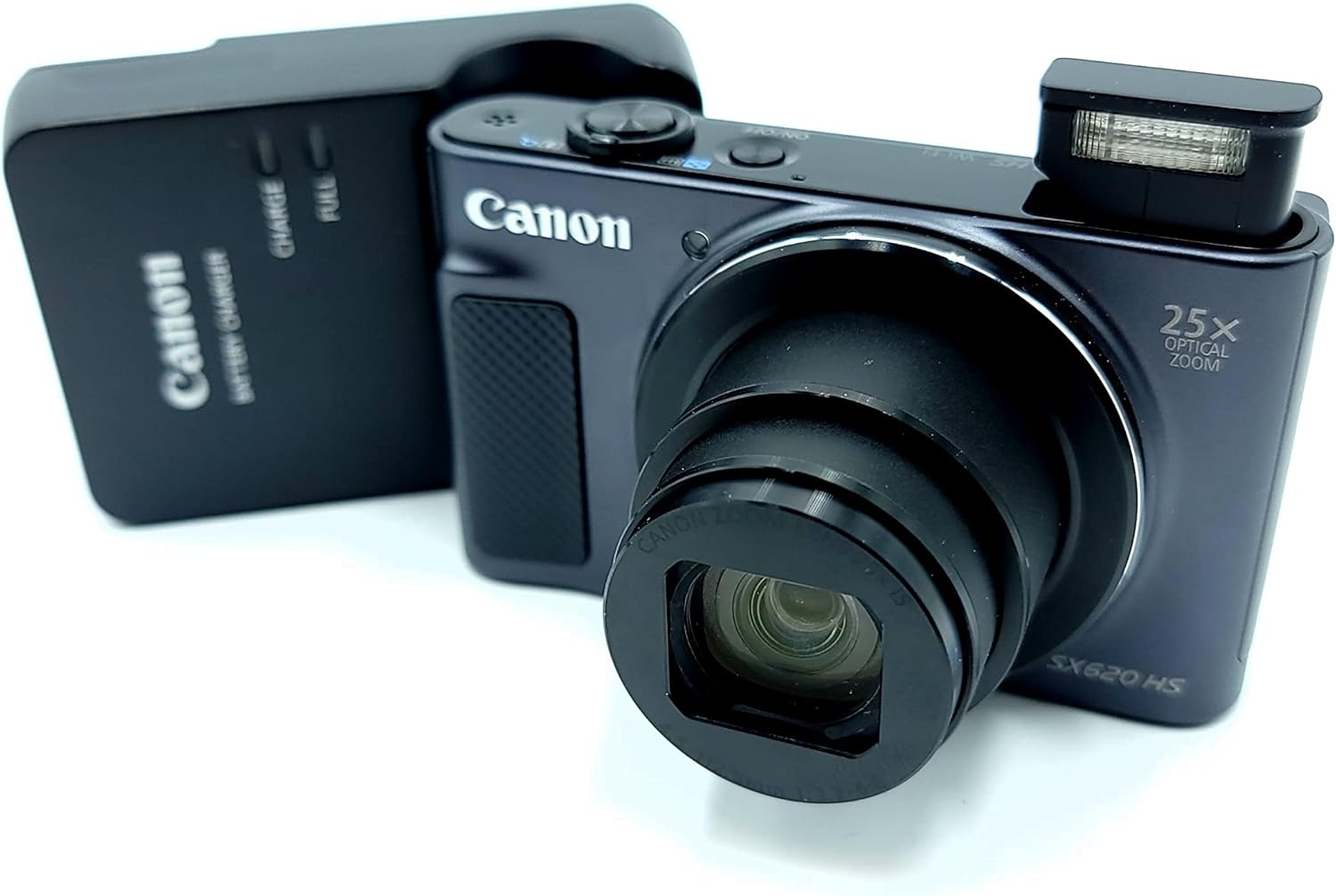
Figure 4.1: Canon PowerShot SX620 HS camera alongside its battery charger. Ensure the battery is correctly inserted into the charger for optimal performance.
4.2. Wkładanie baterii i karty pamięci
Open the battery/card cover on the bottom of the camera. Insert the charged Battery Pack NB-13L, ensuring correct orientation. Insert a compatible SDXC memory card (not included) into the memory card slot. Close the cover securely.
4.3. Włączanie/wyłączanie zasilania
Naciśnij WŁ./WYŁ. przycisk znajdujący się na górze kamery, służący do jej włączania i wyłączania.
4.4. Podstawy fotografii
- Brzęczenie: Użyj dźwigni zoomu znajdującej się wokół przycisku migawki, aby dostosować 25-krotny zoom optyczny.
- Błysk: The camera features a built-in flash. Adjust flash modes (Auto, Flash On, Off, Slow Sync) via the camera's menu or dedicated button.
- Tryby fotografowania: Select from various shooting modes like Smart AUTO, Program, Hybrid Auto, Creative Shot, Portrait, and more, to optimize settings for different scenes.
- Spust migawki: Press halfway to focus, then fully to capture the image.
5. Zaawansowane funkcje
5.1. Nagrywanie wideo
The PowerShot SX620 HS supports spectacular 1080p Full HD video recording. Press the dedicated movie button to start and stop recording. Dynamic IS helps stabilize video footagnp. podczas ruchu.
5.2. Łączność Wi-Fi i NFC
Utilize built-in Wi-Fi and NFC to easily transfer photos and videos to compatible smartphones, tablets, or directly to select social networking sites via the Canon Camera Connect app. The Wi-Fi button allows for quick connection in both Shooting and Playback modes.
5.3. Intelligent IS (Image Stabilization)
Intelligent IS automatically analyzes camera movement and applies the most suitable shake correction method for the shooting conditions, ensuring virtually shake-free images and videos.
5.4. Auto Zoom
Enable Auto Zoom to allow the camera to automatically determine the correct size and framing by detecting subjects, zooming in to the appropriate length for well-composed shots.
6. Konserwacja
- Keep the lens and LCD screen clean using a soft, lint-free cloth.
- Unikaj wystawiania aparatu na działanie ekstremalnych temperatur, kurzu i wilgoci.
- Przechowuj kamerę w suchym i chłodnym miejscu, gdy jej nie używasz.
- Regularly back up your photos and videos from the memory card.
7. Rozwiązywanie Problemów
- Słaba jakość obrazu przy słabym oświetleniu: The camera's small image sensor may struggle in very dim conditions. Use the flash or ensure adequate lighting for best results.
- Kamera nie włącza się: Sprawdź, czy akumulator jest całkowicie naładowany i prawidłowo włożony.
- Problemy z połączeniem Wi-Fi/NFC: Refer to the Canon Camera Connect app instructions or the Canon website for detailed troubleshooting steps. Ensure your mobile device is compatible.
8. Specyfikacje
| Funkcja | Szczegół |
|---|---|
| Nazwa modelu | Canon PowerShot SX620 HS |
| Rozdzielczość czujnika fotograficznego | 20.2 MP CMOS |
| Zoom optyczny | 25x |
| Stabilizacja obrazu | Optyczny (inteligentny IS) |
| Rozdzielczość wideo | 1080p Full HD |
| Rozmiar ekranu | 3.0 Inches (approx. 922,000 dots) |
| Łączność | Wi-Fi, NFC, HDMI, USB |
| Żywotność baterii | Approx. 295 shots (405 in Eco Mode) |
| Utrzymany File Format | Plik JPEG |
| Typ pamięci | SDXC (not included) |
| Waga przedmiotu | 1 funt |
9. Oficjalny film o produkcie
Video 9.1: Canon PowerShot SX620 Digital Camera Review. Ten film zapewnia ponadview of the camera's features and capabilities from the seller.
10. Gwarancja i wsparcie
For detailed warranty information, user guides, software downloads, and customer support, please visit the official Canon webstrona: http://www.canon.com/icpd.
Ostrzeżenie dotyczące Propozycji 65: Ten produkt może zawierać substancje chemiczne, o których władze stanu Kalifornia wiedzą, że mogą powodować raka, wady wrodzone lub inne uszkodzenia układu rozrodczego.


