Wstęp
The Interphone Tour Dual Pack is a high-performance Bluetooth intercom system designed for motorcycle riders. It enables communication between up to four riders over a distance of 1.5 km, offers extended battery life, and supports fast charging. This device is compatible with all helmet types and Bluetooth-enabled smartphones, allowing for calls, music playback, and GPS navigation. This manual provides detailed instructions for installation, operation, maintenance, and troubleshooting to ensure optimal performance and user experience.
Zawartość opakowania

Figure 1: Included components of the Interphone Tour Dual Pack.
The Interphone Tour Dual Pack includes the following items:
- 2 Control Units
- 2 Complete Audio Kits (speakers)
- 2 Microphones for full-face helmets
- 2 Microphones for jet or modular helmets
- 2 Sets of Sponge Covers (for microphones)
- 2 Sets of Spacers (for speakers)
- 2 Charging and Data Cables
- 2 Adhesive Bases (for mounting)
- 2 Clip Bases (for mounting)
- Skrócona instrukcja obsługi i informacje o gwarancji
Konfiguracja i instalacja
Proper installation ensures optimal audio quality and secure attachment of the intercom unit to your helmet.
Montaż jednostki interkomowej

Figure 2: Interphone Tour unit securely mounted on a helmet.
Choose between the adhesive base or the clip base for mounting. The adhesive base provides a permanent attachment, while the clip base allows for easier removal. Ensure the mounting location on the helmet is clean and dry before installation.
- Select Mounting Base: Decide whether to use the adhesive base or the clip base.
- Pozycjonowanie: Identify a flat, suitable area on the left side of your helmet, near the bottom edge, where the unit will not obstruct vision or movement.
- Baza instalacyjna:
- Podstawa klejąca: Peel off the protective film and firmly press the base onto the helmet surface for at least 30 seconds. Allow 24 hours for the adhesive to cure before attaching the intercom unit.
- Podstawa klipsa: Slide the clip base between the helmet shell and the inner padding. Ensure it is securely fastened and does not move.
- Podłącz jednostkę interkomu: Slide the Interphone Tour control unit onto the installed base until it clicks into place.
Installing Speakers and Microphones
The audio kit includes speakers and two types of microphones to suit different helmet designs.
- Rozmieszczenie głośników: Locate the ear pockets inside your helmet. Attach the speakers using the provided adhesive pads, ensuring they are centered over your ears for optimal sound. Use spacers if needed to bring the speakers closer to your ears.
- Wybór mikrofonu:
- Full-Face Helmet Microphone: This is a flexible boom microphone. Attach it to the inside of the helmet, positioning the microphone capsule directly in front of your mouth, ensuring it does not touch your lips.
- Jet/Modular Helmet Microphone: This is a wired microphone designed for open-face or modular helmets. Secure it inside the helmet, ensuring it is close to your mouth and protected from wind noise.
- Zarządzanie kablami: Route all cables neatly under the helmet padding to prevent discomfort and ensure they are not snagged. Connect the speaker and microphone cables to the corresponding ports on the intercom unit.
Instrukcja obsługi
The Interphone Tour features intuitive controls for various functions.

Rycina 3: Przód view of two Interphone Tour units, highlighting the control buttons.
Podstawowe funkcje
- Włączanie/wyłączanie: Naciśnij i przytrzymaj Przycisk zasilania/interkomu (usually the large central button with a phone icon or power symbol) for approximately 3 seconds.
- Regulacja głośności: Użyj Muzyka I FM buttons (or up/down arrows) to adjust the volume.
- Parowanie Bluetooth:
- Ensure the Interphone Tour is off.
- Naciśnij i przytrzymaj Przycisk zasilania/interkomu until the LED indicator flashes rapidly (pairing mode).
- On your smartphone or GPS device, search for Bluetooth devices and select "Interphone Tour".
- Once paired, the LED will change to a steady blue light.
Komunikacja interkomowa
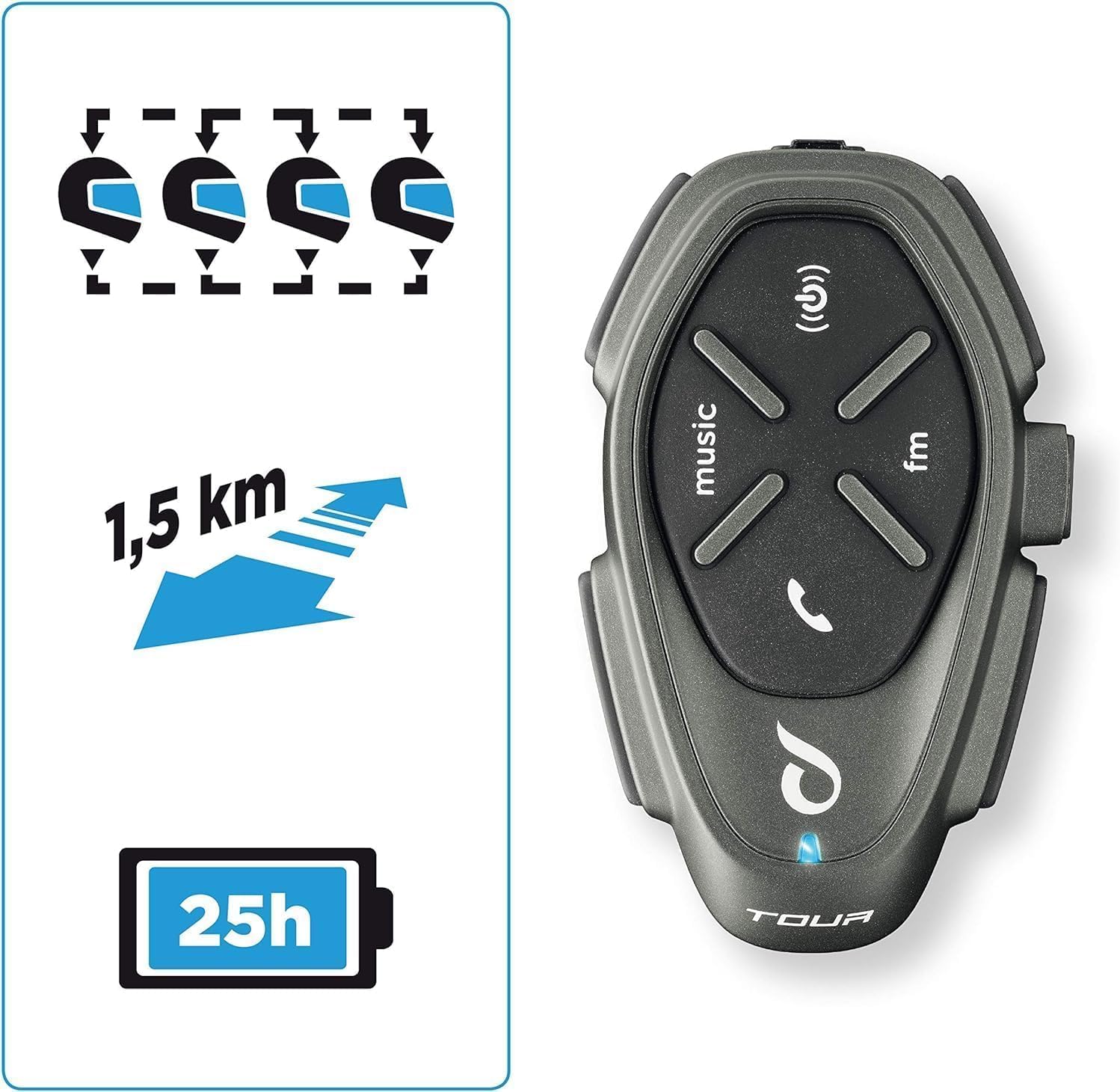
Figure 4: Key features including multi-rider communication and range.
The Interphone Tour supports communication for up to 4 riders over a distance of 1.5 km.
- Inicjowanie interkomu: Naciśnij krótko Przycisk zasilania/interkomu to start an intercom conversation with a paired unit.
- Interkom dla wielu pasażerów: Follow the specific pairing instructions in the quick start guide for multi-unit connections (e.g., 3-way or 4-way intercom).
- Anycom Function: The Anycom feature allows communication with other intercom devices, regardless of brand. Refer to the full manual for detailed Anycom pairing procedures.
Media and Navigation

Figure 5: Connectivity options including music, phone calls, and FM radio.
- Odtwarzanie muzyki: Once paired with your smartphone, use the Przycisk muzyczny to play/pause music. Use volume buttons to adjust. Music sharing between rider and passenger is supported.
- Radio FM: Naciśnij Przycisk FM to activate the built-in FM radio. Use the music/FM buttons to scan for stations.
- Nawigacja GPS: When paired with a Bluetooth-enabled GPS device, voice instructions will be transmitted directly to your helmet speakers.
- Rozmowy telefoniczne:
- Odbierz połączenie: Naciśnij krótko Przycisk telefonu (or central button).
- Zakończ połączenie: Naciśnij krótko Przycisk telefonu.
- Wybieranie głosowe: If supported by your phone, long-press the Przycisk telefonu aby aktywować asystenta głosowego.
Bateria i ładowanie
The Interphone Tour boasts a battery life of over 20 hours and features fast charging technology.
- Ładowanie: Connect the provided USB charging cable to the intercom unit and a compatible USB power source. The LED indicator will show charging status.
- Szybkie ładowanie: Utilize the fast charge feature for quick power replenishment.
- Czas pracy baterii: A fully charged unit provides approximately 25 hours of talk time.
Wodoodporna konstrukcja
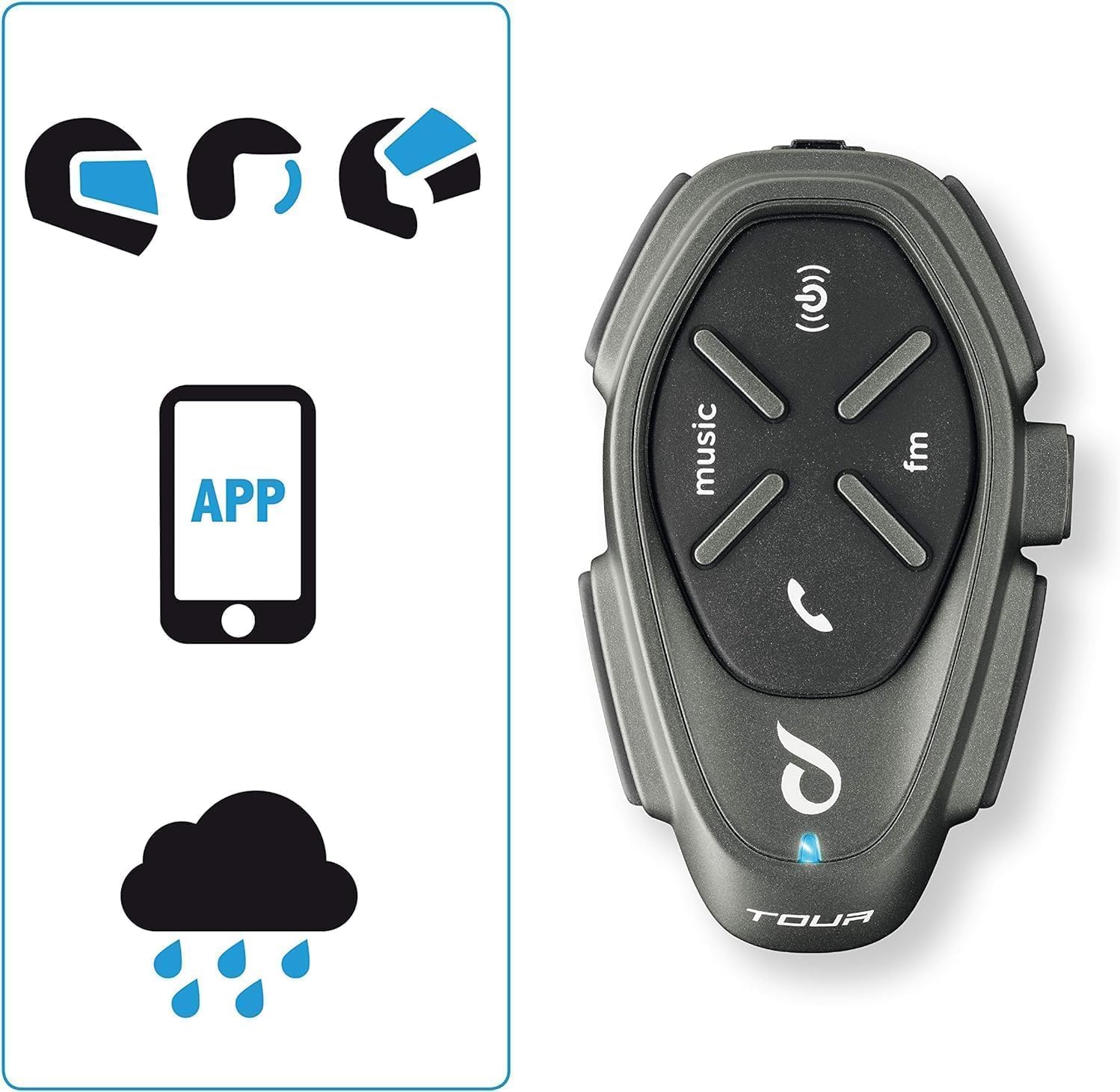
Figure 6: The intercom is compatible with various helmet types and is waterproof.
The Interphone Tour is designed to be fully waterproof, ensuring reliable operation in various weather conditions.
Konserwacja
To ensure the longevity and optimal performance of your Interphone Tour, follow these maintenance guidelines:
- Czyszczenie: Użyj miękkiego, damp cloth to clean the exterior of the intercom unit. Avoid using abrasive cleaners or solvents, as they may damage the finish or internal components.
- Składowanie: When not in use for extended periods, store the unit in a cool, dry place. Ensure the battery is partially charged (around 50%) before storage to prolong its lifespan.
- Pielęgnacja kabli: Obchodź się z kablami ostrożnie, aby zapobiec ich uszkodzeniu. Unikaj ostrego zginania i nadmiernego ciągnięcia.
- Narażenie na działanie wody: While waterproof, it is recommended to wipe the unit dry after exposure to heavy rain to prevent water spots or mineral buildup.
Rozwiązywanie problemów
This section addresses common issues you might encounter with your Interphone Tour.
| Problem | Możliwa przyczyna | Rozwiązanie |
|---|---|---|
| Urządzenie nie włącza się. | Niski poziom naładowania baterii lub jej rozładowanie. | Charge the unit using the provided cable. Ensure the charging indicator lights up. |
| Cannot pair with smartphone/GPS. | Unit not in pairing mode; Bluetooth off on device; interference. | Ensure the Interphone Tour is in pairing mode (rapid flashing LED). Check Bluetooth settings on your device. Move away from other electronic devices. |
| Intercom communication is poor or drops. | Poza zasięgiem; przeszkody; słaba bateria. | Ensure units are within 1.5 km range and have a clear line of sight. Charge units. Re-pair if necessary. |
| Brak dźwięku z głośników. | Głośniki nie są podłączone; głośność jest zbyt niska; głośniki są uszkodzone. | Check speaker connections to the unit. Increase volume. Test with another audio source if possible. |
| Mikrofon nie odbiera głosu. | Microphone not connected; incorrect microphone type; faulty microphone. | Ensure microphone is securely connected. Verify correct microphone type for your helmet. Check microphone position. |
If the problem persists, consult the full user manual or contact Interphone customer support.
Specyfikacje
| Funkcja | Szczegół |
|---|---|
| Nazwa modelu | INTERPHOTOURTP |
| Marka | Domofon |
| Technologia łączności | Bluetooth |
| Zasięg domofonu | Up to 1.5 km (for 4 riders) |
| Żywotność baterii | Approx. 25 hours talk time (over 20 hours) |
| Ładowanie | Fast Charge technology |
| Poziom wodoodporności | Wodoodporny |
| Kompatybilne urządzenia | Bluetooth devices (smartphones, GPS) |
| Typ sterowania | Noise Control, Touch Control, Volume Control, Voice Control |
| Cechy specjalne | Anycom (inter-brand compatibility), Music Sharing, Noise Cancellation |
| Zakres częstotliwości | 20 Hz - 20 000 Hz |
| Tworzywo | Plastikowy |
| Skład baterii | Lithium-ion (1 Lithium-polymer included) |
| Współczynnik kształtu | Earbuds (Auricolari) |
| Impedancja | 25 omy |
| Izolacja szumów | Aktywne tłumienie hałasu |
Gwarancja i wsparcie
The Interphone Tour comes with a manufacturer's warranty and support resources.
- Gwarancja producenta: The product is covered by a 2-year manufacturer's warranty. Please retain your proof of purchase for warranty claims.
- Dostępność części zamiennych: Informacje dotyczące dostępności części zamiennych nie są dostępne.
- Aktualizacje oprogramowania: Nie podano informacji dotyczących gwarantowanych aktualizacji oprogramowania.
- Obsługa klienta: For further assistance, technical support, or warranty claims, please refer to the contact information provided in your Quick Start Guide or visit the official Interphone webstrona.


