Wstęp
The Orbit 83521 Clear Comfort Programmable Thermostat is designed to provide efficient and precise temperature control for your home. Its user-friendly interface and programmable features help optimize energy usage while maintaining a comfortable indoor environment. This manual provides detailed instructions for installation, operation, maintenance, and troubleshooting.

A clear, close-up view of the Orbit 83521 Clear Comfort Programmable Thermostat, showcasing its large digital display and control buttons.
Konfiguracja i instalacja
Before installation, ensure the thermostat is compatible with your HVAC system. This thermostat is designed for single-stage heating and cooling systems, including gas, oil, or electric furnaces, central air conditioners, 2-wire hot water systems, millivolt systems, and heat pumps without auxiliary/backup heat. It is not compatible with baseboard heaters (line voltage ogrzewanie), wielostage systems, or 3-wire hydronic systems.
Montowanie
The thermostat is designed for wall mounting. Ensure you have adequate space and that the mounting location is away from direct sunlight, drafts, or heat sources that could affect temperature readings.

An image illustrating the precise dimensions of the Orbit 83521 thermostat: 3.25 inches high, 5.3 inches wide, and 1.3 inches deep.
Okablowanie
Refer to the detailed wiring diagrams in the official user manual (link provided in the Warranty & Support section) for your specific system type. Always turn off power to your HVAC system at the circuit breaker before beginning any wiring.
Instalacja baterii
This thermostat requires batteries for operation. Install the required batteries into the designated compartment. The thermostat will not function without adequate battery power, which can prevent your heating or cooling system from turning on.

This image shows the rear of the Orbit 83521 thermostat, highlighting the battery compartment and wiring terminals.
Instrukcja obsługi
The Orbit 83521 thermostat features a large, easy-to-read LCD display and intuitive button controls for simple operation.
Wybór trybu
Użyj TRYB switch on the side of the thermostat to select your desired operating mode:
- CIEPŁO: Aktywuje system ogrzewania.
- OFF: Wyłącza systemy ogrzewania i chłodzenia.
- FAJNE: Aktywuje układ chłodzenia.
Ustawienia wentylatora
Użyj FAN switch on the side of the thermostat to control the fan operation:
- AUTOMATYCZNY: Wentylator pracuje wyłącznie wtedy, gdy aktywnie działa układ ogrzewania lub chłodzenia.
- NA: Wentylator pracuje nieprzerwanie, niezależnie od aktywności układu ogrzewania lub chłodzenia.

Dodatkowy plusfile of the Orbit 83521 thermostat, revealing its slim design and the heat/cool/fan mode switches.
Regulacja temperatury
Użyj UP I W DÓŁ arrow buttons on the right side of the thermostat to manually adjust the set temperature.
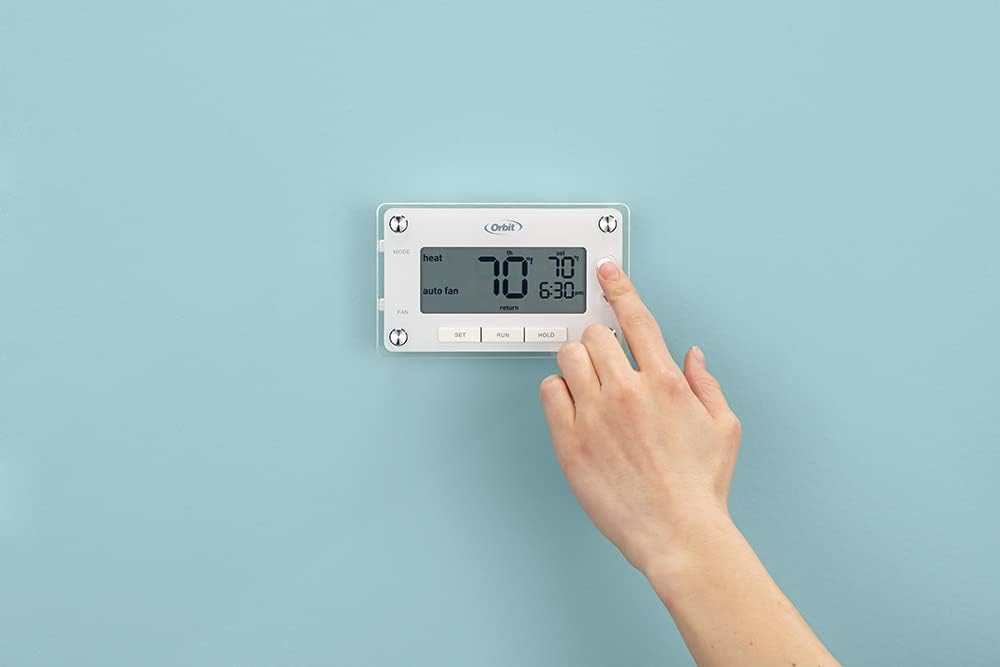
A hand is shown pressing the up arrow button on the Orbit 83521 thermostat, demonstrating user interaction with the temperature controls.
Programowanie
The thermostat offers 7-day programmability with up to 4 programming periods per day. Use the USTAWIĆ button to enter programming mode and navigate through settings. The URUCHOMIĆ button exits programming mode and activates the schedule.
- Copy Feature: Easily copy programmed settings from one day to another to save time.
- Early Start Mode: This feature ensures your desired temperature is reached by the programmed time, optimizing comfort.
Hold Modes
Ten TRZYMAĆ button allows you to temporarily or permanently override the programmed schedule:
- Tymczasowe wstrzymanie: Adjust the temperature, and the thermostat will maintain it until the next programmed period begins.
- Trwałe zatrzymanie: Naciskać TRZYMAĆ, then adjust the temperature. The thermostat will maintain this temperature indefinitely until URUCHOMIĆ is pressed to resume the schedule.
Konserwacja
Wymiana baterii
When the battery indicator appears on the display, replace the batteries promptly. The thermostat relies on battery power for its display and internal logic, and a depleted battery will prevent the unit from operating your HVAC system. To replace batteries, gently pull the thermostat unit away from its wall plate. Replace the old batteries with new ones (typically AAA), ensuring correct polarity. Reattach the thermostat to the wall plate.
Czyszczenie
Wyczyść zewnętrzną część termostatu miękką,amp Ściereczką. Nie używaj środków czyszczących ani rozpuszczalników o działaniu ściernym. Upewnij się, że wilgoć nie dostanie się do wewnętrznych elementów.
Rozwiązywanie problemów
- No Display or System Not Responding: Sprawdź baterie. Upewnij się, że są prawidłowo zainstalowane i wystarczająco naładowane. W razie potrzeby wymień je.
- Temperature Swing Issues: If the thermostat is not maintaining a consistent temperature, you may need to adjust advanced settings. Access the advanced menu by sliding the MODE switch to OFF, pressing RUN to activate the backlight, then holding the RESET button (on the back) while pressing SET. Release both buttons within 5 seconds. From this menu, you can adjust settings like:
- OFFSETOWY: Calibrate the temperature reading if it consistently differs from other thermometers in the room.
- MINIMUM CYCLE PERIOD: Adjust the minimum time the system runs to prevent short cycling. Setting it to six minutes or greater enables smart logic for improved performance.
- RODZAJ SYSTEMU: Ensure this is correctly set for your furnace (F) or heat pump (HP).
- System Not Turning On/Off as Programmed: Verify your programming schedule. Check the MODE and FAN switches are set correctly. Ensure all wiring connections are secure.
Specyfikacje
| Funkcja | Szczegół |
|---|---|
| Marka | Orbita |
| Nazwa modelu | Clear Comfort Pro |
| Wymiary produktu | 1.3" gł. x 5.3" szer. x 3.25" wys. |
| Typ kontrolera | Programowalny |
| Kolor | Biały |
| Konkretne zastosowania | Klimatyzatory, systemy grzewcze |
| Źródło zasilania | Battery Powered (for display/logic) |
| Tomtage Kompatybilność | 24 Volts (HVAC system) |
| Tworzywo | Plastikowy |
| Typ wyświetlacza | LCD z podświetleniem |
| Typ sterowania | Sterowanie przyciskami |
| Typ montażu | Montaż ścienny |
| Waga przedmiotu | 0.58 funta (ok. 9.3 uncji) |
| Kraj pochodzenia | Chiny |
Gwarancja i wsparcie
This Orbit 83521 Clear Comfort Programmable Thermostat comes with a 3-roczna ograniczona gwarancja from the manufacturer. For detailed warranty information, technical support, or to download the complete user manual in PDF format, please refer to the official Orbit website or the provided document link:


