1. Wprowadzenie
The Parblo PR-01 Two-Finger Glove is designed to provide a comfortable and efficient experience for artists and digital creators. This glove reduces friction between your hand and the surface of graphic tablets, light boxes, or tracing light pads, preventing smudges and improving overall work efficiency. It is suitable for various creative applications, including digital art, drawing, sketching, design, and painting.

Image: A hand wearing the Parblo PR-01 Two-Finger Glove, illustrating its design and fit.
2. Główne cechy
- Zmniejszone tarcie: Minimizes contact between your hand and the drawing surface, allowing for smoother pen strokes and preventing accidental touches on touch-sensitive screens.
- Smudge Prevention: Helps avoid smudges on traditional artwork and keeps digital screens clean from hand oils.
- Wygodny materiał: Made from high elastic lycra fiber, offering excellent air permeability and strong tensile resistance for extended wear.
- Projektowanie uniwersalne: Free-size glove suitable for use on both the right and left hand.

Obraz: Zbliżenie view of the elastic lycra fabric, highlighting its stretch and texture.
3. Konfiguracja i użytkowanie
3.1 Noszenie rękawicy
- Identify the two-finger design of the glove.
- Slide your ring finger and pinky finger into the two designated finger sleeves.
- Ensure the palm area of the glove covers the part of your hand that typically rests on the drawing surface.
- The glove is designed to be universal and can be worn on either the left or right hand.
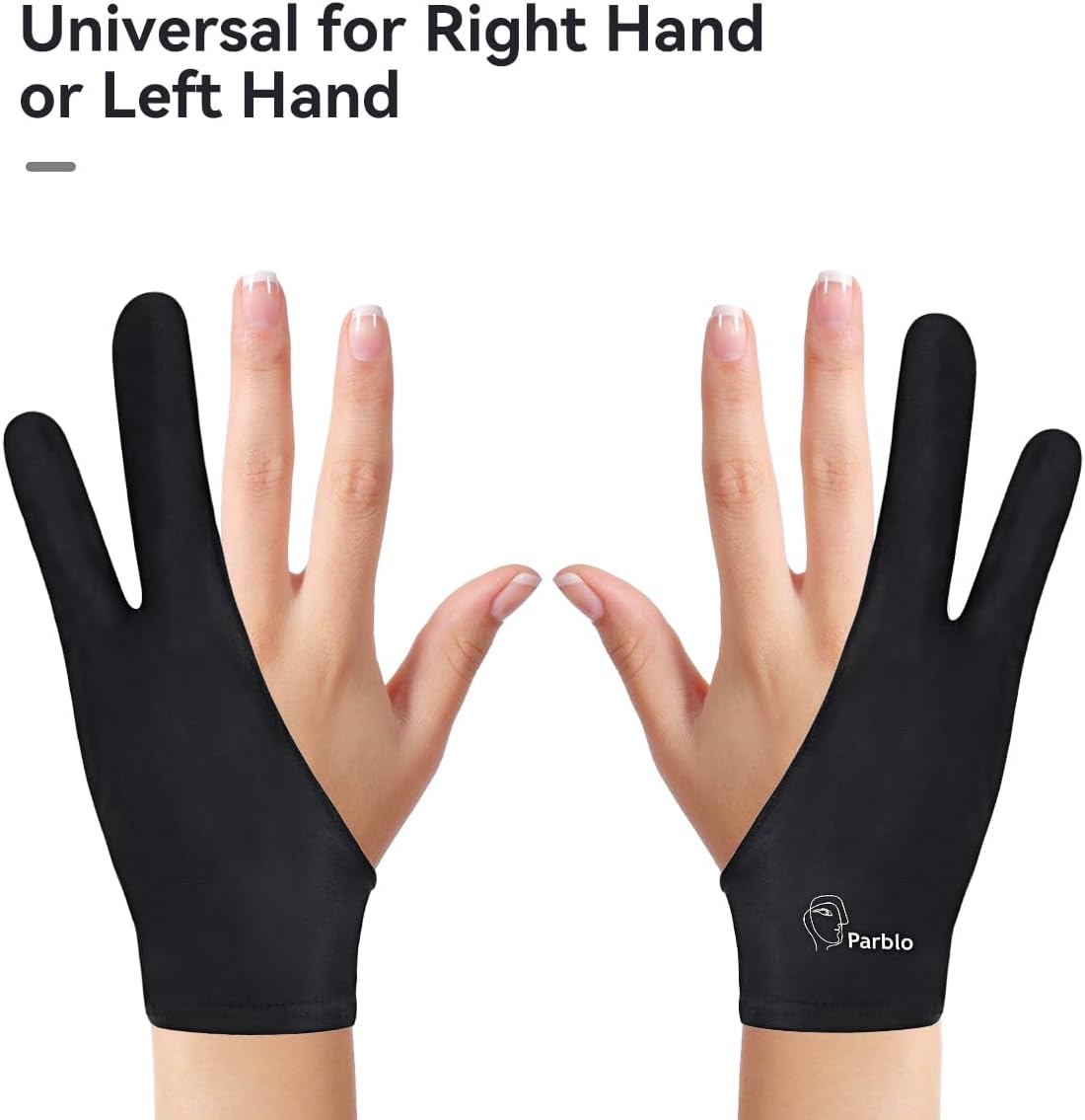
Image: The glove's design allows it to be worn on either the left or right hand.
3.2 Operating with Devices
The Parblo PR-01 glove is intended for use with various digital and traditional art tools to enhance comfort and precision.
- Graphic Tablets: Use the glove to reduce friction and prevent accidental touches while drawing or writing on a graphic tablet surface.
- Light Boxes & Tracing Pads: The glove helps maintain a clean surface and smooth hand movement during tracing or traditional drawing.
- Touch Screens: On some touch-sensitive screens, the glove can help prevent unintended input from your palm while using a stylus.

Image: Demonstrating the glove's application across various artistic mediums, including digital monitors, graphic tablets, sketching, and watercolor painting.
Video: This video demonstrates the features of a similar two-finger artist glove, including reinforced seams, elasticity, universal fit for both hands, and its ability to improve work efficiency by enabling smooth writing and preventing accidental contact and smudging on various surfaces.
Video: This video illustrates the use of a graphic tablet with a two-finger glove for online learning, demonstrating how to write equations and draw graphs in applications like Microsoft Word, highlighting the precision and ease of use provided by the pen and glove combination.
4. Konserwacja
4.1 Instrukcje dotyczące czyszczenia
To maintain the quality and longevity of your Parblo PR-01 Two-Finger Glove, please follow these cleaning guidelines:
- Tylko pranie ręczne: Gently hand wash the glove using mild soap and cool water.
- Unikaj silnych środków chemicznych: Do not use bleach or strong detergents, as these can damage the fabric.
- Suszenie na powietrzu: Lay flat or hang to air dry. Do not tumble dry or iron.
5. Rozwiązywanie Problemów
If you encounter any issues with your Parblo PR-01 Two-Finger Glove, consider the following:
- Glove feels too tight/loose: The glove is designed as a free size. While made from elastic material, individual hand sizes may vary. Ensure it is worn correctly.
- Still experiencing smudges/friction: Verify that the glove is positioned correctly, covering the entire palm area that makes contact with the surface. Ensure the surface itself is clean.
- Material wear: Over time, the fabric may show signs of wear. Follow the maintenance instructions to prolong its lifespan.
6. Specyfikacje
| Nazwa modelu | PR-01 |
| Marka | Parblo |
| Waga przedmiotu | 21 gram |
| Rozmiar | 8 * 3.46 cala |
| Kolor | Czarny |
| Tworzywo | High Elastic Lycra Fibre |
| Funkcja specjalna | Extra Slim |
| Zawarte komponenty | 1 x Rękawiczka |
| Instrukcje pielęgnacji | Tylko pranie ręczne |

Image: Product size diagram for the Parblo PR-01 Two-Finger Glove.

Image: Hand wearing the glove, showing a palm measurement of 10cm/4in.
7. Gwarancja i wsparcie
For specific warranty information and customer support, please refer to the documentation included with your purchase or visit the official Parblo webZachowaj dowód zakupu na wypadek roszczeń gwarancyjnych.
Manufacturer: Parblo
Date First Available: Jan. 4 2016


