Wstęp
This manual provides comprehensive instructions for the installation, operation, and maintenance of your Chacon 34548 Outdoor Wi-Fi IP Camera. This device allows for remote monitoring of your property, day and night, through the dedicated Chacon application. Please read this manual thoroughly before using the product to ensure proper function and safety.
Informacje dotyczące bezpieczeństwa
- Ensure the camera is installed in a secure location, out of reach of unauthorized individuals.
- Używaj wyłącznie zasilacza dołączonego do aparatu.
- Do not expose the camera to extreme temperatures, humidity, or direct water immersion (beyond its IP66 rating).
- Unikaj umieszczania kamery w pobliżu silnych pól elektromagnetycznych.
- Przed przystąpieniem do czyszczenia lub wykonywania prac konserwacyjnych należy odłączyć zasilanie.
Zawartość opakowania
Sprawdź, czy w opakowaniu znajdują się wszystkie elementy:
- Chacon 34548 Outdoor Wi-Fi IP Camera
- Zasilacz
- Zestaw montażowy (śruby, kołki rozporowe)
- Instrukcja obsługi (ten dokument)
Produkt ponadview
The Chacon 34548 is an outdoor-rated Wi-Fi IP camera designed for robust surveillance. It features a durable housing, integrated night vision, and Wi-Fi connectivity for remote access.

Rysunek 1: Przód view of the Chacon 34548 Outdoor Wi-Fi IP Camera, showing the lens, IR illuminator, and mounting bracket.

Rysunek 2: Frontal perspective of the camera, highlighting the main lens, infrared sensor, and external Wi-Fi antenna for improved signal reception.

Rysunek 3: Strona view of the Chacon 34548 camera, illustrating its compact design and the position of the Wi-Fi antenna.

Rysunek 4: Tył view of the camera, displaying the model number (34548), regulatory marks, and a QR code for easy setup.
Organizować coś
1. Instalacja fizyczna
- Wybierz lokalizację: Wybierz lokalizację na zewnątrz, która zapewnia pożądane viewing angle and is within range of your Wi-Fi network. Ensure the location offers protection from direct impact and allows for proper cable management.
- Zamontuj kamerę:
- Mark the drilling points on the wall or ceiling using the camera's mounting bracket as a template.
- Wywierć otwory i włóż w nie dołączone kołki rozporowe.
- Przymocuj wspornik montażowy za pomocą śrub.
- Zamontuj kamerę w uchwycie i dostosuj kąt według potrzeb.
2. Podłączenie zasilania
Connect the supplied power adapter to the camera's power input port. Plug the adapter into a suitable outdoor power outlet. Ensure the connection is secure and protected from weather elements.
3. Instalacja aplikacji
Download the official Chacon application from the App Store (for iOS devices) or Google Play Store (for Android devices). Szukaj "Chacon" and install the application.
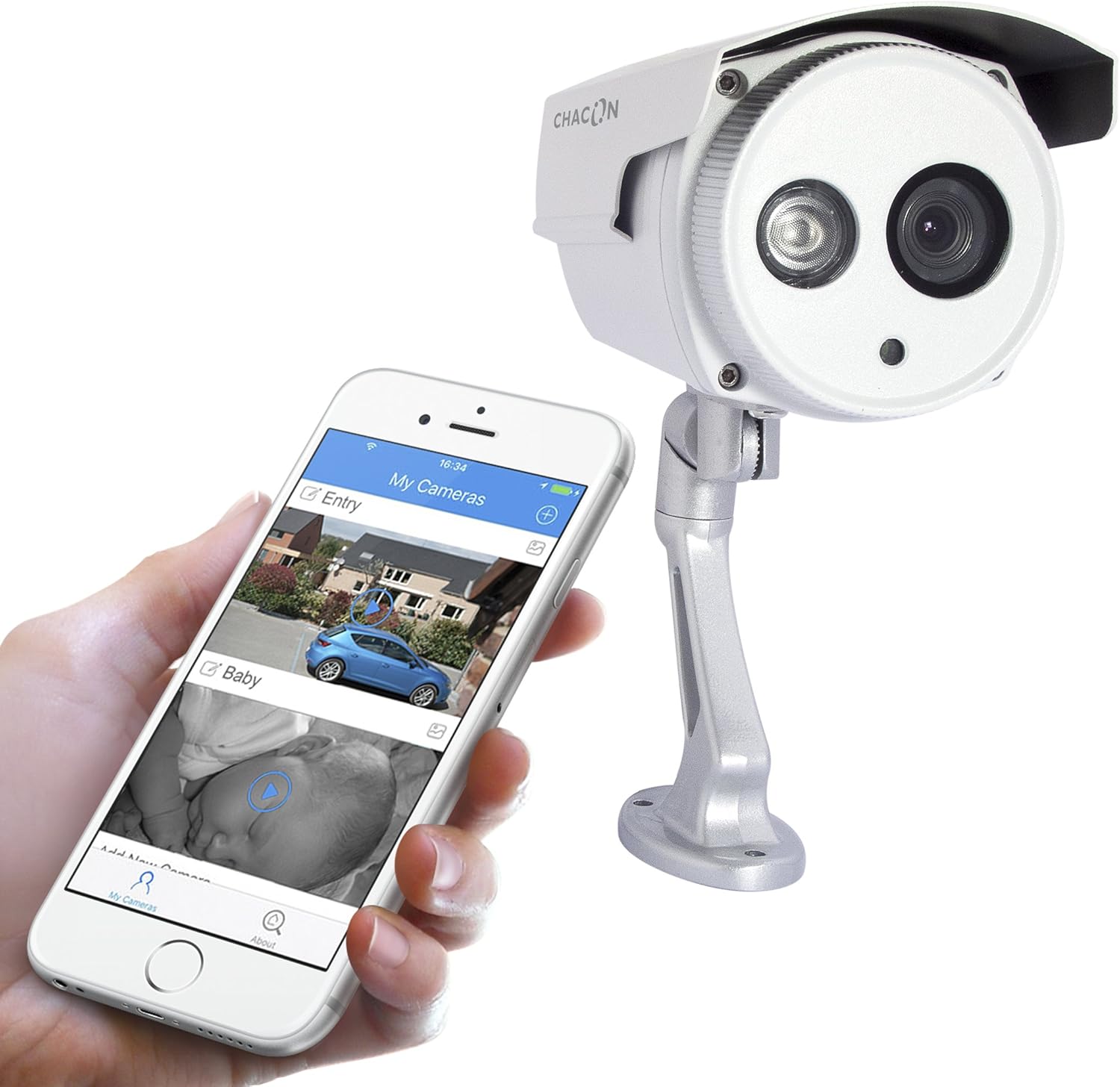
Rysunek 5: The Chacon 34548 camera shown alongside a smartphone running the Chacon application, demonstrating remote viewmożliwości.
4. Połączenie sieciowe (Wi-Fi)
- Open the Chacon app and create an account or log in.
- Follow the in-app instructions to add a new device. This typically involves scanning a QR code on the camera (refer to Figure 4) or manually entering the device ID.
- Select your Wi-Fi network and enter the password. Ensure your camera is within range of your Wi-Fi router.
- Wait for the camera to connect to the network. The app will indicate successful connection.
Instrukcja obsługi
1. Vieww transmisji na żywo
Once connected, open the Chacon app and select your camera from the device list to view the live video feed. You can monitor your property in real-time.
2. Wizja nocna
The camera is equipped with automatic night vision, providing clear images up to 20 meters in low-light conditions. This feature activates automatically when ambient light levels are insufficient.
3. Remote Access and Control
The Chacon app allows you to access your camera feed from anywhere with an internet connection. You can also adjust settings, such as video resolution (720p), and monitor the horizontal viewing angle of 70 degrees and diagonal viewkąt 75 stopni.
4. Nagrywanie i odtwarzanie
Refer to the Chacon app's specific features for information on motion detection recording, cloud storage options, or local storage (if a microSD card slot is present, which is not explicitly mentioned in specifications but common). Instructions for playback of recorded footage will be available within the app.
Konserwacja
- Czyszczenie: Delikatnie przetrzyj obiektyw i obudowę aparatu miękką ściereczką.amp płótno. Nie używaj ostrych środków chemicznych ani ściernych środków czyszczących.
- Aktualizacje oprogramowania układowego: Periodically check the Chacon app for available firmware updates. Keeping your camera's firmware updated ensures optimal performance and security.
- Kontrola kabla: Regularly inspect power and network cables for any signs of wear or damage, especially in outdoor installations.
Rozwiązywanie problemów
| Problem | Możliwa przyczyna | Rozwiązanie |
|---|---|---|
| Kamera nie włącza się | Brak zasilania, uszkodzony adapter, luźne połączenie | Sprawdź gniazdko elektryczne, upewnij się, że adapter jest prawidłowo podłączony, spróbuj użyć innego gniazdka. |
| Nie można połączyć się z siecią Wi-Fi | Incorrect Wi-Fi password, camera out of range, network interference | Verify Wi-Fi password, move camera closer to router, restart router, check for 2.4GHz network compatibility. |
| Brak transmisji wideo na żywo | Network issue, camera offline, app malfunction | Check internet connection, restart camera, restart Chacon app, ensure camera is connected to Wi-Fi. |
| Niska jakość obrazu | Brudny obiektyw, słabe oświetlenie, przepustowość sieci | Clean the camera lens, ensure adequate lighting or check night vision activation, check network speed. |
Specyfikacje
| Funkcja | Szczegół |
|---|---|
| Numer modelu | 34548 |
| Marka | Chacon |
| Technologia łączności | Bezprzewodowy (Wi-Fi) |
| Rozdzielczość nagrywania wideo | 720p |
| Efektywna rozdzielczość wideo | 720 pikseli |
| Cechy specjalne | Wizja nocna |
| Zakres noktowizora | 20 metrów |
| ViewKąt (poziomy) | 70 stopni |
| Viewkąt (przekątna) | 75 stopni |
| Poziom wodoodporności | Water-repellent (IP66 rating implied by "voor buiten" and common for outdoor cameras) |
| Kompatybilne urządzenia | Smartfon (iOS, Android) |
| Źródło zasilania | Kabel elektryczny |
| Typ montażu | Montaż ścienny |
| Kolor | Biały |
| Tworzywo | PCV |
| Zawarte komponenty | Wi-Fi IP Camera for outdoor use |
Informacje o gwarancji
For detailed warranty information, please refer to the warranty card included with your product packaging or consult your purchase documentation. Warranty terms and conditions may vary by region and retailer.
Obsługa klienta
If you encounter any issues or have questions not covered in this manual, please contact Chacon customer support. Visit the official Chacon webstrona zawierająca dane kontaktowe, odpowiedzi na często zadawane pytania i dodatkowe zasoby.


