1. Wprowadzenie
This manual provides essential information for setting up, operating, and maintaining your Acer R240HY bidx 23.8-inch Full HD IPS monitor. Please read this manual thoroughly before using your new monitor to ensure proper functionality and safety.
2. Informacje dotyczące bezpieczeństwa
- Monitor należy zawsze umieszczać na stabilnej, płaskiej powierzchni.
- Nie blokuj otworów wentylacyjnych.
- Należy używać wyłącznie zasilacza i kabli dostarczonych przez firmę Acer.
- Chroń monitor przed wodą, wilgocią i ekstremalnymi temperaturami.
- Przed czyszczeniem odłącz monitor od gniazdka elektrycznego.
- Wszelkie prace serwisowe należy powierzać wykwalifikowanemu personelowi.
3. Zawartość opakowania
Sprawdź, czy w przesyłce znajdują się wszystkie elementy:
- Acer R240HY bidx 23.8-inch Monitor
- Stojak na monitor (podstawa i szyjka)
- Zasilacz i przewód zasilający
- Kabel HDMI
- Kabel DVI
- Kabel VGA
- Instrukcja obsługi (ten dokument)
4. Konfiguracja
4.1 Montaż podstawy monitora
- Ostrożnie wyjmij monitor i elementy stojaka z opakowania.
- Przymocuj podstawę do panelu monitora, dopasowując zaczepy i dociskając, aż zatrzaśnie się na swoim miejscu.
- Przymocuj podstawę do szyjki stojaka. Zabezpiecz ją śrubą mocującą znajdującą się na spodzie podstawy.
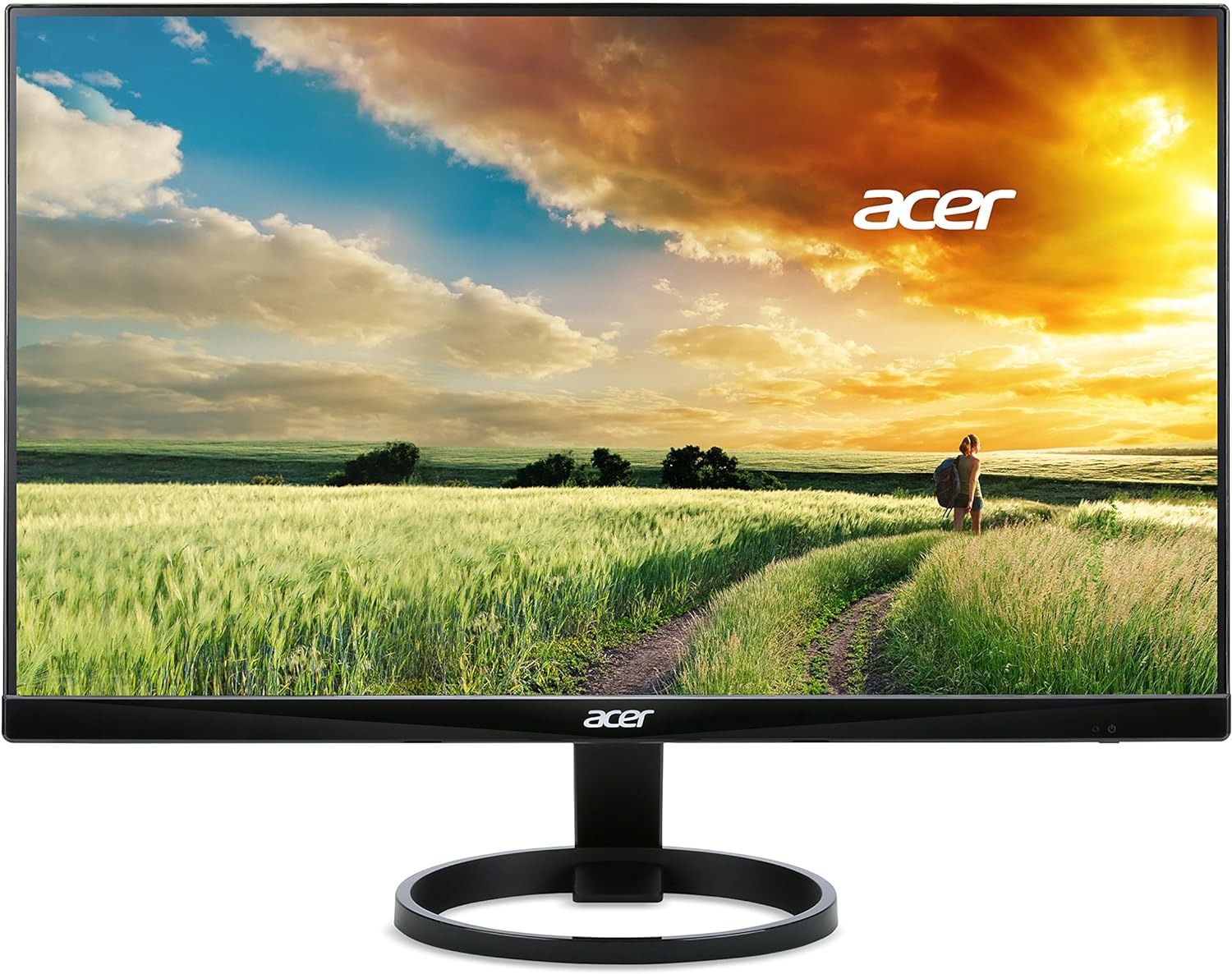
Rysunek 1: Przód view of the Acer R240HY bidx monitor, showcasing its zero-frame design and circular stand base.

Rysunek 2: Kątowy view of the monitor highlights its slim profile and the elegant circular stand.
4.2 Podłączanie monitora
- Ensure your computer and monitor are powered off.
- Connect one end of the appropriate video cable (HDMI, DVI, or VGA) to the corresponding port on your computer's graphics card.
- Connect the other end of the video cable to the matching input port on the back of your Acer R240HY bidx monitor.
- Podłącz zasilacz do wejścia zasilania monitora, a następnie podłącz przewód zasilający do gniazdka ściennego.

Rysunek 3: The back of the monitor is shown, detailing the available input ports: HDMI, DVI, and VGA, along with the power input.
4.3 Pierwsze włączenie zasilania
- Włącz komputer.
- Press the power button on the monitor (located on the bottom right bezel) to turn it on.
- The monitor should automatically detect the active input signal. If not, use the OSD menu to manually select the input source.
Wideo 1: Official product video demonstrating the features and connectivity options of the Acer R240HY bidx 23.8-inch monitor, including its IPS display, HDMI, DVI, and VGA ports.
5. Obsługa monitora
5.1 Menu ekranowe (OSD)
The OSD menu allows you to adjust various monitor settings. The control buttons are located on the bottom right bezel of the monitor.
- Przycisk zasilania: Włącza lub wyłącza monitor.
- Przycisk menu: Dostęp do głównego menu OSD.
- Przyciski nawigacyjne: Służy do poruszania się po opcjach menu i dostosowywania wartości.
- Przycisk wyboru wejścia: Quickly switches between available input sources (HDMI, DVI, VGA).
5.2 Dostosowywanie ustawień wyświetlania
W menu OSD można modyfikować takie ustawienia, jak:
- Jasność/Kontrast: Dostosuj ogólny poziom jasności i kontrastu.
- Ustawienia kolorów: Dopasuj temperaturę barwową, współczynnik gamma i nasycenie.
- Źródło sygnału wejściowego: Manually select the video input (HDMI, DVI, VGA).
- Ustawienia obrazu: Adjust sharpness, aspect ratio, and other image properties.
- Ustawienia OSD: Customize OSD language, timeout, and transparency.
6. Główne cechy
- 23.8-inch Full HD IPS Display: Enjoy vibrant colors and consistent image quality from wide viewing angles with 1920 x 1080 resolution.
- Konstrukcja Zero Frame: Maximizes screen visibility from edge to edge, ideal for multi-monitor setups.
- Szybki czas reakcji: A 4ms response time ensures smooth transitions and reduced ghosting for fast-paced content.
- Szeroki Viewkąt ing: 178° w poziomie i pionie viewing angles provide clear visuals from almost any perspective.
- Wiele opcji łączności: Includes 1 x HDMI, 1 x DVI (with HDCP 1.4), and 1 x VGA inputs for broad compatibility.
- Niski poziom niebieskiego światła: Redukuje emisję niebieskiego światła, minimalizując zmęczenie oczu podczas długotrwałego użytkowania.
7. Konserwacja
7.1 Czyszczenie monitora
To clean your monitor:
- Przed czyszczeniem należy zawsze odłączyć monitor od gniazdka zasilania.
- Użyj miękkiej, niestrzępiącej się ściereczki, lekko wyczyśćampspłukać wodą lub łagodnym, nieściernym środkiem do czyszczenia ekranów.
- Nie rozpylać środka czyszczącego bezpośrednio na ekran.
- Unikaj stosowania silnych środków chemicznych, ściernych środków czyszczących i rozpuszczalników.
7.2 Ogólna opieka
- Unikaj umieszczania ciężkich przedmiotów na monitorze i jego kablach.
- Do not expose the monitor to direct sunlight or heat sources.
- Należy zapewnić odpowiednią wentylację wokół monitora.
8. Rozwiązywanie Problemów
8.1 No Picture Visible
- Ensure the monitor is powered on and the power indicator light is active.
- Check that the video cable is securely connected to both the monitor and the computer.
- Verify that the correct input source is selected via the OSD menu.
- If the screen is too dark, adjust brightness and contrast settings in the OSD menu or reset them to default.
- Jeżeli to możliwe, przetestuj monitor przy użyciu innego komputera lub źródła sygnału wideo.
8.2 Problemy z jakością obrazu
- Dostosuj ustawienia jasności, kontrastu i koloru w menu OSD.
- Ensure the display resolution on your computer matches the monitor's native resolution (1920 x 1080).
- Check for any physical damage to the video cable or ports.
8.3 Monitor Not Responding to Controls
- Odłącz przewód zasilający monitora, odczekaj 30 sekund, a następnie podłącz go ponownie i spróbuj jeszcze raz.
- Ensure no buttons are stuck or obstructed.
9. Specyfikacje
| Funkcja | Specyfikacja |
|---|---|
| Rozmiar ekranu stojącego | 23.8 cali |
| Rozdzielczość ekranu | 1920x1080 (Pełna rozdzielczość HD) |
| Maksymalna rozdzielczość ekranu | 1920 x 1080 pikseli |
| Marka | klon |
| Szereg | R240HY bidx |
| Numer modelu przedmiotu | R240HY bidx |
| Waga przedmiotu | 6.4 funta |
| Wymiary produktu | 21.3 x 7.3 x 16 cala |
| Kolor | Czarny |
| Producent | klon |
| Rozmiar ekranu | 23.8 cali |
| Rezolucja | FHD 1080p |
| Proporcje obrazu | 16:9 |
| Opis powierzchni ekranu | Matowy |
10. Gwarancja i wsparcie
Your Acer R240HY bidx monitor comes with a standard manufacturer's warranty. For specific warranty terms and conditions, please refer to the warranty card included in your product packaging or visit the official Acer support webstrona.
For technical support, troubleshooting assistance, or to inquire about service, please contact Acer Customer Service through their official channels. Have your monitor's model number and serial number ready when contacting support.


