1. Wprowadzenie
This manual provides instructions for the proper use and maintenance of your deli 7508 Automatic 8-Digit Numbering Machine. Designed for efficiency and precision, this metal machine is ideal for numbering documents such as invoices, receipts, tickets, and legal papers. It features an automatic shift system for consecutive, repeat, and duplicate numbering, ensuring clear and consistent impressions.
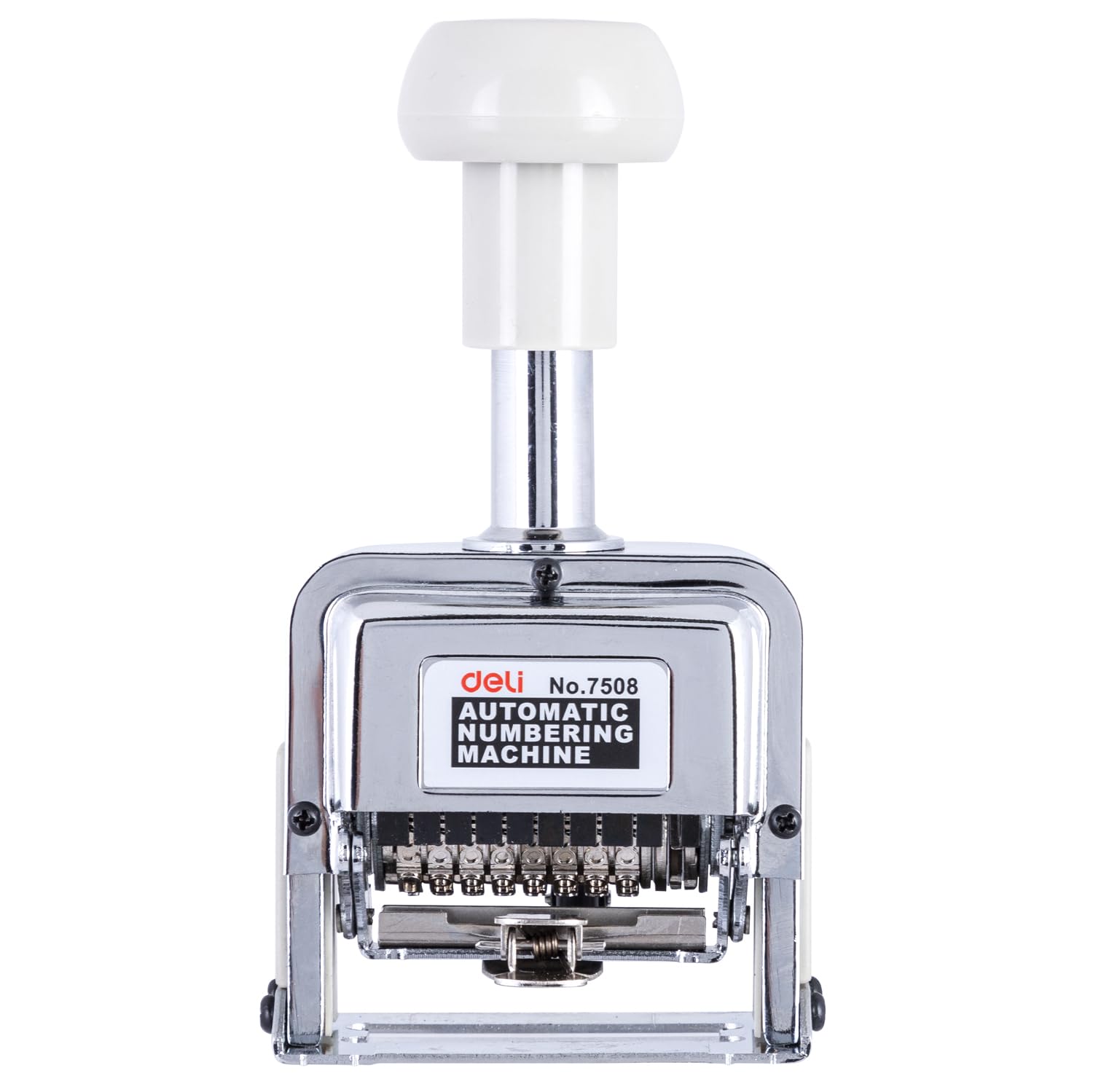
Image 1.1: The deli 7508 Automatic 8-Digit Numbering Machine, a robust metal device designed for efficient document numbering.
2. Składniki produktu
The deli 7508 Automatic 8-Digit Numbering Machine includes the following main components:
- Numbering Machine: The main device for stamping numbers.
- Ink Pad: Integrated within the machine for clear impressions.
- Plastic Stick (Digit Pen): Used for adjusting individual number wheels.
- Ink Bottle: For refilling the ink pad.

Image 2.1: The ink bottle provided for refilling the numbering machine's ink pad.
3. Konfiguracja i pierwsze użycie
3.1 Rozpakowanie
Carefully remove the numbering machine and all accessories from its packaging. Inspect the device for any visible damage.

Image 3.1: The retail packaging for the deli 7508 Numbering Machine.
3.2 Ink Filling (Initial)
- Press the handle down halfway and remove the ink pad clasp.
- Carefully pull out the ink pad.
- Apply a few drops of the provided ink onto the ink pad, ensuring even saturation. Do not overfill.
- Reinsert the ink pad and secure the clasp.

Image 3.2: Detailed instructions for ink filling as depicted on the product packaging.
4. Instrukcja obsługi
4.1 Setting Numbering Modes (Auto Shift System)
The deli 7508 features an automatic shift system for various numbering sequences:
- Consecutive Numbering: Numbers advance by one with each impression.
- Repeat Numbering: The same number is stamped multiple times before advancing.
- Duplicate Numbering: The number advances after two impressions of the same number.
To adjust the numbering mode:
- Locate the action indicator (usually a small lever or button).
- Hold the action indicator and release it.
- Move the index plate to the desired repeat setting. The action indicator will show the digit changes after being repeated three times. Refer to the markings on the machine for specific settings (e.g., '0' for consecutive, '1' for duplicate, etc.).

Image 4.1: The automatic numbering system of the deli 7508, which controls the numbering sequence.
4.2 Adjusting Individual Numbers
To set a specific starting number or to omit certain digits:
- Press the handle down and push the handle lock to the right to keep the numbering wheels exposed.
- Use the included plastic stick (digit pen) to turn the figure wheels to the desired numbers.
- If a digit is not required (e.g., for a 6-digit number on an 8-digit machine), adjust that digit to zero, then press it forward slightly and push it down. This will cause the digit to sink and not appear in the impression.
- Release the handle lock to resume normal operation.

Image 4.2: A hand demonstrating the operation of the deli 7508, showing the stampdziałanie.
4.3 Św.ampw dokumentach
Once the numbers and mode are set:
- Place the document on a flat, stable surface.
- Position the numbering machine over the desired stampObszar objęty badaniem.
- Press the handle down firmly and evenly to make a clear impression.
- Lift the machine. The number will automatically advance according to the set mode.

Image 4.3: The deli 7508 delivering a smooth and clear number impression on a document.
5. Konserwacja
5.1 Re-inking the Pad
When impressions become faint, the ink pad needs refilling. Follow the steps in Section 3.2 "Ink Filling (Initial)". Use only ink specifically designed for numbering machines to ensure optimal performance and longevity of the device.
5.2 Czyszczenie
Periodically clean the numbering wheels and the surrounding mechanism to prevent ink buildup and ensure smooth operation. Use a soft cloth and a small amount of appropriate cleaning solution (e.g., stamp cleaner or rubbing alcohol). Avoid harsh chemicals that may damage the metal or plastic components.

Image 5.1: The robust numbering wheels of the deli 7508, highlighting its durable construction.
6. Rozwiązywanie Problemów
| Problem | Możliwa przyczyna | Rozwiązanie |
|---|---|---|
| Faint or incomplete impressions | Ink pad is dry or low on ink. | Refill the ink pad (see Section 5.1). |
| Numbers not advancing correctly | Incorrect mode setting; debris in mechanism. | Check mode setting (Section 4.1). Clean the numbering mechanism (Section 5.2). |
| Numbers are broken or unclear | Ink buildup on numbering wheels; uneven pressure during stamping. | Clean numbering wheels (Section 5.2). Ensure firm and even pressure when stamping. |
| Individual digits not appearing | Digit is pushed down/retracted. | Adjust the digit using the plastic stick to bring it back into position (Section 4.2). |
7. Specyfikacje
- Marka: garmażeria
- Model: 7508 (also referred to as W7508 / E7508)
- Ilość cyfr: 8
- Tworzywo: Stal nierdzewna
- Wymiary (dł. x szer. x wys.): 7.5 x 16.7 x 9.5 centymetrów
- Waga przedmiotu: 450 gramów
- Cechy: Automatic Number Shifting, Lock System, Integrated Ink Pad
8. Gwarancja i wsparcie
Aby uzyskać informacje o gwarancji lub pomocy technicznej, skontaktuj się bezpośrednio ze sprzedawcą lub producentem. Zachowaj paragon jako dowód zakupu.
Producent: deli, Ningbo Deli IMP. & EXP. CO, Xinhui Rd, Jiang Dong Qu, Ningbo, Zhejiang, China, 315048
Importer (Indie): Linc Limited, Aurora Waterfront, GN 34/1, GN Block, Sector V, Bidhannagar, Kolkata, West Bengal 700091


