1. Wprowadzenie
Dziękujemy za zakupasing the LAMAX Action X6 action camera. This manual provides detailed instructions on how to set up, operate, and maintain your device. Please read this manual carefully before using the camera to ensure proper functionality and to maximize your experience.
2. Zawartość opakowania
Po rozpakowaniu prosimy sprawdzić, czy w opakowaniu znajdują się wszystkie poniższe elementy:
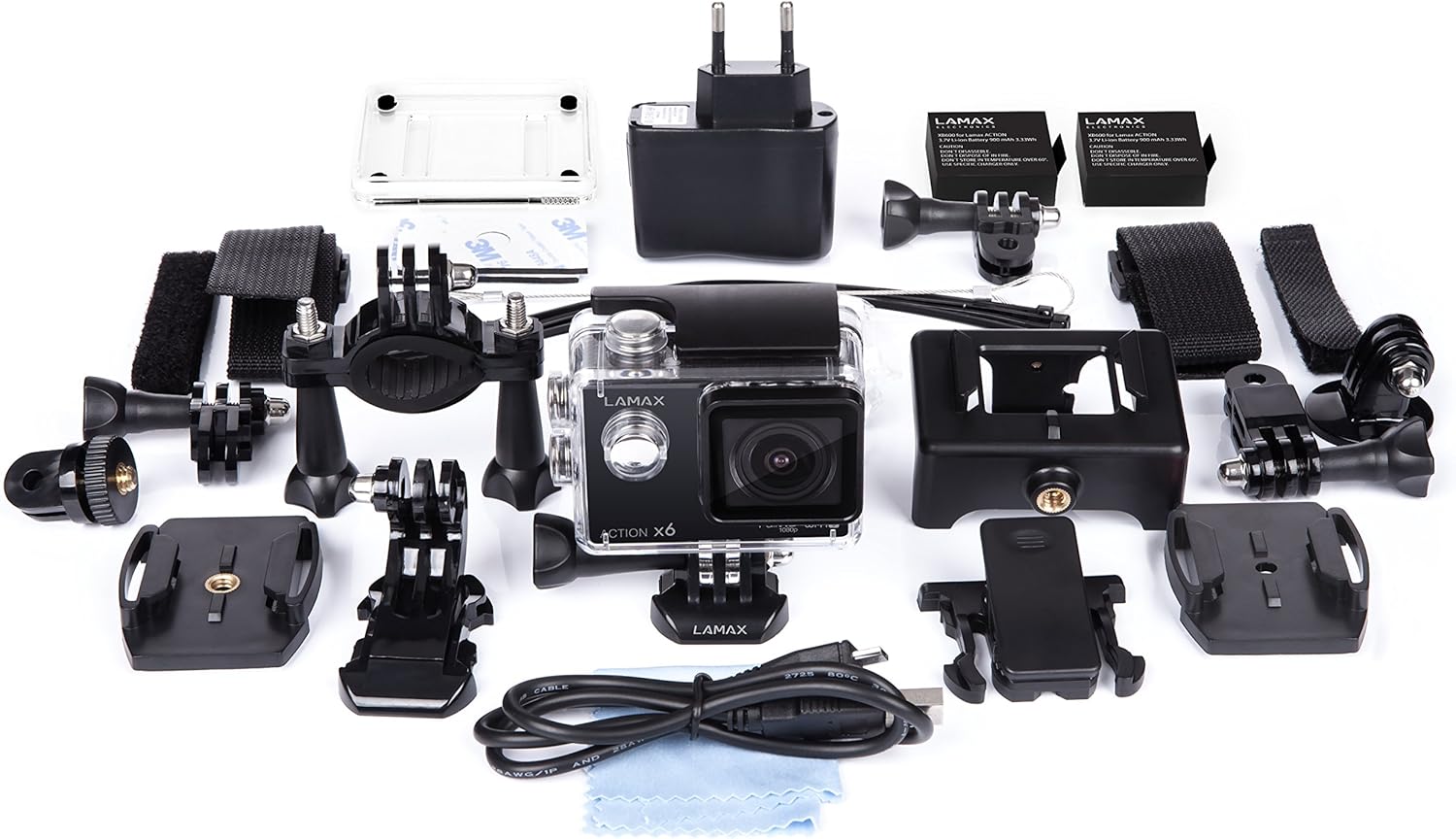
Obraz: LAMAX Action X6 camera and included accessories laid out, including the camera, waterproof case, various mounts, charger, and cables.
- LAMAX Action X6 Camera
- Wodoodporna obudowa
- Various Mounting Accessories (e.g., helmet mount, handlebar mount, adhesive mounts)
- Kabel USB
- Zasilacz
- Instrukcja obsługi
3. Koniec produktuview
Familiarize yourself with the main components and controls of your LAMAX Action X6 camera.
3.1 Camera Body and Waterproof Case

Obraz: LAMAX Action X6 camera enclosed in its waterproof housing, showing the front lens and control buttons for underwater or rugged use.
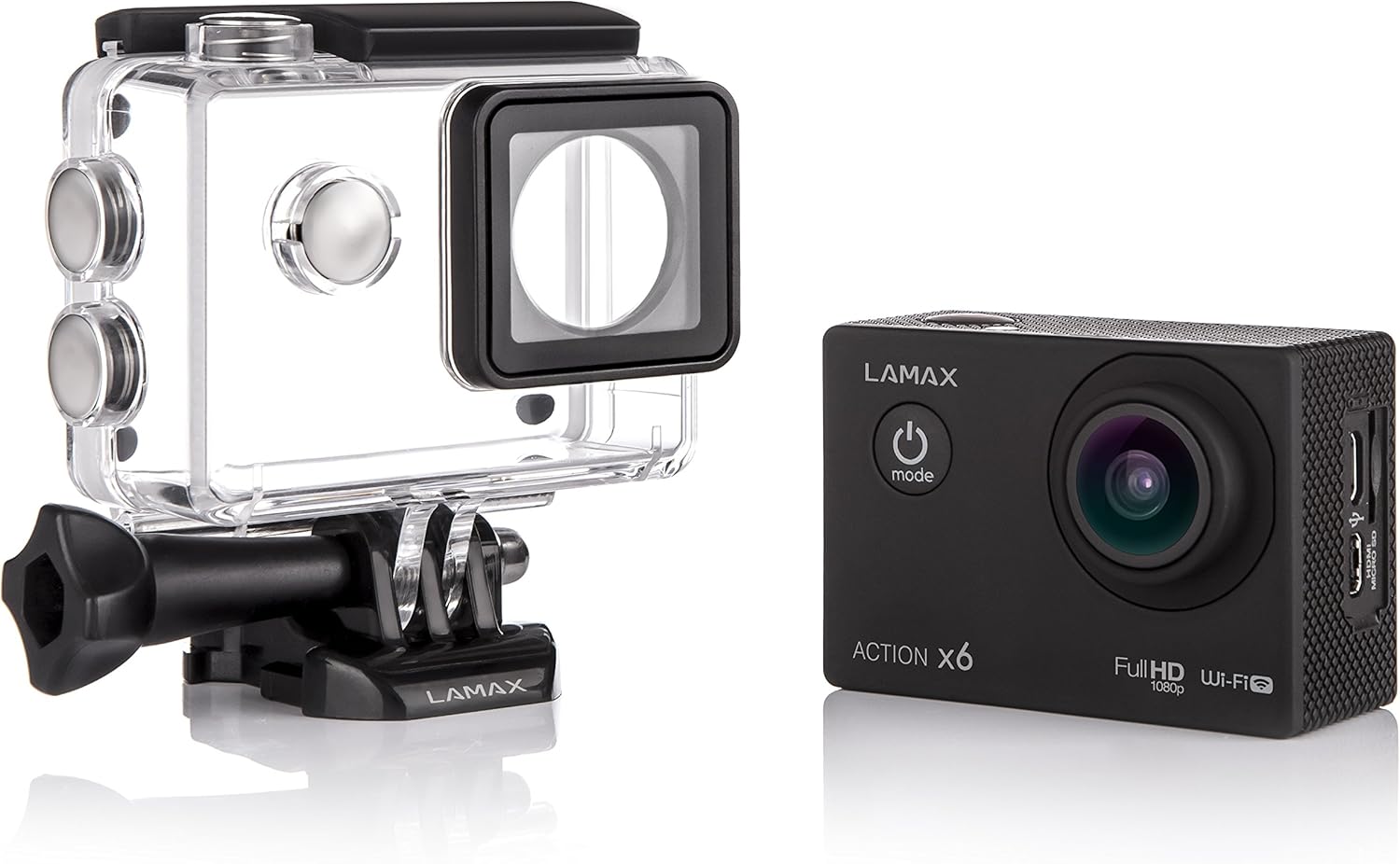
Obraz: LAMAX Action X6 camera in its waterproof housing, viewed from a slight angle, highlighting the side buttons for mode and settings adjustments.

Obraz: Przód view of the LAMAX Action X6 camera in its waterproof housing, clearly showing the lens and 'ACTION X6' branding, ready for action.
3.2 Camera Ports and Screen
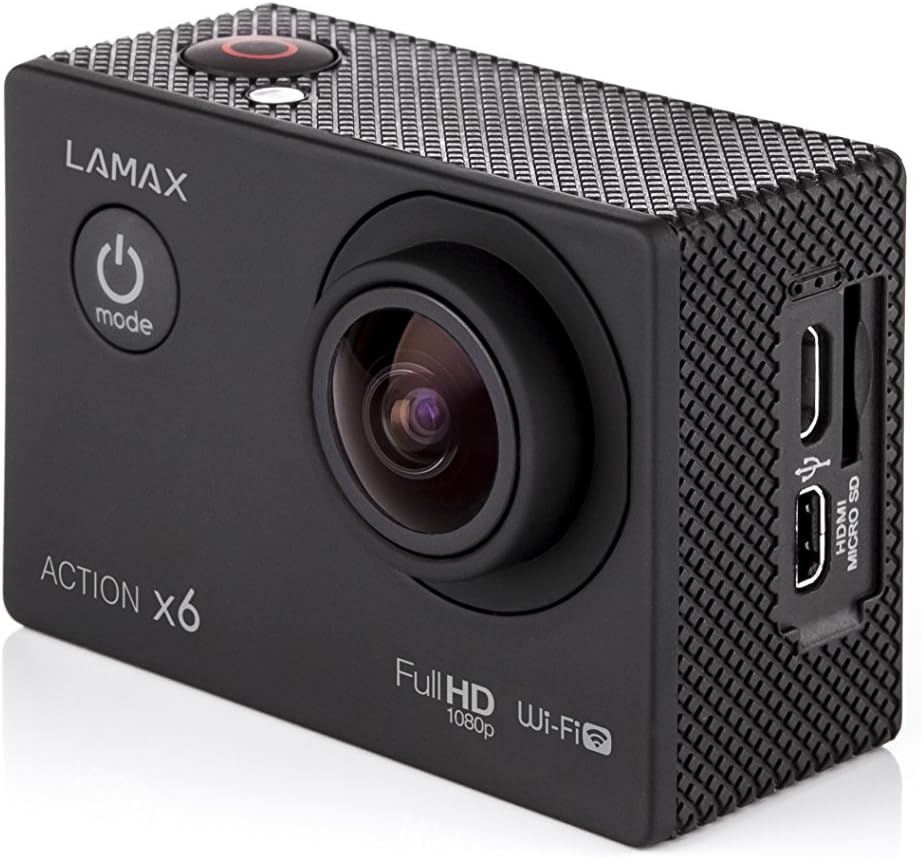
Obraz: Strona view of the LAMAX Action X6 camera without its housing, revealing the HDMI and Micro SD card slots for connectivity and storage.

Obraz: Tył view of the LAMAX Action X6 camera, displaying its LCD screen with a video playback, allowing for instant review z footage.
4. Konfiguracja
4.1 Ładowanie akumulatora
Although batteries are not included, if you acquire rechargeable batteries, ensure they are fully charged before first use. Connect the camera to the power adapter using the provided USB cable. The charging indicator will illuminate during charging and turn off when complete.
4.2 Wkładanie karty MicroSD
The LAMAX Action X6 requires a MicroSD card (not included) for storing photos and videos. Insert the MicroSD card into the designated slot until it clicks into place. Ensure the card is formatted before first use via the camera's settings menu.
4.3 Montaż kamery
The LAMAX Action X6 comes with various mounts for different scenarios. Choose the appropriate mount for your activity and securely attach the camera.
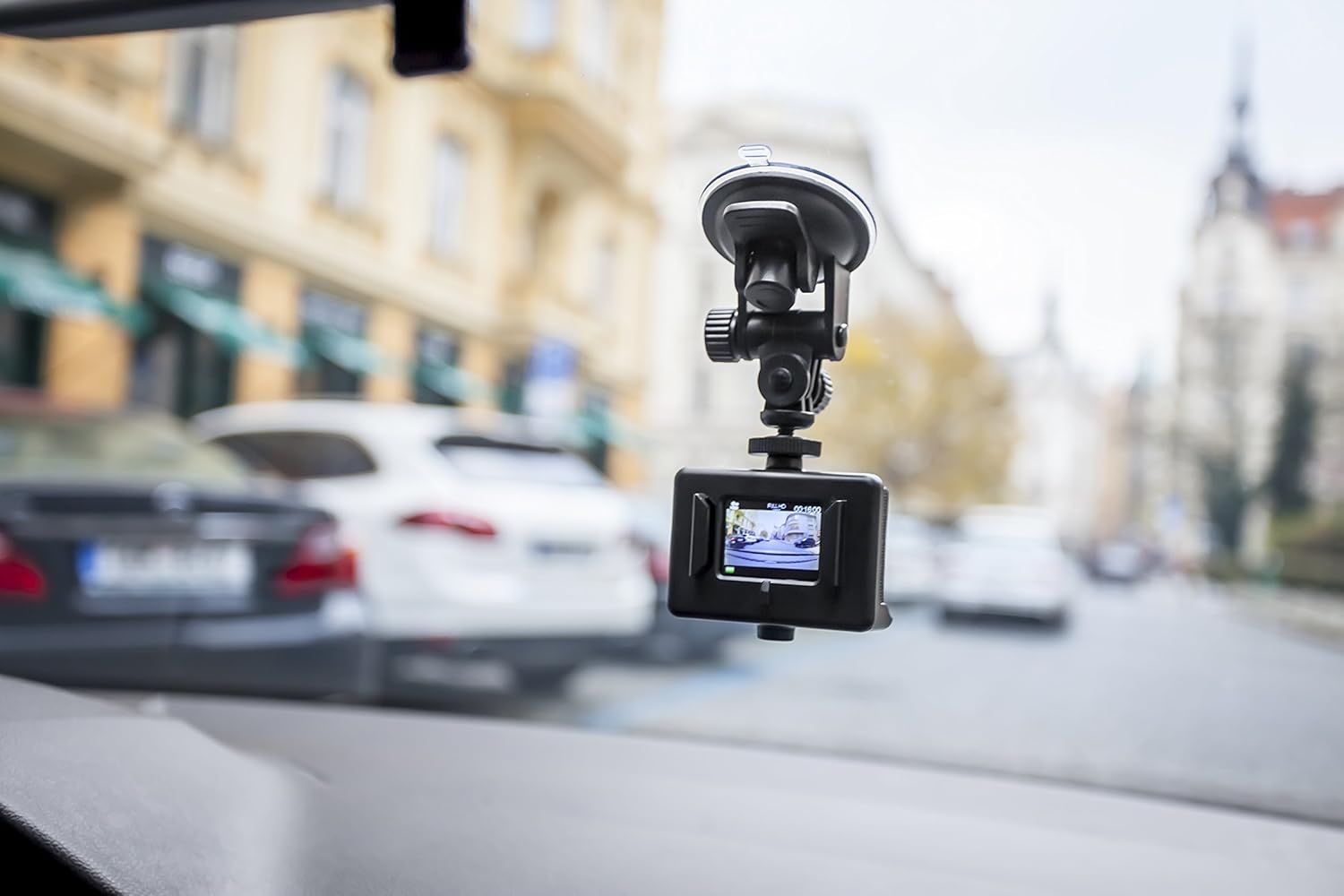
Obraz: LAMAX Action X6 camera mounted on a car windshield using a suction cup mount, displaying its screen, ideal for dashcam functionality.

Obraz: LAMAX Action X6 camera mounted on a helmet, demonstrating a common use case for action cameras to capture point-of-view footage.

Obraz: LAMAX Action X6 camera mounted on bicycle handlebars, showing its versatility for outdoor activities like cycling.
- Mocowanie na hełmie: Use the adhesive pads and curved mount for helmets.
- Uchwyt na kierownicę: Securely attach to bicycle handlebars or similar poles.
- Mocowanie przyssawki: Ideal for car windshields or smooth, flat surfaces.
5. Obsługa aparatu
5.1 Włączanie/wyłączanie
Aby włączyć, naciśnij i przytrzymaj przycisk zasilania/trybu przez kilka sekund. Aby wyłączyć, naciśnij i przytrzymaj przycisk zasilania/trybu ponownie, aż ekran się wyłączy.
5.2 Wybór trybu
Press the Power/Mode button repeatedly to cycle through different modes: Video Recording, Photo Mode, Playback Mode, and Settings Mode. The current mode will be displayed on the screen.
5.3 Nagrywanie wideo
In Video Recording mode, press the OK/Shutter button to start recording. Press it again to stop recording. A red indicator light will usually flash during recording.
5.4 Robienie zdjęć
In Photo Mode, press the OK/Shutter button to take a still photograph.
5.5 Łączność Wi-Fi
The LAMAX Action X6 features Wi-Fi connectivity. To activate, navigate to the Wi-Fi setting in the camera's menu. Once enabled, you can connect your smartphone or tablet via the dedicated LAMAX app to control the camera remotely, view żyćtagi przeniesienie files.
6. Konserwacja
6.1 Czyszczenie
Use a soft, lint-free cloth to clean the camera lens and screen. For the waterproof case, rinse with fresh water after use in saltwater and allow to air dry. Do not use harsh chemicals or abrasive materials.
6.2 Przechowywanie
Store the camera in a cool, dry place away from direct sunlight and extreme temperatures. If storing for extended periods, remove the battery (if applicable) and ensure the camera is clean and dry.
7. Rozwiązywanie Problemów
- Kamera nie włącza się: Ensure the battery is charged. Check if the battery is inserted correctly.
- Błąd karty MicroSD: Ensure the card is inserted correctly. Try formatting the card in the camera's settings. Use a high-speed (Class 10 or higher) MicroSD card.
- Zatrzymanie kamery: Remove and reinsert the battery to reset the camera. If the issue persists, try updating the firmware (check the LAMAX web(strona z aktualizacjami).
- Słaba jakość wideo/zdjęć: Ensure the lens is clean. Check the resolution settings in the camera menu. Ensure adequate lighting.
- Problemy z połączeniem Wi-Fi: Ensure Wi-Fi is enabled on the camera and your mobile device. Restart both devices. Ensure you are within range of the camera's Wi-Fi signal.
8. Specyfikacje
| Funkcja | Szczegół |
|---|---|
| Nazwa marki | Lamax |
| Numer modelu | ACTIONX6 |
| Efektywna rozdzielczość obrazu nieruchomego | 12 MP |
| Rozdzielczość przechwytywania wideo | 1920x1080 30 fps, 1280x720 60 fps |
| Technologia czujników fotoelektrycznych | CMOS |
| Stabilizacja obrazu | NIE |
| Wymiary przedmiotu | Wymiary 5.9 x 2.9 x 4.1 cm |
| Wymiary opakowania | Wymiary 26.6 x 16.2 x 6.4 cm |
| Waga paczki | 1.1 funtów |
| Rok modelowy | 2015 |
| Baterie w zestawie | NIE |
9. Gwarancja i wsparcie
LAMAX products are designed and manufactured to the highest quality standards. For information regarding warranty terms, technical support, or service, please refer to the official LAMAX webOdwiedź witrynę lub skontaktuj się z lokalnym dystrybutorem. Zachowaj dowód zakupu na wypadek reklamacji.


