Wstęp
This manual provides essential instructions for the proper installation, use, and maintenance of the Konica Minolta TN319C Cyan Toner Cartridge. This cartridge is designed for use with the Konica Minolta Bizhub C360 copier. Please read this manual thoroughly before installing or using the product to ensure optimal performance and safety.
Informacje dotyczące bezpieczeństwa
- Przechowuj wkłady z tonerem poza zasięgiem dzieci.
- Do not ingest toner. If toner is swallowed, seek medical attention immediately.
- Avoid direct contact with toner powder. If toner gets on your skin or clothing, wash thoroughly with soap and cold water.
- Do not expose the toner cartridge to open flames or high temperatures.
- Store the cartridge in a cool, dry place, away from direct sunlight.
- Handle the cartridge carefully to prevent damage. Do not touch the drum surface.
- Zużyte wkłady z tonerem należy utylizować zgodnie z lokalnymi przepisami.
Zawartość opakowania
Verify that the following item is included in the package:
- One (1) Konica Minolta TN319C Cyan Toner Cartridge
Konfiguracja i instalacja
Follow these steps to install the TN319C Cyan Toner Cartridge into your Konica Minolta Bizhub C360 copier:
- Wyłączone: Ensure the Konica Minolta Bizhub C360 copier is powered off before beginning the installation process.
- Otwórz przednią okładkę: Open the front cover of the copier to access the toner cartridge slots. Refer to your copier's user manual for the exact location and method of opening the cover.
- Identify Cyan Slot: Locate the slot designated for the cyan toner cartridge. It is often color-coded or labeled.
- Wyjmij stary wkład (jeśli dotyczy): If replacing an empty cartridge, carefully pull the old cyan toner cartridge straight out of its slot. Place it aside for proper disposal.
- Rozpakuj nowy wkład: Remove the new TN319C Cyan Toner Cartridge from its packaging. Gently shake the cartridge horizontally 5-6 times to distribute the toner evenly.
- Usuń plomby ochronne: Carefully remove any protective seals, tapes, or covers from the new cartridge. Do not touch the green drum surface.
- Włóż nowy wkład: Align the new toner cartridge with the cyan slot and gently push it in until it clicks securely into place. Do not force the cartridge.
- Zamknij okładkę: Close the front cover of the copier.
- Włączanie: Power on the copier. The copier should recognize the new toner cartridge.
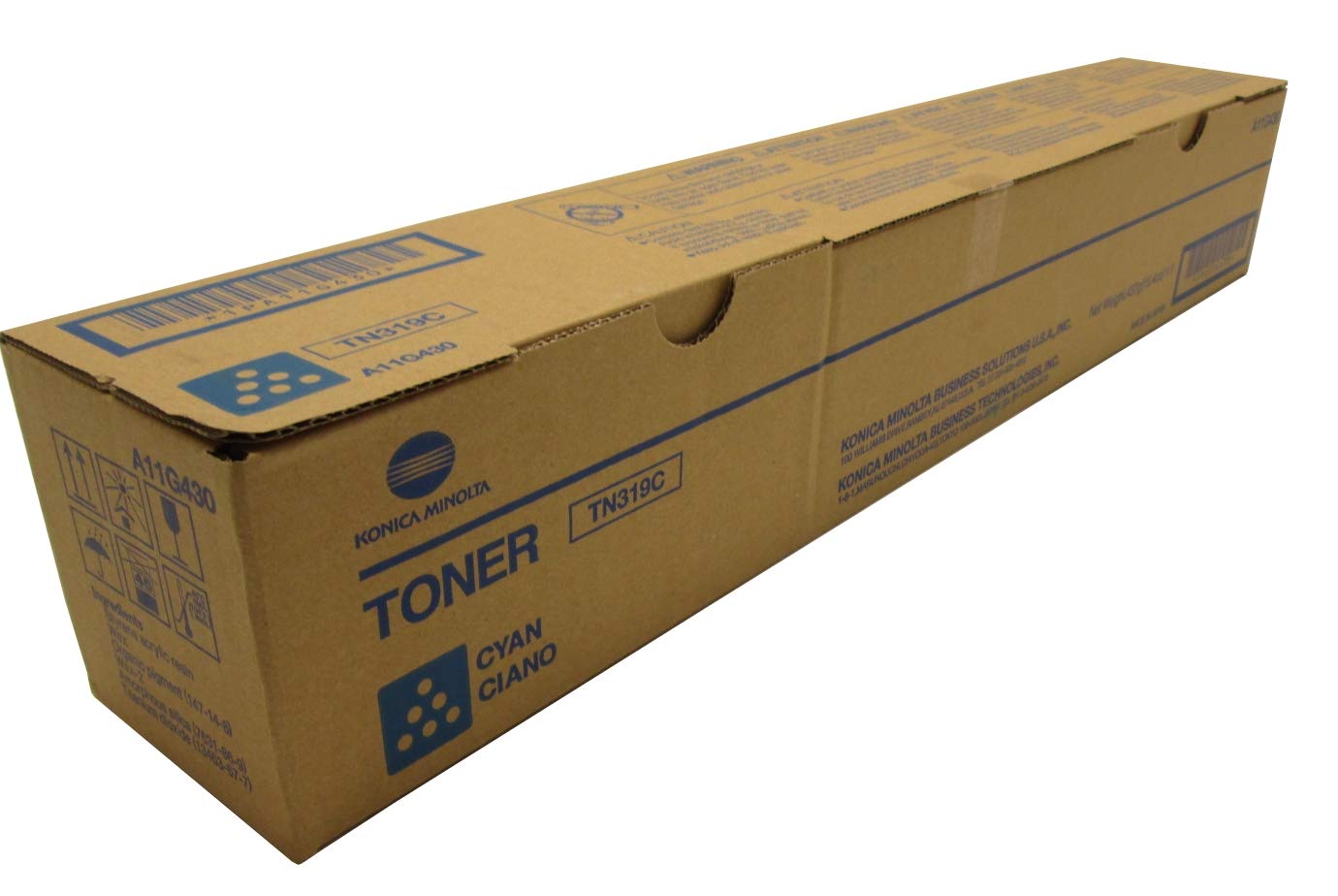
Image: Konica Minolta TN319C Cyan Toner Cartridge. This image shows the toner cartridge itself, which is inserted into the printer.
Instrukcja obsługi
Once the TN319C Cyan Toner Cartridge is correctly installed, the Konica Minolta Bizhub C360 copier will automatically detect it and begin using it for printing. No further manual operation of the cartridge itself is required.
- Monitoruj poziom tonera: The copier's display panel or software interface will indicate the current toner levels. Replace the cartridge when the "Toner Low" or "Replace Toner" message appears for the cyan color.
- Jakość druku: If print quality degrades (e.g., faded prints, streaks), it may indicate a low toner level or an issue with other printer components.
Konserwacja
The TN319C toner cartridge itself requires minimal maintenance. Proper handling and storage are key to its longevity and performance.
- Składowanie: Store unused cartridges in their original sealed packaging in a cool, dry environment, away from direct sunlight and extreme temperatures.
- Sprzedaż: Do not dispose of used toner cartridges in regular household waste. Many manufacturers and retailers offer recycling programs for empty toner cartridges. Please check with your local waste management facility or Konica Minolta for proper recycling options.
Rozwiązywanie problemów
If you encounter issues after installing the TN319C Cyan Toner Cartridge, consider the following common problems and solutions:
- Copier Does Not Recognize Cartridge:
- Upewnij się, że wkład jest całkowicie osadzony w gnieździe. Wyjmij go i włóż ponownie, mocno dociskając.
- Check for any remaining protective seals or tapes that might have been overlooked during installation.
- Restart the copier.
- Wyblakłe lub smugowate nadruki:
- The toner level may be low. Check the copier's display for toner status.
- Gently remove the cartridge and shake it horizontally a few times to redistribute any remaining toner, then reinsert.
- If the issue persists, the cartridge may be nearing the end of its life and require replacement.
- Consult your Konica Minolta Bizhub C360 manual for instructions on cleaning the printer's internal components, such as the drum unit or fuser, as these can also affect print quality.
- Toner Leaks:
- If you notice toner leaking, carefully remove the cartridge.
- Clean any spilled toner with a dry cloth. Do not use water.
- If the cartridge is damaged, it may need to be replaced.
For persistent issues, refer to your Konica Minolta Bizhub C360 copier's user manual or contact Konica Minolta customer support.
Specyfikacje
| Numer modelu | TN319C (A11G430) |
| Drukuj Kolor | Cyjan |
| Technologia druku | Laser |
| Typical Print Yield | Około 26,000 stron |
| Zgodność | Konica Minolta Bizhub C360 Copier |
| Waga przedmiotu | 2.8 funta (ok. 1.27 kg) |
| Wymiary produktu | 1 x 1 x 1 cala (ok. 2.54 x 2.54 x 2.54 cm) |
| UPC | 750022950288, 637122241983 |
Gwarancja i wsparcie
Warranty information for the Konica Minolta TN319C Cyan Toner Cartridge is typically provided by the manufacturer or the authorized reseller at the time of purchase. Please retain your proof of purchase for warranty claims.
For technical support, product inquiries, or warranty service, please contact Konica Minolta customer support or your authorized dealer. Contact details can usually be found on the official Konica Minolta website or within your copier's documentation.


