1. Konfiguracja
This section guides you through the initial setup of your NEC VY24G/D-9 laptop.
1.1 Rozpakowanie i wstępna kontrola
Ostrożnie wyjmij wszystkie elementy z opakowania. Sprawdź, czy znajdują się w nim następujące elementy:
- NEC VY24G/D-9 Laptop
- Zasilacz sieciowy i przewód zasilający
- Recovery CD
- Any additional software CDs (e.g., WinDVD, Roxio Creator)
Inspect the laptop and accessories for any visible damage. Note that the exterior casing and LCD screen may have minor cosmetic scratches from previous use, which do not affect functionality.
1.2 Podłączanie zasilacza sieciowego
Before first use, connect the AC adapter to the laptop and a power outlet to charge the battery and provide power.
- Plug the DC output connector of the AC adapter into the power input port on the side of the laptop.
- Podłącz przewód zasilający do zasilacza sieciowego.
- Podłącz drugi koniec przewodu zasilającego do uziemionego gniazdka elektrycznego.
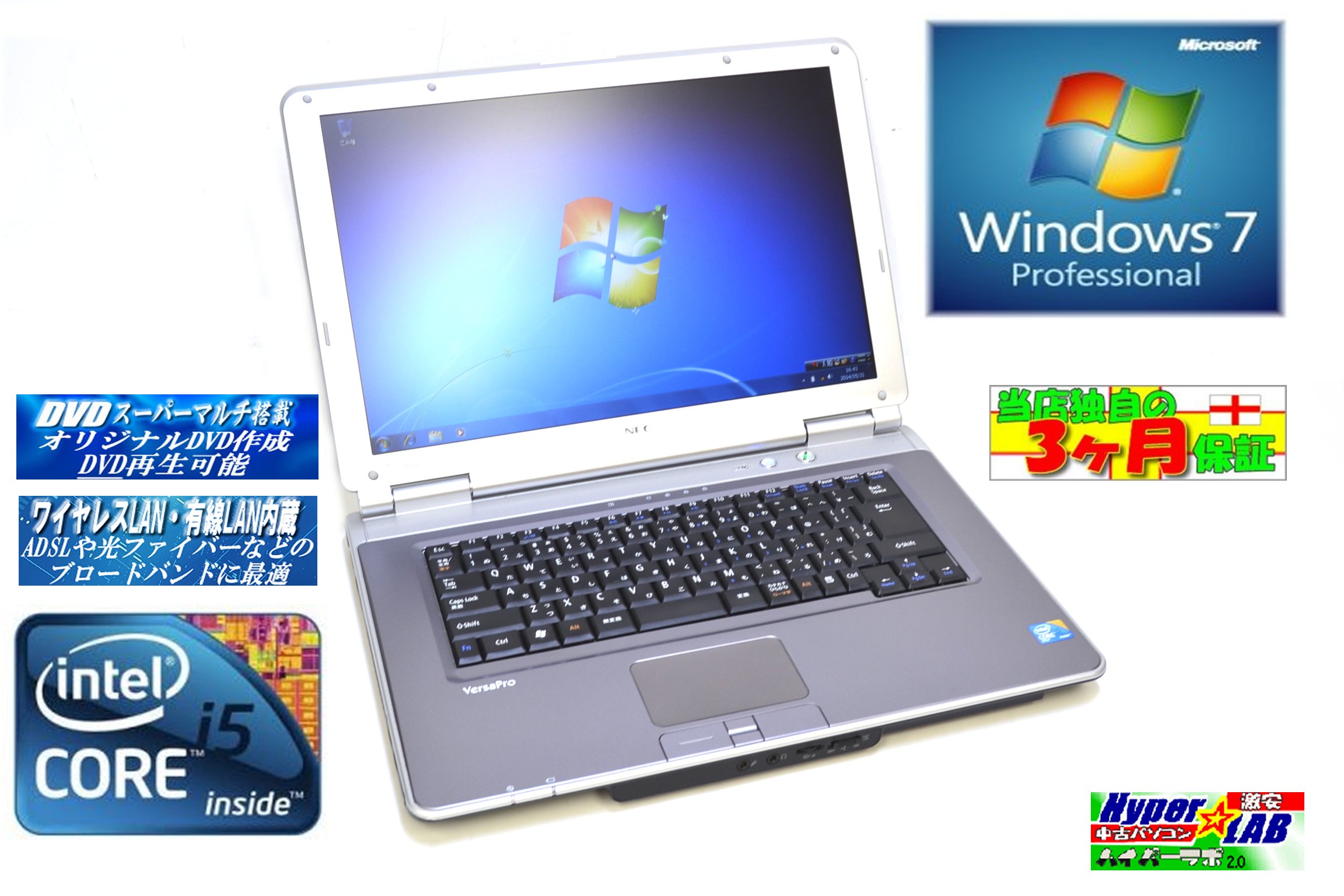
Image 1.1: The NEC VY24G/D-9 laptop shown with its AC adapter and included software/recovery CDs. The laptop is silver with a black base, and the AC adapter is a black rectangular unit with a power cord.
1.3 Pierwsze włączenie zasilania i konfiguracja systemu operacyjnego
Press the power button to turn on the laptop. The system comes with Windows 7 Professional 32-bit pre-installed. Follow the on-screen prompts to complete the initial operating system setup, which may include setting up user accounts, time zone, and network connections.
2. Instrukcja obsługi
This section covers the basic operation of your NEC VY24G/D-9 laptop.
2.1 Włączanie/wyłączanie zasilania
- Włączanie: Naciśnij przycisk zasilania znajdujący się na laptopie.
- Wyłączyć: Click the Start button in Windows, then select "Shut Down."
- Zrestartować: Click the Start button, then select "Restart."
- Spać: Click the Start button, then select "Sleep."
2.2 Using the DVD Multi Drive
The laptop is equipped with a DVD Multi optical drive for reading and writing CDs and DVDs.
- Naciśnij przycisk wysuwania na napędzie optycznym, aby otworzyć tacę.
- Połóż płytę CD lub DVD na tacy etykietą do góry.
- Delikatnie wsuń tackę z powrotem do laptopa, aż się zatrzaśnie.
- The operating system will typically detect the disc automatically.
2.3 Łączenie się z siecią
The laptop supports both wired and wireless network connections.
- Przewodowa sieć LAN: Connect an Ethernet cable to the LAN port on the side of the laptop.
- Wireless LAN (802.11bgn): Use the Windows network settings to connect to available Wi-Fi networks. Ensure the wireless adapter is enabled (check for a physical switch or function key combination if Wi-Fi is not detected).
2.4 Using USB Ports and PC Card Slot
The laptop features multiple USB 2.0 ports and a PC Card slot for connecting external devices.
- Porty USB 2.0 (x5): Connect USB devices such as mice, keyboards, external hard drives, or flash drives.
- PC Card Slot (x1): Insert compatible PC Cards for expanded functionality, such as additional network adapters or storage.

Obraz 2.1: Strona A view of the NEC VY24G/D-9 laptop, illustrating the arrangement of its various ports, including USB, LAN, and potentially VGA or serial ports.
3. Konserwacja
Właściwa konserwacja gwarantuje długowieczność i optymalną wydajność Twojego laptopa.
3.1 Czyszczenie laptopa
- Zewnętrzny: Użyj miękkiej, niestrzępiącej się ściereczki, lekko wyczyśćampCzyścić wodą lub łagodnym środkiem czyszczącym. Unikać stosowania silnych środków chemicznych.
- Ekran: Używaj ściereczki z mikrofibry przeznaczonej specjalnie do ekranów urządzeń elektronicznych. Nie spryskuj ekranu płynem bezpośrednio.
- Klawiatura: Za pomocą sprężonego powietrza usuń kurz i zanieczyszczenia spomiędzy klawiszy.
3.2 Aktualizacje oprogramowania
Regularly check for and install updates for Windows 7 Professional and any installed applications to ensure security and performance.
3.3 Pielęgnacja baterii
To maximize battery life, avoid extreme temperatures and allow the battery to discharge partially before recharging. If storing the laptop for an extended period, ensure the battery is charged to about 50%.
4. Rozwiązywanie Problemów
W tej sekcji znajdziesz rozwiązania typowych problemów, na jakie możesz natrafić.
4.1 Laptop się nie włącza
- Upewnij się, że zasilacz sieciowy jest prawidłowo podłączony do laptopa i do sprawnego gniazdka elektrycznego.
- Sprawdź, czy gniazdko elektryczne działa prawidłowo, podłączając do niego inne urządzenie.
- Jeśli korzystasz z zasilania bateryjnego, upewnij się, że akumulator jest naładowany.
4.2 Brak obrazu na ekranie
- Sprawdź czy laptop jest włączony.
- Adjust the screen brightness using the function keys (Fn + brightness keys).
- Connect an external monitor to determine if the issue is with the laptop's internal display.
4.3 Problemy z łącznością sieciową
- wired: Ensure the Ethernet cable is properly connected and the network router/modem is working.
- Bezprzewodowy: Verify that Wi-Fi is enabled and you are connecting to the correct network with the correct password. Restart your router/modem.
4.4 Odzyskiwanie systemu
If the operating system becomes unstable or corrupted, you can use the provided Recovery CD to restore the system to its factory settings. Refer to the instructions included with the Recovery CD for detailed steps.
5. Specyfikacje
Detailed technical specifications for the NEC VY24G/D-9 laptop.
| Funkcja | Specyfikacja |
|---|---|
| Marka | NEC |
| Nazwa modelu | VY24G/D-9 (VersaPro VY24G/D-9) |
| Rozmiar ekranu | 15.4 cali |
| Rezolucja | 1280x800 |
| Marka procesora | Intel |
| Typ procesora | Core i5 (520M) |
| Prędkość procesora | 2.4 GHz |
| Liczba procesorów | 1 |
| Rozmiar pamięci RAM | 2 GB |
| Pojemność dysku twardego | 160 GB |
| Interfejs HDD | Serial ATA |
| Napęd optyczny | DVD Multi |
| Typ bezprzewodowy | 802.11bgn |
| Sieć LAN | Tak |
| Porty USB | USB2.0 x5 |
| Gniazdo karty PC | x1 |
| System operacyjny | Windows 7 Professional (bit 32) |
| Platforma sprzętowa | PC |
6. Gwarancja i pomoc techniczna
This section provides information regarding the product warranty and how to obtain support.
6.1 Gwarancja na produkt
This NEC VY24G/D-9 laptop comes with a 3-miesięczna gwarancja from the date of purchase. This warranty covers manufacturing defects and hardware malfunctions under normal use. It does not cover damage caused by misuse, accidents, unauthorized modifications, or normal wear and tear.
6.2 Wsparcie techniczne
For technical assistance or warranty claims, please contact your retailer or the authorized NEC service center. Have your purchase receipt and the laptop's serial number ready when contacting support.


