1. Wprowadzenie
This manual provides comprehensive instructions for the Sony Cyber-shot DSC-W810 Digital Camera. It covers essential information for setting up, operating, maintaining, and troubleshooting your camera to ensure optimal performance and longevity. Please read this manual thoroughly before using your camera.
2. Koniec produktuview
Familiarize yourself with the components and controls of your Sony Cyber-shot DSC-W810 camera.
2.1 Komponenty kamery
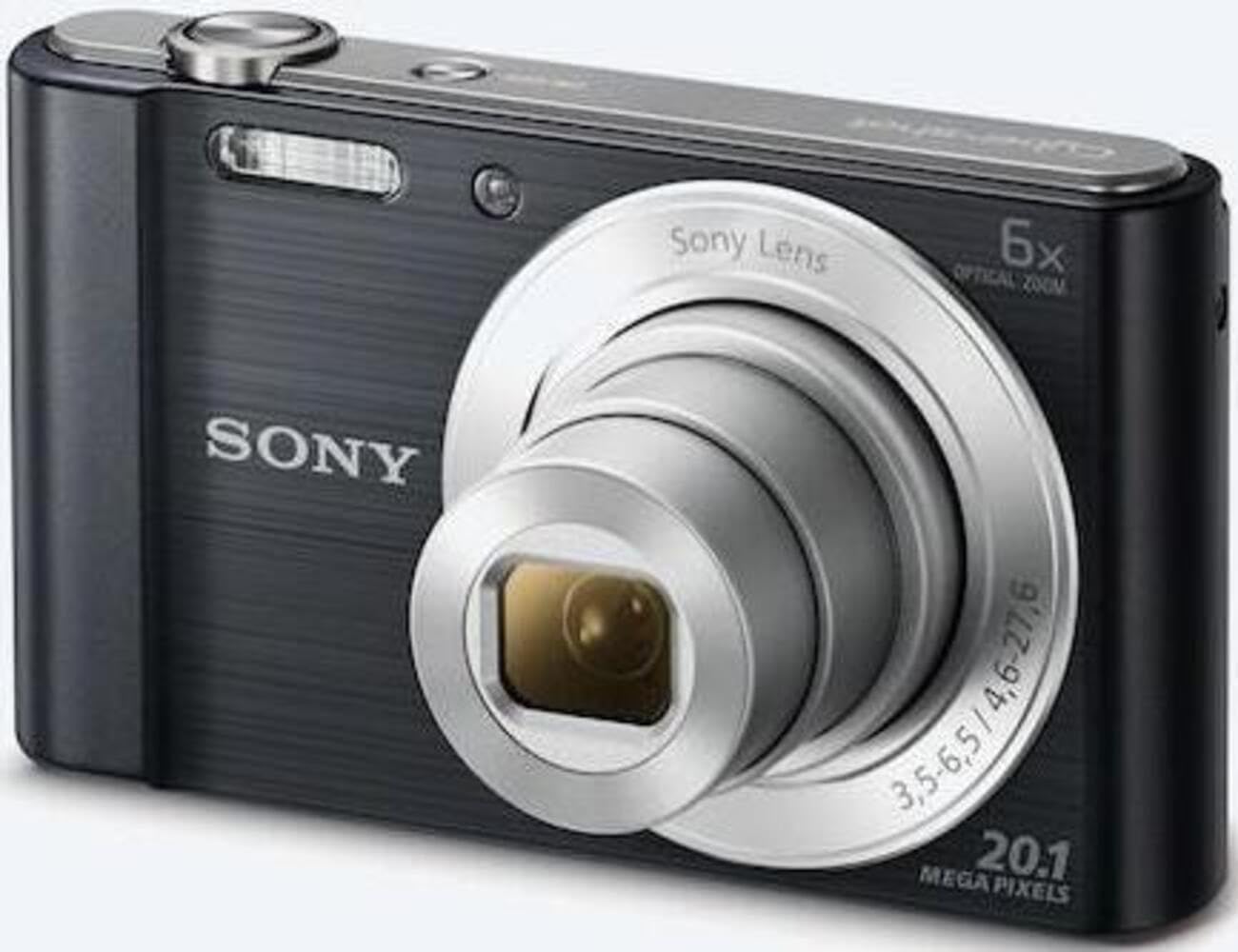
Rycina 1: Przód view of the camera with the lens retracted. This shows the lens, flash, and shutter button.
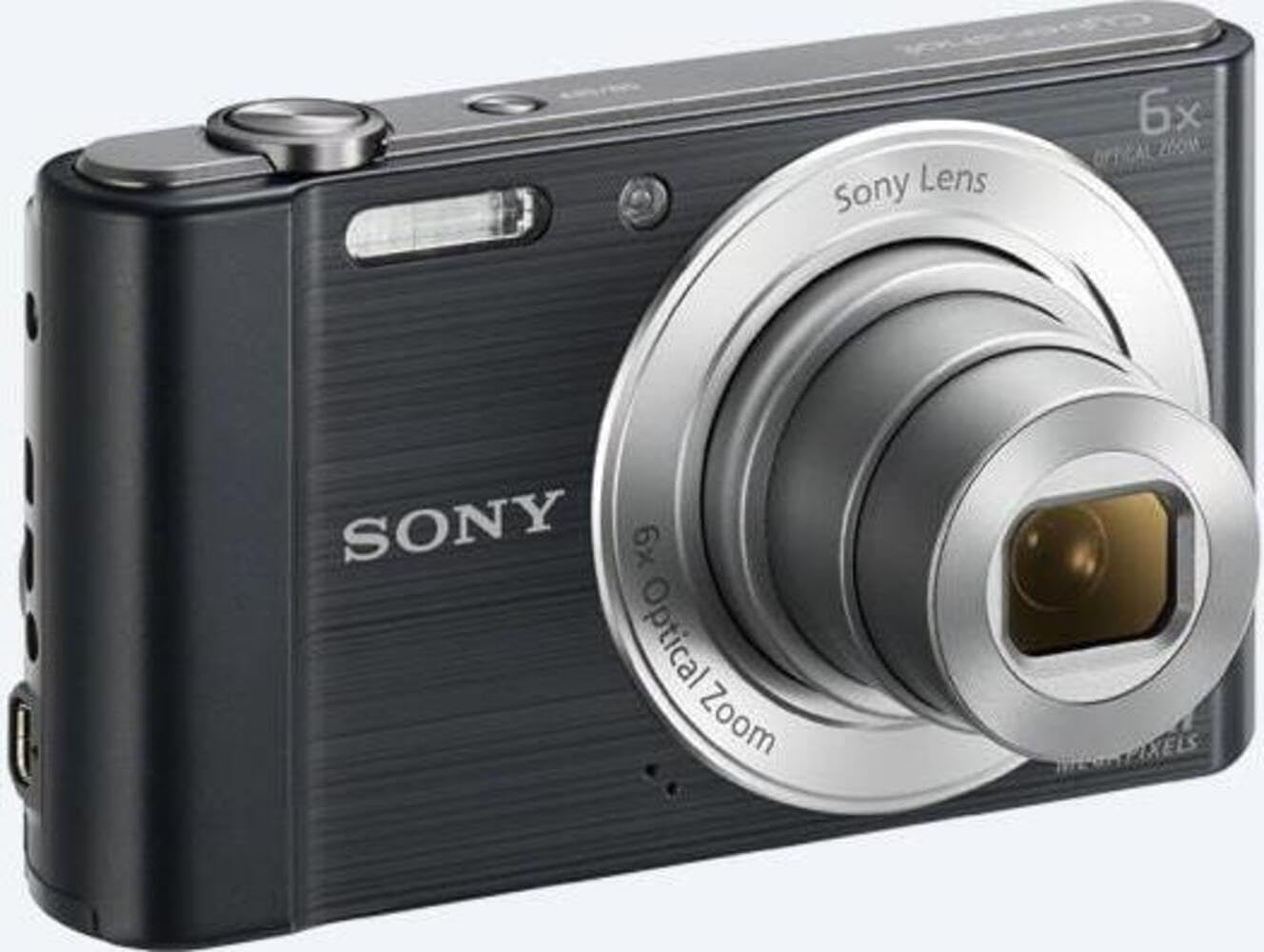
Rycina 2: Przód view of the camera with the lens extended, ready for shooting. This illustrates the camera's compact design when in use.

Rysunek 3: Tył view of the camera, highlighting the 2.7-inch LCD screen, navigation buttons, movie record button, and menu button.

Rysunek 4: Góra view of the camera, showing the power button, shutter button, and zoom lever.
2.2 Control Buttons and Functions
- Spust migawki: Naciśnij do połowy, aby ustawić ostrość, naciśnij do końca, aby uchwycić obraz.
- Dźwignia zoomu (W/T): Adjusts optical and digital zoom. "W" for wide-angle, "T" for telephoto.
- Przycisk zasilania: Włącza lub wyłącza kamerę.
- Przycisk filmu: Rozpoczyna i zatrzymuje nagrywanie wideo.
- Przycisk odtwarzania: Wchodzi w tryb odtwarzania view zdjęcia i filmy.
- Przycisk menu: Dostęp do ustawień i opcji aparatu.
- Przyciski kierunkowe: Navigate menus and select options. Also used for flash settings, self-timer, and display options.
- Błysk: Wbudowana lampa błyskowa do zdjęć w warunkach słabego oświetlenia.
- Ekran LCD: 2.7-inch display for framing shots, viewprzeglądanie obrazów i poruszanie się po menu.
3. Konfiguracja
Aby przygotować aparat do pierwszego użycia, wykonaj poniższe czynności.
3.1 Wkładanie baterii
- Otwórz pokrywę baterii/karty pamięci znajdującą się na spodzie aparatu.
- Insert the battery with the correct orientation, ensuring the terminals align. Push until it clicks into place.
- Dokładnie zamknij pokrywę.
Note: The camera does not include batteries. Please use compatible Sony NP-BN or NP-BN1 batteries.
3.2 Wkładanie karty pamięci
The camera supports SDXC or SDHC memory cards.
- Otwórz pokrywę baterii/karty pamięci.
- Insert the memory card into the slot with the correct orientation until it clicks.
- Dokładnie zamknij pokrywę.
Note: A memory card is not included with the camera. Purchase a compatible SDXC or SDHC card separately.
3.3 Pierwsze włączenie i ustawienia
- Naciśnij przycisk zasilania, aby włączyć kamerę.
- The initial setup screen will appear. Follow the on-screen prompts to set the language, date, and time.
- Ensure the date and time are accurate for proper photo organization.
4. Obsługa aparatu
Learn how to capture photos and videos with your DSC-W810.
4.1 Robienie zdjęć
- Włącz kamerę.
- Skadruj ujęcie korzystając z ekranu LCD.
- Use the zoom lever (W/T) to adjust the 6x optical zoom.
- Press the Shutter button halfway down to focus. The focus frame will turn green when focus is achieved.
- Press the Shutter button fully to take the picture.
4.2 Using Flash Modes
The camera features a built-in flash with various modes. Press the right directional button (flash icon) to cycle through modes:
- Automatyczny błysk: Aparat automatycznie określa, czy potrzebna jest lampa błyskowa.
- Wypełnienie błyskiem: Błysk flesza przy każdym strzale.
- Powolna synchronizacja: Flash fires, and shutter speed is slowed to capture background light.
- Bez Flasha: Flash jest wyłączony.
Tip: For low-light environments, the "Party Mode" (accessible via the menu) can optimize settings for clearer images without harsh flash.
4.3 Nagrywanie filmów
- Włącz kamerę.
- Press the dedicated Movie button to start recording.
- Press the Movie button again to stop recording.
Note: Videos are recorded in 720p resolution in MP4 format.
4.4 Tryb odtwarzania
- Naciśnij przycisk Odtwarzanie, aby przejść do trybu odtwarzania.
- Use the left/right directional buttons to browse through your photos and videos.
- Press the center button to play videos.
- Aby powrócić do trybu fotografowania, naciśnij ponownie przycisk odtwarzania.
5. Konserwacja
Właściwa pielęgnacja zapewnia długowieczność i wydajność aparatu.
5.1 Czyszczenie aparatu
- Korpus aparatu: Przecierać miękką, suchą ściereczką. W przypadku uporczywych zabrudzeń użyć ściereczki delikatnie zwilżonej wodą.ampz wodą.
- Obiektyw: Usuń kurz za pomocą pędzelka do soczewek, a następnie delikatnie przetrzyj je ściereczką do czyszczenia soczewek. Unikaj dotykania powierzchni soczewki palcami.
- Ekran LCD: Use a soft, dry cloth specifically designed for LCD screens.
Caution: Do not use organic solvents such as alcohol or thinner to clean the camera.
5.2 Pielęgnacja baterii
- Całkowicie naładuj baterię przed pierwszym użyciem.
- Wyjmij baterię, jeśli aparat nie będzie używany przez dłuższy czas.
- Przechowuj baterie w chłodnym, suchym miejscu.
5.3 Przechowywanie
When not in use, store the camera in a dry, well-ventilated area, away from direct sunlight, high temperatures, and humidity. Use a camera case for protection during transport.
6. Rozwiązywanie Problemów
Rozwiązania typowych problemów znajdziesz w tej sekcji.
| Problem | Rozwiązanie |
|---|---|
| Kamera się nie włącza. |
|
| Obrazy są niewyraźne. |
|
| Flash is too bright or too dim. |
|
| Błąd karty pamięci. |
|
7. Specyfikacje
Key technical specifications for the Sony Cyber-shot DSC-W810 Digital Camera.
| Funkcja | Szczegół |
|---|---|
| Nazwa modelu | DSCW810B.CE3 |
| Efektywna rozdzielczość obrazu nieruchomego | 20.1 MP |
| Technologia czujnika fotograficznego | CCD |
| Zoom optyczny | 6x |
| Zoom cyfrowy | 48x |
| Maksymalna ogniskowa | 27.6 mm |
| Minimalna ogniskowa | 4.6 mm |
| Stabilizacja obrazu | Cyfrowy, optyczny |
| Rozmiar ekranu | 2.7-calowy wyświetlacz LCD |
| Rozdzielczość wideo | 720p |
| Utrzymany File Formaty | JPEG, RAW (zdjęcia), MP4 (wideo) |
| Typ pamięci flash | SDXC or SDHC |
| Łączność | USB,HDMI |
| Waga przedmiotu | 111 gram |
| Kolor | Czarny |
8. Gwarancja i wsparcie
8.1 Informacje o gwarancji
This product comes with a 90-day Limited Hardware Warranty. For full details, please refer to the official warranty document:
View 90-day Limited Hardware Warranty
Note: This is an international version of the camera and may have warranty limitations in certain regions.
8.2 Obsługa klienta
Aby uzyskać dalszą pomoc, wsparcie techniczne lub zadać pytania dotyczące serwisu, odwiedź oficjalną stronę pomocy technicznej firmy Sony webwitryny lub skontaktuj się z obsługą klienta.