Wstęp
The Bushnell Velocity Speed Gun Model 69 is a handheld radar device designed for precise speed measurement of moving objects. This manual provides essential information for setting up, operating, and maintaining your device to ensure optimal performance and longevity.

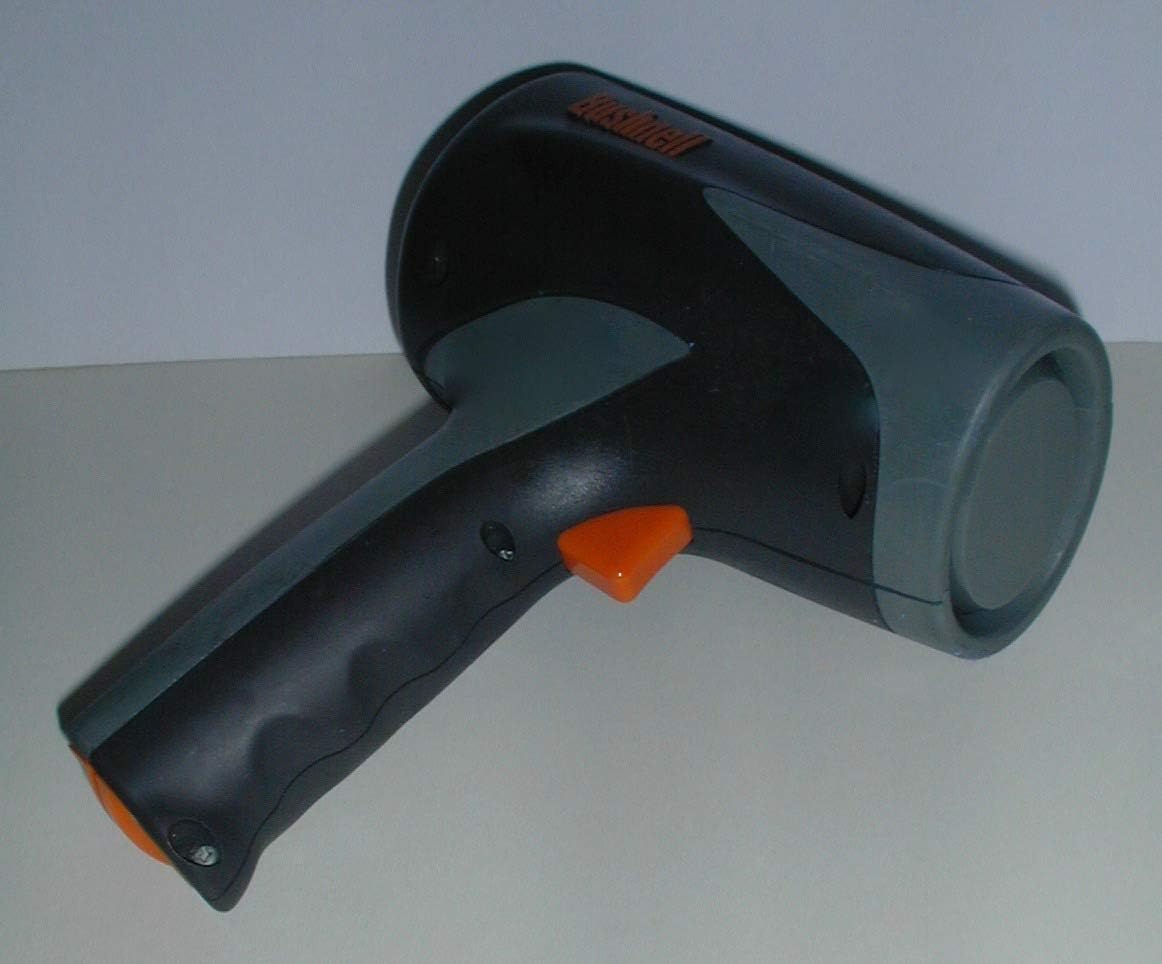
This image shows the Bushnell Velocity Speed Gun from a front-side angle, highlighting its ergonomic design and the main sensor area.
1. Konfiguracja
1.1. Instalacja baterii
The Bushnell Velocity Speed Gun requires two (2) 'C' cell batteries for operation. These batteries are not included with the device and must be purchased separately.
- Locate the battery compartment cover, typically on the handle or base of the unit.
- Open the compartment and insert two 'C' cell batteries, ensuring correct polarity (+/-) as indicated inside the compartment.
- Dokładnie zamknij pokrywę komory baterii.
1.2. Pierwsze włączenie zasilania
After installing batteries, press the main trigger or power button to turn on the device. The display should illuminate, indicating the unit is ready for use.
Na tym obrazie pokazany jest widok z bokufile of the speed gun, clearly showing the orange trigger button and the general area where the battery compartment is located on the handle.
2. Instrukcja obsługi
2.1. Taking a Speed Measurement
To measure the speed of an object:
- Point the front of the speed gun directly at the moving object. Ensure a clear line of sight.
- Press and hold the trigger button. The device will begin to measure the speed.
- The measured speed will be displayed on the LCD screen. The device continuously updates the reading as long as the trigger is held.
- Release the trigger to hold the last measured speed on the display.
For optimal accuracy, aim at the center of the object and ensure the object is moving directly towards or away from the device.
2.2. Zrozumienie wyświetlacza
The LCD display shows the measured speed and the selected unit of measurement (MPH or KPH).

To zdjęcie wyraźnie pokazuje view of the back of the speed gun, highlighting the digital LCD display where speed readings are shown, and the small orange button below it for unit selection.
2.3. Changing Measurement Units (MPH/KPH)
To switch between Miles Per Hour (MPH) and Kilometers Per Hour (KPH):
- With the device powered on, locate the small button below the LCD display.
- Press this button briefly to toggle between MPH and KPH modes. The active unit will be indicated on the display.
2.4. Measurement Range and Accuracy
The Bushnell Velocity Speed Gun is designed to measure speeds generally above 10 MPH (16 KPH). Objects moving slower than this threshold may not register a reading or may show inconsistent results.
Factors such as distance, object size, and environmental conditions can affect measurement accuracy. For best results, measure objects at a reasonable distance and in clear conditions.
3. Konserwacja
3.1. Czyszczenie
To clean the exterior of the speed gun, use a soft, damp ściereczką. Nie używaj środków czyszczących o właściwościach ściernych ani rozpuszczalników, ponieważ mogą one uszkodzić wykończenie lub elementy elektroniczne.
Keep the sensor lens clean and free of dust or smudges for accurate readings.
3.2. Przechowywanie
When not in use, store the speed gun in a dry, cool place, away from direct sunlight and extreme temperatures. Remove batteries if the device will not be used for an extended period to prevent leakage.
The device comes with a protective bag for storage and transport.

This image shows the front of the Bushnell Velocity Speed Gun, emphasizing the circular speed sensor which is crucial for accurate measurements.
4. Rozwiązywanie Problemów
- Brak wyświetlacza/urządzenie się nie włącza: Sprawdź instalację baterii i upewnij się, że są nowe. W razie potrzeby wymień.
- Inconsistent or No Speed Reading:
- Ensure a clear line of sight to the object.
- Verify the object is moving above the minimum measurable speed (approximately 10 MPH).
- Check for obstructions between the device and the object.
- Clean the sensor lens if it is dirty.
- Niedokładne odczyty:
- Ensure you are aiming directly at the object's center.
- Minimize interference from other moving objects in the background.
- Consider environmental factors like heavy rain or fog, which can affect radar performance.
5. Specyfikacje
| Funkcja | Szczegół |
|---|---|
| Numer modelu | 69 |
| ASIN | B00604CBSE |
| Źródło zasilania | 2 x 'C' Cell Batteries (not included) |
| Jednostki miary | MPH, KPH |
| Minimum Measurable Speed | Approx. 10 MPH (16 KPH) |
| Wymiary opakowania | 13.86 x 9.13 x 2.44 cala |
| Waga przedmiotu | 0.01 uncji |
| Data pierwszej dostępności | 7 sierpnia 2012 r. |
6. Gwarancja i wsparcie
For detailed warranty information, please refer to the official Bushnell product documentation included with your purchase or visit the official Bushnell webstrona.
If you require technical assistance or have questions not covered in this manual, please contact Bushnell customer support through their official webstrona: www.bushnell.com.


