Wstęp
This manual provides comprehensive instructions for the setup, operation, maintenance, and troubleshooting of your Avaya 9508 Digital Phone. The Avaya 9508 is designed to deliver reliable, high-quality communication for business environments, offering functionality similar to the Avaya 9600 Series IP Deskphones in a digital telephony setting.
Produkt ponadview
The Avaya 9508 Digital Phone is a robust communication device featuring a sleek design suitable for various business users. It integrates essential telephony functions with an intuitive interface.

Rycina 1: Przód view of the Avaya 9508 Digital Phone, showing the handset, display, and keypad.

Rysunek 2: Strona view of the Avaya 9508 Digital Phone, illustrating its ergonomic design with the desk stand.
Instrukcje konfiguracji
1. Rozpakowywanie urządzenia
Ostrożnie wyjmij wszystkie elementy z opakowania. Upewnij się, że znajdują się w nim następujące elementy:
- Avaya 9508 Digital Phone unit
- Słuchawka
- Przewód słuchawki
- Przewód liniowy
- Stojak na biurko
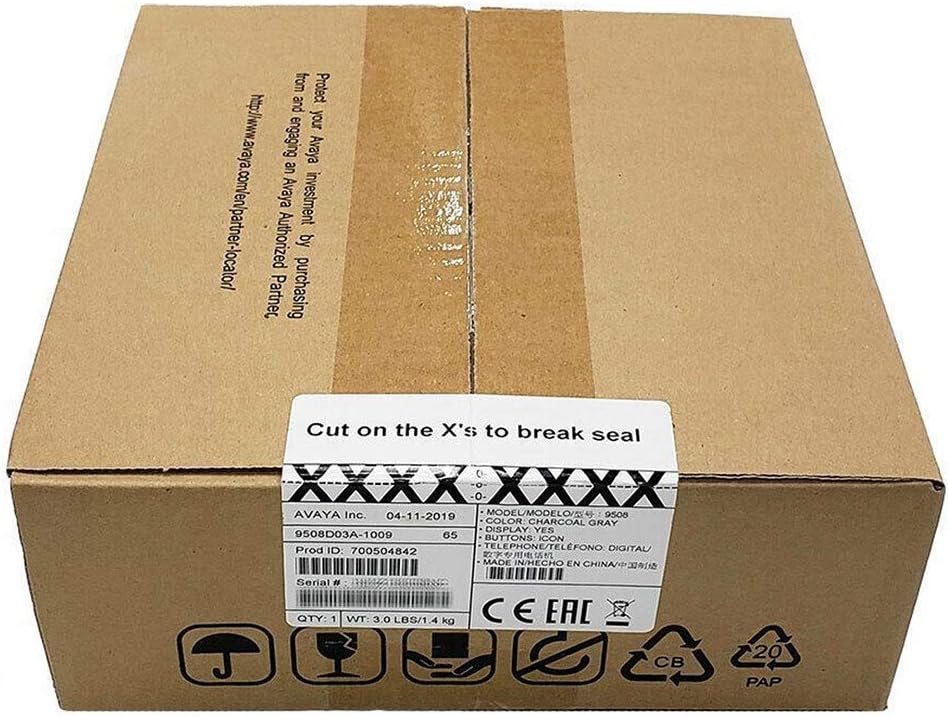
Figure 3: The Avaya 9508 Digital Phone packaging box, indicating product details and sealing instructions.
2. Mocowanie podstawki biurkowej
- Locate the slots on the back of the phone unit.
- Align the tabs on the desk stand with these slots.
- Slide the stand into place until it clicks securely.
3. Podłączanie słuchawki
- Podłącz jeden koniec spiralnego przewodu słuchawkowego do słuchawki.
- Plug the other end into the designated handset port on the phone unit (usually marked with a handset icon).
4. Connecting to the Phone System
The Avaya 9508 is a digital phone and requires connection to a compatible Avaya phone system. It cannot be directly connected to a standard analog phone line or a modem/router for VoIP services without the appropriate system infrastructure.
- Connect one end of the line cord to the port labeled "LINE" or "DIGITAL" on the back of the phone.
- Connect the other end of the line cord to the digital station port on your Avaya communication system.
- Ensure the phone receives power from the system or an external power adapter (if required and not included).
Instrukcja obsługi
Podstawowe funkcje wywołania
- Nawiązywanie połączenia: Lift the handset or press the Speaker button, then dial the number.
- Odbieranie połączenia: Lift the handset or press the Speaker button when the phone rings.
- Zakończenie połączenia: Replace the handset or press the Speaker button again.
- Ponowne wybieranie: Naciśnij przycisk Powtórz, aby zadzwonić pod ostatnio wybierany numer.
Zaawansowane funkcje
- Trzymać: During a call, press the Hold button.
- Transfer: During a call, press the Transfer button, dial the new extension or number, and then press Transfer again.
- Konferencja: During a call, press the Conference button, dial the next participant, and then press Conference again to join all parties.
- Poczta głosowa: Press the Voicemail button (often represented by an envelope icon) to access your messages. Follow the audio prompts for setup and retrieval.
- Regulacja głośności: Use the volume up/down buttons on the side of the phone to adjust handset, speaker, or ringer volume.
Konserwacja
Czyszczenie
Aby zachować wygląd i funkcjonalność telefonu:
- Użyj miękkiego, damp cloth to wipe the phone's surface.
- Avoid using abrasive cleaners, solvents, or strong chemicals, as these can damage the plastic and electronic components.
- Ensure the phone is disconnected from the power source before cleaning.
Składowanie
Jeśli przechowujesz telefon przez dłuższy czas, odłącz wszystkie kable i przechowuj go w chłodnym, suchym miejscu, z dala od bezpośredniego światła słonecznego i ekstremalnych temperatur.
Rozwiązywanie problemów
| Problem | Możliwa przyczyna | Rozwiązanie |
|---|---|---|
| Brak sygnału wybierania | Telefon nie jest prawidłowo podłączony do systemu. | Check all cable connections, especially the line cord to the phone system. Ensure the phone system is operational. |
| Nie słyszę dzwoniącego / Dzwoniący mnie nie słyszy | Handset or speaker volume too low; faulty cord. | Adjust volume. Check handset cord connection. Test with another handset if available. |
| Wyświetlacz jest pusty | No power; phone system issue. | Verify power connection. Contact your system administrator if other phones are also affected. |
| Przyciski nie reagują | Tymczasowy błąd oprogramowania. | Disconnect and reconnect the phone from the system (power cycle). |
If issues persist after attempting these solutions, please contact your system administrator or Avaya support.
Specyfikacje
- Model: Avaya 9508 Digital Phone
- Numer części: 700504842
- Wymiary (dł. x szer. x wys.): 1.97 x 1.97 x 1.97 cala (w przybliżeniu, na podstawie danych produktu)
- Waga przedmiotu: 7.1 uncji (200 grama)
- Kolor: Czarny
- Tworzywo: Plastikowy
- Typ telefonu: Digital Landline
- Źródło zasilania: Corded Electric (typically powered by the Avaya communication system)
- Zgodne urządzenia: Requires connection to a compatible Avaya digital communication system.
- Pierwsza dostępna: 3 maja 2013 r.
Gwarancja i wsparcie
For warranty information, please refer to the documentation provided at the time of purchase or contact your Avaya reseller. Technical support is typically provided by your organization's IT department or the Avaya certified partner who installed your communication system.
For general information about Avaya products, visit the official Avaya webstrona: www.avaya.com


