1. Wprowadzenie
Dziękujemy za zakupasing the Onkyo C-7030 CD Player. This manual provides essential information for the proper setup, operation, and maintenance of your device. Please read it thoroughly before use to ensure optimal performance and longevity of your CD player.
2. Koniec produktuview
The Onkyo C-7030 is a high-quality CD player designed for music enthusiasts, featuring robust construction and advanced audio technology for excellent sound reproduction. It supports standard audio CDs and offers various connectivity options.
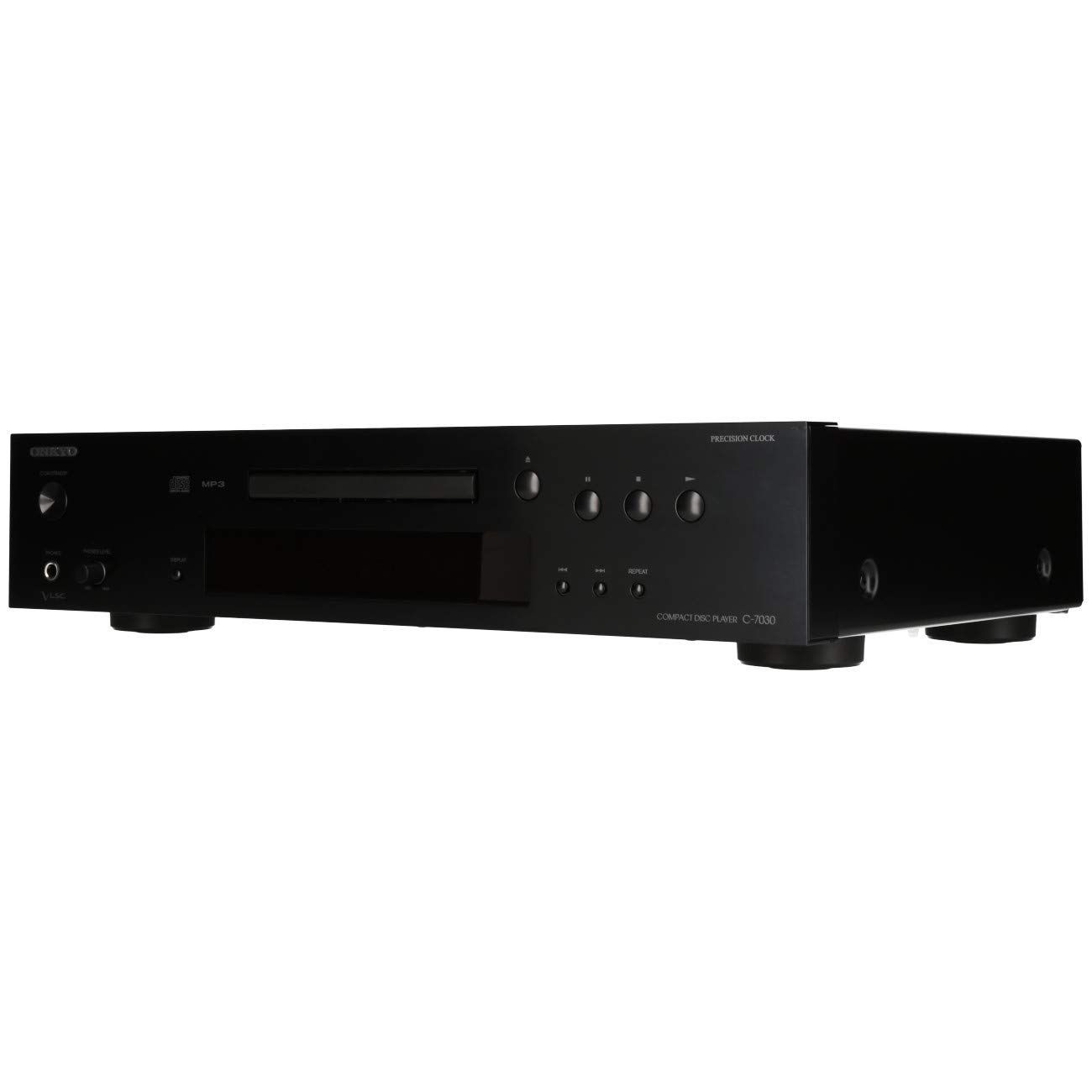
Rycina 1: Przód view of the Onkyo C-7030 CD Player. This image shows the sleek black finish, disc tray, display, and control buttons.

Rysunek 2: Przód kątowy view of the Onkyo C-7030 CD Player, highlighting the power button, headphone jack, and volume control.

Rysunek 3: Tył view of the Onkyo C-7030 CD Player, displaying the analog RCA, coaxial digital, and optical digital audio output ports, along with the remote control input.

Figure 4: The remote control for the Onkyo C-7030 CD Player, featuring various playback and function buttons.
3. Konfiguracja
- Rozpakowywanie: Carefully remove the CD player and all accessories from the packaging. Retain the packaging for future transport or storage.
- Umieszczenie: Place the CD player on a stable, level surface away from direct sunlight, heat sources, and excessive dust or moisture. Ensure adequate ventilation around the unit.
- Znajomości:
- Wyjście audio: Podłącz odtwarzacz CD do swojego ampodbiornik lub odbiornik, stosując jedną z następujących metod:
- Analog (RCA): Use RCA cables (red for right, white for left) to connect the AUDIO OUTPUT ANALOG jacks on the CD player to the corresponding input jacks on your ampliyfikator.
- Cyfrowy koncentryczny: Use a digital coaxial cable to connect the COAXIAL DIGITAL AUDIO OUTPUT jack on the CD player to a coaxial digital input on your amppodgrzewacz/odbiornik.
- Cyfrowy optyczny: Use an optical digital cable to connect the OPTICAL DIGITAL AUDIO OUTPUT jack on the CD player to an optical digital input on your amppodgrzewacz/odbiornik.
- Moc: Connect the power cord to the AC inlet on the rear of the CD player, then plug it into a suitable wall outlet.
- Pilot zdalnego sterowania (opcjonalnie): If using an Onkyo system with RI (Remote Interactive) compatibility, connect the RI cable from the CD player to your amplifier/receiver for integrated control.
- Wyjście audio: Podłącz odtwarzacz CD do swojego ampodbiornik lub odbiornik, stosując jedną z następujących metod:
4. Instrukcja obsługi
- Włączanie/wyłączanie: Naciśnij GOTOWOŚĆ/WŁĄCZONY przycisk na panelu przednim lub pilocie, aby włączyć lub wyłączyć urządzenie.
- Ładowanie płyty CD: Naciśnij OTWÓRZ/ZAMKNIJ button to open the disc tray. Place a CD with the label side up in the tray. Press OTWÓRZ/ZAMKNIJ ponownie, aby zamknąć tacę.
- Odtwarzanie nagranego dźwięku: After loading a CD, the player will automatically begin playback. If not, press the GRAĆ przycisk.
- Pauza: Naciśnij PAUZA button to temporarily stop playback. Press it again to resume.
- Zatrzymać: Naciśnij ZATRZYMYWAĆ SIĘ przycisk, aby zatrzymać odtwarzanie.
- Pomijanie utworów: Użyj SKIP (▶▶| / |◀◀) przyciski do nawigacji pomiędzy utworami.
- Szybkie przewijanie do przodu/do tyłu: Przytrzymaj SKIP (▶▶| / |◀◀) przyciski podczas odtwarzania umożliwiające szybkie przewijanie do przodu lub do tyłu utworu.
- Powtórz odtwarzanie: Naciśnij POWTARZAĆ button to cycle through repeat modes (e.g., repeat current track, repeat all tracks).
- Odtwarzanie losowe: Naciśnij LOSOWY przycisk, aby odtwarzać utwory w losowej kolejności.
- Wyświetlacz: Naciśnij WYŚWIETLACZ button to change the information shown on the front panel display (e.g., track number, elapsed time, remaining time).
- ściemniacz: Użyj OPORNIK button to adjust the brightness of the front panel display.
Uwaga dotycząca filmów: No official product videos specifically for the Onkyo C-7030 CD Player from a 'Seller' creator type were available in the provided data. The videos found were for different brands or models, and thus are not included to maintain relevance and accuracy for this specific instruction manual.
5. Konserwacja
- Czyszczenie urządzenia: Use a soft, dry cloth to wipe the exterior of the unit. For stubborn stains, dampen the cloth with a mild, non-abrasive cleaner. Avoid using harsh chemicals or abrasive materials.
- Dyski czyszczące: Wipe CDs with a soft, lint-free cloth from the center outwards. Do not use solvents or abrasive cleaners.
- Taca na płytę: Keep the disc tray clean and free of dust. Avoid placing heavy objects on the tray or forcing it open/closed.
- Wentylacja: Aby zapobiec przegrzaniu, należy upewnić się, że otwory wentylacyjne urządzenia nie są zablokowane.
6. Rozwiązywanie Problemów
| Problem | Możliwa przyczyna | Rozwiązanie |
|---|---|---|
| Brak zasilania | Przewód zasilający nie jest podłączony lub gniazdko jest nieaktywne. | Sprawdź podłączenie przewodu zasilającego. Spróbuj użyć innego gniazdka. |
| Brak dźwięku | Incorrect audio cable connection or wrong input selected on ampliyfikator. | Sprawdź połączenia kabli audio. Wybierz właściwe wejście w swoim amplifier. Sprawdź ampobjętość lifier. |
| Disc not playing/Disc error | Płyta jest brudna, porysowana lub nieprawidłowo włożona. | Clean the disc. Try a different disc. Ensure the disc is inserted correctly with the label side up. |
| Pilot nie działa | Batteries are dead or remote is not aimed at the unit. | Replace batteries (2 AA required). Point the remote directly at the CD player's sensor. |
7. Specyfikacje
- Wymiary produktu: 17.13 x 12.05 x 3.98 cala
- Waga przedmiotu: 11.66 funta
- Producent: ONKYO
- Nazwa modelu: C-7030
- Technologia łączności: Pomocniczy
- Liczba dysków: 1
- Baterie: 2 AA batteries required (for remote control)
- Data pierwszej dostępności: 7 sierpnia 2012 r.
8. Gwarancja i wsparcie
Aby uzyskać informacje dotyczące gwarancji i pomocy technicznej, zapoznaj się z kartą gwarancyjną dołączoną do produktu lub odwiedź oficjalną stronę internetową Onkyo webZachowaj paragon jako dowód zakupu na wypadek reklamacji.


