Wstęp
This manual provides comprehensive instructions for the Verbatim 2.4G Wireless Mini Travel Optical Mouse, Model 97471. It covers setup, operation, maintenance, and troubleshooting to ensure optimal performance and longevity of your device. This ultra-compact wireless mouse is designed for portability and ease of use with notebooks and netbooks.

Image: The Verbatim 2.4G Wireless Mini Travel Optical Mouse in blue, shown with its compact Nano receiver.
Zawartość opakowania
Sprawdź, czy w opakowaniu znajdują się wszystkie elementy:
- Verbatim 2.4G Wireless Mini Travel Optical Mouse
- Odbiornik Nano USB
- Bateria 1x AAA
- Szybki przewodnik
Wymagania systemowe
The Verbatim 2.4G Wireless Mini Travel Optical Mouse is compatible with the following operating systems:
- Windows XP, Vista, Windows 7, and higher
- Mac OS X 10.1 i nowsze
- Linux kernel 2.6 and higher
A free USB 1.1 or 2.0 port is required for the Nano USB Receiver.
Instrukcje konfiguracji
1. Zainstaluj baterię
- Znajdź pokrywę komory baterii na spodzie myszy.
- Aby otworzyć komorę, delikatnie przesuń lub unieś pokrywę.
- Włóż dołączoną baterię AAA, upewniając się, że bieguny dodatni (+) i ujemny (-) są prawidłowo ustawione względem oznaczeń wewnątrz komory.
- Załóż pokrywę komory baterii, aż zatrzaśnie się na swoim miejscu.

Image: The underside of the mouse with the battery compartment open, showing the AAA battery and the Nano receiver stored inside.
2. Connect the Nano USB Receiver
- Remove the Nano USB receiver from its storage slot within the mouse's battery compartment (if stored there).
- Podłącz odbiornik Nano USB do wolnego portu USB w komputerze.
- Twój komputer powinien automatycznie wykryć i zainstalować niezbędne sterowniki. Ten proces może potrwać chwilę.
Instrukcja obsługi
Włączanie/wyłączanie
The mouse typically powers on automatically when the receiver is connected and the mouse is moved. To conserve battery life, ensure the mouse is turned off when not in use. A power switch is usually located on the underside of the mouse.
Podstawowe użycie
- Lewy przycisk: Podstawowa funkcja kliknięcia, używana do wybierania elementów, otwierania linków itp.
- Prawy przycisk: Funkcja dodatkowego kliknięcia, zwykle otwierająca menu kontekstowe.
- Kółko przewijania: Roll up or down to navigate documents and web stron. Kółko przewijania może również pełnić funkcję środkowego przycisku po naciśnięciu.
Konserwacja
Wymiana baterii
When the mouse performance degrades or stops responding, it is likely time to replace the AAA battery. Follow the battery installation steps outlined in the Setup section.
Czyszczenie
Do czyszczenia myszy użyj miękkiej, suchej i niepozostawiającej włókien ściereczki. W przypadku uporczywych zabrudzeń delikatnie przetrzyjampen the cloth with water. Avoid using harsh chemicals, solvents, or abrasive cleaners, as these can damage the mouse's surface or internal components.
Rozwiązywanie problemów
| Problem | Rozwiązanie |
|---|---|
| Mysz nie reaguje |
|
| Ruch kursora jest nieregularny lub skokowy |
|
| Receiver not detected by computer |
|
Specyfikacje
| Funkcja | Szczegół |
|---|---|
| Numer modelu | 97471 |
| Wymiary produktu | 3 x 2 x 1.25 cali (dł. x szer. x wys.) |
| Waga przedmiotu | 2.4 uncji |
| Technologia łączności | Bezprzewodowy 2.4GHz |
| Technologia wykrywania ruchu | Optyczny |
| Typ baterii | 1x AAA (w zestawie) |
| Interfejs | USB 2.0 (kompatybilny z USB 1.1) |

Obraz: widok z góry view of the Verbatim Mini Travel Mouse showing its approximate dimensions of 3 inches length and 2 inches width.
Informacje o gwarancji
This Verbatim product is covered by a 1-roczna ograniczona gwarancja from the date of purchase. This warranty covers defects in materials and workmanship under normal use. For full terms and conditions, please refer to the official Verbatim warranty documentation or contact customer support.
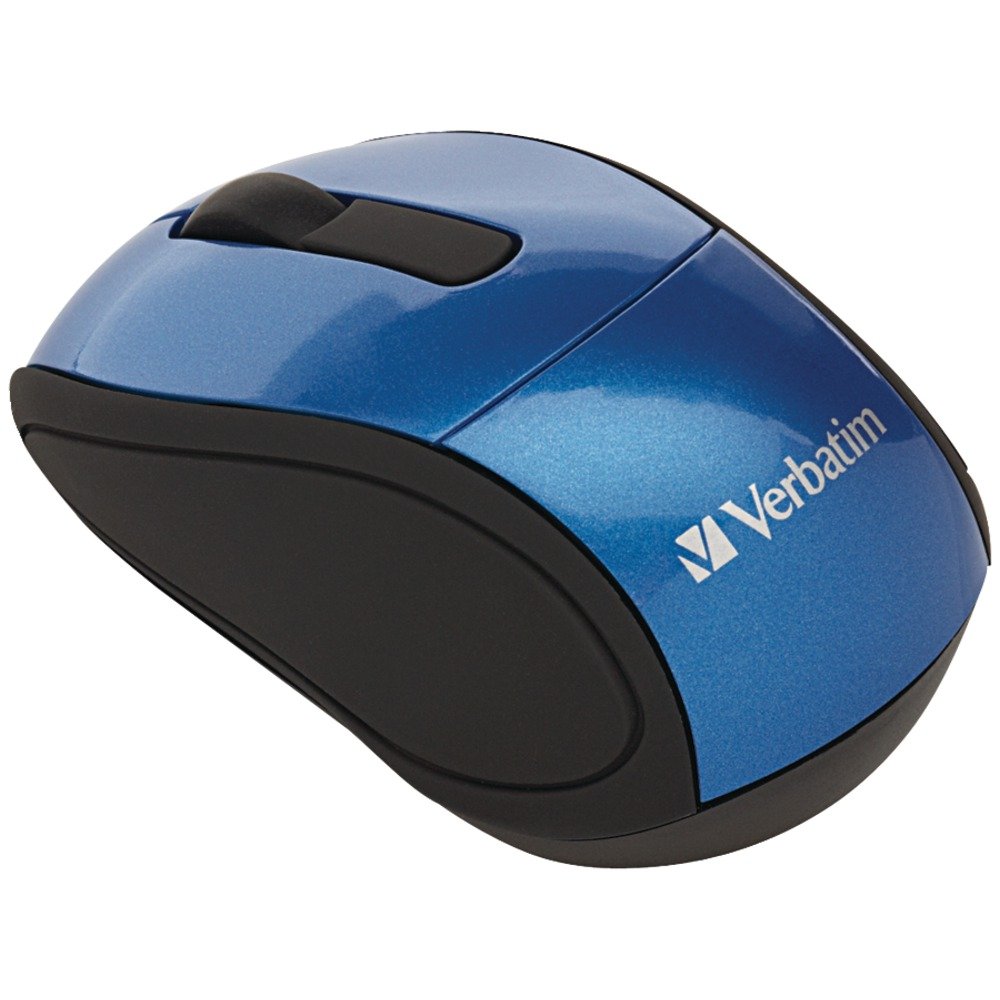
Image: A blue circular badge indicating a "1-Year Limited Warranty".
Wsparcie
Aby uzyskać dalszą pomoc, wsparcie techniczne lub złożyć wniosek o gwarancję, odwiedź oficjalną stronę Verbatim website or contact their customer service department. Contact information can typically be found on the Verbatim webstronie internetowej lub w Przewodniku szybkiego startu dołączonym do produktu.


