1. Wprowadzenie
Thank you for choosing the Vogel's PFD 8522 Monitor Desk Mount. This manual provides essential information for the safe and efficient installation, operation, and maintenance of your monitor mount. The PFD 8522 is designed to securely hold your monitor, offering flexible positioning with its two pivot points and robust desk clamp. Please read these instructions carefully before proceeding with installation.
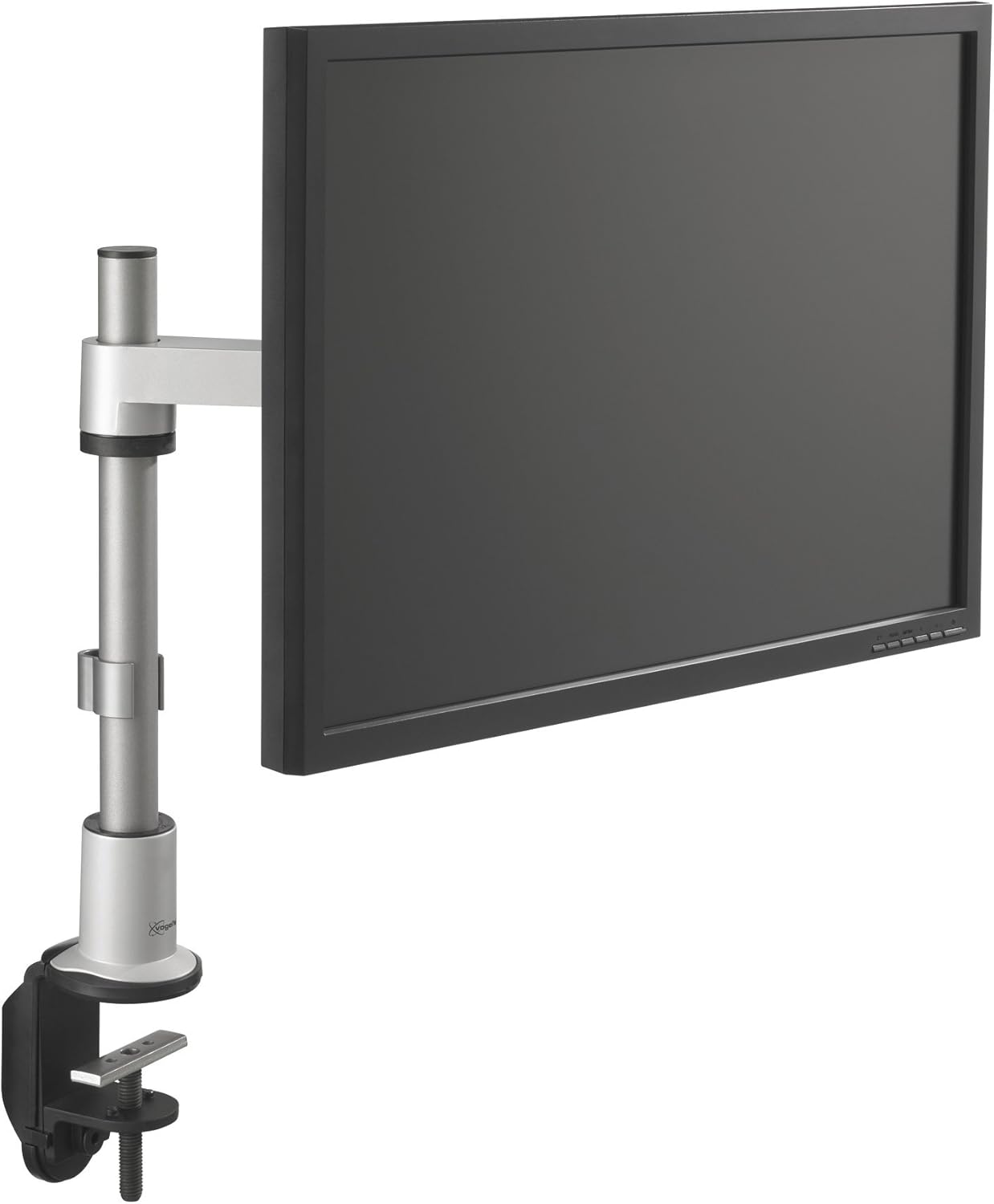
This image shows the Vogel's PFD 8522 Monitor Desk Mount fully assembled and attached to a desk, holding a monitor. The mount features a sturdy desk clamp, a vertical pole, and an adjustable arm with two pivots, allowing for flexible monitor positioning.
2. Informacje dotyczące bezpieczeństwa
Please observe the following safety precautions to prevent injury and damage to your equipment:
- Ensure the desk surface is strong enough to support the combined weight of the mount and your monitor.
- Do not exceed the maximum weight capacity specified for this mount.
- Always use the provided hardware and follow the installation steps precisely.
- Podczas instalacji należy trzymać dzieci i zwierzęta z daleka.
- Okresowo sprawdzaj wszystkie śruby i połączenia, aby mieć pewność, że są dobrze dokręcone.
- Avoid placing the mount in areas where it could be easily bumped or knocked over.
3. Konfiguracja i instalacja
The Vogel's PFD 8522 mount is designed for straightforward installation. While the arm components are pre-assembled, attachment to your desk and monitor is required.
3.1 Attaching the Desk Clamp
The mount features a robust desk clamp for secure attachment. Ensure your desk thickness is within the compatible range for the clamp.
- Umieść klamp on the edge of your desk where you intend to install the monitor.
- Dokręć clamp screw firmly until the mount is stable and cannot be easily moved. Do not overtighten.

Szczegółowy view biurka klamp component of the Vogel's PFD 8522 mount. It illustrates the robust clamping mechanism designed to securely attach the mount to various desk thicknesses.
3.2 Montaż monitora
The PFD 8522 supports VESA mounting patterns. Refer to your monitor's manual for its specific VESA pattern.
- Carefully attach the VESA plate of the mount to the back of your monitor using the appropriate screws. Ensure the screws are tightened securely.
- Slide the monitor with the attached VESA plate onto the arm's mounting head.
- Secure the monitor to the arm using any locking mechanisms or screws provided with the mount.
3.3 Zarządzanie kablami
The mount features a 3-point cable management system to keep your workspace tidy.
- Route your monitor's power and video cables along the arm and down the pole.
- Use the integrated cable clips or channels to secure the cables, preventing them from dangling or getting tangled.
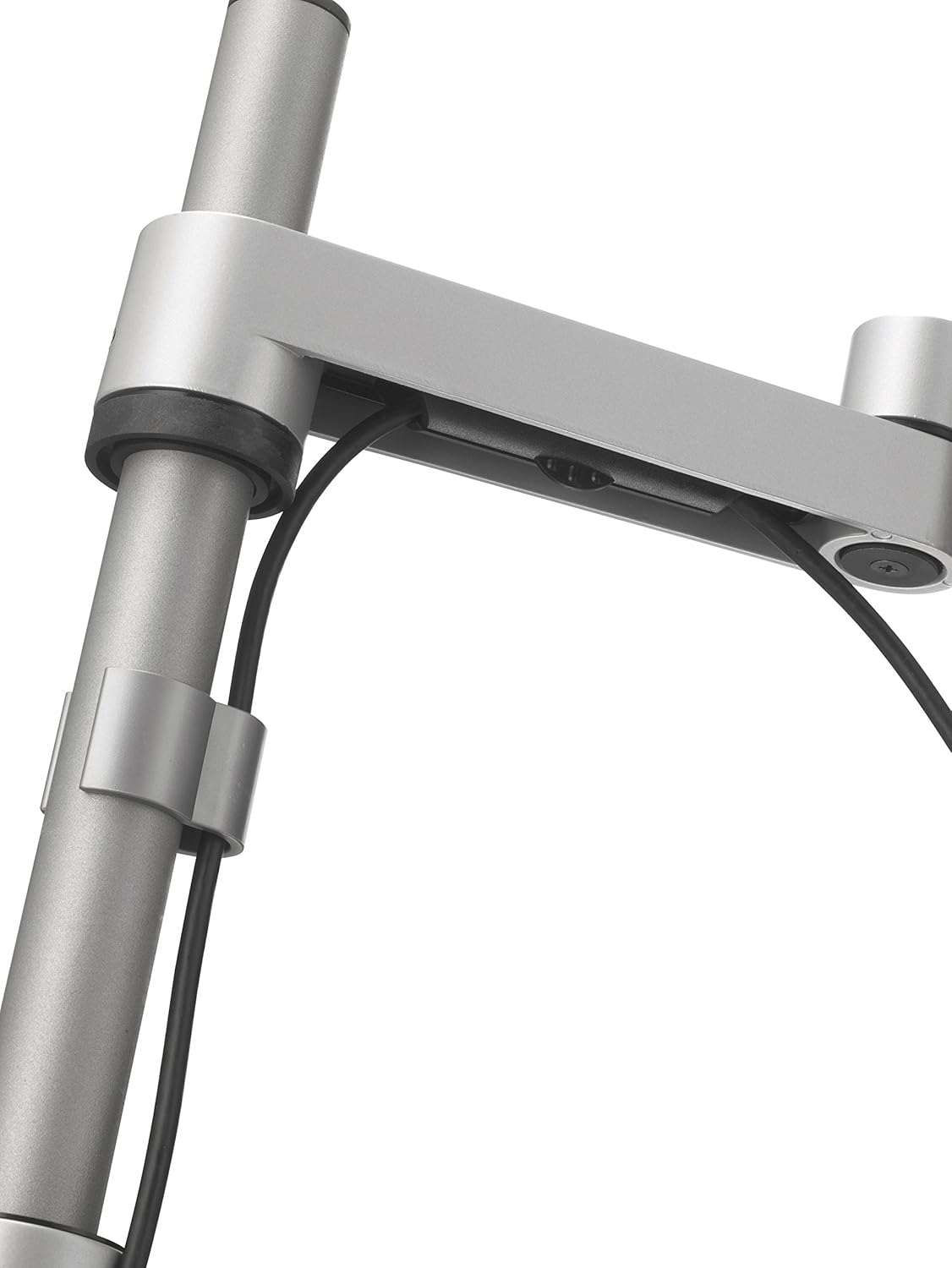
This image highlights the integrated cable management system within the monitor arm. Cables can be routed through the arm to maintain a tidy workspace and prevent clutter.
4. Obsługa i regulacje
The Vogel's PFD 8522 offers versatile adjustments for optimal viewkomfort.
4.1 Regulacja wysokości
The monitor arm can be adjusted vertically along the main pole. Loosen the collar on the pole, adjust the arm to the desired height, and then re-tighten the collar securely.
4.2 Monitor Rotation
The monitor can be rotated 360 degrees at the VESA plate, allowing for easy switching between landscape and portrait orientations.

The image demonstrates the monitor's ability to rotate 360 degrees, allowing for easy switching between landscape and portrait viewing orientations. This feature is useful for various tasks and applications.
4.3 Arm Articulation and Tilt
The arm features two pivot points, allowing you to extend, retract, and swivel your monitor. The monitor can also be tilted up or down to reduce glare and improve viewing angles. Adjust the tension screws on the arm joints if the monitor is too loose or too stiff.
5. Konserwacja
Regularna konserwacja zapewnia długowieczność i bezpieczne działanie uchwytu monitora.
- Czyszczenie: Przetrzyj uchwyt miękką ściereczką.amp szmatką. Unikaj środków czyszczących o działaniu ściernym i rozpuszczalników.
- Kontrola: Periodically check all screws, bolts, and connections for tightness. Re-tighten if necessary.
- Smarowanie: No lubrication is typically required for the moving parts. If any joints become stiff, consult Vogel's support.
6. Rozwiązywanie Problemów
If you encounter issues with your Vogel's PFD 8522 mount, refer to the following common solutions:
- Monitor sags or does not hold position: Ensure all tension screws on the arm joints are tightened appropriately for the weight of your monitor. Verify the VESA plate screws are secure.
- Góra wydaje się niestabilna: Check that the desk clamp is fully tightened to the desk surface. Ensure the desk itself is stable and not wobbly.
- Difficulty adjusting arm: If the arm is too stiff, slightly loosen the tension screws on the joints. If it's too loose, tighten them.
- Cables are not tidy: Re-route cables through the designated cable management channels and clips.
7. Specyfikacje
| Funkcja | Specyfikacja |
|---|---|
| Seria modeli | PFD-8522 |
| Numer modelu przedmiotu | 7185224 |
| Wymiary produktu (dł. x szer. x wys.) | Wymiary 11.6 x 51.1 x 11 cm |
| Waga przedmiotu | 1.3 kilogramów |
| Maksymalny rozmiar ekranu | 26 cali |
| Marka | Vogel's |
| Tworzywo | Poliester |
| Kolor | Biały |
| Wymagany montaż | No (referring to internal arm assembly, desk/monitor installation required) |

A technical drawing illustrating the key dimensions and articulation capabilities of the Vogel's PFD 8522 mount. It shows the height adjustment range, arm extension, and pivot angles, including 360-degree rotation at the VESA plate and pole, and a 200-degree tilt at the arm joint.
8. Gwarancja i wsparcie
For warranty information or technical support, please refer to the documentation included with your purchase or visit the official Vogel's website. You can also contact Vogel's customer service directly for assistance with product inquiries, installation, or troubleshooting.


