1. Wprowadzenie
This manual provides detailed instructions for the setup, operation, and maintenance of your NEC NP200 DLP Projector. Please read this manual thoroughly before using the projector to ensure proper and safe operation. Keep this manual for future reference.
The NEC NP200 is a versatile DLP projector designed for various applications, including home cinema. It offers 2100 lumens of brightness and supports a wide range of resolutions, including HDTV (1080i, 720p) and standard definition formats.
2. Konfiguracja
2.1 Rozpakowanie i zawartość
Ostrożnie wyjmij projektor i wszystkie akcesoria z opakowania. Sprawdź, czy wszystkie wymienione poniżej elementy znajdują się w opakowaniu:
- NEC NP200 DLP Projector
- Przewód zasilający
- Zdalne sterowanie
- Instrukcja obsługi (ten dokument)
Zachowaj oryginalne opakowanie na wypadek transportu lub przechowywania w przyszłości.
2.2 Umiejscowienie projektora
Place the projector on a stable, flat surface. Ensure adequate ventilation around the unit. Avoid placing it near heat sources or in direct sunlight. The projector dimensions are approximately 7.3 x 15.2 x 14.6 inches (H x W x D).
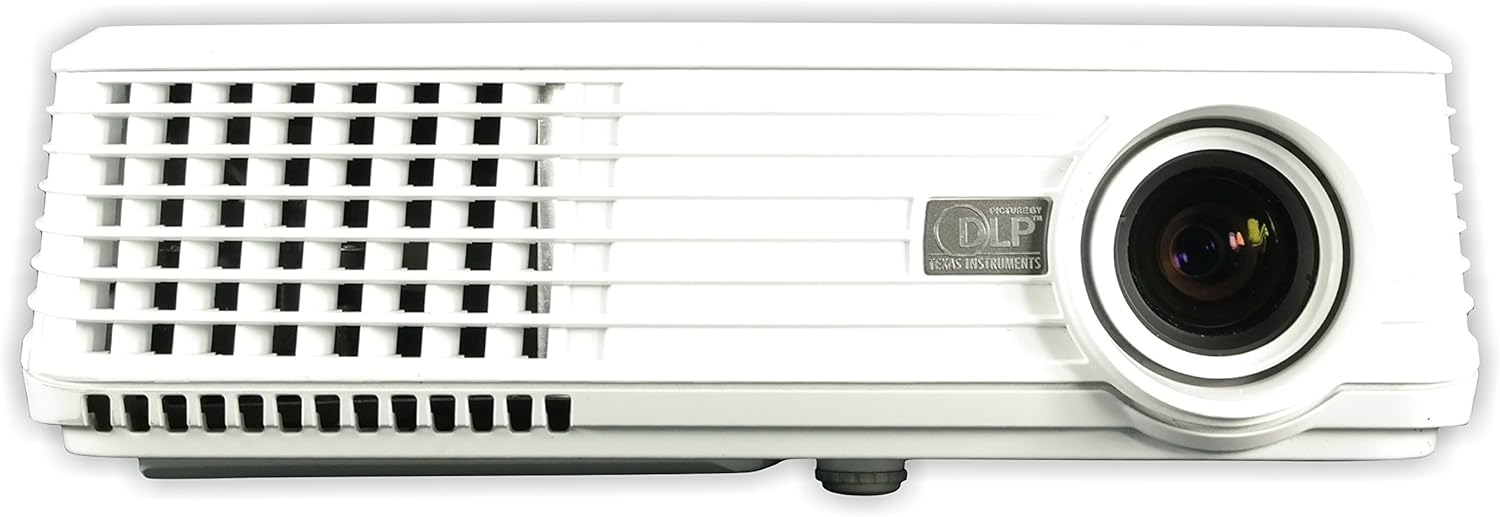
Rysunek 2.2.1: Przód view of the NEC NP200 DLP Projector, showing the lens and front ventilation grilles.
2.3 Podłączanie urządzeń
The NEC NP200 projector offers various input ports for connecting different devices. Ensure the projector is powered off before making any connections.

Rysunek 2.3.1: Rear panel of the NEC NP200 projector, displaying various input and output ports including Computer In (VGA), S-Video In, Video In (RCA), Service, Monitor Out (VGA), and Audio In.
- Wejście komputerowe (VGA): Connect your computer using a VGA cable.
- Wejście S-Video: Connect devices with S-Video output.
- Video In (RCA): Podłącz urządzenia z wyjściem wideo kompozytowym.
- Wejście audio: Connect audio sources to the 3.5mm audio jack.
- Wyjście monitora (VGA): Connect an external monitor to mirror the projected display.
- Wejście AC: Connect the supplied power cord to this port and a power outlet.
2.4 Włączanie/wyłączanie
After connecting all necessary cables, plug the power cord into a wall outlet. Press the power button on the projector's control panel or the remote control to turn the unit on. Allow a few moments for the projector to warm up and display the image. To turn off, press the power button again and confirm shutdown if prompted.
Rysunek 2.4.1: Szczyt view of the NEC NP200 projector, showing the focus and zoom rings, and the control panel with the power button and navigation controls.
2.5 Regulacja obrazu
Use the focus ring around the lens to sharpen the image. The zoom ring allows you to adjust the size of the projected image without moving the projector. These controls are located on the top of the projector near the lens.
3. Instrukcja obsługi
3.1 Wybór źródła
Once powered on, use the "Input" or "Source" button on the control panel or remote control to cycle through available input sources (e.g., Computer, S-Video, Video). Select the input corresponding to your connected device.
3.2 Nawigacja po menu
Press the "Menu" button to access the projector's on-screen display (OSD) menu. Use the arrow keys to navigate through options and the "Enter" or "OK" button to select. Adjust settings such as brightness, contrast, color, aspect ratio, and keystone correction as needed.
3.3 Supported Resolutions and Features
The NEC NP200 supports a variety of display resolutions and features:
- Rozdzielczość natywna: 1024x768 (rozdzielczość XGA)
- Zgodność z HDTV: 1080i, 720p
- EDTV Compatibility: 576p, 480p
- SDTV Compatibility: 576i, 480i
- Dodatek specjalny: 3D-ready (requires compatible 3D content and glasses)
- Zalecane użycie: Kino domowe
The projector also includes a built-in speaker for audio output.
4. Konserwacja
Regularna konserwacja zapewnia optymalną wydajność i wydłuża żywotność projektora.
4.1 Łamp Wymiana
CAUTION: HOT SURFACE! Allow the projector to cool down for at least 60 minutes before attempting to replace the lamp. Failure to do so may result in severe burns.
Lamp type for this model is NP10LP. Refer to the label on the bottom of the projector for specific lamp informacje i ostrzeżenia.

Rysunek 4.1.1: Spód view of the NEC NP200 projector, showing the product label with model number, manufacturing details, and various caution and warning labels, including lamp informacje o wymianie.
- Upewnij się, że projektor jest odłączony od gniazdka zasilania.
- Znajdź lamp cover (refer to the diagram in the full service manual if available).
- Carefully remove the screws securing the lamp okładka.
- Gently pull out the old lamp moduł.
- Insert the new NP10LP lamp modułu, upewniając się, że jest on prawidłowo osadzony.
- Wymień lamp przykryj i zabezpiecz śrubami.
- Podłącz projektor i zresetuj lamp timer w menu OSD.
4.2 Czyszczenie
Keep the projector clean to prevent overheating and maintain image quality.
- Zewnętrzny: Wytrzyj zewnętrzną częśćasing with a soft, lint-free cloth. For stubborn dirt, slightly damppl szmatkę zwilżoną wodą. Nie używaj ściernych środków czyszczących ani rozpuszczalników.
- Obiektyw: Use a professional lens cleaning cloth and solution specifically designed for optical lenses. Avoid touching the lens with your fingers.
- Kratki wentylacyjne: Regularly check and clean the ventilation grilles to ensure proper airflow. Dust accumulation can lead to overheating. Use a soft brush or compressed air to remove dust.

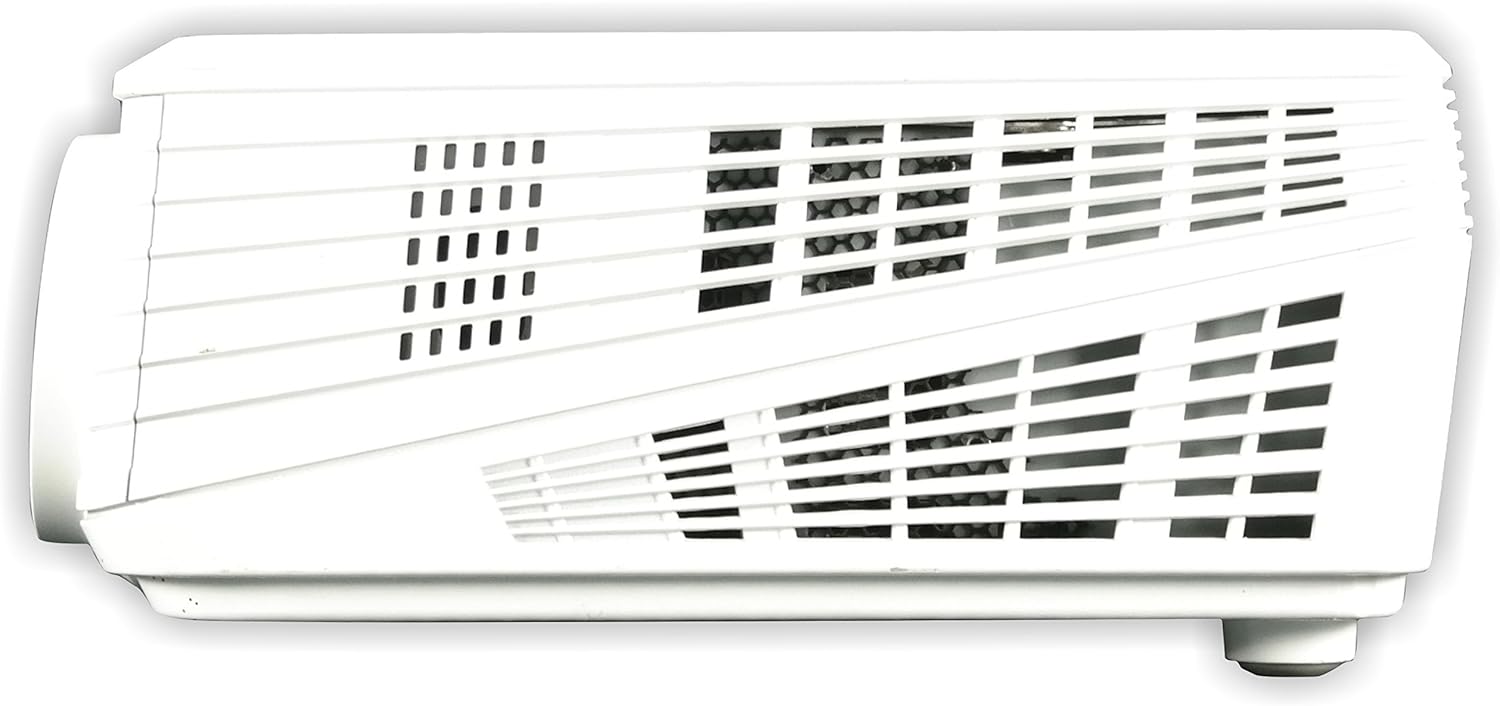
Rysunek 4.2.1: Lewa strona view of the NEC NP200 projector, highlighting the ventilation grilles for airflow.

Rysunek 4.2.2: Prawa strona view of the NEC NP200 projector, showing additional ventilation grilles.
5. Rozwiązywanie Problemów
This section provides solutions to common issues you might encounter with your NEC NP200 projector.
| Problem | Możliwa przyczyna | Rozwiązanie |
|---|---|---|
| Obraz nie jest wyświetlany |
|
|
| Obraz jest rozmazany lub nieostry |
|
|
| No sound from projector speaker |
|
|
| Projektor przegrzewa się lub wyłącza |
|
|
Jeśli po wypróbowaniu tych rozwiązań problem nadal występuje, skontaktuj się z obsługą klienta.
6. Specyfikacje
| Funkcja | Szczegół |
|---|---|
| Numer modelu | NP200 |
| Marka | NEC |
| Technologia wyświetlania | DLP |
| Jasność | 2100 lumenów |
| Rozdzielczość natywna | 1024x768 (rozdzielczość XGA) |
| Obsługiwane rozdzielczości | HDTV (1080i, 720p), EDTV (576p, 480p), SDTV (576i, 480i) |
| Technologia łączności | VGA (Computer In, Monitor Out), S-Video, Composite Video (RCA), Audio In (3.5mm) |
| Cechy specjalne | 3D-ready, 3D-built-in |
| Zalecane zastosowanie | Kino domowe |
| Wymiary produktu | 7.3 x 15.2 x 14.6 cala |
| Waga przedmiotu | 7.8 funta |
| Producent | Rozwiązania wyświetlaczy NEC |
| Pierwsza dostępna data | 29 lutego 2008 r. |
7. Gwarancja i wsparcie
7.1 Informacje o gwarancji
For detailed warranty terms and conditions, please refer to the warranty card included with your product or visit the official NEC Display Solutions webZachowaj dowód zakupu na wypadek roszczeń gwarancyjnych.
7.2 Obsługa klienta
If you require technical assistance, have questions about your product, or need to arrange for service, please contact NEC Display Solutions customer support. Contact information can typically be found on the manufacturer's official webmiejscu lub w opakowaniu produktu.
Producent: Rozwiązania wyświetlaczy NEC
For the most up-to-date support resources, including FAQs and driver downloads, please visit the official NEC webstrona.


